


Category filter
Change the Default user email address for tablet enrollment
TL;DR
To change the email address associated with the Default user used during tablet enrollment, go to Manage > Users, search for Default user, open the user record, and select Actions > Edit User. Update the email address in the user details and save the changes.
Executive Summary
The Default user in Hexnode can be edited from the Manage tab like other user records. This is useful when tablets are enrolled under a default user and the email address tied to that user needs to be changed. The update is performed from the user profile by opening the Default user entry and selecting Actions > Edit User.
When to change the Default user email address
Update the email address for the Default user when the email currently associated with the user record is no longer valid, needs to be reassigned, or must match the email address used for tablet enrollment workflows.
Change the Default user email address
- Go to Manage in the Hexnode portal.
- Select Users.
- Search for Default user.
- Click the Default user entry to open the user details.
- Click Actions.
- Select Edit User.
- Update the email address in the user details.
- Save the changes.
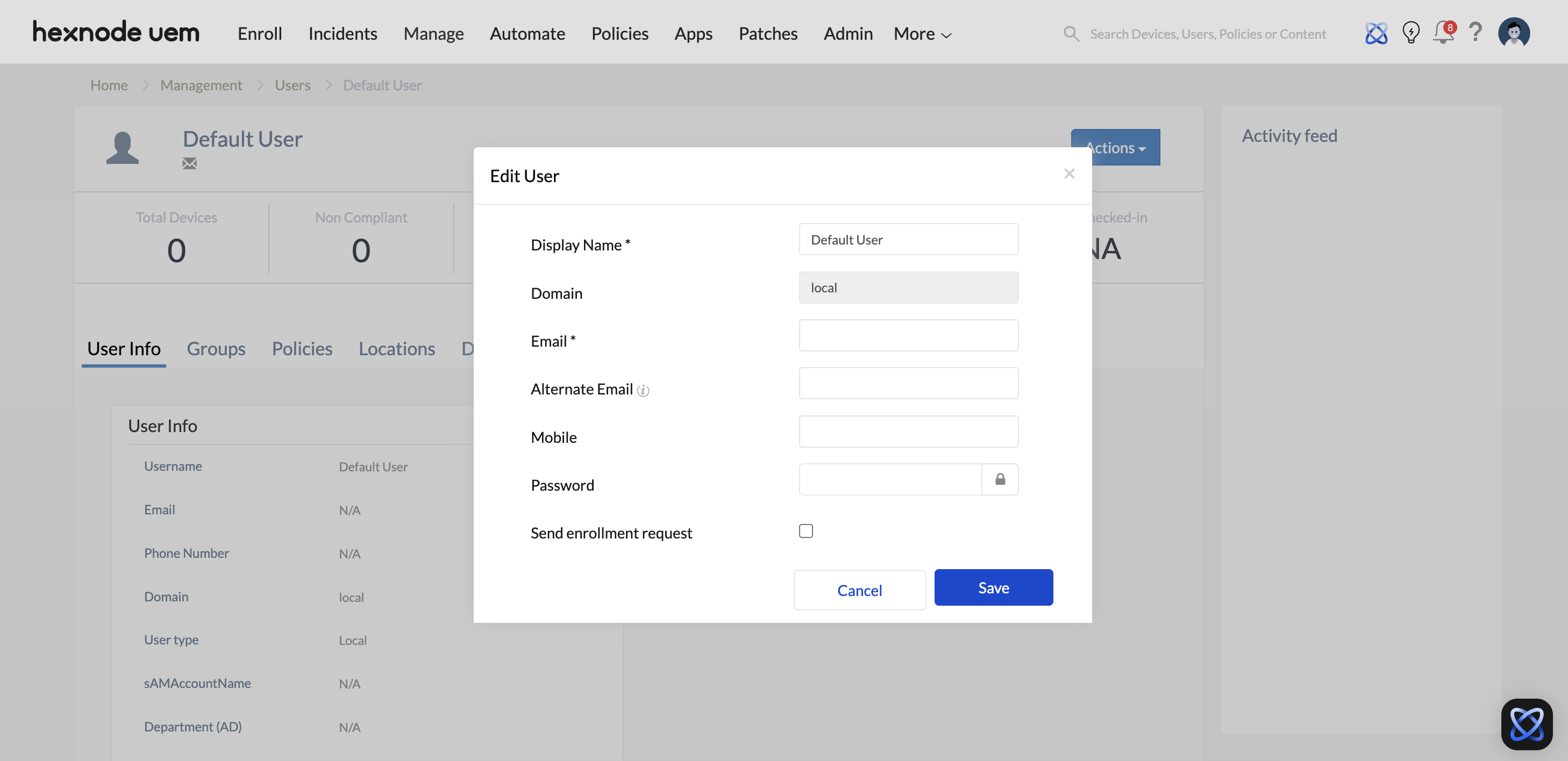
Expected result
The email address associated with the Default user is updated in Hexnode. Future references to this user record, including tablet enrollment contexts that use the Default user, will reflect the updated user email address.
Frequently Asked Questions
Where is the Default user located in Hexnode?
The Default user can be found from Manage > Users. Use the search option in the Users list to locate it.
Which action is used to modify the Default user email address?
Open the Default user record and use Actions > Edit User to modify the user details, including the email address.
Can the Default user email address be changed after tablets are enrolled?
Yes. The Default user record can be edited from Manage > Users by selecting Actions > Edit User and updating the email address.


