


Category filter
Fetching BitLocker Recovery Key: FAQs
Overview
BitLocker Drive Encryption is a Windows security feature that protects data on devices by encrypting entire drive volumes. When Windows devices are managed through Hexnode UEM, IT administrators can enforce BitLocker policies, trigger encryption remotely, and ensure that recovery keys are stored centrally so that locked-out devices can be recovered without data loss.
This document addresses the most common questions around one specific aspect of BitLocker management: how recovery keys are escrowed (stored) and fetched (retrieved) within the Hexnode UEM console.
Q1. What is a BitLocker recovery key and why should it be escrowed?
A BitLocker recovery key is a 48-digit numerical password generated automatically when a drive is encrypted with BitLocker. It serves as a fallback authentication method to unlock the drive if normal access (PIN, TPM, password) fails, such as after a failed login attempt, hardware change, or firmware update.
Escrowing means securely storing this key in a centralized location. When BitLocker is managed through Hexnode UEM, the key is stored in the console, allowing IT admins to retrieve it without relying on the end user, preventing permanent data loss in lockout scenarios.
Q2. Does Hexnode automatically escrow the recovery key when BitLocker is enabled via policy?
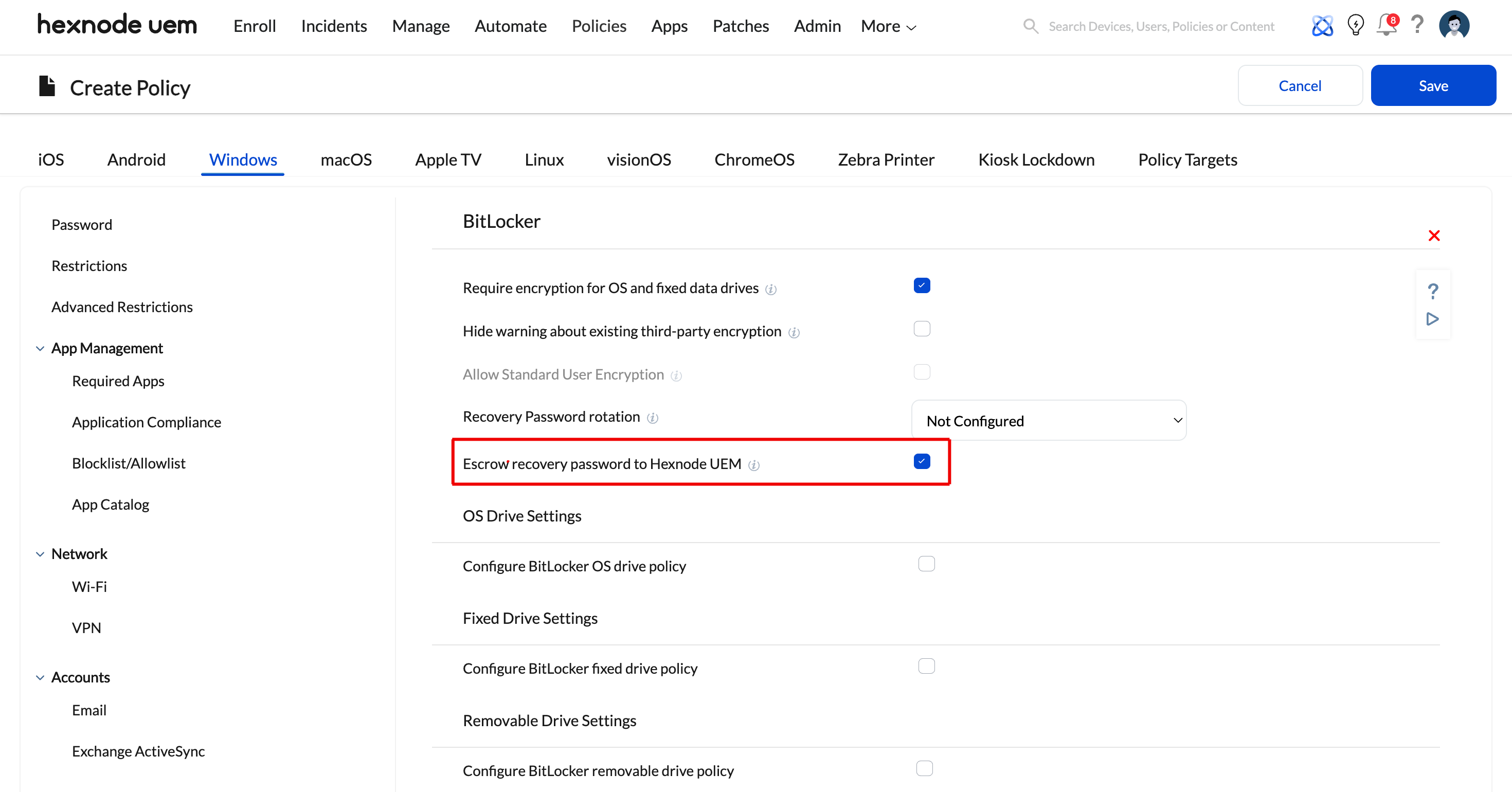
No. Escrow is not automatic. When configuring a BitLocker policy, admins must explicitly check the “Escrow recovery password to Hexnode UEM” option within the policy settings to enable key storage in the portal.
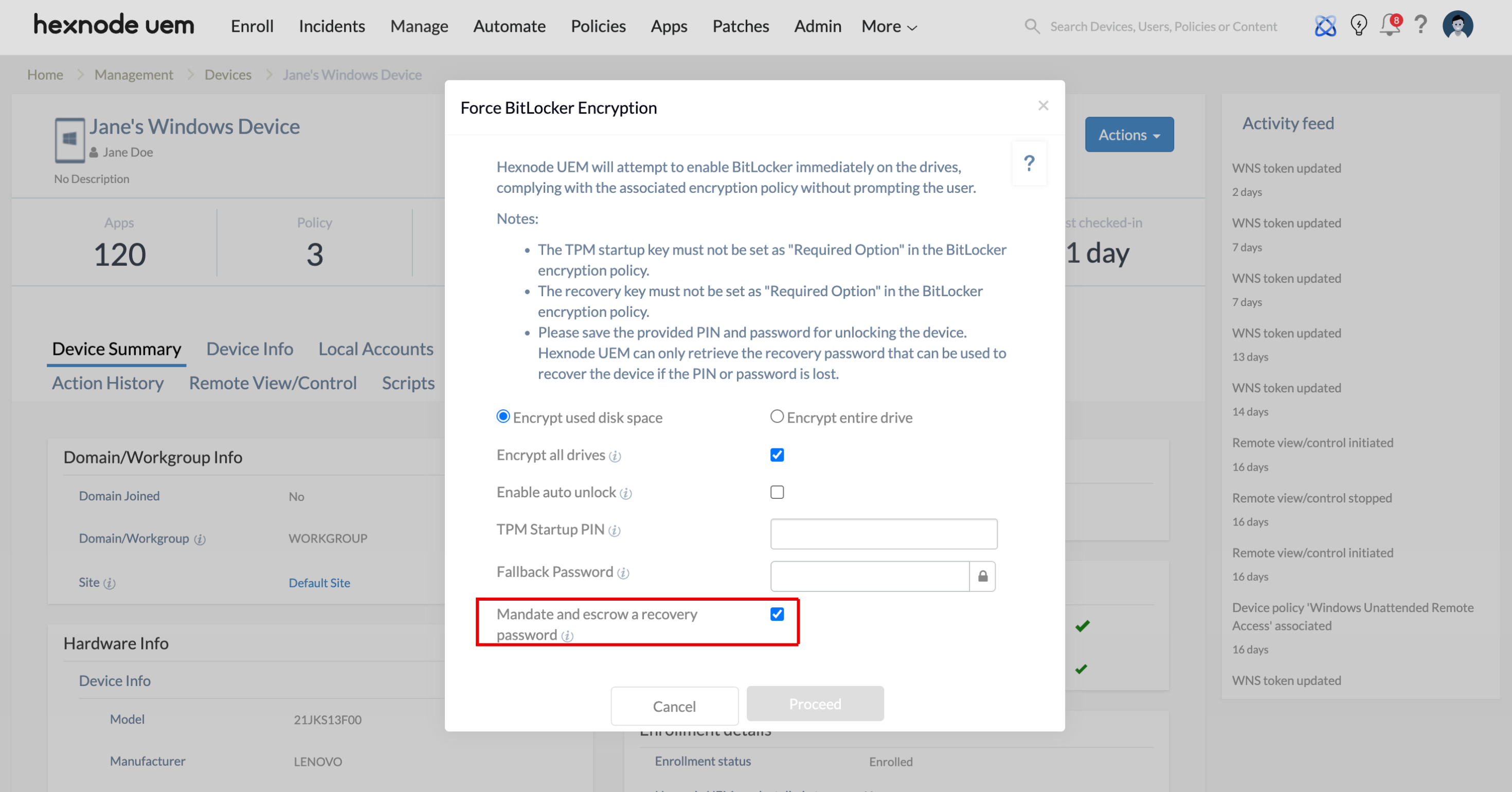
Similarly, when using the Force BitLocker Encryption remote action, admins must check the Mandate and escrow a recovery password field to ensure the key is generated and stored in the portal at the time the action is executed.
Q3. Will the recovery key be escrowed if BitLocker was manually enabled on the device?
No. If BitLocker is manually enabled by the user directly on the device, the recovery key will not be automatically escrowed to the UEM console.
However, Hexnode provides two workarounds to fetch the recovery key from these managed devices:
- In the BitLocker policy, enable the option “Escrow recovery password to Hexnode UEM” and deploy it to the required devices. The recovery password will be escrowed to the UEM console even if the device had been manually encrypted earlier.
- Use the Execute Custom Script remote action on enrolled Windows devices to deploy a custom script to fetch the recovery key from manually encrypted drives. Once fetched, the administrators can store them in a secure location.
Q4. Where can an admin view the escrowed recovery key in the Hexnode console?
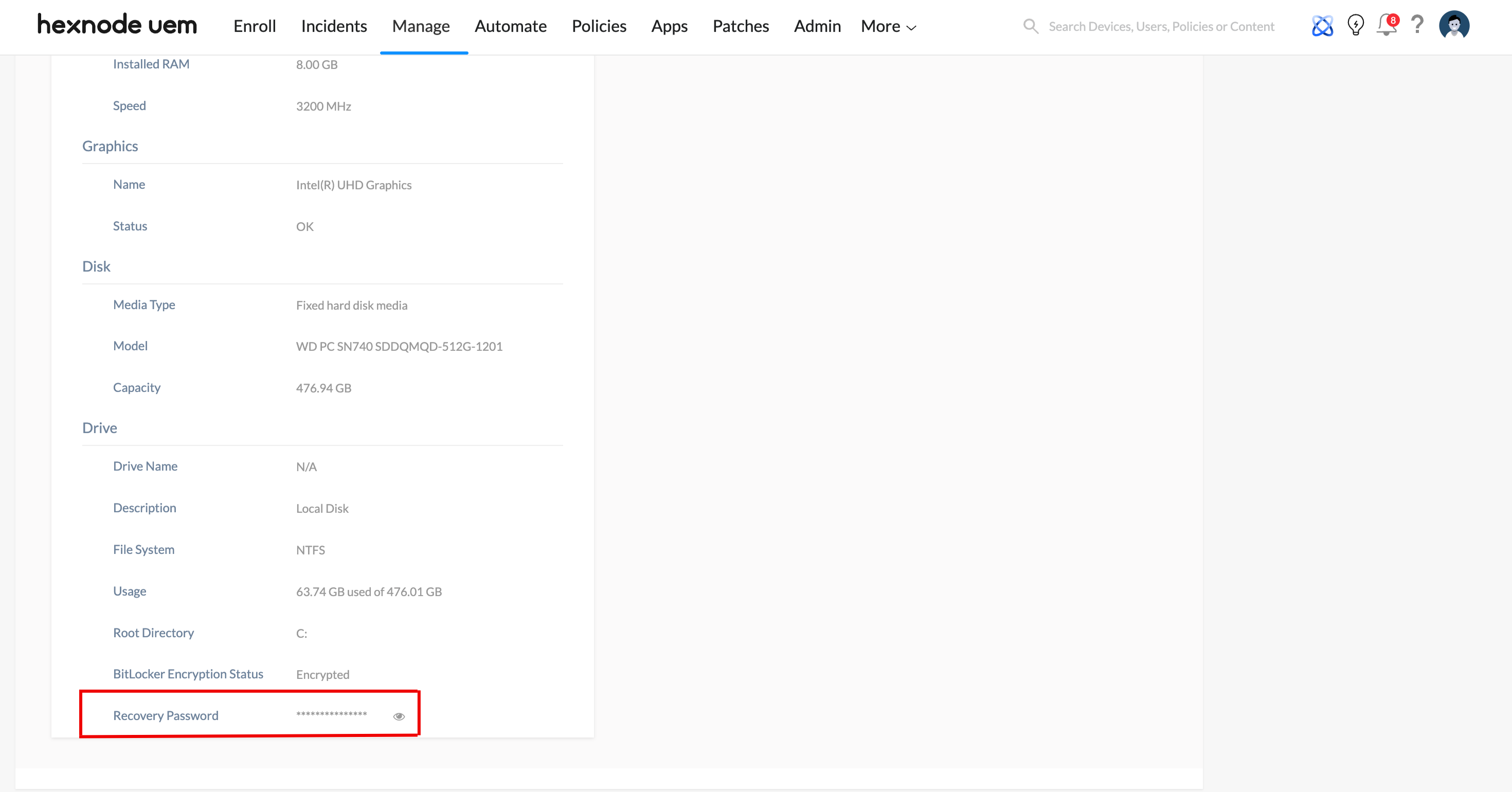
The escrowed recovery password can be viewed in the Hexnode portal by following these steps:
- Navigate to Manage > Devices.
- Select the specific device from the device list.
- Under the Device Summary > Hardware Info section, you can find the recovery key displayed.
Q5. What is recovery password rotation, and should it be enabled?
Recovery password rotation is a security feature where the operating system automatically generates a new BitLocker recovery password after the existing one has been used to unlock a drive. The used key is immediately invalidated. The recovery password rotation behavior can be configured in the BitLocker encryption policy for Windows.
Enabling this is strongly recommended for the following reasons:
- Once a recovery key is shared with a user or technician for a one-time unlock, it cannot be reused after rotation.
- A fresh key is automatically escrowed back to the Hexnode console after rotation, maintaining continuous admin access.
- It reduces the risk of unauthorized access using previously exposed keys.
Admins can trigger recovery key rotation remotely using the Rotate BitLocker Recovery Password remote action.
Q7. Can Hexnode store or retrieve the Startup PIN or Fallback Password?
No, Hexnode cannot retrieve the Startup PIN or Fallback Password once they have been set. Only the Recovery Password is stored in the Hexnode portal.
Administrators must record the Startup PIN and Fallback Password securely at the time they are set.


