


Category filter
Remote Linux File Search: A Technical Guide for Hexnode UEM
Technical Summary: Remote File Path Discovery in Hexnode UEM utilizes the GNU Find utility executed via the Hexnode Linux Agent. By deploying a Bash script with root-level authority, administrators can bypass standard user restrictions to identify absolute paths for system configurations, SSL certificates, and unauthorized binaries. The framework utilizes error redirection (2>/dev/null) to ensure clean telemetry in the Hexnode Action History, enabling rapid auditing and incident response across distributed Linux environments.
In complex enterprise environments, managing data across a distributed Linux fleet requires precise visibility. Identifying the location of specific configuration files, security certificates, or unauthorized binaries is essential for maintaining system integrity. This guide provides a technical framework and Bash script to remotely locate files across Linux endpoints using Hexnode’s Execute Custom Script action.
File extension – .sh
Remote File Search Logic
1. Scripting Objective
The primary goal of this script is to provide a unified method for scanning the Linux filesystem to identify the absolute path of a specific file or file type. By automating the find utility and suppressing permission-based errors, administrators can retrieve clean, actionable data via the Hexnode console without manual terminal intervention.
2. Bash Script Snippet
|
1 2 3 4 5 6 7 8 9 |
#!/bin/bash # Replace the value below with the file name or extension you want to search pattern="Enter file name with extension" echo "Searching for files matching: $pattern" echo "" sudo find / -type f -name "*$pattern*" 2>/dev/null |
Replace “Enter file name with extension” with the actual file name you wish to find with its extension.
3. How do I view the results from Hexnode?
After the script is triggered, go to the Action History tab in your Hexnode portal. Find the script entry and click Show Output to see the list of file paths.
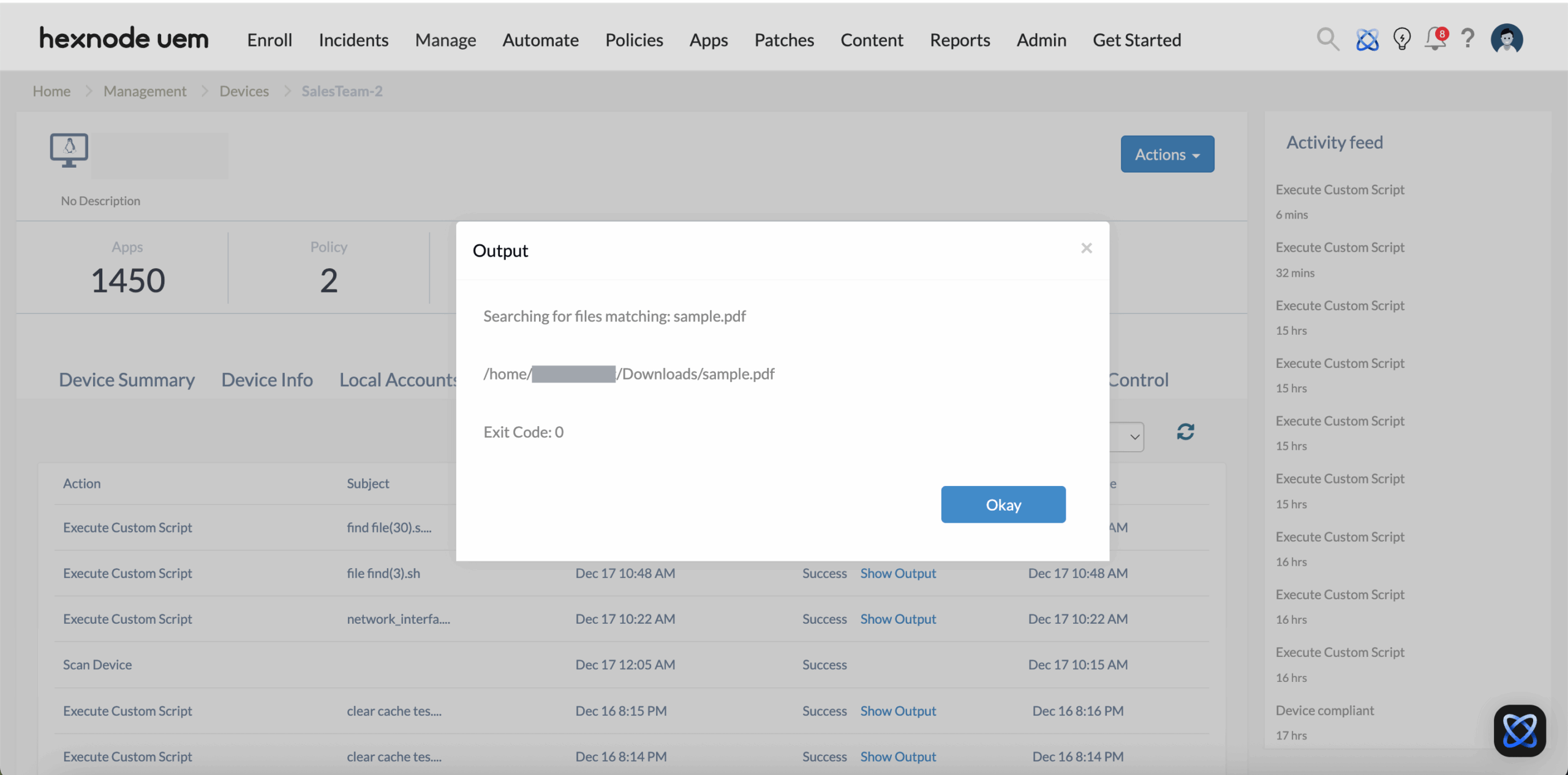
4. Search Parameter Mapping
| Search Requirement | Bash Parameter | Logic Outcome |
|---|---|---|
| Exact Match | -name “filename” | Case-sensitive search for a specific file. |
| Case-Insensitive | -iname “filename” | Finds file regardless of capitalization. |
| Wildcard/Extension | -name “*.ext” | Locates all files of a specific type. |
| Error Suppression | 2>/dev/null | Hides “Permission Denied” noise from output. |
| Scoped Search | find /dir/path | Limits resource usage by narrowing the search area. |
Enterprise Use Cases with Hexnode
Hexnode’s remote execution capability transforms the find command into a powerful auditing tool for enterprise-wide asset management.
| Scenario | Hexnode Action/Feature | Business Impact |
|---|---|---|
| Security Auditing | Bulk execute script to find unauthorized scripts or binaries (e.g., *.sh, nc). | Threat Mitigation: Quickly identify and remove shadow IT or malicious tools across the entire fleet. |
| Certificate Management | Search for expiring SSL certificates or keys (*.crt, *.pem). | Operational Continuity: Prevent service downtime by locating and updating certificates before they expire. |
| Software Troubleshooting | Locate missing dependency files or broken symlinks on a reporting device. | Reduced MTTR: Minimize Mean Time to Repair by instantly identifying if a required file was moved or deleted. |
| Compliance Verification | Verify the presence of mandatory security agent binaries in /usr/bin/. | Audit Readiness: Generate reports confirming that all managed devices have the necessary compliance tools installed. |
Operational Notes for Administrators
- Permissions: When pushed through Hexnode, the script runs with root privileges. This ensures the find command can access protected directories (like /root or /var/ protected) that a standard user cannot.
- Performance & Efficiency: Searching from the root directory (/) can be resource-intensive on servers with large storage arrays. To optimize performance, specify a starting directory (e.g., find /home …) if the general location of the file is known.
- Error Handling: The use of 2>/dev/null is critical. It ensures that the “Show Output” window in Hexnode displays only the successful file paths, filtering noise from restricted system folders.
- Exit Code 1: If the script returns an “Exit Code 1” despite finding the file, it is typically because the find command encountered a directory it couldn’t read. This does not mean the search failed.
Frequently Asked Questions
1. Can the admin search for files by extension alone?
Yes. Set the pattern to *.extension (e.g., *.pdf). The asterisk acts as a wildcard for any filename.
2. Does this script work on all Linux distributions?
Yes. The find utility is a core component of the GNU Findutils and is available on Ubuntu, Debian, CentOS, RHEL, Fedora, and Suse.
3. Will this script modify or delete any files?
No. This script is strictly read-only. It identifies paths but does not execute, move, or delete any discovered data.


