


Category filter
Enable/disable data roaming restrictions on iPhone/iPad
The Enable/Disable Data Roaming remote actions in Hexnode UEM allow IT administrators to to manage data roaming restrictions on iPhone/iPad by instantly togglingcellular data roaming settings on managed iOS devices directly from the console, helping control connectivity costs when devices travel outside their home network coverage.
What is Data Roaming Management?
Data roaming enables mobile devices to access networks outside their primary provider’s coverage area. Managing this feature remotely ensures administrators can control whether corporate devices can connect to foreign networks, which often incurs additional charges.
- Function: Remotely switches the device’s roaming setting on or off.
- User Control: While the admin can toggle this setting remotely, the user retains the ability to configure data roaming settings locally on the device without restriction.
- Use Case: Preventing inadvertent data usage charges during international travel or enabling connectivity when required for business continuity.
Prerequisites and Constraints
| Requirement | Condition |
|---|---|
| Supported OS | Devices must be running iOS 5.0 or later. |
| Dual-SIM Devices | The action applies only to the first inserted SIM card. |
Step-by-Step Guide: Toggling Data Roaming
Administrators can remotely enable or disable data roaming for specific devices through the Hexnode UEM console.
-
Disabling Data Roaming on iOS Devices
- Log in to your Hexnode portal.
- Navigate to Manage > Devices.
- Select the target iOS device.
- Navigate to Actions > Network.
- Select Disable Data Roaming.
- Click Continue in the confirmation pop-up window to proceed.
-
Enabling Data Roaming on iOS Devices
- Log in to your Hexnode portal.
- Navigate to Manage > Devices.
- Select the target iOS device.
- Navigate to Actions > Network.
- Select Enable Data Roaming.
- Click Continue in the confirmation pop-up window to proceed.
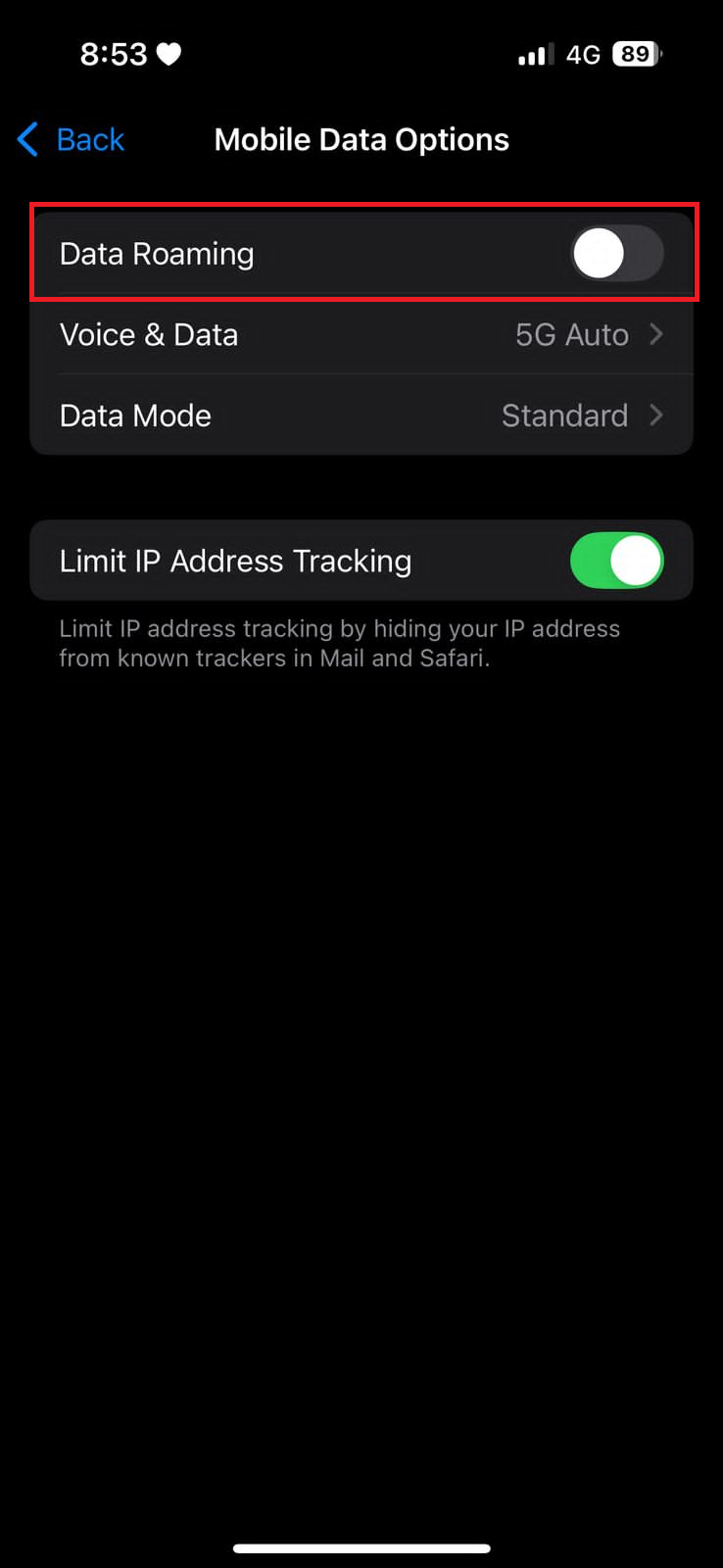
To prevent the device from connecting to roaming networks:
Device End Result:
Upon execution, the Data Roaming setting located under Settings > Mobile Data > Mobile Data Options on the device will be turned OFF.
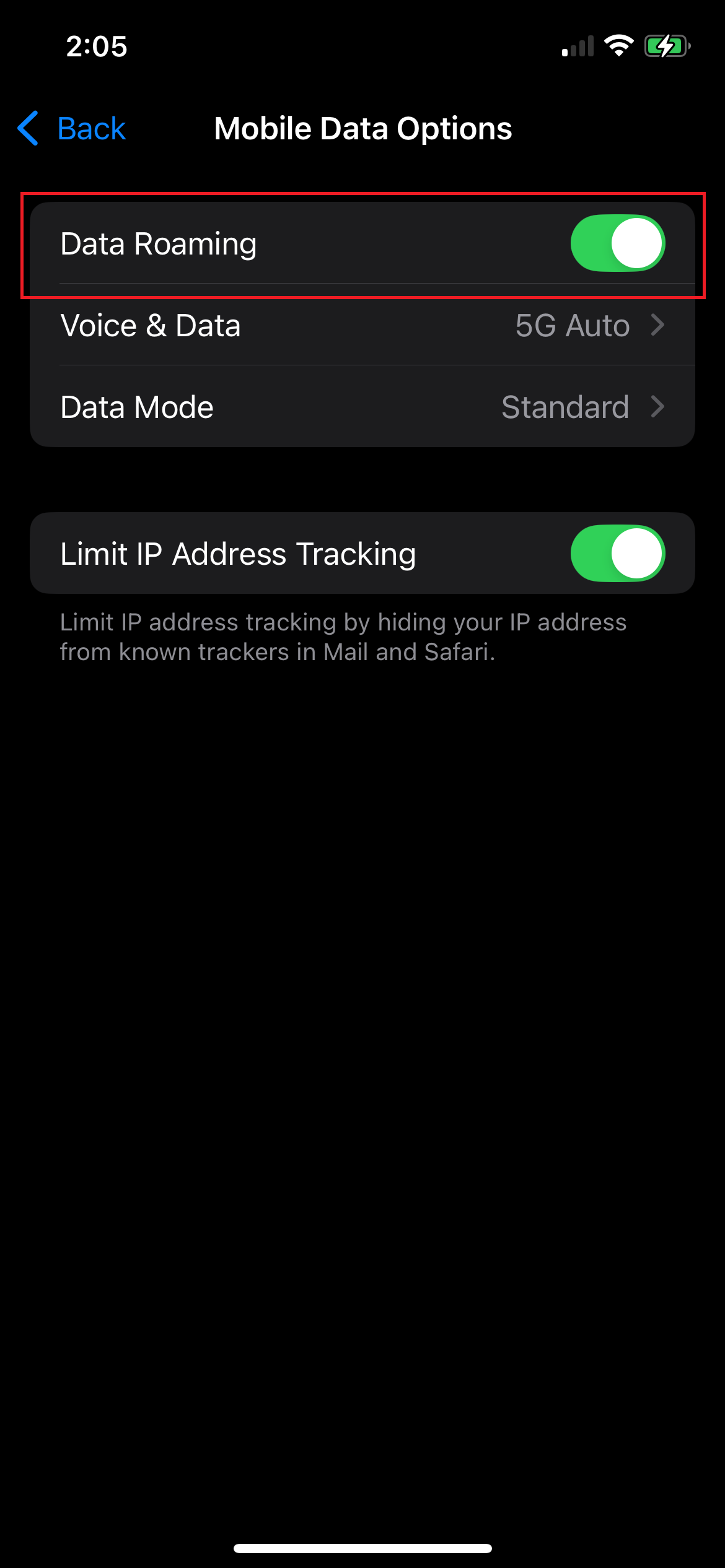
To allow the device to connect to roaming networks:
Device End Result:
Upon execution, the Data Roaming setting located under Settings > Mobile Data > Mobile Data Options on the device will be enabled (ON).
Frequently Asked Questions (FAQ)
Does this action permanently lock the Data Roaming setting on the device?
No. This remote action only toggles the current state of the setting. The user may still configure the data roaming settings manually from the device end without restrictions.
How does this action affect Dual-SIM iPhones?
For devices with dual SIMs, the Enable/Disable Data Roaming action applies strictly to the first inserted SIM card.
Can I enable Roaming for specific users only?
Yes. By using Hexnode User Groups, you can apply a “Travel Policy” (Roaming Enabled) only to executives or frequent travelers while keeping a “Domestic Policy” (Roaming Disabled) for the rest of the workforce.
Does disabling Data Roaming affect phone calls or SMS?
No. Disabling Data Roaming specifically blocks cellular data (web browsing, app sync, email). Standard voice calls and SMS text messages usually remain active depending on the carrier’s voice roaming agreement.


