


Category filter
Deploy custom macOS scripts for app-specific browser access controls
TL;DR
- Use Hexnode script deployment to run custom scripts on macOS devices.
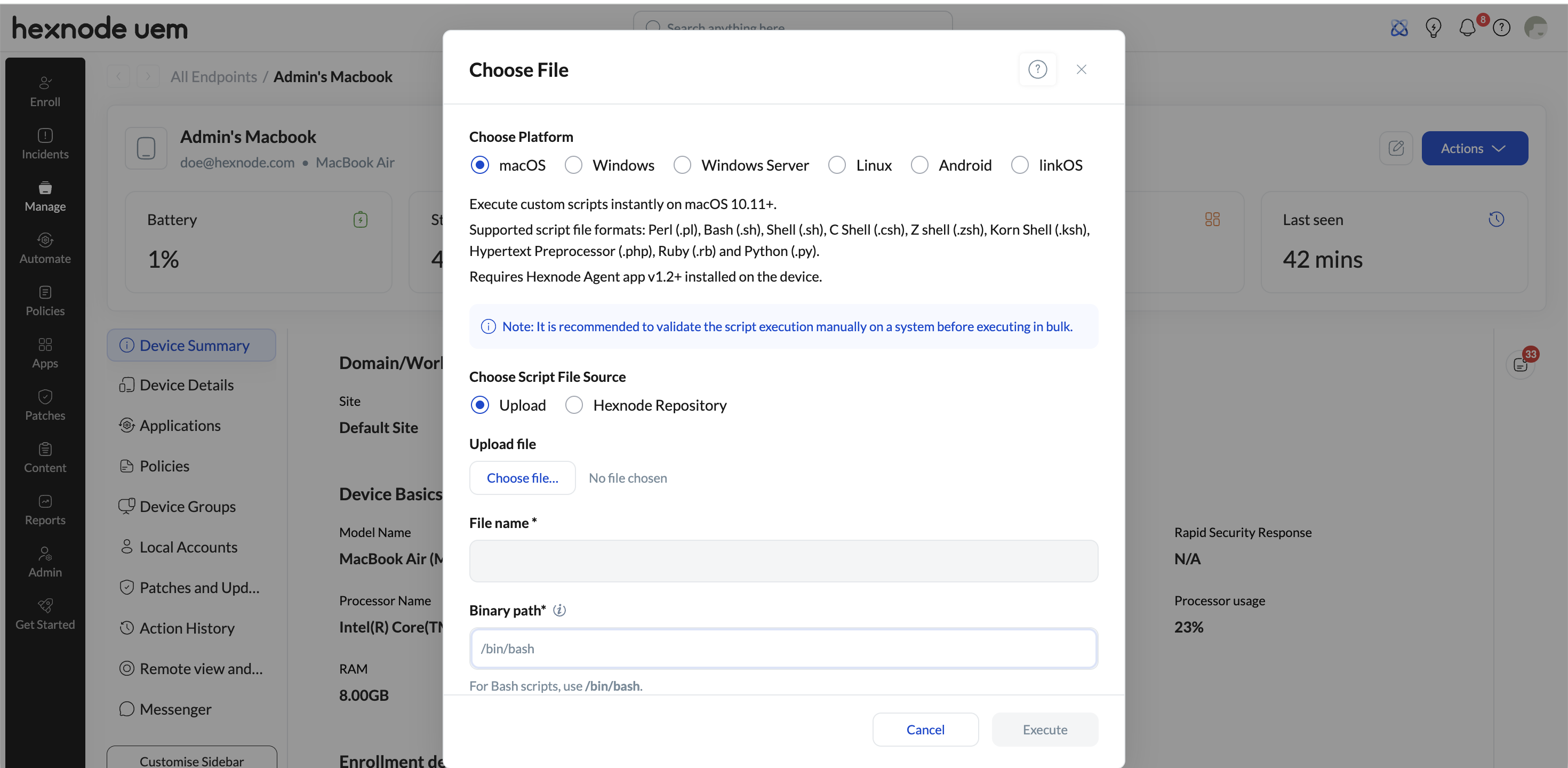
- Execute Custom Script is located under the Actions > Deployments in the Manage tab.
- Hexnode does not provide WhatsApp-specific scripts or other pre-configured app-specific scripts.
- For URL-based access control, consider using policy-based web filtering where applicable instead of relying only on custom scripts.
Hexnode supports deploying and executing custom scripts on managed macOS devices, but Hexnode does not provide pre-configured, application-specific scripts such as a ready-made script to block WhatsApp Web or the WhatsApp browser version. If a custom script is used for this requirement, the script logic must be created, reviewed, and tested outside Hexnode. In the Hexnode portal, the Execute Custom Script option for macOS script deployment is available under the Actions > Deployment in the Manage tab, not under general settings.
Executive Summary
macOS script deployment in Hexnode is intended to help deploy administrator-provided scripts across managed Mac devices. This can be used for organization-specific workflows, including custom access-control logic, provided the script is written and validated by the organization. Hexnode provides the deployment and execution mechanism; it does not supply or maintain scripts for blocking specific third-party services such as WhatsApp Web.
What Hexnode supports for macOS script deployment
- Deployment of custom scripts to managed macOS devices.
- Execution of scripts through the Execute Custom Script option.
- Use of the Actions > Deployment under the Manage tab for script execution workflows.
What Hexnode does not provide
- Ready-made scripts for blocking specific websites or services.
- WhatsApp-specific scripts for blocking WhatsApp Web or the WhatsApp browser version.
- Validation of third-party or organization-authored script logic unless separately reviewed through support or professional services channels.
Recommended approach
- Create or obtain a custom macOS script that implements the required access-control behavior.
- Test the script on a non-production Mac before deploying it through Hexnode.
- Use the Execute Custom Script option under the Actions > Deployment in the Manage tab to deploy the tested script to the intended macOS devices.
- Verify the result on a test device before expanding deployment to a larger Mac fleet.
When to use Web Content Filtering instead
If the requirement is to block or allow specific URLs, Web Content Filtering may be a more appropriate policy-based option than a custom script, depending on the target platform and management requirements. Use custom scripts only when the required behavior cannot be achieved through available policy controls.
Frequently Asked Questions
Does Hexnode provide a script to block WhatsApp Web on macOS?
No. Hexnode does not provide pre-configured, application-specific scripts, including scripts specifically designed to block WhatsApp Web or the WhatsApp browser version.
Can Hexnode still be used to deploy a custom WhatsApp-blocking script?
Yes, if the organization has a tested custom macOS script for that purpose, Hexnode can be used to deploy and execute it on managed macOS devices.
Is a custom script always the best way to block browser access to a website?
Not always. For URL allowlisting or blocklisting, Web Content Filtering may be preferable where supported and applicable.


