


Category filter
Enable Device Owner Mode on ROM-Enrolled Android Devices
If you have deployed Android devices with custom ROMs and find them limited to legacy Device Admin privileges, you can elevate them to full Device Owner status remotely. The Enable Device Owner action for ROM-enrolled Android devices grants deep security controls and advanced policy management without requiring manual ADB commands or firmware reflashing.
Why Elevate to Device Owner Mode?
Elevating your management status unlocks the full potential of Android Enterprise features, moving beyond the basic restrictions of legacy mode.
- Advanced Control: Unlocks features such as silent app installation and remote screen control.
- Kiosk Lockdown: Enables robust kiosk mode configurations for dedicated-use devices.
- No Data Loss: This specific remote action transitions the device to Device Owner mode without triggering a factory reset.
Prerequisites for Device Owner Elevation
Before initiating the remote action, verify that the following conditions are met:
- Root Access: The device hardware must be rooted.
- Agent Privileges: The Hexnode UEM agent must be granted root permissions on the device.
- ROM Status: The device must have been enrolled via the custom ROM configuration method.
Step-by-Step Guide: Enabling Device Owner Mode
Follow these steps to elevate your devices to full management status remotely via the Hexnode portal:
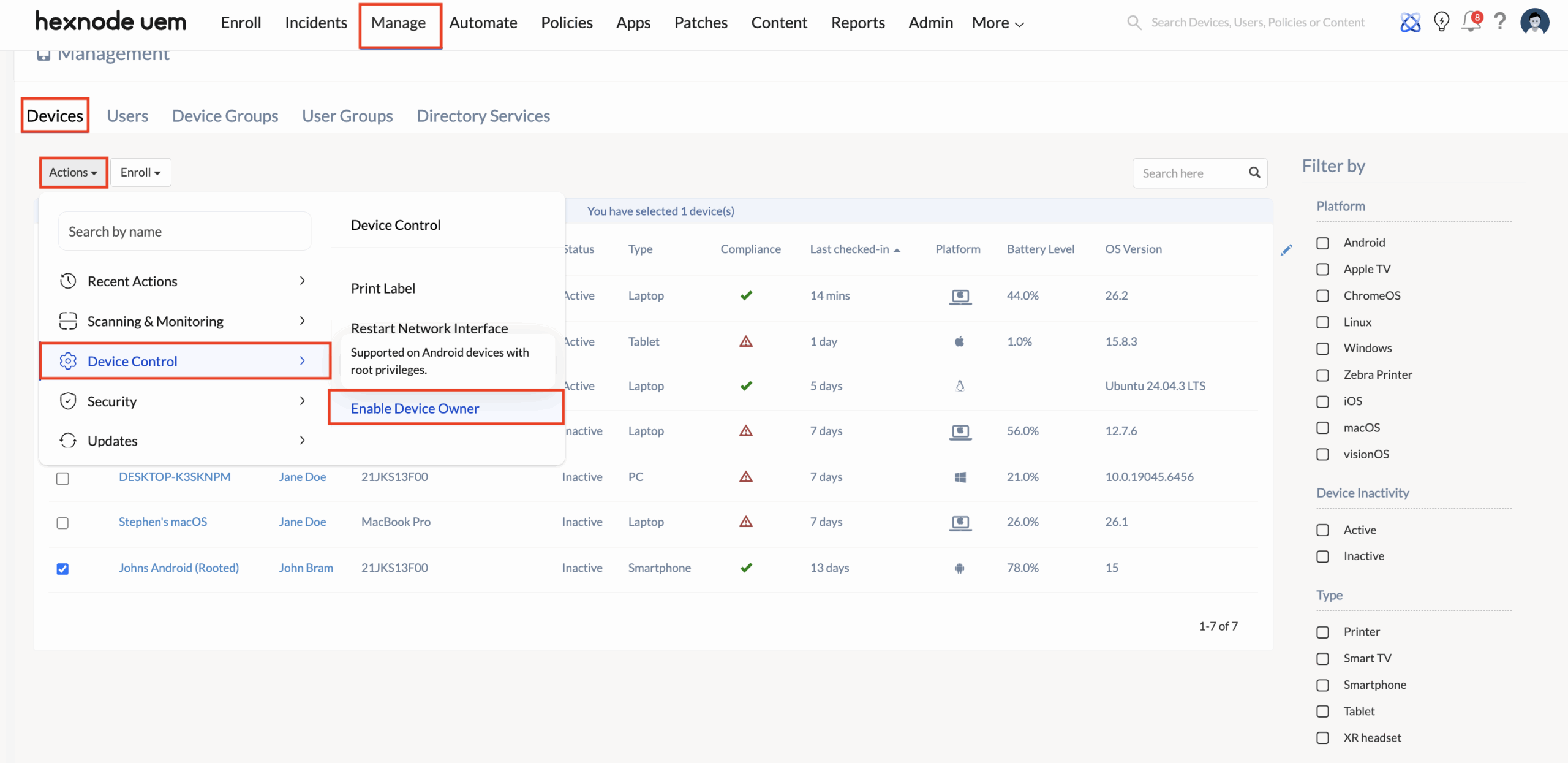
- Select Devices: Log in to your Hexnode UEM portal, navigate to the Manage tab, and select the target device(s).
- Trigger Action: Click the Actions button, navigate to Device Control, and select Enable Device Owner.
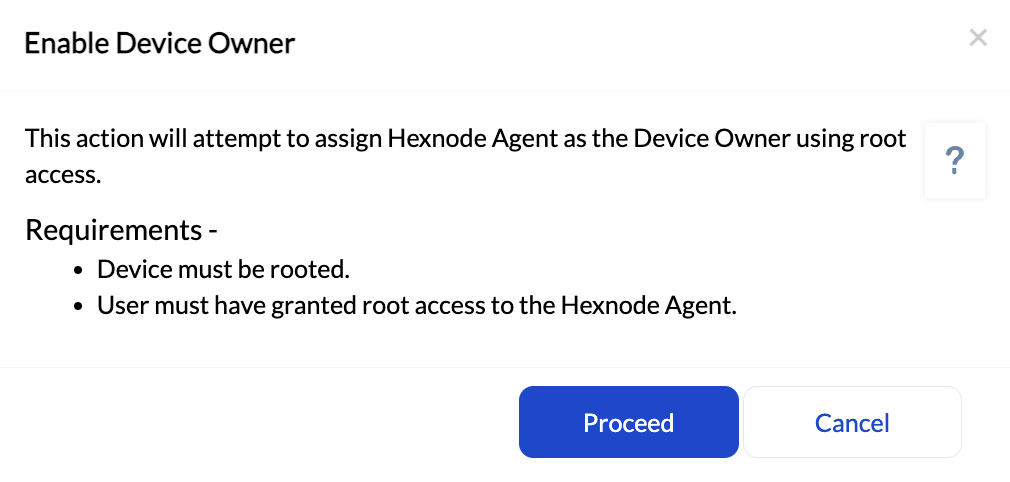
- Authenticate: Click Proceed. You will be prompted to enter your Hexnode portal password for security verification.
- Confirm: Once authenticated, the command is sent instantly, and the device will transition to Device Owner mode.
Troubleshooting Guides
| Issue | Potential Cause | Recommended Solution |
|---|---|---|
| Action Failed | Root access was denied to the Hexnode app. | Check the Superuser/Root management app on the device and ensure Hexnode is set to “Allowed”. |
| Action Not Visible | Device is not recognized as ROM-enrolled. | Verify that the device was enrolled using the specific ROM configuration method. |
| Pending State | Device is offline or in battery saver mode. | Ensure the device has an active internet connection and that “Background Data” is enabled. |
Frequently Asked Questions (FAQs)
1. Does enabling Device Owner mode wipe the device data?
No. Unlike standard Android Enterprise enrollment, this remote action for rooted ROM devices elevates privileges without triggering a factory reset.
2. Can this remote action be used for non-rooted devices?
No. This specific remote action relies on root permissions to modify the management framework. For non-rooted devices, Device Owner must be set during initial setup via QR code, Zero-Touch, or ADB.
3. What is the difference between Legacy and Device Owner mode?
Legacy mode offers basic MDM features like WiFi and basic restrictions. Device Owner unlocks advanced capabilities, including silent app installation, kiosk mode lockdown, and remote screen control.
4. Will the user be notified when this action is taken?
The elevation process occurs in the background. However, the user may see a standard persistent notification stating, “This device is managed by your organization,” which is typical for Device Owner mode.


