


Category filter
Configure iOS network relays to tunnel traffic thru relay servers
Network relays are a sophisticated proxy solution designed to provide secure, transparent tunneling for iOS devices. By utilizing HTTP/3 or HTTP/2 relays, IT administrators can facilitate remote access to internal organizational resources without the complexity of traditional VPNs.
Core Functionality
- Secure Tunneling: Proxies all TCP and UDP traffic through secure relay servers.
- Domain-Based Routing: Applies specifically to traffic directed toward designated internet domains or subdomains.
- Granular Application: Configuration can be applied to managed apps, specific domains, or the entire device.
- Interoperability: Can be used simultaneously with other configured relays or iCloud Private Relay.
1. Prerequisites
- Supported OS: Devices must be running iOS 17 and above.
- Enrollment: Devices must be enrolled in the Hexnode UEM portal.
2. Configuration Steps
To set up a network relay policy:
- Log in to the Hexnode UEM portal.
- Navigate to Policies > New Policy > Create a fully custom policy > iOS > Network > Network Relay.
- Provide a suitable Name and Description.
- Click Configure.
Network Relay Settings
| Setting | Description |
| Relay UUID | A globally unique identifier for the relay configuration. This UUID is used to route traffic from Managed Apps through the configured relay servers. |
| Relays | An array of dictionaries defining one or more relay servers. These can be chained together. This is a required field. |
| Match domains | A list of domains where connections are routed through the relay. Matches apply to exact domains and all subdomains. If empty, all traffic (except excluded domains) is routed via the relay. |
| Excluded Domains | A list of domains that should bypass the relay and connect directly. Matches apply to exact domains and subdomains. |
3. Adding Individual Relay Servers
Click +Add under the Relays section to configure specific server details:
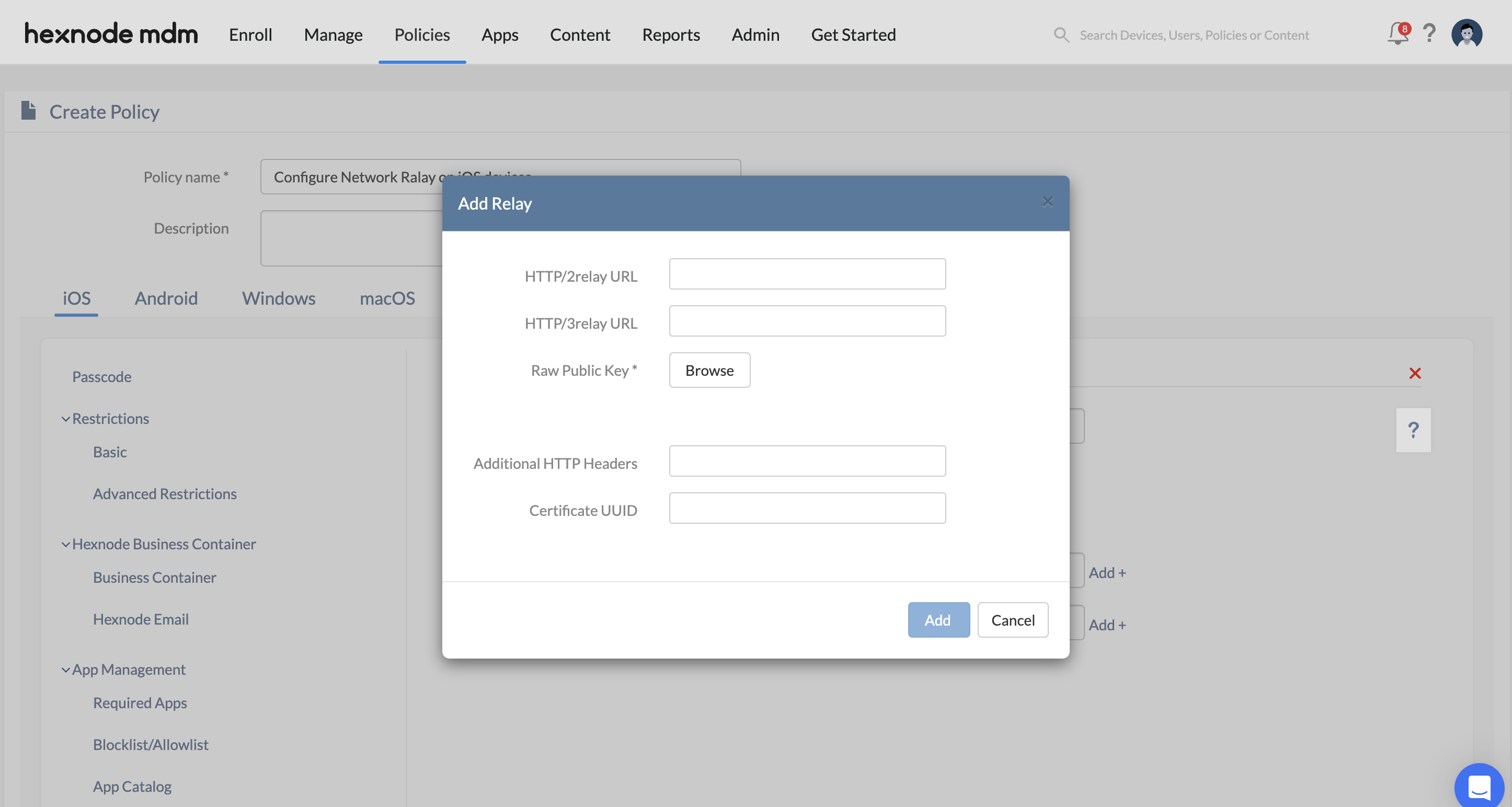
| Field | Description |
| Http/3 relay URL | The URL for the relay server supporting the HTTP/3 protocol. |
| Http/2 relay URL | The URL for the relay server supporting the HTTP/2 protocol. |
| Raw public keys | An array of TLS raw public keys presented by the relay server during the TLS handshake to establish a secure connection. |
| Additional HTTP Headers | A dictionary of custom HTTP headers sent as part of the CONNECT requests to the relay. |
| Certificate UUID | The unique identifier for the certificate used by the relay server for authentication. |
4. Policy Association
To deploy the configuration:
- For New Policies: Navigate to Policy Targets, select the target (Devices, Groups, Users, or Domains), add the specific entities, and click Save.
- For Existing Policies: Select the policy from the Policies tab, click Manage > Associate Targets, select the targets, and click Associate.
5. Troubleshooting & FAQs
Frequently Asked Questions (FAQs)
- Does network relay work with personal apps?
Network relay can be configured to tunnel all device traffic, including personal apps, if no Match domains are specified. Alternatively, it can be restricted to managed apps via the Relay UUID.
- Can multiple relay servers be used together?
Yes. The configuration allows for an array of relay servers that can be chained to provide multi-hop secure tunneling.
- What happens if a domain is in both Match and Excluded lists?
The Excluded Domains list takes precedence. Any domain listed there will bypass the relay servers regardless of the Match domains configuration.
Troubleshooting
- Connectivity Failures: Verify that the Relay URLs are accessible and that the Raw public keys match the keys provided by the server during the TLS handshake.
- Domain Mismatch: Check the Match domains list. If a connection is not routing, ensure the domain or subdomain is explicitly included or that the list is left empty for global routing.
- Managed App Routing: Ensure the Relay UUID in the network relay policy matches the relay identifier associated with the managed app configuration.


