


Category filter
Script to Stop and Restart Windows Audio Service
Windows Audio Service manages all the audio devices on your computer. It is a vital component to enable sound for any program running on the Windows operating system. By default, the audio service starts when you power on your device. But there may occur times when the audio service glitches and stops working. Executing a simple Windows script to restart the audio service might solve the issue. Using Hexnode, you can execute scripts remotely to fix audio issues on your Windows devices.
Batch Script
|
1 2 3 4 5 |
@echo off REM Restart Windows Audio service net stop audiosrv net start audiosrv exit /b 0 |
PowerShell Script
|
1 2 3 4 |
# Restart Windows Audio service with force Restart-Service -Name audiosrv -Force Write-Host "Windows Audio Service restarted successfully." |
How to View Script Output in Hexnode
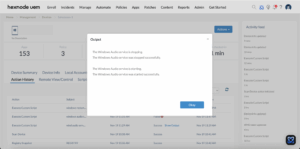
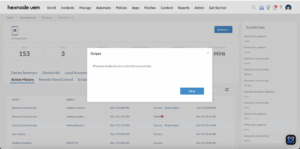
To review the execution results, navigate to the Action History tab of the specific device in your Hexnode UEM portal. Locate the script entry in the Subject column and click the Show Output button next to the status field to view the returned data.


