


Category filter
Multi-Platform Scripting & Custom Script Execution: Extending Hexnode UEM Beyond Profiles
This strategic guide outlines how Hexnode UEM enables administrators to Execute Custom Scripts on managed Windows, macOS, and Linux devices. While configuration profiles (XML, CSPs, OEMConfig) handle most routine policy enforcement, certain operational or command-based tasks can also be implemented through custom scripts when step-by-step execution is required. This enables Hexnode to extend management capabilities beyond profiles.
Logical Architecture: Script Execution in Hexnode UEM
Hexnode UEM provides a structured workflow of script execution across devices, consists of the following key components:
- Script Repository: Administrators upload and manage scripts directly in the Hexnode portal. Scripts can be associated with devices, device groups, or organizational units.

- Command Delivery via MQTT-Based Communication: Hexnode’s Triple-Channel Communication Architecture includes MQTT to deliver commands and payloads to devices. This framework reduces latency and improves delivery reliability across large device fleets.
- Execution controls: Scripts can be executed with dynamic arguments such as wildcards (%deviceid%, %serialnumber%, %username%) to adapt device-specific or user-specific context without hardcoding values.
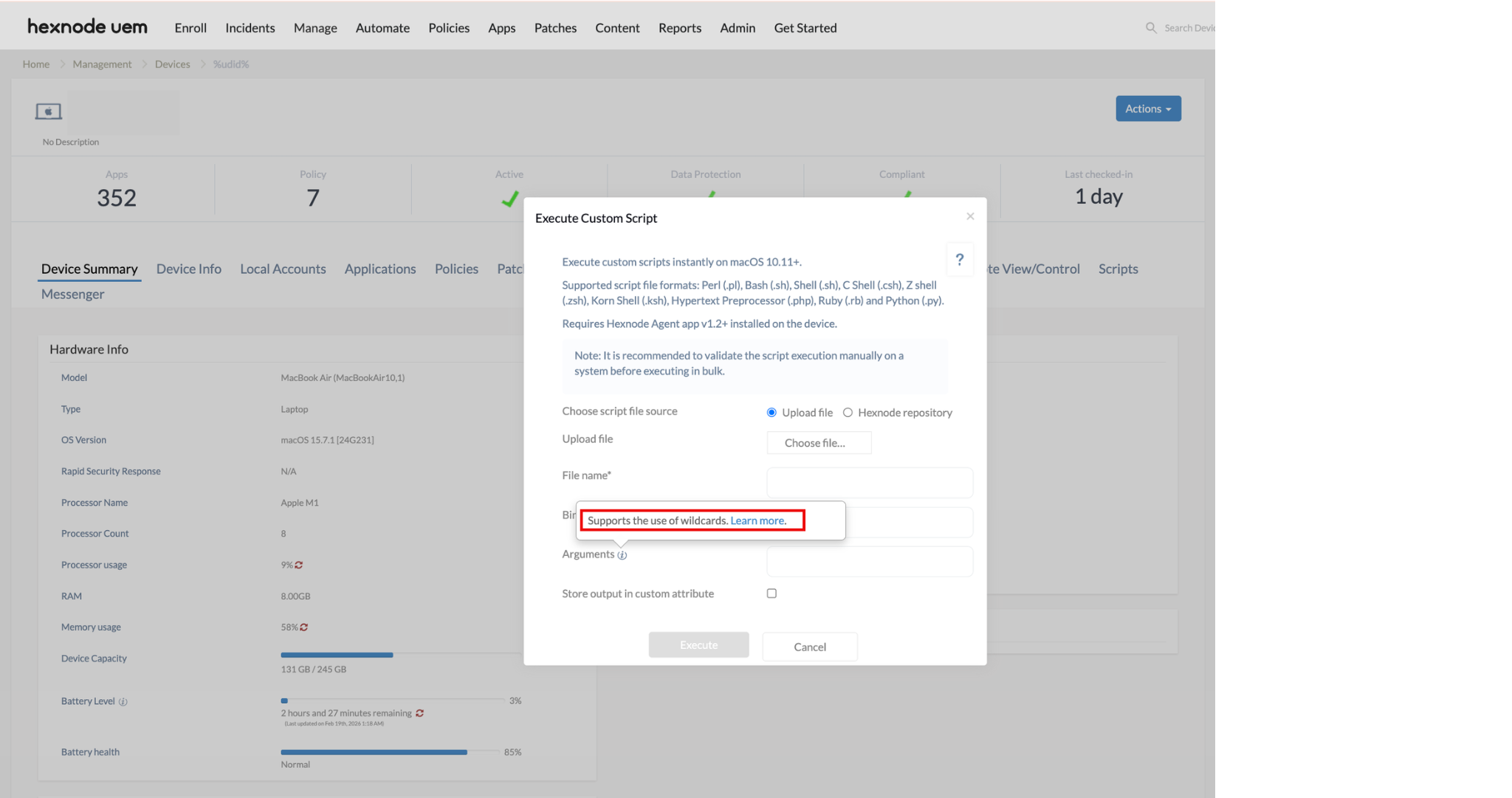
- Script Execution Monitoring: Hexnode UEM monitors execution and reports status in Action History, helping administrators to identify pending or failed scripts.
- Execution by the Hexnode Agent: The Hexnode agent installed on each device executes the script.
Governance and Safety Controls for large-scale scripting
Executing custom scripts across a large device fleet is a high-impact administrative action. Hexnode UEM incorporates multiple governance and safety mechanisms to help administrators maintain control, visibility, and stability during mass script execution.
- Role-Based Access Control (RBAC): Configure RBAC under Admin > Technicians and Roles > Roles > Add Role. Then, assign the role to specific technicians in the Hexnode portal to define which admins are permitted to execute scripts on managed devices.
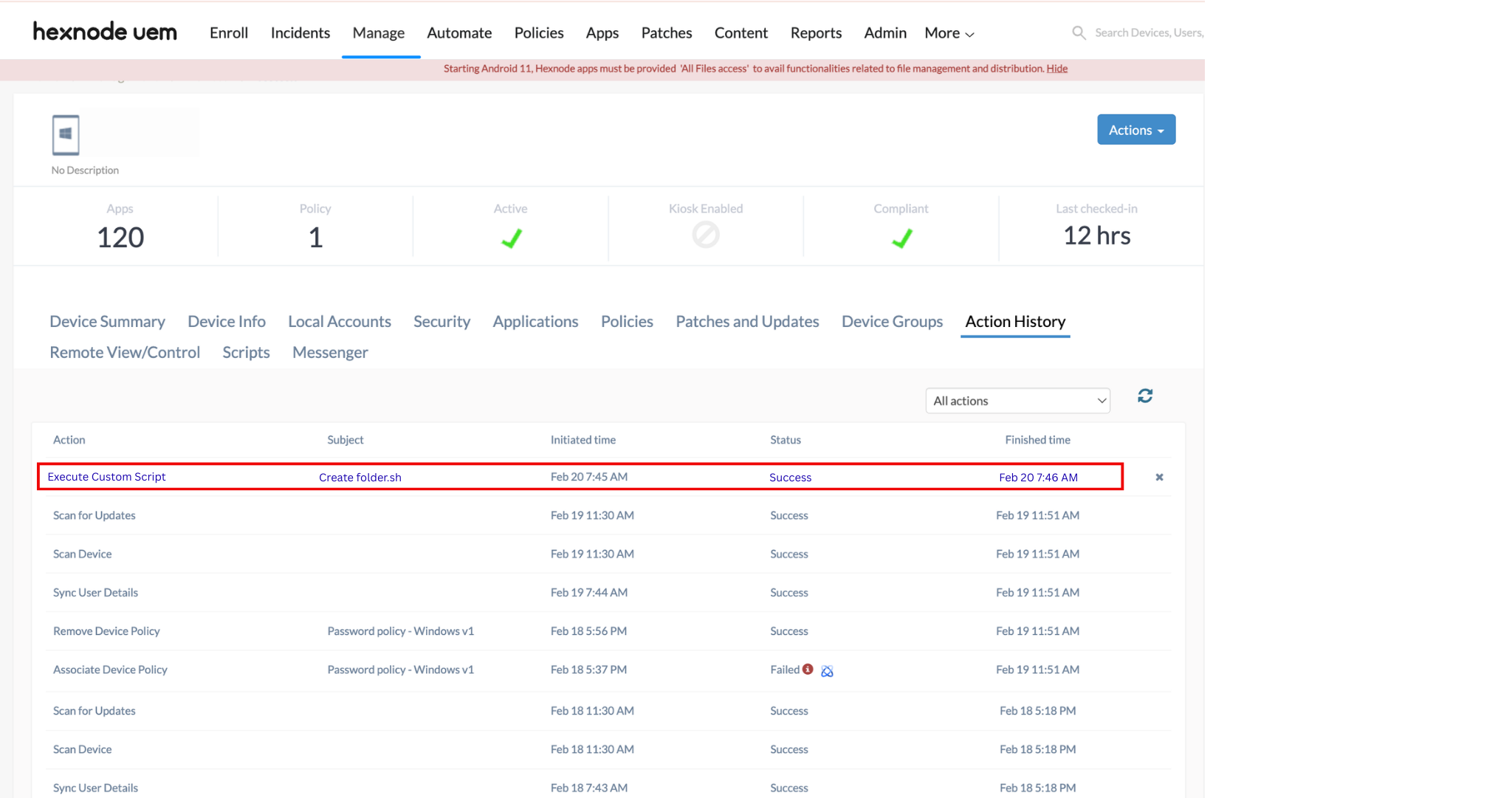
- Auditable Execution History: Hexnode maintains a detailed execution record for every script action performed through the portal. The Action History for a device includes:
- The Action name and Subject.
- The date and time of execution.
- Execution status (success or failure).
These records enable administrators to review past executions for auditing, troubleshooting, and compliance purposes.
Implementation Checklist
The following best practices help ensure safe and scalable script execution using Hexnode UEM:
- Centralize Script Management: Upload and manage scripts directly from the Hexnode portal.
- Apply Role-Based Access Control (RBAC): Ensure script execution permissions are assigned to authorized technicians.

- Plan for MQTT-Based Command Delivery: Hexnode’s Triple-Channel Communication Architecture including MQTT ensures efficient and real-time delivery of script execution commands to devices.
- Monitor Script Execution: Track script performance in Action History, ensuring failed or long running scripts are detected.


