


Category filter
Hexnode UEM: Generating and Utilizing Local Account Reports
This guide details how Hexnode UEM’s Local Account Reports provide essential visibility into user activity and accounts present on endpoint devices. These reports are critical for IT auditing, ensuring compliance, and managing security across macOS, Windows, and Linux devices.
Key Benefits of Local Account Reporting
Local Account Reports are distinct from standard device inventory reports because they focus specifically on the user environment within the endpoint’s operating system, rather than the hardware or network state.
| Use Case | Rationale for Using Local Account Reports |
|---|---|
| Security Auditing | Detects the presence of unauthorized Administrator accounts or unsecured Guest accounts that could be used for privilege escalation or unauthorized access. |
| License Compliance | Ensures that licensed software or restricted resources are only being accessed by the single, primary user assigned to the device, preventing illegal sharing of credentials. |
| Forensic Analysis | Provides an unalterable log of the Account Sessions leading up to a security incident or data breach investigation. |
| Asset Reclamation | Helps with confirming that all unnecessary local user profiles are removed from a device before it is reassigned to a new employee. |
Report Types
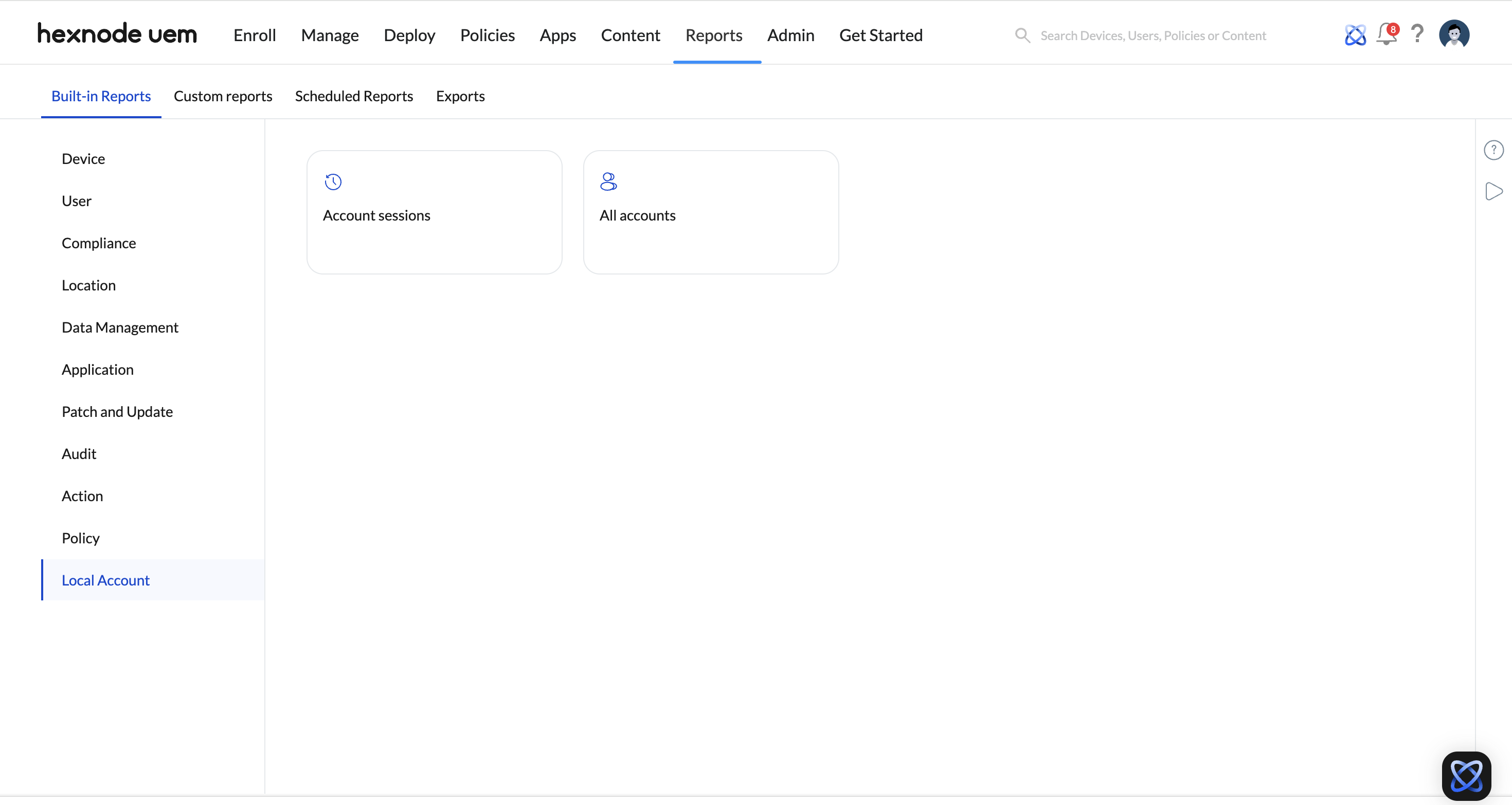
Hexnode UEM provides two primary reports under the Local Account section:
- All Accounts: Provides a full roster of every user account (Standard, Administrator, Guest) present on the managed endpoint.
- Account Sessions: Details the history of user log-on and log-off activity, session types, and duration.
Generating Local Account Reports
The reporting function is accessed directly within the Hexnode UEM console.
Step 1: Navigate to the Reports Section
- Log in to your Hexnode UEM portal.
- Navigate to Reports.
- Select Built-in Reports from the left sidebar.
Step 2: Generate the Local Account Report
- Click the Local Account report.
- Choose the desired report type: All accounts or Account sessions.
- The report will generate with customizable data columns.
Step 3: Analyze and Export
- Filter: Use the built-in filters to refine the results by Platform (Windows, macOS, Linux), Compliance Status, Department, or Ownership.
- Analyze: Review key metrics such as Session Type, Encryption Status, and No. of blocklisted apps alongside the Account Name.
- Export: Export the report as a CSV file for long-term auditing and integration with other SIEM (Security Information and Event Management) tools.
Key Data Columns in Local Account Reports
The Local Account Reports provide deep, granular data, combining device inventory information with specific user activity for comprehensive auditing.
| Data Column | Description |
|---|---|
| Account Name | Name of the local user account on the device. |
| Device Name / Device Model | Identifies the physical/virtual asset in use. |
| Platform / OS Version | The operating system and version (Windows, macOS, Linux). |
| Device ID / UDID / Serial Number | Unique identifiers used to map the device to the UEM portal. |
| Ownership / Department / Asset Tag | Inventory metadata for easy identification and segregation. |
| Session Type / Session Details | Describes the method of access (e.g., local login, remote desktop) and specific session information. |
| Supervision | Shows the supervision status for macOS devices. |
| Compliance Status | Shows if the device is compliant or non-compliant with MDM policies. |
| No. of blocklisted apps | Total number of blocklisted applications detected on the device. |
| No. of missing apps | Total number of missing required applications based on associated policies. |
| Enrolled time / Disenrolled time | Date and time stamps for the device’s lifecycle in the UEM. |
| Last checked-in time | Date and time of the last successful device scan and communication with the UEM server. |
| MAC Addresses | Ethernet and Wi-Fi MAC addresses for network tracing and identification. |
| Activity Status | Displays the device activity status as Active or Inactive. |
Hexnode’s Edge: Beyond Basic Endpoint Reporting
Hexnode’s Local Account Reporting provides superior visibility on non-mobile endpoints compared to basic MDM solutions:
| Feature | Hexnode UEM Advantage |
|---|---|
| Linux Support | Reports include Linux account information, crucial for managing specialized server/desktop environments. |
| Granular Session Data | Provides Session Type and Session Details, enabling deeper forensic auditing of access methods. |
| Report Field Richness | Connects local account data directly to Compliance Status, Encryption Status, and Application Compliance in a single view. |


