


Category filter
Hexnode UEM Built-in Reports: Centralized Auditing and Automation Guide
Hexnode UEM’s Built-in Reports provide real-time and historical telemetry across the entire device fleet. This engine aggregates data from enrolled endpoints to generate actionable audits for compliance, inventory, and security. It supports multi-format exports (PDF/CSV) and automated scheduling for recurring IT governance.
1. The Hexnode Reporting Taxonomy (Data Scopes)
To facilitate precise auditing, the Hexnode Reporting Engine organizes telemetry into specific functional domains. Use this table to identify the primary source for your data needs:
| Report Category | Technical Focus | Core Security Value |
|---|---|---|
| Device | Real-time hardware/OS telemetry, including enrollment & activity status. | Foundational asset management and lifecycle auditing. |
| User | Identity-to-device mapping and user-source (Entra ID/AD/Okta) verification. | Zero-Trust identity anchoring and user-centric auditing. |
| Compliance | Evaluation of device health against passcode, encryption, restriction rules and other conditions specified in the compliance policy. | Rapid isolation of non-compliant endpoints for remediation. |
| Location | GPS coordinates, historical location tracking, and geofencing status. | Physical asset security and field-force visibility. |
| Usage Insights | Network data consumption auditing (Mobile vs. Wi-Fi) and app usage trends for mobile platforms. | Cost control and identification of data-heavy applications. |
| Application report | Global application inventory, popular app trends, and KSP feedback. | Software license compliance and Shadow IT detection. |
| Patch and Update | Monitoring the status of OS updates. | Critical vulnerability management and cyber-hygiene. |
| Audit | A detailed forensic log of every administrative portal event. | Internal accountability and security incident forensics. |
| Action | Real-time status tracking (Success/Fail) of remote actions. | Troubleshooting the execution of high-stakes remote tasks. |
| Policy | Detailed deployment and association status for policies. | Verifying the enforcement of specific security restrictions. |
| Local Account | Inventory of all local user accounts. | Detecting unauthorized account creation or privilege escalation. |
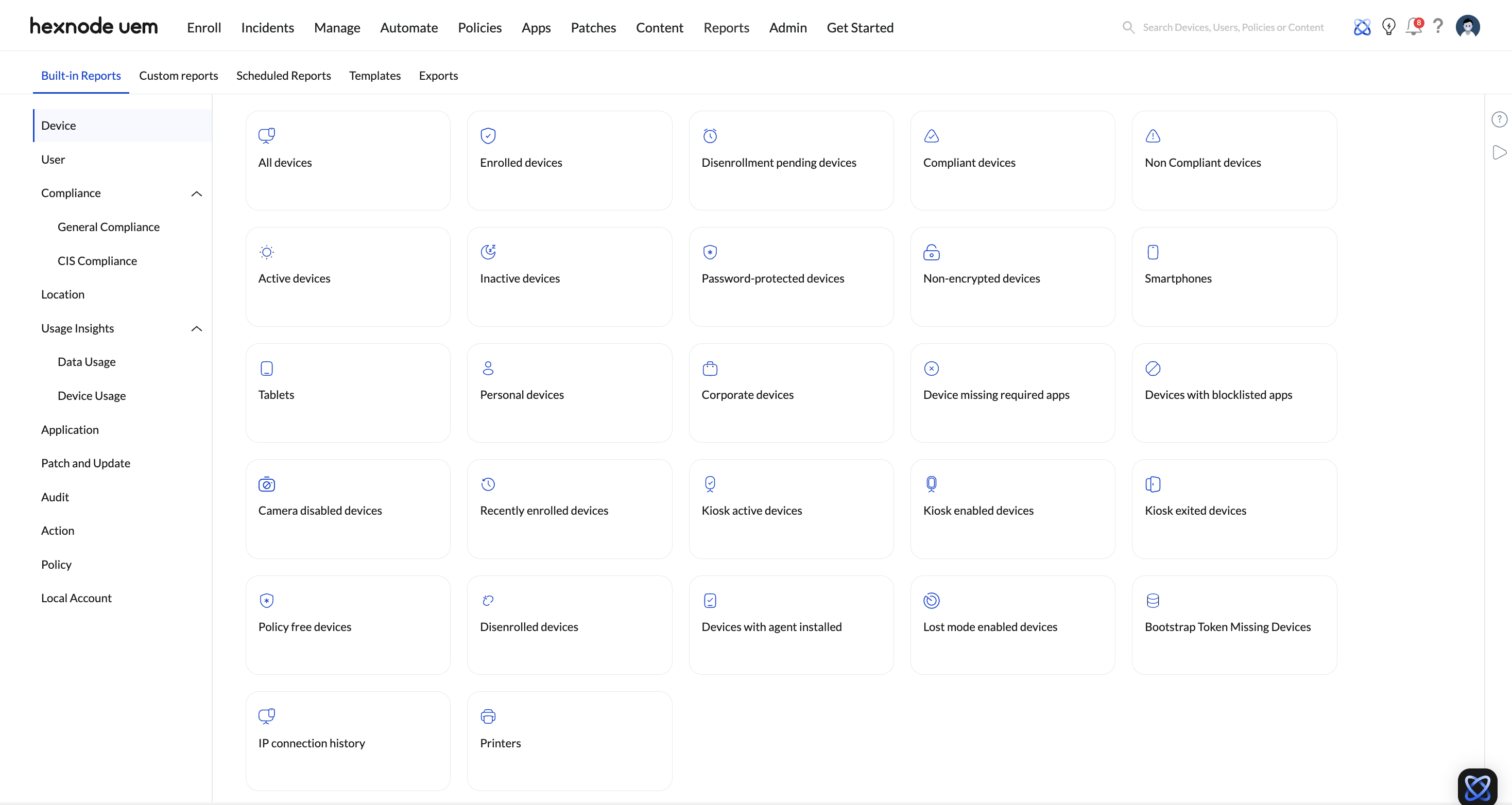
2. Navigating the Data Flow (Logic-Based Auditing)
Hexnode reports follow a Select ➔ Filter ➔ Export architecture:
- Select: Navigate to Reports > Built-in Reports and choose one of the categories listed above.
- Filter: Apply Granular Filters (e.g., Ownership == Corporate) to resolve high-complexity queries.
- Export: Generate on-demand files in PDF (formatted for reporting) or CSV (formatted for data manipulation/SIEM ingestion).
3. Automated Governance (Scheduling Logic)
To maintain constant compliance without manual intervention, utilize the Scheduler Service.
- Configuration: Within any report, click Schedule Report.
- Frequency: Define a Daily, Weekly, or Monthly delivery cadence.
- Action: Hexnode automatically generates the report and dispatches it via email to specified technicians.
4. Ensuring Data Accuracy
- Sync Dependency: Report data reflects the state of the device during its last successful check-in. If a device is offline, metrics like Location or App Version are cached from the previous sync.
- Administrative Scope: Reports are subject to Technician Role Scopes. A technician can only generate reports for devices within their assigned “Domain” or “User Group.”
- Policy Prerequisites: Advanced reports (e.g., Data usage) require the corresponding policy to be associated with the device to populate data.


