


Category filter
Implementing 5G Network Slicing on iOS devices
5G Network Slicing allows organizations to partition a single 5G Standalone (SA) network into multiple virtual slices. Each slice can be tailored to specific business needs, such as low latency for critical applications, high bandwidth for media, or enhanced security for sensitive data.
Hexnode UEM enables IT administrators to assign these customized network slices to managed apps, ensuring that business-critical applications receive the necessary network resources to perform optimally.
1. Prerequisites and Key Compatibility
To implement 5G network slicing via Hexnode, the following requirements must be met:
- Operating System:
- iOS 17.0 and later.
- iPadOS 17.0 and later.
- Network Hardware: The device must be connected to a 5G Standalone (SA) network.
- Carrier Support: The network carrier must provide the specific Slice Identifier details (DNN or App Category).
2. Configuration Workflow
Follow these steps to configure 5G Network Slicing in the Hexnode portal:
- Log in to the Hexnode UEM console.
- Navigate to the Policies tab.
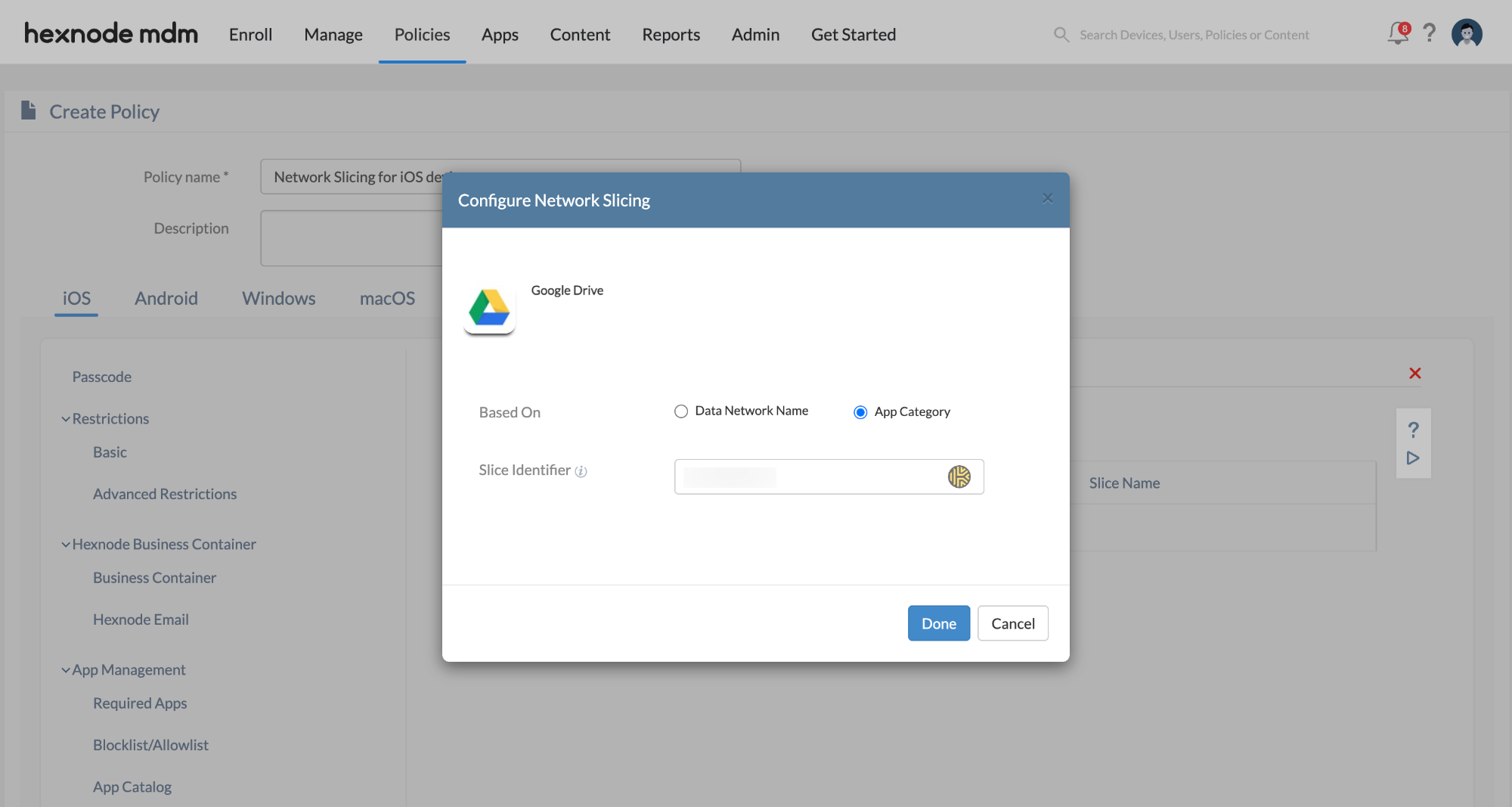
- Go to Policies > New Policy > Create a fully custom policy > iOS > Enterprise > Network > Network Slicing and click Configure.
- Click the + Add Network Slice button.
- Select the specific managed app(s) for which you want to enable slicing and click Select.
- Configure the Slice Identifier using one of the following methods (as provided by your carrier):
- DNN (Data Network Name): Enter
DNN:name(e.g., DNN:corporate_internal). This routes traffic from the entire device through the network slice. - App Category: Enter
AppCategory:category(e.g., AppCategory:high_bandwidth). This routes traffic only from the selected apps through the network slice.
- DNN (Data Network Name): Enter
- Click Done, then Save.
3. Policy Association and Deployment
Once the policy is saved, it must be assigned to the target devices:
- Go to the Policy Targets tab.
- Select the desired Devices, Users, Device Groups, User Groups, or Domains.
- Click Save. The configuration will be pushed to the devices automatically.
4. Critical Technical Notes
- VPN Precedence: If both a VPN policy and a Network Slicing policy are applied to the same app or device, the VPN policy takes precedence. Network slicing will not be active while the VPN is in use.
- Carrier Dependency: The success of the slice depends entirely on the Slice Identifier strings provided by the mobile network operator. Ensure these strings are entered exactly as provided.
5. Troubleshooting & FAQs
Frequently Asked Questions (FAQs)
- Can multiple apps use the same network slice?
Yes. Administrators can select multiple managed apps during the configuration phase and assign them to the same carrier-provided slice identifier.
- Is 5G Network Slicing supported on older iPhones?
No. This feature requires iOS 17 or later and a device capable of connecting to 5G Standalone networks (iPhone 12 and later models).
- What happens if the device leaves 5G SA coverage?
The device will fall back to standard 5G or LTE connectivity. The specific performance benefits of the network slice will be lost until the device re-enters a 5G SA area.
Troubleshooting
- Slice Not Active: Verify that the device is in a 5G Standalone (SA) coverage area. Network slicing is not supported on 5G Non-Standalone (NSA) or LTE networks.
- App Performance Issues: Confirm the correct Slice Identifier type (DNN vs. App Category) is used. Using a DNN identifier may affect device-wide traffic, whereas App Category is more granular.
- Policy Conflict: Check if a VPN is currently active on the device. Disable the VPN to allow the Network Slicing policy to function.


