


Category filter
How to disenroll organization from Android Enterprise?
Android Enterprise is Google’s framework for securing corporate data through containerization. While it offers robust management for BYOD (Bring Your Own Device) and corporate-owned hardware, there are scenarios—such as migrating accounts or decommissioning a portal—where you may need to disenroll your organization from the Hexnode UEM integration.
Critical Considerations Before Disenrolling
When NOT to Disenroll
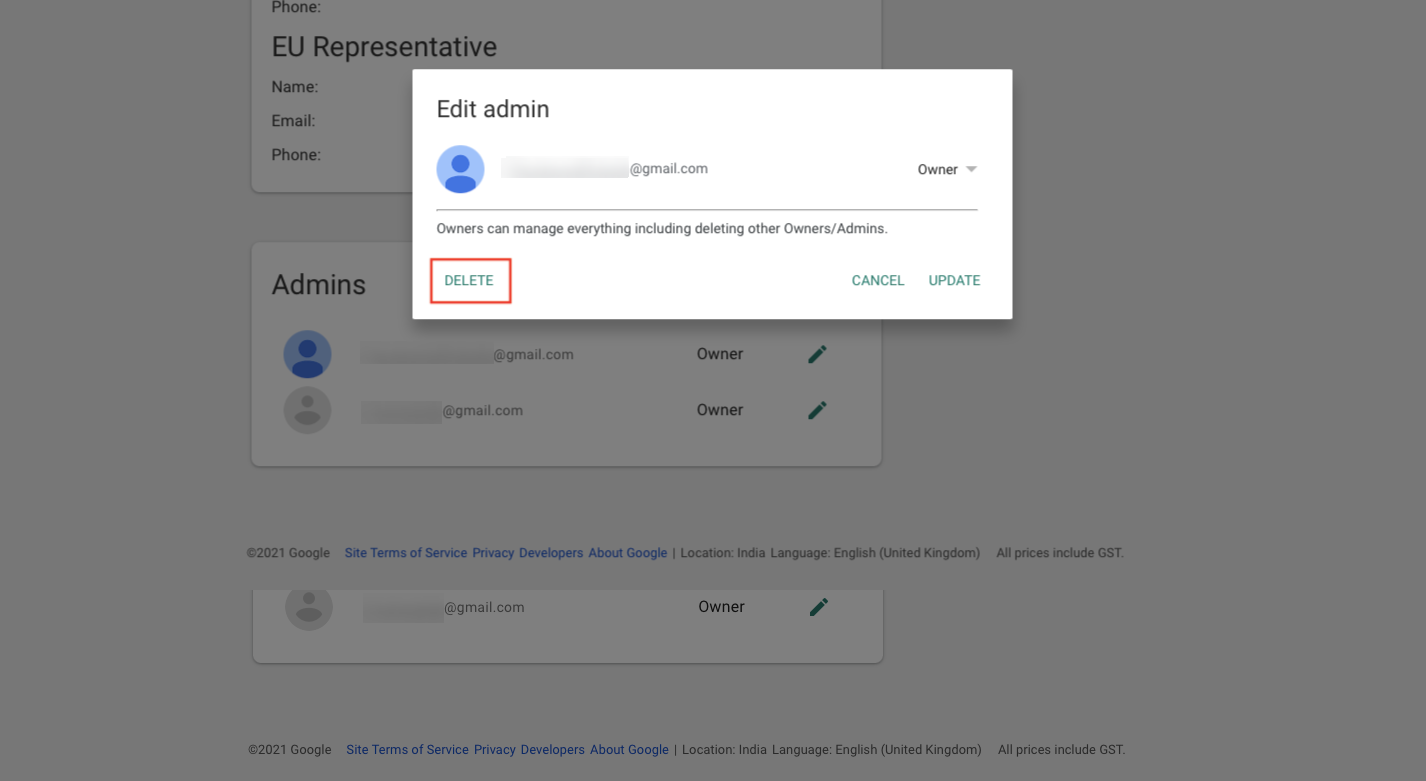
If your goal is simply to change the administrator email address, do not disenroll. Instead:
- Add a new Owner account on the admin settings page.
- Remove the old Owner. This re-configures the account without triggering a mass device disenrollment.
What is Lost During Disenrollment?
- All device configuration settings and enterprise restrictions.
- Managed app configurations and permissions.
- The list of approved applications in your Managed Play Store.
- Active management of all Android Enterprise-enrolled devices.
Method 1: Disenroll via Hexnode UEM Console
This is the standard procedure for most organizations to sever the link between Hexnode and Google.
- Access the Portal: Log in to your Hexnode UEM portal.
- Navigate to Android Enterprise: Go to Enroll > Platform-Specific > Android > Android Enterprise.
- Initiate Removal: Review the organization details and click the Disenroll Organization button.
- Confirm: Click Disenroll on the confirmation dialog.
The administrative account will be removed, and all associated devices will be disenrolled.
Method 2: Disenroll via Google Admin Console (Google Workspace)
If your enrollment was configured using a Google Workspace (formerly G Suite) account, you can initiate the process from Google’s end.
- Log in to the Google Admin Console.
- Go to Devices > Mobile & endpoints > Settings > Third-party Integrations.
- Select Android EMM > Manage EMM providers.
- Find Hexnode and click Remove.
- Sync with Hexnode: Return to the Hexnode portal (Enroll > Android Enterprise) and click Disenroll to clear the remaining local data.
Frequently Asked Questions (FAQs)
Q1. Can I disenroll just one device without affecting the organization?
Yes. To remove a single device, use the Disenroll Device action under the Manage tab rather than disenrolling the entire organization.
Q2. Can I re-integrate the same account later?
Yes. After disenrolling, you can integrate Android Enterprise again using either the same Google account or a new one. However, previously disenrolled devices will still require manual re-enrollment.


