


Category filter
Add custom attributes to devices and users
The ability to add custom attributes in Hexnode UEM provides organizations with the flexibility to generate and store metadata for devices, users, device groups, and user groups that go beyond predefined fields. By choosing to add custom attributes, administrators can manage unique data specific to their organizational needs and use these values as dynamic wildcards across the portal. These attributes can be centrally created and updated remotely over the air, ensuring consistent and real-time propagation of information across managed entities.
Attribute Creation Methods
Hexnode UEM supports two attribute creation workflows:
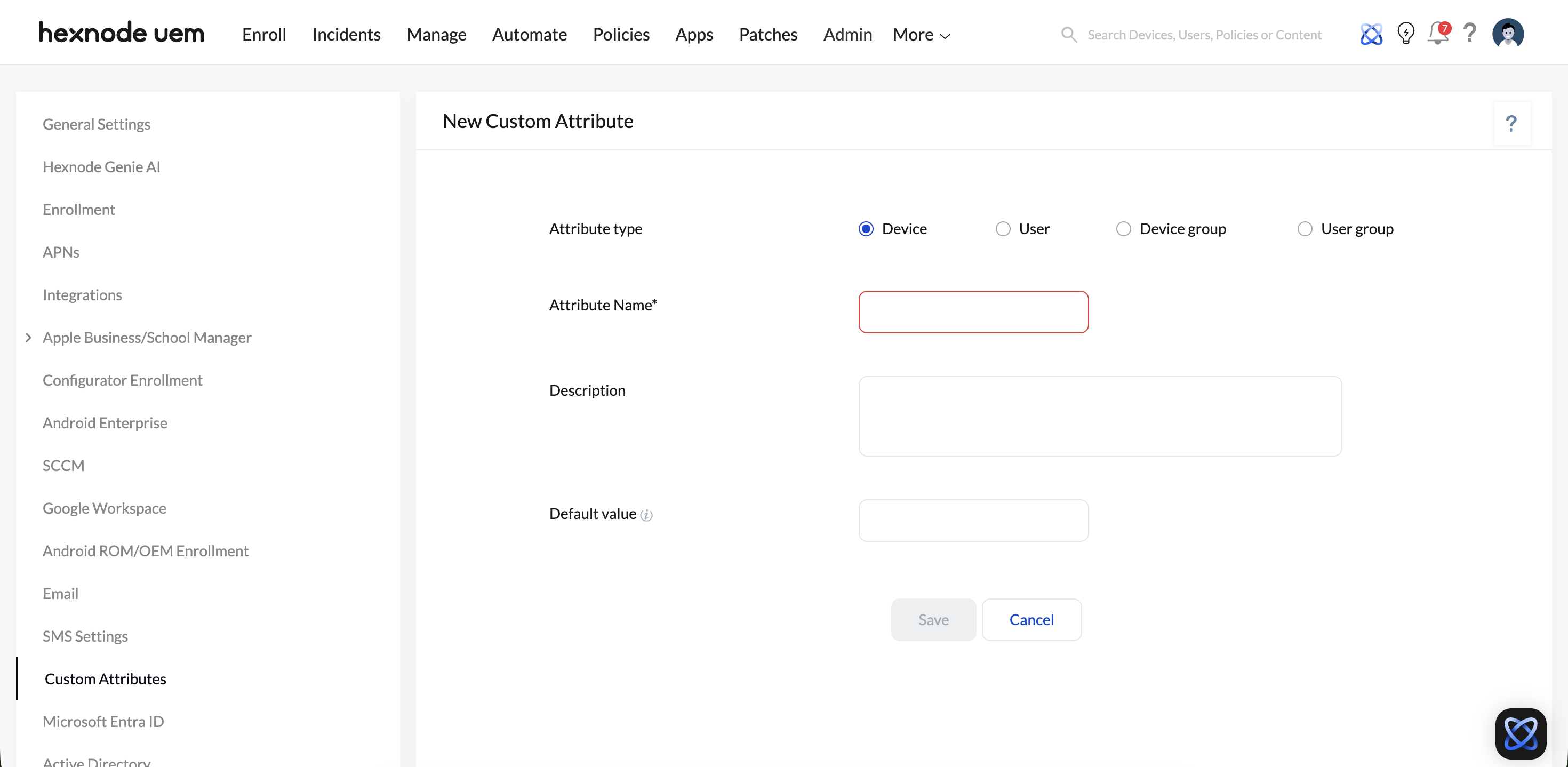
1. New Attribute (Single Attribute Creation)
This option is used to define an individual custom attribute.
| Setting | Description |
|---|---|
| Attribute Type | Defines the entity the attribute is associated with: Device, User, Device Group, or User Group. |
| Attribute Name | A unique identifier for the attribute. Must contain only letters, numbers, and underscores. This field is mandatory. |
| Description | Optional field used to document the purpose or usage of the attribute. |
| Default Value | The value assigned automatically until explicitly overridden. Supports wildcard usage. |
Once saved, the attribute becomes immediately available for the selected entity type.
2. Bulk Attributes (CSV-Based Creation)
This option enables administrators to create multiple custom attributes simultaneously.
- Upload a CSV file containing attribute definitions
- A sample CSV file is available for reference and format validation
- This method is recommended for large-scale deployments or migrations
Bulk upload reduces manual effort and ensures consistency across attribute definitions.
Attribute Types and Storage Locations
Hexnode organizes custom attributes based on the entity they describe. Use the table below to locate where your data is stored after configuration:
| Attribute Type | Management Path in Hexnode Portal | Information Tab |
|---|---|---|
| Device | Manage > Devices | Device Info |
| User | Manage > Users | User Info |
| Device Group | Manage > Device Groups | Device Group Info |
| User Group | Manage > User Groups | User Group Info |
Managing Existing Attributes
You can modify or remove custom data fields directly from the Admin > Custom Attributes tab:
- Edit: Update the description, or default value of an attribute.
- Delete: Remove a specific attribute from the system.
- Remove All: Clear all custom attributes displayed in the current view.
Frequently Asked Questions (FAQs)
- What characters are allowed in Custom Attribute names?
Attribute names must only contain alphanumeric characters (letters and numbers) and underscores. Spaces and special symbols are not supported.
- How many custom attributes can be created?
Hexnode UEM allows administrators to create up to 50 custom attributes, which can be used to store and manage additional device-, user-, or group-specific metadata.
- How to update attributes for multiple devices at once?
Use the Bulk Attributes option under the Add menu. By uploading a CSV file, you can remotely update specific data points for thousands of entities simultaneously over-the-air.


