


Category filter
Android Enrollment at Scale: Deploying 500,000 Devices with Zero-Touch
Effective management of 500,000+ Android devices requires a shift from manual configuration to automated orchestration. Hexnode’s Android Enterprise framework addresses hardware fragmentation and privacy by leveraging Google’s advanced management APIs and proprietary OEM integrations.
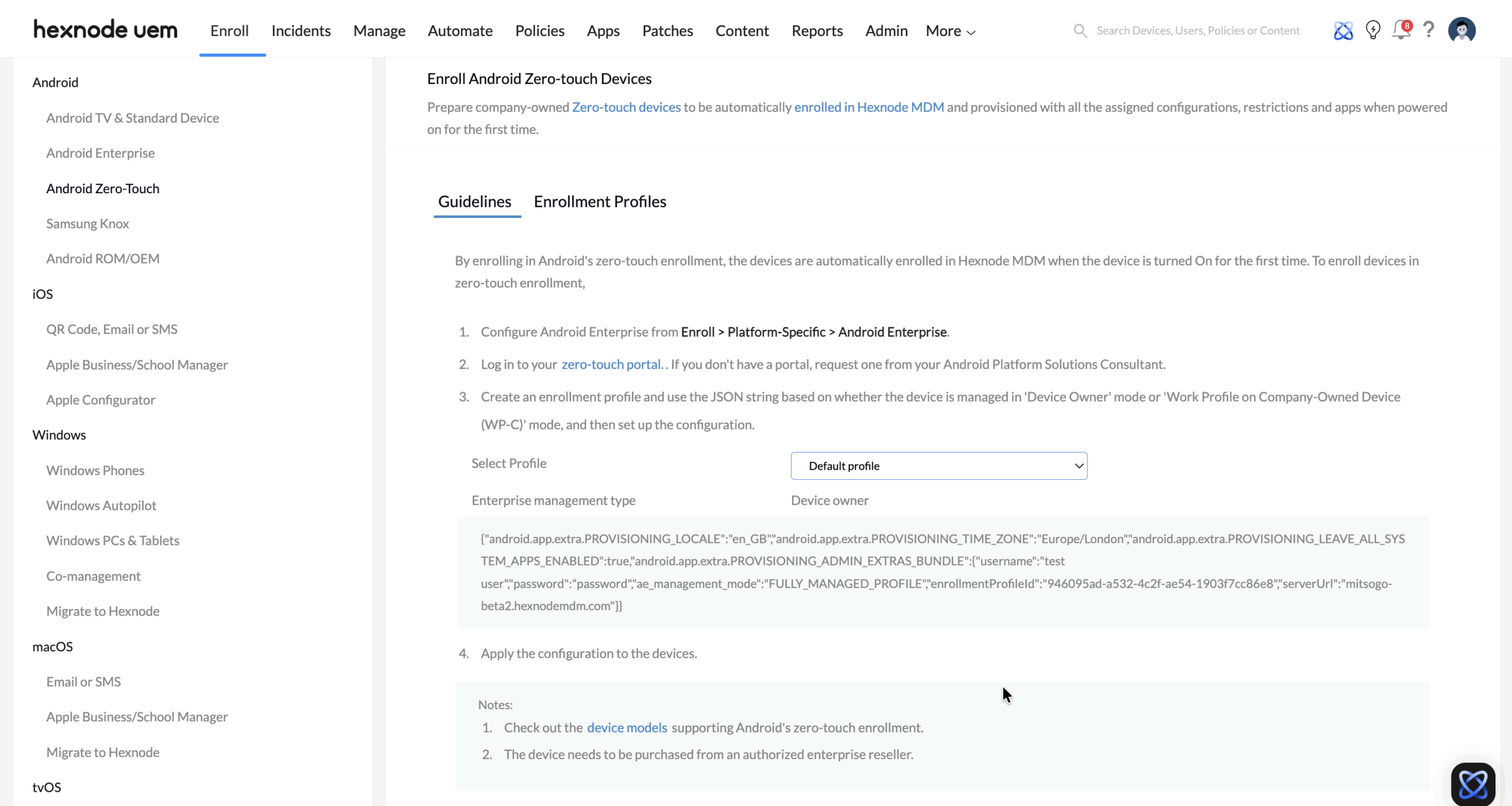
Scalable Enrollment: Android Zero-Touch (ZTP)
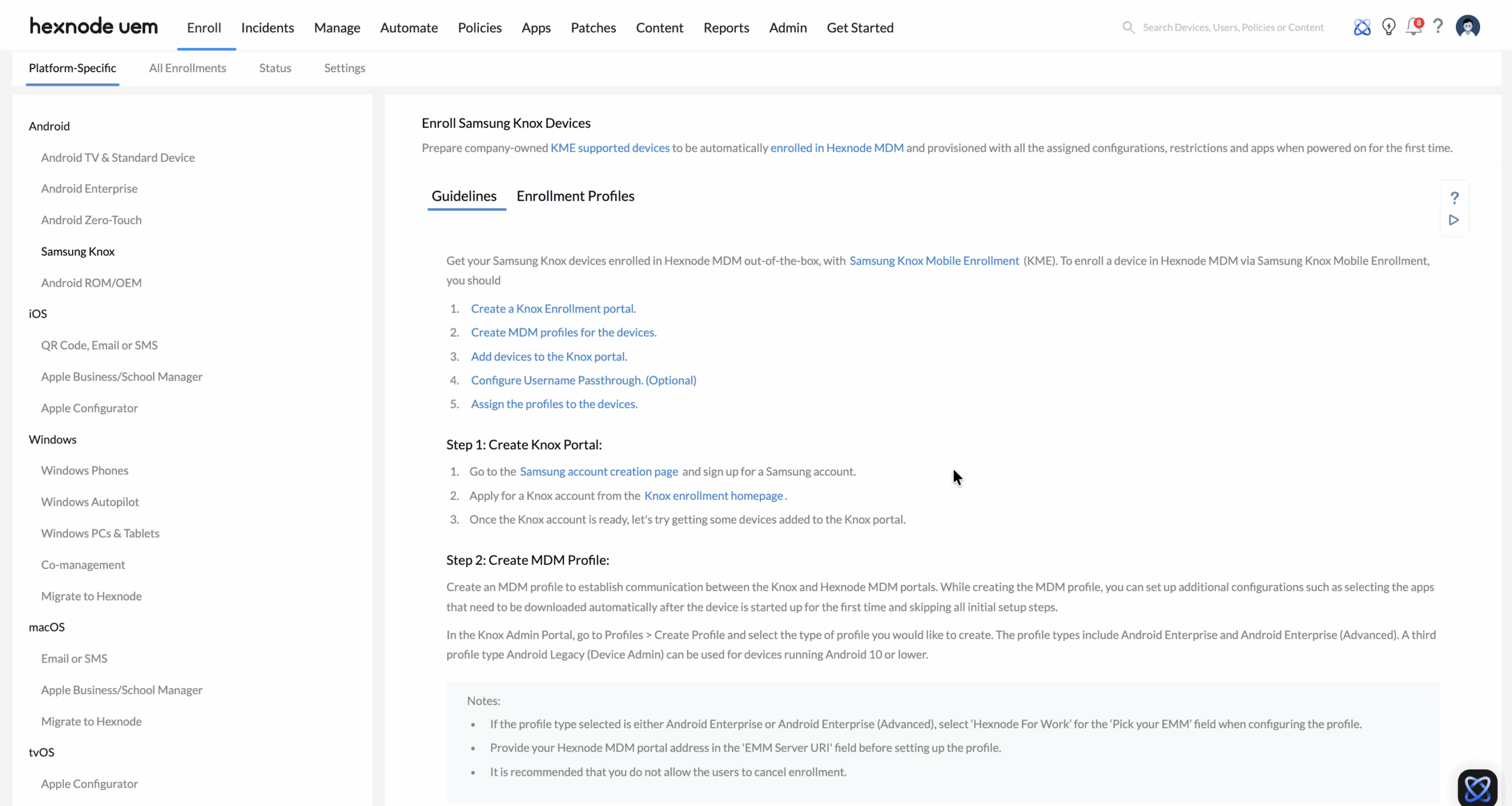
For large-scale deployments, manual enrollment is a bottleneck. Hexnode utilizes Android Zero-Touch Provisioning (ZTP) and Samsung Knox Mobile Enrollment (KME) to facilitate “out-of-the-box” management.
- Automated Workflow: Devices purchased through authorized resellers are pre-registered to the ZTP portal. Upon the first power-on, the device automatically pulls configurations from the Hexnode portal.
- Persistent Management: ZTP ensures that even after a factory reset, the device remains under corporate control, effectively neutralizing theft or “identity hijacking.”
- KME Integration: For Samsung fleets, Hexnode adds hardware-backed attestation, ensuring the device’s security state is verified at the silicon level before enrollment.
Advanced Management Modes: COPE vs. Fully Managed
Hexnode enables granular policy application across diverse organizational units (OUs) using specific Android Enterprise modes.
1. COPE (Corporate-Owned, Personally Enabled)
Ideal for executives and knowledge workers who require high-end hardware with a guarantee of personal privacy.
- Dual-Container Architecture: Hexnode creates a Work Profile to isolate corporate data.
- Privacy Scoping: The IT team manages the “Corporate Zone” (apps, VPN, encryption) while the “Personal Zone” remains private. Admins cannot access personal photos, messages, or browsing history.
- Compliance Actions: If a device is compromised (e.g., rooted), Hexnode can trigger a selective wipe, removing only the Work Profile.
2. Fully Managed (COBO – Corporate-Owned, Business Only)
Designed for front-line workers, logistics, and retail.
- Deep Lockdown: Admins gain total control over the OS, including the ability to disable USB debugging, hardware buttons, and camera access.
- Kiosk Mode: Transform tablets or handhelds into dedicated-purpose tools.
OEMConfig: Standardizing Proprietary Hardware
Hexnode utilizes OEMConfig to unlock hardware-specific features that standard Android APIs cannot reach. This is critical for ruggedized fleets (Zebra, Honeywell) and flagship Samsung devices.
| OEM Partner | Key Capabilities via Hexnode |
|---|---|
| Zebra / Honeywell | Hardware button remapping, barcode scanner optimization, and battery health telemetry. |
| Samsung Knox | E-FOTA (Enterprise Firmware-Over-The-Air) to pin devices to specific OS versions for stability. |
| Data Delivery | Settings are deployed in sub-seconds via Hexnode’s MQTT channel. |
Security & Integrity (Play Integrity API)
To protect a 500,000-device surface area, Hexnode integrates directly with Google Play Integrity.
- Hardware Attestation: Real-time monitoring of bootloader status and OS signing.
- Managed Play Store: Prevents side-loading by ensuring only vetted, malware-scanned applications are installed.
- Network Security: Automated Deployment of Always-on VPN and per-app VPN tunnels ensures work traffic never traverses the public internet unencrypted.
Comparison: Legacy Admin vs. Hexnode AE Orchestration
| Feature | Legacy Device Admin | Hexnode Android Enterprise |
|---|---|---|
| Enrollment | Manual / URL-based | Zero-Touch / KME / QR / NFC |
| Privacy | Intrusive (Global access) | Scoped (COPE / Work Profile) |
| App Management | APK Side-loading | Managed Play Store |
| Hardware Control | Basic / Limited | Advanced (OEMConfig / Knox) |
| Security | OS-dependent | Google Play Integrity (Attested) |
Implementation Checklist: Android Phase
- Enroll in Android Enterprise and accept Managed Google Play terms in the Hexnode portal.
- Configure Zero-Touch and KME profiles for silent, zero-touch enrollment.
- Define COPE Policies for executive Organizational Units (OUs).
- Deploy OEMConfig apps for specialized hardware (Zebra/Samsung).
- Establish E-FOTA rules to freeze OS versions during peak business cycles.


