


Category filter
Scripts to create users on Windows devices
Some corporate devices might be used by more than one employee. As a result, an administrator might have to create separate user accounts on each device. Here, we discuss one of the easiest ways to create users remotely. Hexnode lets admins deploy scripts to get the job done.
Batch script
Create user
1
net user "username" "password" /add
|
1 |
net user "username" "password" /add |
E.g., To create a user Josh,
Net user "Josh" "Josh123" /add
On deploying the above script, a new user account with username Josh will be added to the device, and the user can log in to the account using the password Josh123.
To create a user account with no password, do not provide any value for password in the above script.
E.g., Net user "Josh" "" /add
Change username
You can change the name of the created user account by running the script given below.
|
1 2 3 4 5 6 7 8 9 10 11 12 13 14 15 16 17 18 |
@echo off REM === Batch script to rename a local user account === REM Run this script as Administrator set "OldUser=old user name" set "NewUser=new user name" REM Call PowerShell to perform the rename powershell -Command "Rename-LocalUser -Name '%OldUser%' -NewName '%NewUser%'" REM If the PowerShell command succeeds, return success exit code if %errorlevel%==0 ( echo User account renamed from %OldUser% to %NewUser%. exit /b 0 ) else ( echo Failed to rename user account %OldUser%. exit /b 1 ) |
set “OldUser=old user name”
set “NewUser=new user name”
In the above command, replace the terms “old user name” and “new user name” with the actual names.
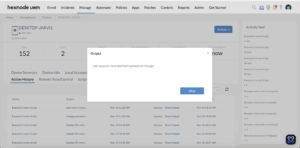
PowerShell script
Create user
To create a user, you can run the script given below.
|
1 2 3 4 5 6 7 8 9 10 11 12 13 14 15 16 17 18 19 20 21 22 23 24 25 26 27 |
# Run this script with Administrator privileges param( [string]$UserName = "username", [string]$PasswordPlain = "password" ) try { # Convert plain text password to SecureString $Password = ConvertTo-SecureString $PasswordPlain -AsPlainText -Force # Create the new local user New-LocalUser -Name $UserName -Password $Password # Enable the account Enable-LocalUser -Name $UserName # Add to Users group so it can log in Add-LocalGroupMember -Group "Users" -Member $UserName Write-Host "Local user account '$UserName' created and enabled successfully." exit 0 # Explicit success code for Hexnode } catch { Write-Host "Failed to create local user account '$UserName'. Error: $_" exit 1 # Explicit failure code for Hexnode } |
[string]$UserName = “username”,
[string]$PasswordPlain = “password”
In the above command, replace the terms “username” and “password” with the actual names. For example, to create a user “josh” with password “josh123”, then the command should be:
[string]$UserName = “josh”,
[string]$PasswordPlain = “josh123”
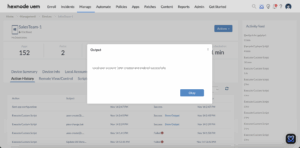
Change username
You can change the name of the created user account by running the script given below.
|
1 |
Rename-LocalUser -Name "Administrator" -NewName "New Name" |
Replace ‘Administrator’ with the current name of the user and ‘NewName’ with the new name of the user, respectively.


