


Category filter
High-Scale Linux Management: Architecting Resilience for Global Enterprise Fleets
In complex, High-Scale Linux Management environments, Linux endpoints serve as the critical “Power User” tier—powering high-performance developer workstations, specialized R&D hardware, and vital local infrastructure. As organizations scale, managing these diverse systems manually becomes a bottleneck for security and productivity.
Hexnode UEM addresses this by providing a unified management framework for major distributions, including Ubuntu, Debian, and Fedora. By centralizing control, Hexnode ensures that even organizations with 50+ sub-companies can maintain a consistent security posture, automate routine maintenance, and orchestrate complex workflows across thousands of nodes from a single pane of glass.
The Hexnode Linux Agent (HLA)
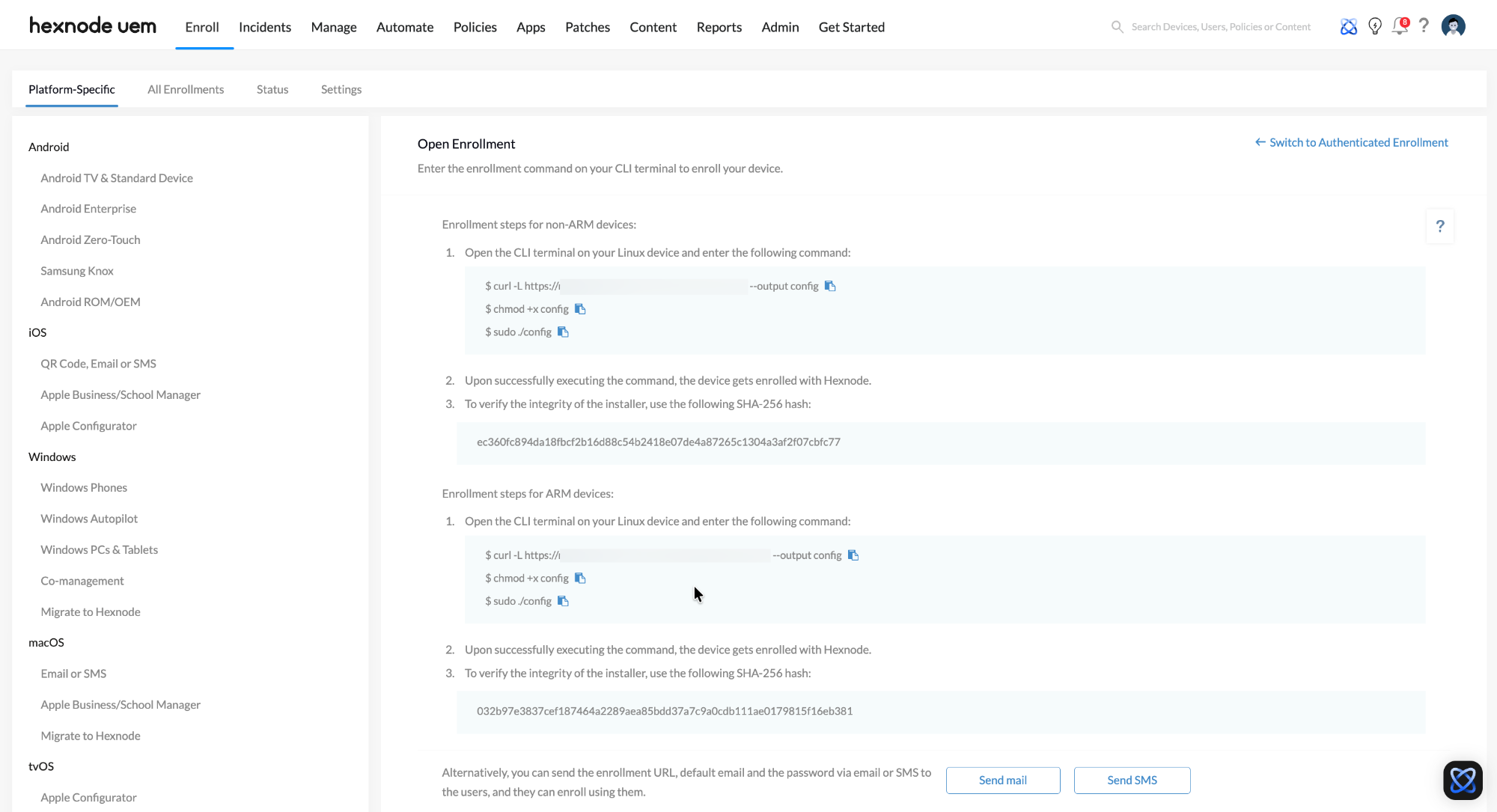
Managing Linux at scale requires a persistent, high-privilege bridge to the OS. The Hexnode Linux Agent (HLA) eliminates the latency and connectivity issues inherent in legacy polling models.
- Agent-Based Communication: Devices are onboarded via CLI-based enrollment. Once the agent is installed, it establishes a secure, persistent communication channel with the Hexnode UEM server.
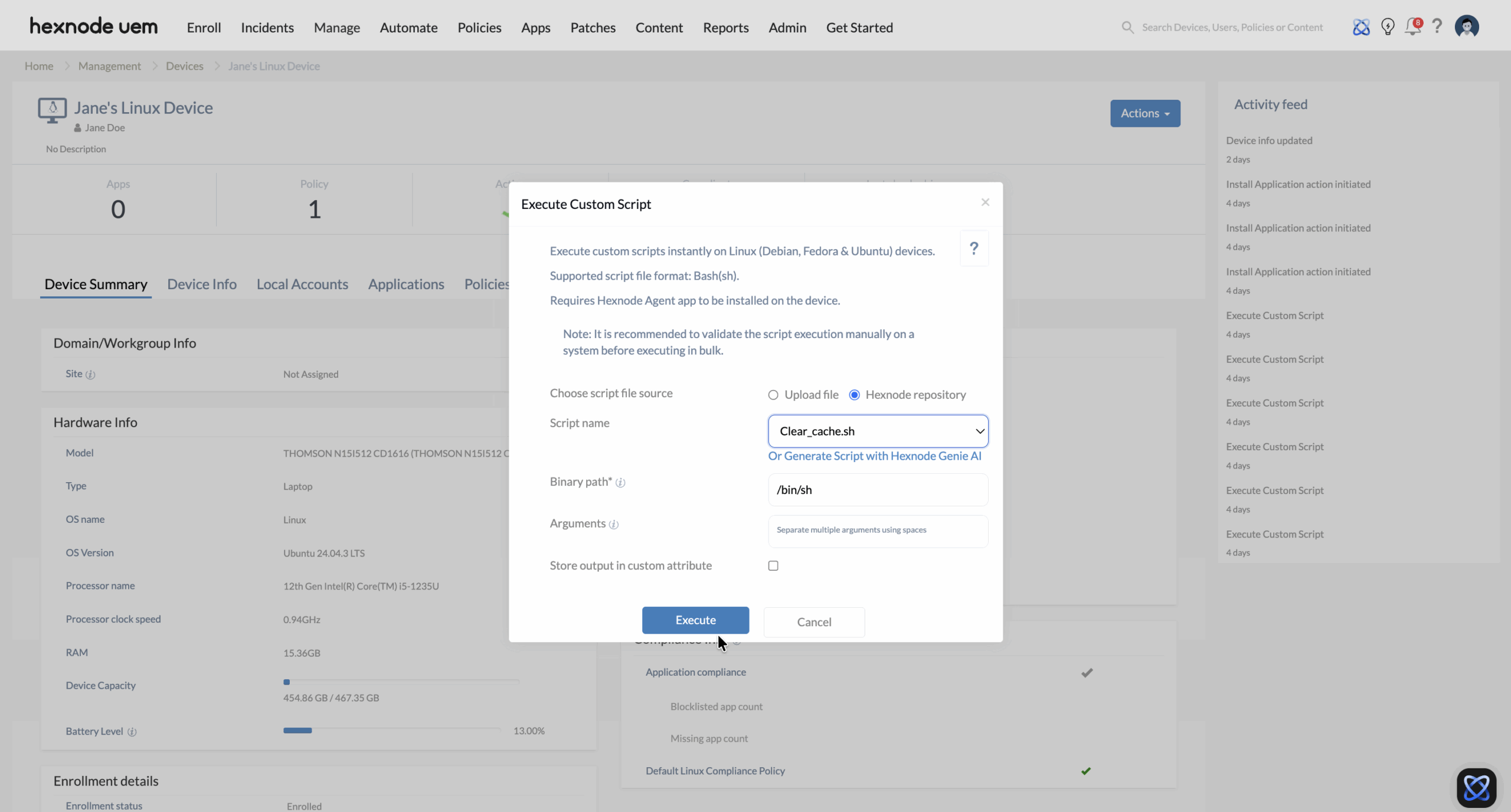
- Real-time Command Execution: Administrators can execute remote actions—such as Lock Device, Execute Custom Script or Wipe Device—with sub-second delivery, bypassing the need for static IPs or VPN-dependent SSH tunnels.
- Distribution-Aware Engine: The Hexnode Linux Agent supports multiple Linux distributions and environments, enabling administrators to run commands and scripts on devices using different package managers such as apt, dnf, or yum, and init systems like systemd.
Security & Hardening Baselines
With sensitive IP at stake, Hexnode enforces strict security baselines through a combination of built-in policies and custom script execution.
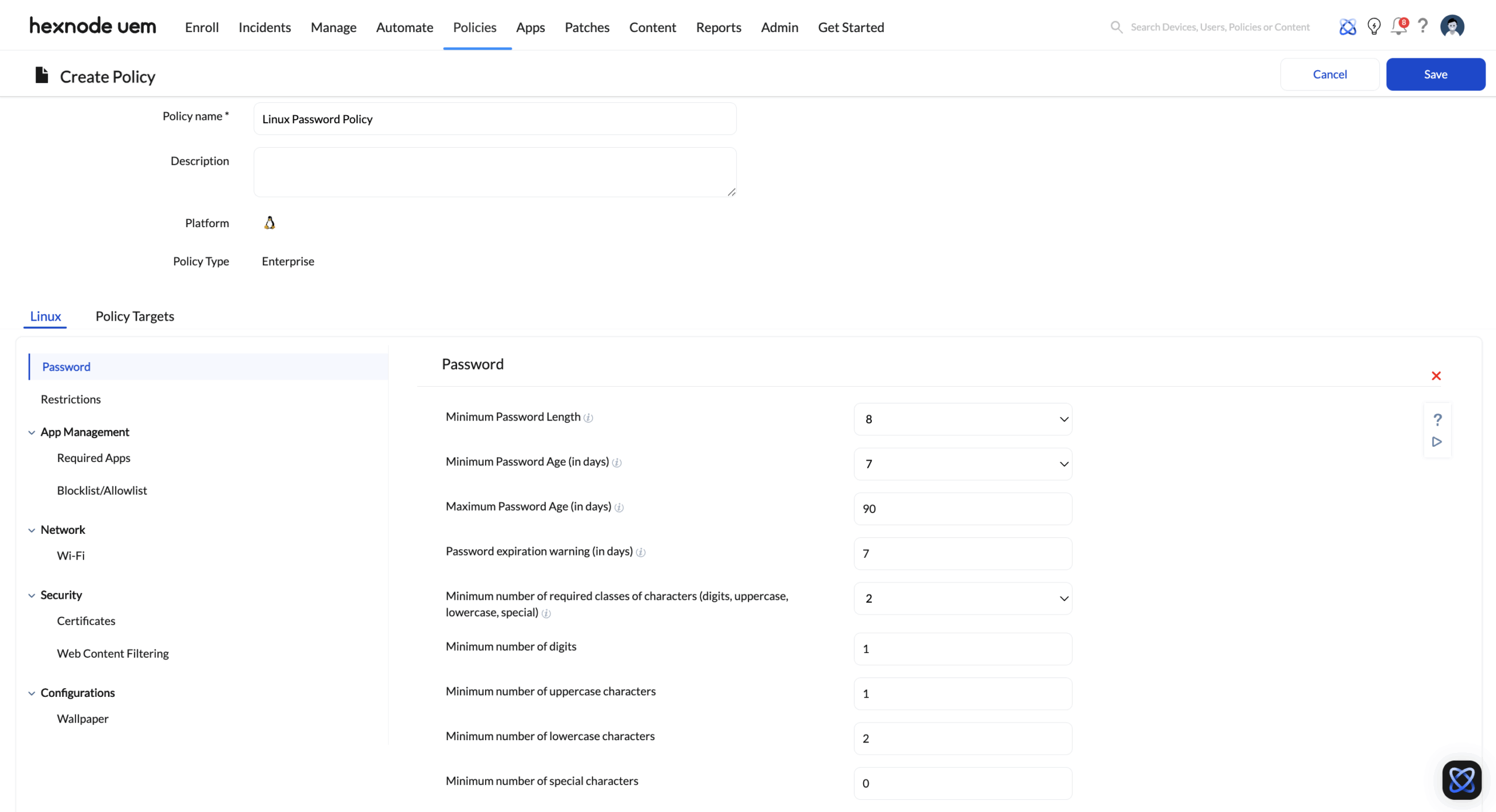
- Password Policy Enforcement: Centrally define and deploy complexity requirements, rotation schedules, and lockout thresholds. These configurations ensure that all Linux endpoints adhere to corporate security standards without manual configuration at the CLI level.
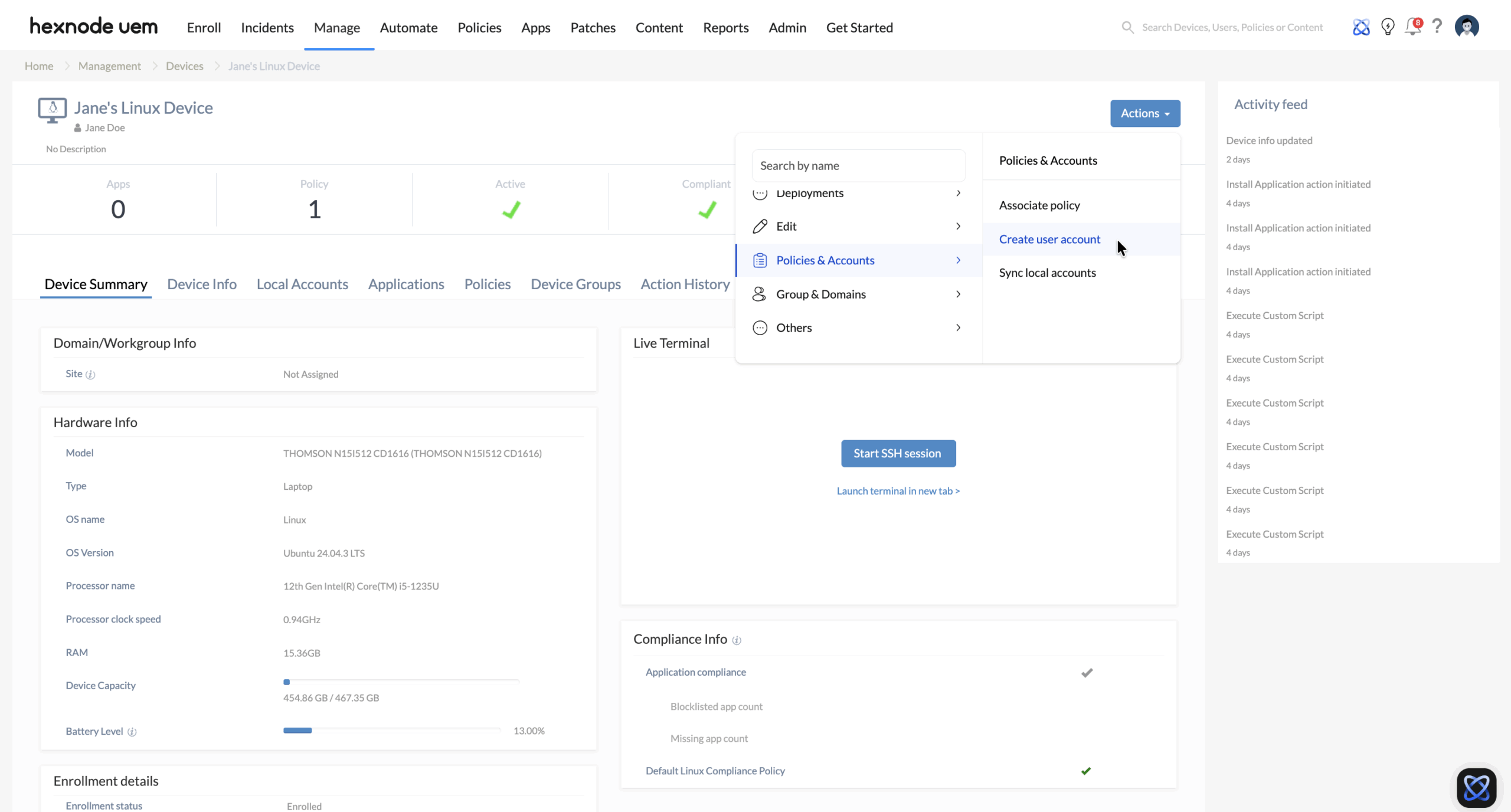
- User Account Orchestration: Utilize the Create User Account remote action to provision or modify user profiles across the fleet. This allows administrators to manage local permissions and access rights dynamically, ensuring that only authorized personnel can interact with R&D hardware.
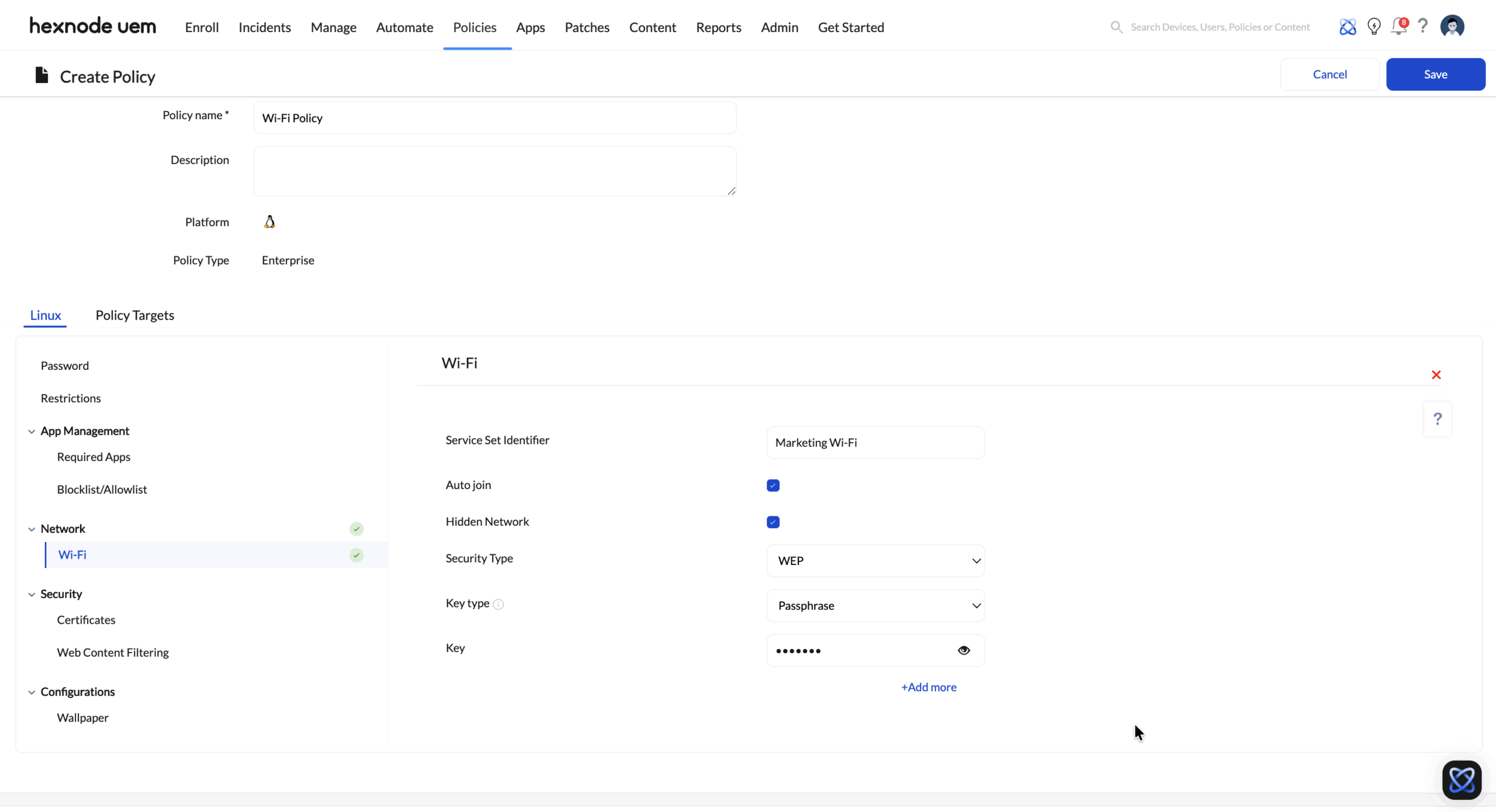
- Wi-Fi Configuration: Deploy network profiles to automate the distribution of SSIDs and security protocols, ensuring seamless connectivity to authorized corporate networks.
- Firewall Management: Execute custom scripts to implement iptables or nftables rules. This enables granular control over traffic, effectively preventing lateral movement within the corporate network.
- Software Allowlisting: Restrict the execution of unauthorized software by using Hexnode to run administrator-defined custom scripts that configure Linux system settings to control which binaries can be executed. This allows administrators to define approved applications and reduce the risk of malware or unverified tools in developer environments.
High-Scale Scripting & Automation
For the 500-man technician team, manual intervention is not an option. Hexnode leverages AI and automated workflows to manage 50,000+ Linux nodes simultaneously.
- Custom Script Execution: Hexnode supports the deployment of Bash (.sh) scripts on Linux devices via Execute Custom Script action. This allows for mass execution of tasks like:
- Updating Docker configurations.
- Rotating SSH keys.
- Applying security patches.
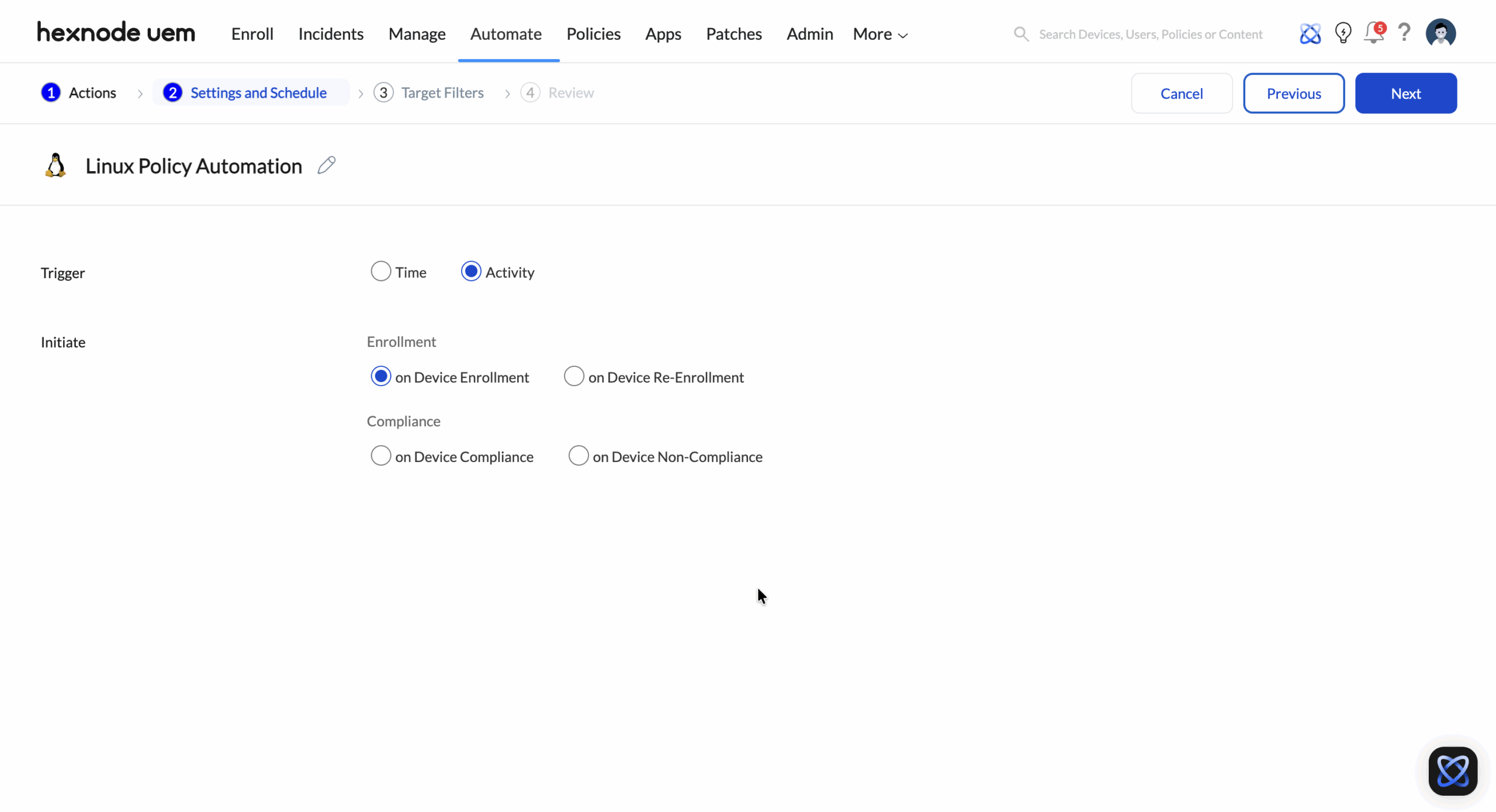
- Hexnode Automate: Create automation rules to trigger actions based on device state or compliance events:
- Auto-Remediation: Automatically run a script when a device becomes non-compliant.
- Policy Re-application: Ensure configuration persistence every time a device checks in.
- Execution Visibility: Script execution status and output logs are available in the Hexnode UEM console under Action History (per device) and Action Reports (global view) for auditing and troubleshooting.
Comparison: Native SSH vs. Hexnode Linux Management
| Feature | Native SSH / Ansible | Hexnode Linux Management |
|---|---|---|
| Connectivity | Requires VPN / Static IP | Agent-based (Any Network) |
| Identity | Key-based / Manual Management | Console-driven (IdP-backed) |
| Visibility | Log-based (Delayed/Manual) | Centralized Real-time Status |
| Security | High Admin Burden | Policy & Script Driven |
| Scale | Linear (SSH Thread Limited) | Massive (Designed for 500k+ Fleet) |
Implementation Checklist: Linux Phase
- Identify Distributions: Define the list of supported Linux distros (Ubuntu, Fedora, Debian).
- Agent Deployment: Deploy the HLA via CLI-based enrollment or internal software repositories.
- Security Baselines: Configure account policies and network restrictions using Hexnode Policies.
- Script Library: Establish a repository of Bash scripts for routine maintenance.
- Automation Rules: Set up Hexnode Automate to trigger remediation scripts based on device compliance.


