


Category filter
Cross-Platform Kiosk Management: Unified Security for Every OS
Kiosk Mode is a device configuration that allows organizations to restrict endpoints to a predefined set of applications and system functions, transforming general-purpose devices into dedicated, task-focused enterprise assets. Hexnode UEM provides kiosk management capabilities across major platforms including Windows, macOS, Android, iOS/iPadOS, tvOS (Apple TV), ChromeOS, and Linux, using platform-native controls and management frameworks.
By leveraging operating system–supported kiosk mechanisms and centralized policy enforcement, Hexnode helps organizations maintain secure, consistent, and highly available kiosk environments for use cases such as digital signage, self-service terminals, conference room displays (Apple TV), shared enterprise devices (ChromeOS) and point-of-sale systems.
1. Kiosk Deployment Models
Enterprise kiosk deployments typically follow one of two supported models, depending on the required level of user interaction and flexibility.
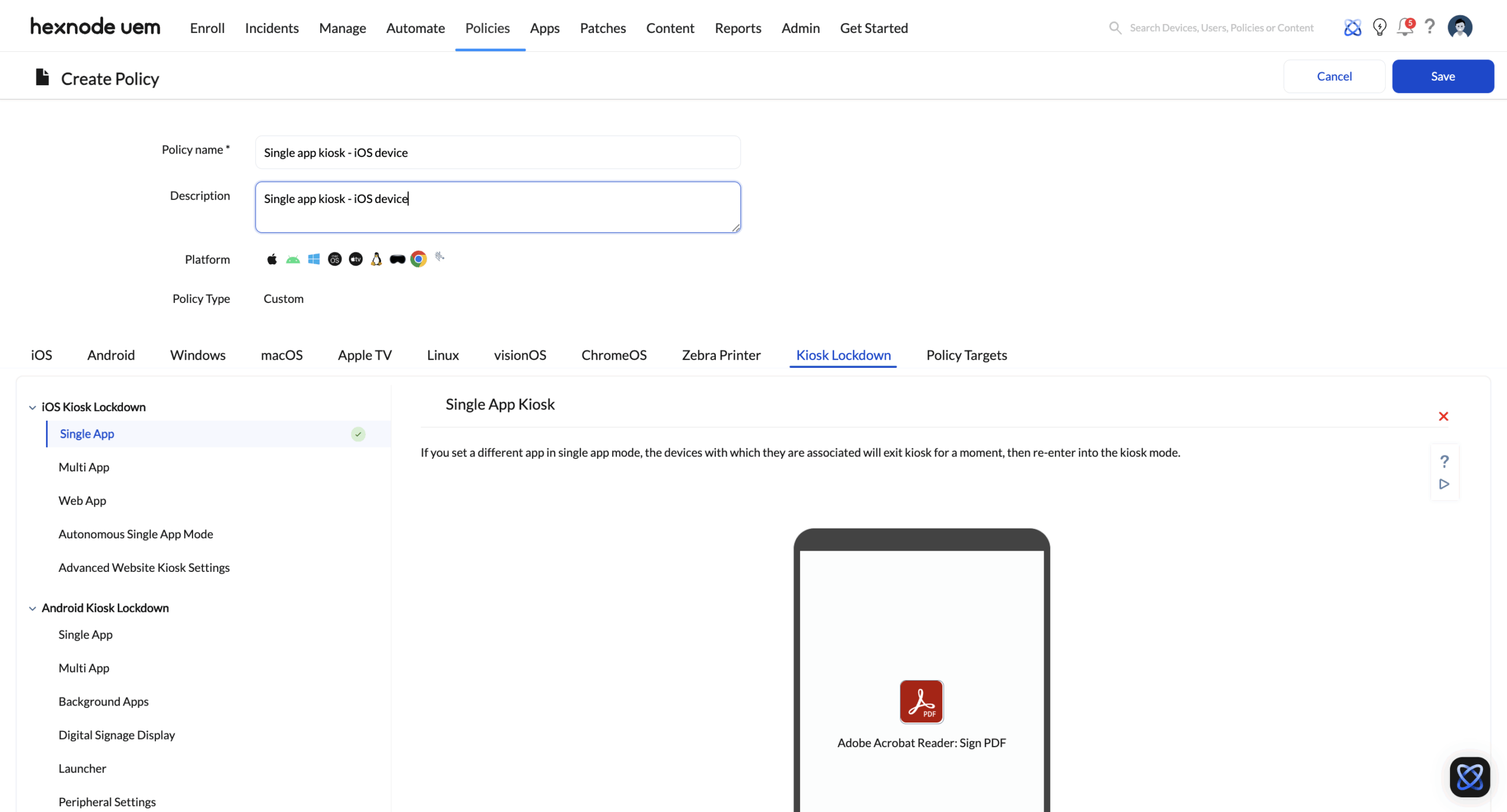
A. Single-App Kiosk (Total Lockdown)
Overview: Single-App Kiosk mode restricts the device to run only one designated application or web app, preventing access to the underlying operating system and any other apps.
Behavior and Enforcement:
- The device automatically launches the specified kiosk application.
- If the application is closed or crashes, the operating system’s native kiosk framework brings the app back to the foreground.
- User access to system navigation, notifications, and settings is blocked.
Supported Use Cases:
- Digital signage
- Self-service check-in kiosks
- Retail POS systems
B. Multi-App Kiosk (Managed User Experience)
Overview: Multi-App Kiosk mode allows access to a controlled set of approved applications while still restricting system-level access.
Behavior and Enforcement:
- Only administrator-approved applications are visible and accessible to end users.
- On supported platforms such as Windows and Android, a kiosk interface replaces or restricts the default home screen.
- System features such as Wi-Fi settings, volume controls, status bar visibility, and notifications can be restricted based on platform capabilities.
Supported Use Cases:
- Shared enterprise devices
- Front-desk terminals
- Educational and training kiosks
2. Security Controls: Peripheral and Browser Restrictions
A secure kiosk environment requires restricting both software access and physical device interactions.
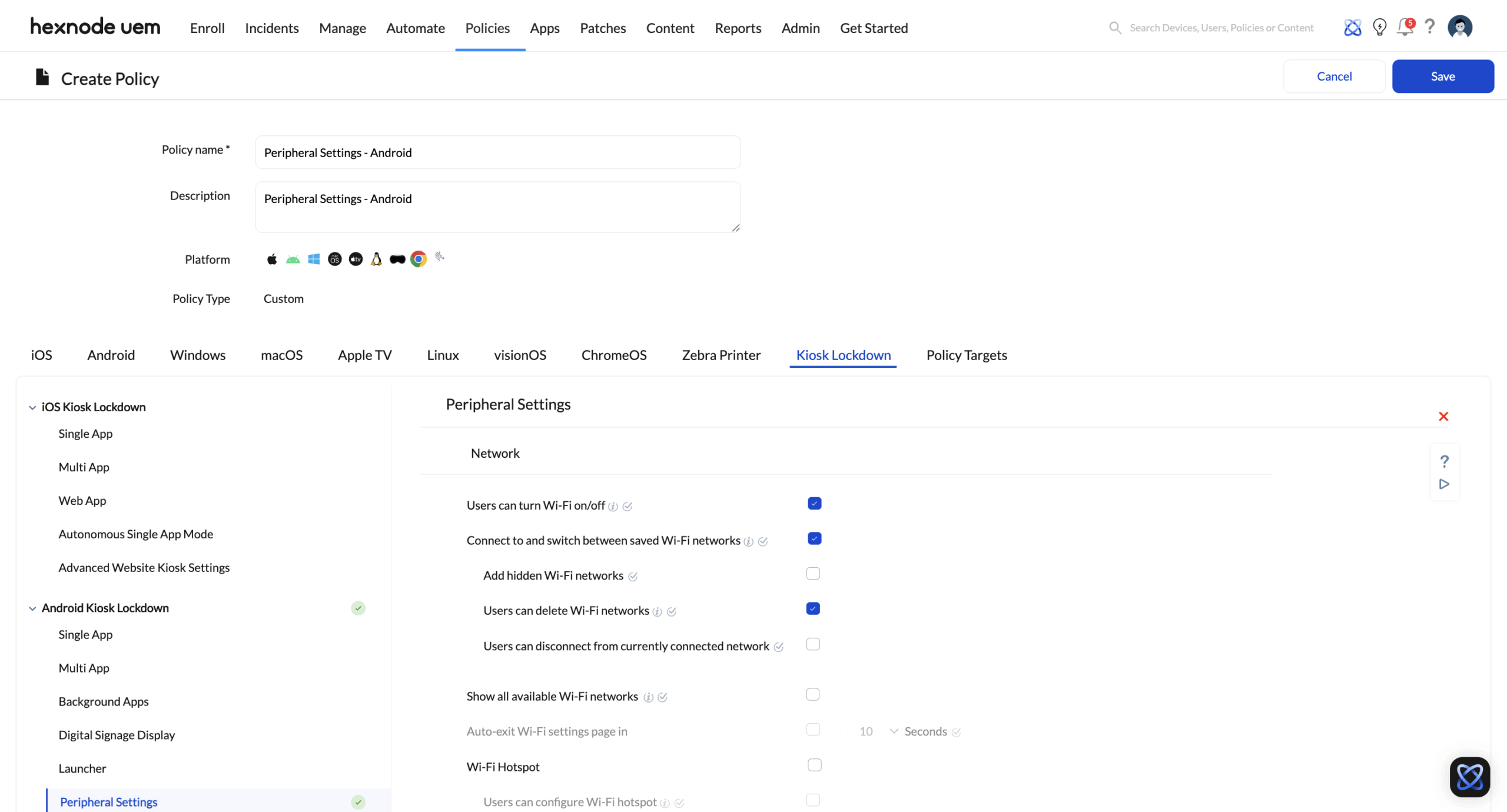
Hardware and Peripheral Restrictions
Hexnode allows administrators to configure hardware-level restrictions across supported operating systems, it includes:
- Blocking external storage such as USB drives and SD cards
- Restricting access to device cameras and microphones
- Limiting the functionality of hardware buttons such as volume controls (subject to OS and hardware limitations)
These hardware restrictions apply primarily to Windows, Android, macOS, Linux, and iOS/iPadOS devices. Apple TV hardware controls are limited by tvOS and do not support extensive peripheral restriction policies. In ChromeOS devices, peripheral access such as USB storage, external devices, and hardware features can be restricted.
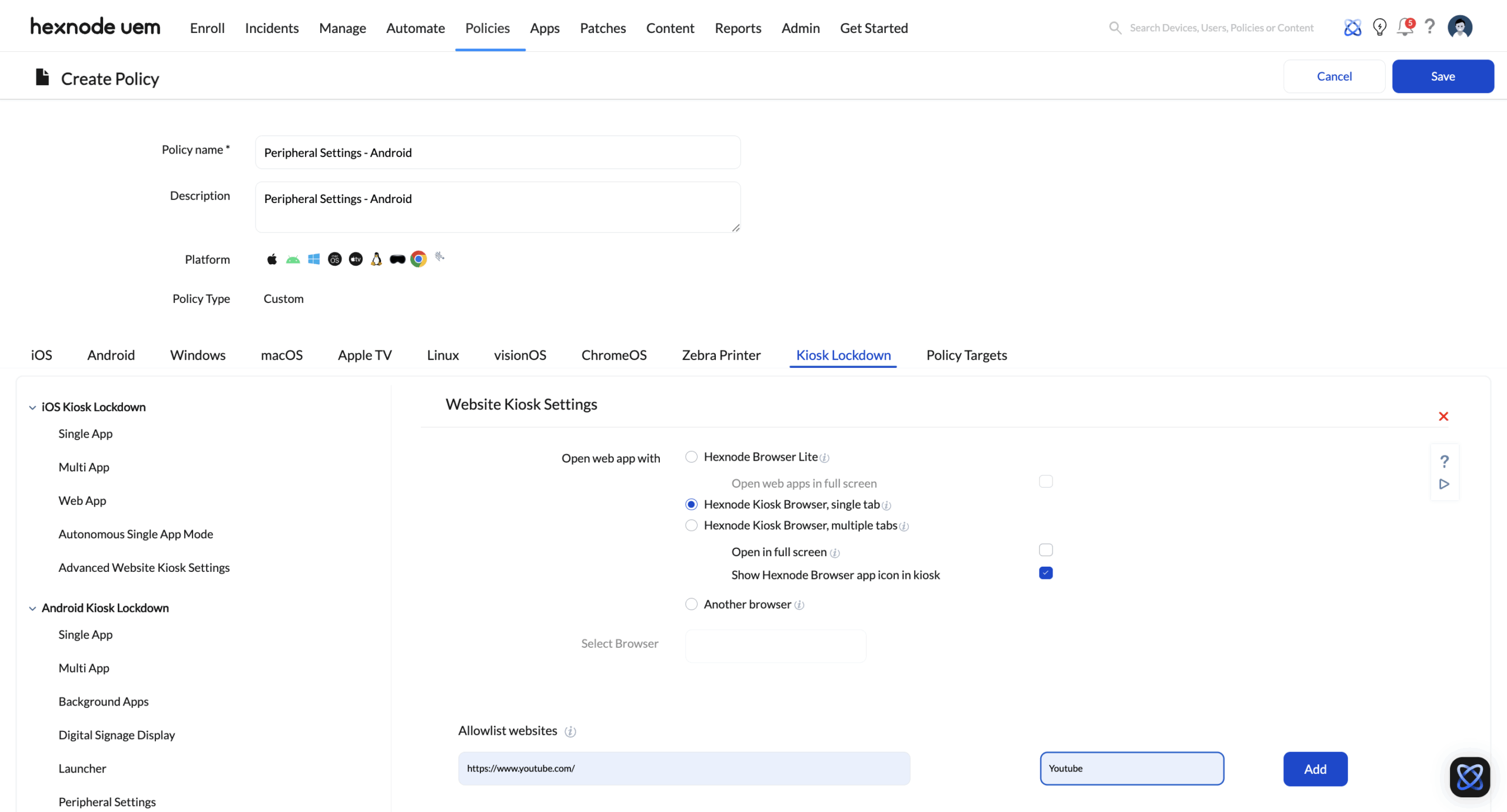
Managed Browsing with Hexnode Browser
For web-based kiosk scenarios, Hexnode provides Hexnode Browser, a secure browsing environment designed for public or shared use.
Key capabilities include:
- URL and domain allowlisting.
- Blocking navigation to unapproved websites
- Automatic clearing of browsing data such as cache, cookies, and sessions
- Removal of browser UI elements like address bars and navigation buttons to deliver an app-like experience
3. Platform-Specific Kiosk Mechanisms
Hexnode implements kiosk mode using operating system–supported management frameworks to ensure stability and compliance.
| Platform | Kiosk Implementation | Core Capability |
|---|---|---|
| Windows | Assigned Access / Shell Launcher | Restricts the device to one or more apps and limits access to the Windows shell. |
| macOS | Deployment of Configuration Profiles via UEM to enforce Login window preferences and App allowlisting. | Allows only approved applications and prevents access to system settings. |
| iOS / iPadOS | Single App Mode or Autonomous Single App Mode (Supervised devices), Multi-App Kiosk, (Supervised devices) and Web App Kiosk. | Restricts the device to one or more approved applications or web apps using native Apple-supported lockdown mechanisms. |
| tvOS (Apple TV) | ADE-based management with app auto-launch | App-centric display and conference room kiosk experiences. |
| Android | Android Enterprise (Device Owner) kiosk modes | Enables single-app or multi-app kiosk with deep system control. |
| ChromeOS | ChromeOS-native kiosk and Managed Guest session policies | Single-app and managed multi-app browser-centric kiosks. |
| Linux | Startup scripts and session-level restrictions | Launches designated applications and limits user access to the desktop environment |
4. Monitoring and Remote Management
Hexnode provides centralized visibility into kiosk devices through its management console.
Key Capabilities:
- Live device status and connectivity monitoring.
- Remote actions such as restart, lock, or wipe.
- Provides automated monitoring to ensure the Kiosk environment remains active.
These features help administrators manage large-scale kiosk deployments efficiently while minimizing manual intervention.
5. Implementation Best Practices
To ensure a stable and secure kiosk deployment, administrators should follow these recommended practices:
- Define kiosk policies based on device role and usage scenario.
- Group devices logically to simplify policy assignment.
- Enhance the user experience by applying OS-supported branding and UX customizations, such as custom wallpapers, corporate logos, and app icon layouts.
- Configure hardware and peripheral restrictions according to security requirements.
- Test kiosk configurations on a limited set of devices before large-scale rollout.
- For ChromeOS deployments, utilize Managed Guest Sessions for multi-user kiosks or Kiosk Mode Profiles for single-purpose devices; validate all application and browser-level policies prior to final deployment.
- For Apple TV (tvOS) deployments, utilize Automated Device Enrolment (ADE) via Apple Business Manager to ensure non-removable management; validate the App Auto-Launch behavior with a pilot group to ensure the device remains locked to the intended app upon reboot.
Conclusion
Hexnode UEM’s kiosk mode leverages platform-native controls and centralized policy management to deliver reliable, secure, and scalable kiosk environments. By supporting multiple operating systems and deployment models, Hexnode enables organizations to deploy and maintain purpose-built devices that meet enterprise security and operational requirements without relying on unsupported or proprietary system modifications.


