


Category filter
Configure Logon Restrictions for Technicians in Hexnode
Logon restrictions play an important role in providing an additional layer of security for accessing the Hexnode UEM console. Configuring technician logon restrictions such as CAPTCHA settings, SSO login settings, and IP-based login restrictions defines criteria for how admins securely gain access. This can help organizations reduce risks due to unauthorized access and maintain tighter security over their device management environment.
Setting up logon restrictions
To configure the logon restrictions for technician login, follow the steps below:
- Log in to the Hexnode UEM console.
- Navigate to Admin > Logon Restrictions.
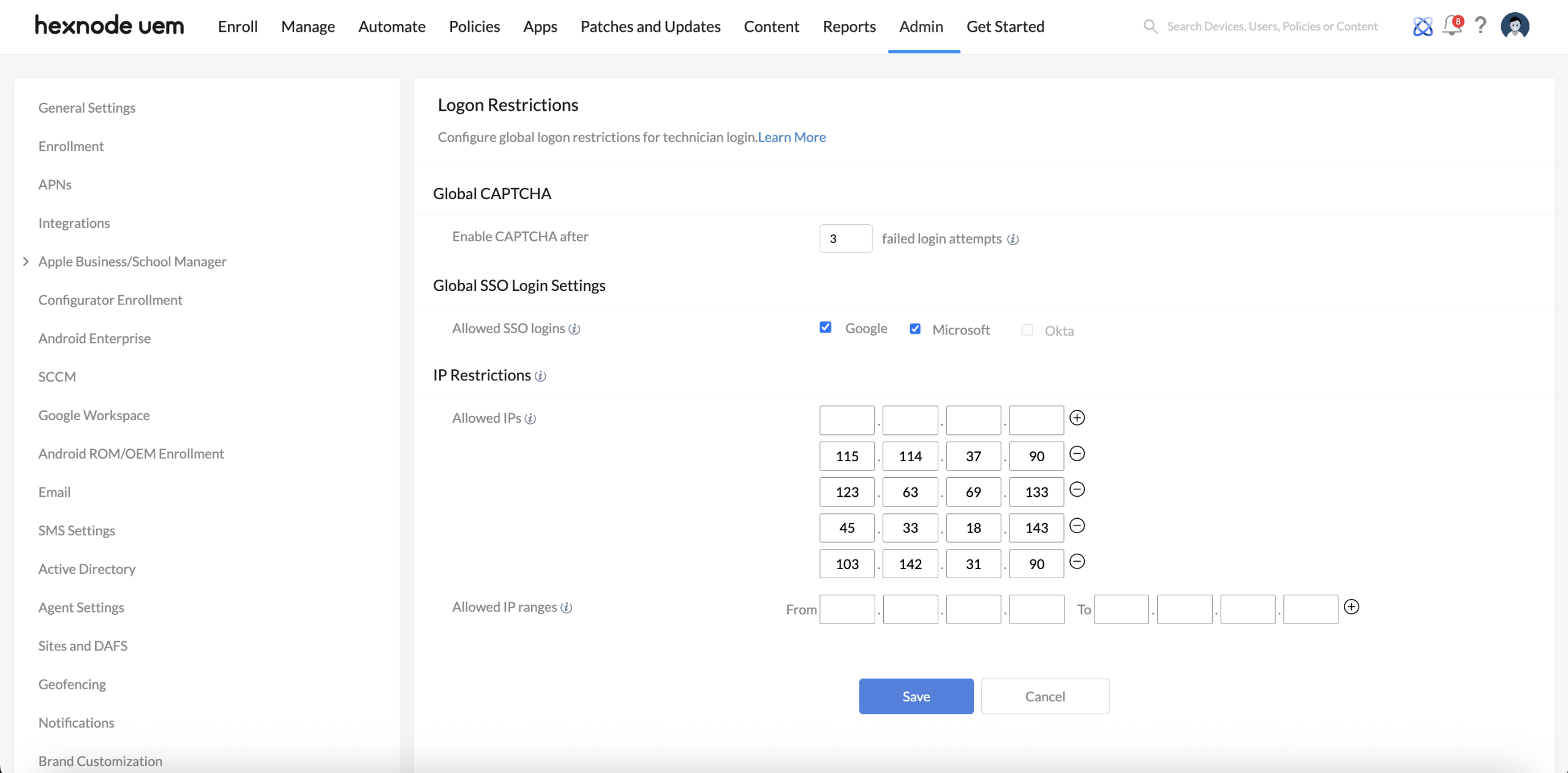
The following settings are available to configure,
Global CAPTCHA
Enable CAPTCHA after ‘x’ failed login attempts: Under this setting, provide the maximum failed login attempts after which CAPTCHA will be enabled. It can take values between 1 and 10.
-
Global SSO Login Settings
Allowed SSO logins: Select the SSO providers (Google, Microsoft, or Okta) that technicians are allowed to use for logging in to the Hexnode console using their respective SSO credentials.
-
IP Restrictions
IP restrictions can be used to specify the IP addresses from which a technician can login to the Hexnode portal.- Allowed IPs: Specify the IPs individually from which technicians can access the portal.
- Allowed IP ranges: Specify the IP ranges from which technicians can access the portal.
Need more help?


