


Category filter
Automated Vulnerability Remediation: Orchestrating Security for 50k+ Devices
Orchestrating 3rd-Party & OS Updates at Enterprise Scale (500,000 Endpoints)
1. Overview
In an enterprise environment of 500,000 endpoints, “Patch Tuesday” is not just a security event—it is a network capacity risk. If half a million devices simultaneously attempt to download a 2GB cumulative update, the corporate WAN will collapse.
Hexnode Patch Management solves this by decoupling identification from distribution. It leverages a centralized “Vulnerability Dashboard” to identify risks (CVEs) and a decentralized DAFS (Distributed Apps and Files Server) architecture to stage the binaries locally. This ensures that critical vulnerabilities in Chrome, Zoom, or Windows are closed with deterministic reliability and zero impact on the global WAN.
2. Logical Architecture: The Bandwidth Safeguard (DAFS)
At this scale, direct-to-cloud downloads are inefficient. Hexnode utilizes a Hub-and-Spoke Content Delivery model.
- The Hub: Hexnode Cloud (Source of Truth).
- The Spoke (DAFS): A local Windows/Server node acting as a cache at each of the 50 sub-company branches.
The DAFS Workflow
- Staging: When a 500MB Adobe patch is approved, Hexnode deploys it once to the regional DAFS Node.
- Verification: The deployment logic pauses until the DAFS node confirms a successful checksum hash of the downloaded binary.
- Local Distribution: The 10,000 devices at that branch pull the patch from the Local LAN DAFS Node (1 Gbps speed) instead of the WAN link, saving Terabytes of bandwidth.
3. The Patching Lifecycle: From Discovery to Enforcement
Phase 1: Automated Vulnerability Scanning
Hexnode acts as a real-time CVE auditor. The Agent continuously scans the application inventory against Hexnode’s cloud-curated vulnerability database.
- Detection: It identifies that 40,000 devices are running Google Chrome v112 (Vulnerable to CVE-202X-XXXX).
- Visibility: These appear instantly in the “Vulnerabilities” tab on the Dashboard, categorized by Severity (Critical, High, Medium).
Phase 2: Deterministic Staging
Unlike “Best Effort” patching, Hexnode allows for Deterministic Control.
- Manual Approval: Admins review the “Available Patches” list and click “Approve” for the Chrome update.
- Automated Rules: For low-risk apps, an Automation Rule instantly authorizes deployment.
Phase 3: Deployment Strategies (The “Ring” Model)
To prevent “Bad Patch” productivity loss, we utilize a phased rollout strategy:
- Ring 1 (Canary): 1% of the fleet (IT & Test Devices). Deployed immediately.
- Ring 2 (Pilot): 10% of the fleet (Early Adopters). Deployed after 24 hours if Ring 1 reports <1% failure.
- Ring 3 (Production): 100% of the fleet. Deployed via DAFS to the remaining 450,000 devices.
4. OS-Specific Patching Workflows
| Platform | Orchestration Logic | Technical Execution |
|---|---|---|
| 3rd-Party Apps | Direct Binary Swap | The Hexnode Agent can temporarily close the target application process (if it is running), installs the update silently, and then allows the updated version to launch normally. |
| Windows OS | Windows Patches and Updates policies | Hexnode manages Windows update behaviour using Windows Patches and Updates policies, allowing admins to control reboot deadlines, update deferrals, and installation deadlines based on organizational needs. |
| macOS | Direct Binary Swap | Hexnode helps manage macOS updates by configuring Software Update Preferences and App Updates policies and enforcing update behaviour through MDM, allowing admins to control update visibility, deferral settings, and installation timing based on IT requirements. |
5. Advanced Compliance Strategies
Maintenance Windows & Intelligent Deferral
For a 24/7 global workforce, you cannot simply reboot a server at midnight GMT (which is 9:00 AM in Tokyo).
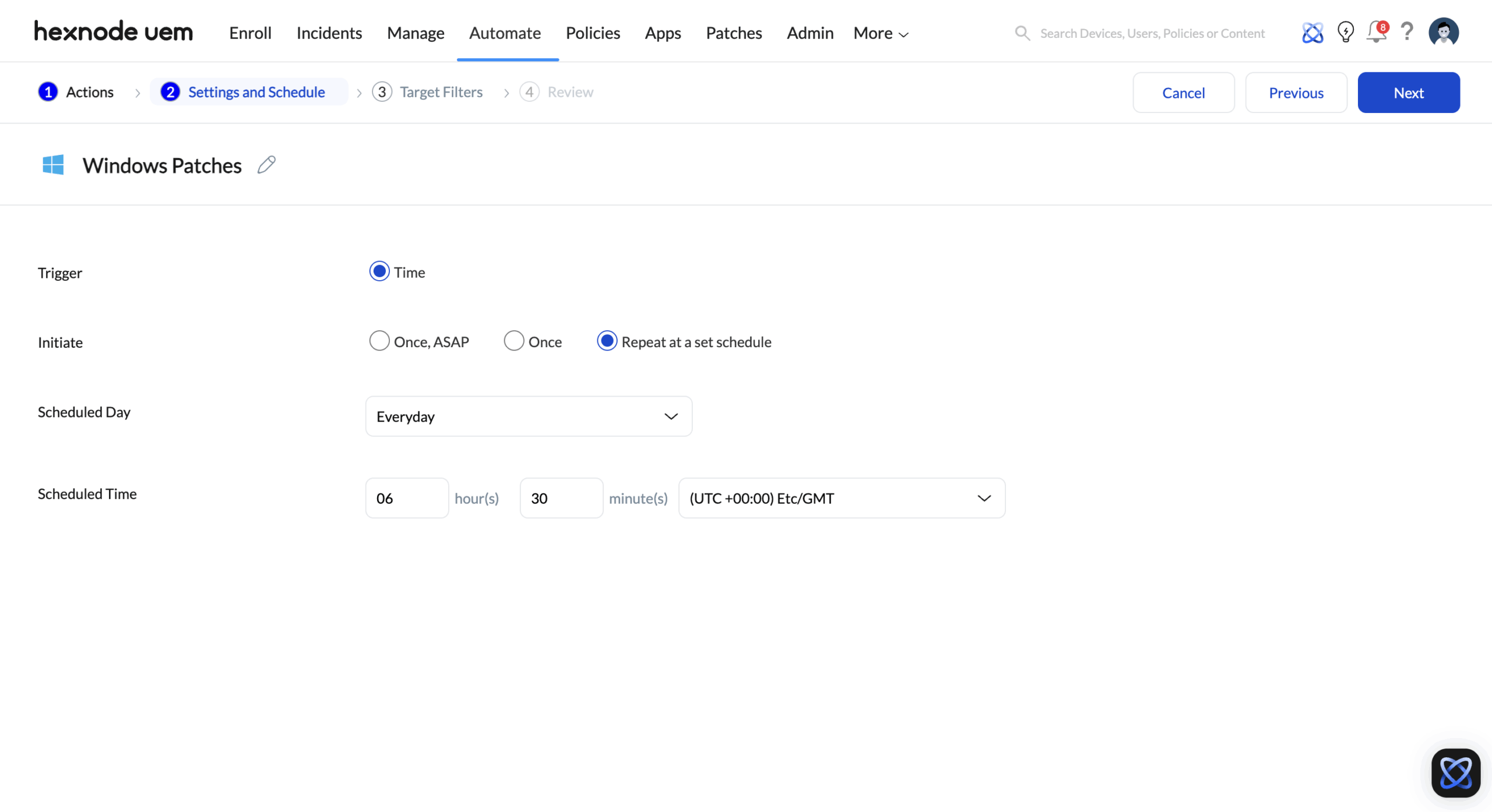
- Local Time Logic: Maintenance windows can be scheduled with a specific date, time, and time zone in Hexnode, so updates run at the right time for each region.
- User Empowerment: Users can “Defer” a non-critical patch notification up to 3 times. On the 4th attempt, the MQTT Channel triggers a “Force Install” with a non-dismissible 15-minute countdown.
Failure Forensics
If a patch fails on 5,000 devices, the “Patch Failure Report” aggregates the data:
- Error 112 (Disk Full): Trigger a “Cleanup Script” via Hexnode Genie.
- Error 1618 (Another installation already in progress): Retry automatically in 60 minutes.
6. Implementation Checklist: Patch Phase
- DAFS Provisioning: Deploy and authorize DAFS nodes at the 5 largest regional hubs to offload bandwidth.
- Windows Policy: Configure “Windows Update Experience” to set Active Hours (e.g., 8 AM – 6 PM).
- Mac Policy: Configure “Software Update Preferences” to defer major OS upgrades (90 days) while allowing critical security responses immediately.
- Automation: Set up an “Auto-Approve” rule for Critical Security Updates (CVSS > 9.0) for browser apps.
- Alerting: Configure email alerts for update installation status (running or failed) by selecting the technicians to notify from the Hexnode console.


