


Category filter
Script to fetch browsing history on Windows devices
Employees in an organization may use their company-owned devices for non-work-related purposes. Admins can inspect employees’ browsing histories to understand what they have surfed on the internet with their corporate devices. However, manually checking the browsing history on every device is tiresome. Hence, you can deploy scripts from the Hexnode portal to fetch browsing history from Windows devices remotely.
PowerShell script to get the browsing history of Google Chrome
|
1 2 3 4 5 6 7 8 9 10 11 12 13 14 15 16 17 18 19 20 21 22 23 24 25 26 27 28 29 30 31 32 33 34 35 36 37 38 39 40 41 42 43 44 |
$UserName = "USERNAME" # Pre-check for PSSQLite try { if (-not (Get-Module -ListAvailable -Name PSSQLite)) { Write-Output "PSSQLite module is not installed. Please run: Install-Module -Name PSSQLite -Scope AllUsers -Force" exit } Import-Module PSSQLite -ErrorAction Stop } catch { Write-Output "Failed to import PSSQLite. Likely due to Execution Policy restrictions." Write-Output "Run: Set-ExecutionPolicy RemoteSigned -Scope CurrentUser -Force" exit } # Standard path $chromeHistoryPath = "C:\Users\$UserName\AppData\Local\Google\Chrome\User Data\Default\History" # Store path $chromeStorePath = "C:\Users\$UserName\AppData\Local\Packages\GoogleChrome_xxxxx\LocalCache\Local\Google\Chrome\User Data\Default\History" # Pick whichever exists if (Test-Path $chromeHistoryPath) { $dbPath = $chromeHistoryPath } elseif (Test-Path $chromeStorePath) { $dbPath = $chromeStorePath } else { Write-Output "Chrome history not found for $UserName" exit } # Query history $tempPath = "$env:TEMP\ChromeHistory.db" Copy-Item $dbPath $tempPath -Force $query = "SELECT url, datetime(last_visit_time/1000000-11644473600,'unixepoch') as visit_time FROM urls ORDER BY last_visit_time DESC" $results = Invoke-SqliteQuery -DataSource $tempPath -Query $query foreach ($row in $results) { Write-Output "$UserName | Chrome | $($row.url) | $($row.visit_time)" } |
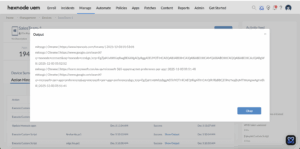
Replace “USERNAME” with the username from which you would like to retrieve browsing history.
PowerShell script to get the browsing history of Microsoft Edge
|
1 2 3 4 5 6 7 8 9 10 11 12 13 14 15 16 17 18 19 20 21 22 23 24 25 26 27 28 29 30 31 32 33 34 35 36 37 38 39 40 41 42 43 44 |
$UserName = "USERNAME" # Pre-check for PSSQLite try { if (-not (Get-Module -ListAvailable -Name PSSQLite)) { Write-Output "PSSQLite module is not installed. Please run: Install-Module -Name PSSQLite -Scope AllUsers -Force" exit } Import-Module PSSQLite -ErrorAction Stop } catch { Write-Output "Failed to import PSSQLite. Likely due to Execution Policy restrictions." Write-Output "Run: Set-ExecutionPolicy RemoteSigned -Scope CurrentUser -Force" exit } # Standard path $edgeHistoryPath = "C:\Users\$UserName\AppData\Local\Microsoft\Edge\User Data\Default\History" # Store path $edgeStorePath = "C:\Users\$UserName\AppData\Local\Packages\Microsoft.MicrosoftEdge_xxxxx\LocalCache\Local\Microsoft\Edge\User Data\Default\History" # Pick whichever exists if (Test-Path $edgeHistoryPath) { $dbPath = $edgeHistoryPath } elseif (Test-Path $edgeStorePath) { $dbPath = $edgeStorePath } else { Write-Output "Edge history not found for $UserName" exit } # Query history $tempPath = "$env:TEMP\EdgeHistory.db" Copy-Item $dbPath $tempPath -Force $query = "SELECT url, datetime(last_visit_time/1000000-11644473600,'unixepoch') as visit_time FROM urls ORDER BY last_visit_time DESC" $results = Invoke-SqliteQuery -DataSource $tempPath -Query $query foreach ($row in $results) { Write-Output "$UserName | Edge | $($row.url) | $($row.visit_time)" } |
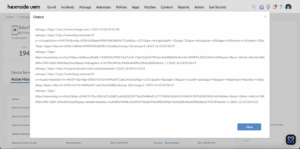
Replace “USERNAME” with the username from which you would like to retrieve browsing history.
PowerShell script to get the browsing history of Firefox
|
1 2 3 4 5 6 7 8 9 10 11 12 13 14 15 16 17 18 19 20 21 22 23 24 25 26 27 28 29 30 31 32 33 34 35 36 37 38 39 40 41 42 43 44 45 |
$UserName = "USERNAME" # Pre-check for PSSQLite try { if (-not (Get-Module -ListAvailable -Name PSSQLite)) { Write-Output "PSSQLite module is not installed. Please run: Install-Module -Name PSSQLite -Scope AllUsers -Force" exit } Import-Module PSSQLite -ErrorAction Stop } catch { Write-Output "Failed to import PSSQLite. Likely due to Execution Policy restrictions." Write-Output "Run: Set-ExecutionPolicy RemoteSigned -Scope CurrentUser -Force" exit } # Store version profile path $firefoxStorePath = "C:\Users\$UserName\AppData\Local\Packages\Mozilla.Firefox_n80bbvh6b1yt2\LocalCache\Roaming\Mozilla\Firefox\Profiles" if (Test-Path $firefoxStorePath) { $profile = Get-ChildItem $firefoxStorePath | Select-Object -First 1 $placesPath = "$($profile.FullName)\places.sqlite" if (Test-Path $placesPath) { $tempPath = "$env:TEMP\FirefoxHistory.db" Copy-Item $placesPath $tempPath -Force $query = "SELECT url, datetime(visit_date/1000000,'unixepoch') as visit_time FROM moz_places JOIN moz_historyvisits ON moz_places.id = moz_historyvisits.place_id ORDER BY visit_date DESC" $results = Invoke-SqliteQuery -DataSource $tempPath -Query $query foreach ($row in $results) { Write-Output "$UserName | $($row.url) | $($row.visit_time)" } } else { Write-Output "Firefox history DB not found for $UserName" } } else { Write-Output "Firefox Store profile not found for $UserName" } |
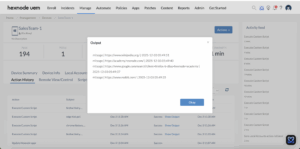
Replace “USERNAME” with the username from which you would like to retrieve browsing history.
How to View Script Output in Hexnode
To review the execution results, navigate to the Action History tab of the specific device in your Hexnode UEM portal. Locate the script entry in the Subject column and click the Show Output button next to the status field to view the returned data.


