


Category filter
Automated POS Security and PCI-DSS Compliance
Effective Retail POS System Management requires more than just locking a screen; it demands a synergy between high-security containment and seamless hardware interoperability. Hexnode facilitates this by transforming standard Windows IoT and Android endpoints into dedicated transactional appliances. This architecture ensures 100% PCI-DSS compliance, provides “self-healing” diagnostic controls for IT teams, and eliminates manual maintenance through automated logic.
Securing Transactional Workflows (The “Locked Environment”)
Goal: Prevent operational disruption and data egress by strictly defining device behavior.
The Retail Scenario: A cashier must only access the checkout application. Accessing settings, browsers, or the OS interface creates security vulnerabilities and slows down the queue.
- Dedicated Application Logic (Single App Mode):
- Instead of relying on user discipline, Hexnode enforces a rigid environment where the device launches directly into the specific POS binary. If the application crashes or is closed, the system automatically relaunches it immediately, ensuring the terminal is never left strictly at the desktop level.
- Role-Based Access (Multi-App Mode):
- For store managers requiring broader utility, the system permits a curated “Safe List” of applications (e.g., Inventory Management, Staff Scheduler, Calculator) while keeping the underlying OS completely inaccessible.
- Hardening the Attack Surface (OS Restrictions):
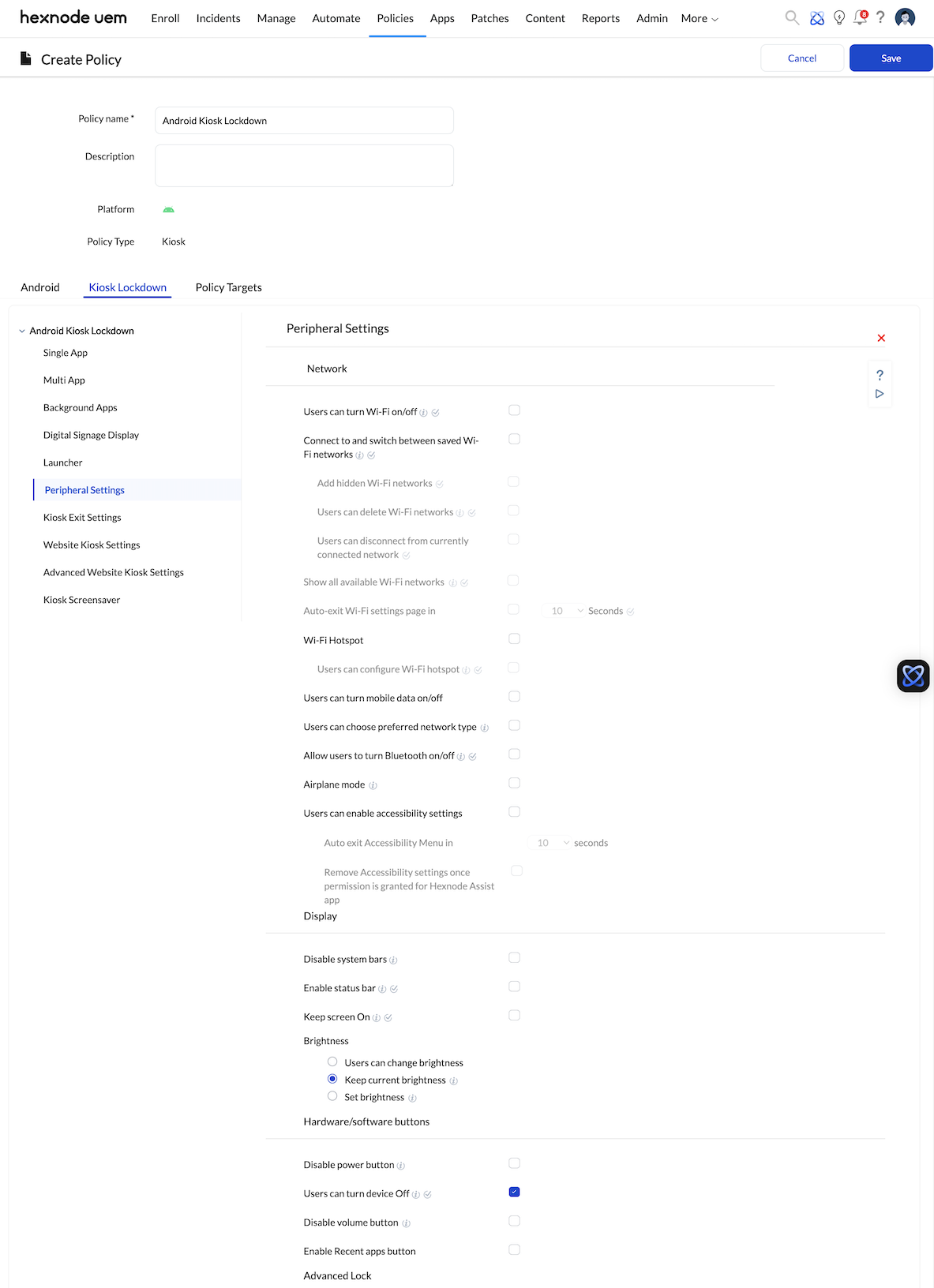
- Physical Interventions: Hardware buttons (Power, Volume, Home) are digitally nullified on Android devices to prevent accidental exits.
- Interface Suppression: Critical OS vectors including the Task Manager, Status Bar, and Notification Shade are disabled to prevent savvy users from killing background processes or accessing system settings.
Peripheral Orchestration & Hardware Ecosystem
Goal: Manage the “Last Mile” of retail hardware without physical technician intervention.
The Retail Scenario: A POS terminal is useless if the receipt printer or barcode scanner fails. IT needs to install drivers and manage connections without interrupting a sale.
- Automated Driver Lifecycle (Windows):
- Peripheral drivers (for Zebra scanners, Epson printers, Verifone readers) are packaged as MSI/EXE files. Hexnode deploys these assets silently in the background via the Required Apps policy, ensuring hardware compatibility without requiring a reboot during store hours.
- Data Port Security:
- To prevent data theft (e.g., via a USB thumb drive), the system restricts unauthorized storage devices. However, it intelligently permits Human Interface Devices (HIDs) such as keyboards and scanners to function normally.
- Connectivity Management:
- On mobile POS (mPOS) units, Bluetooth and Wi-Fi configurations are locked to authorized networks and paired devices only, preventing connections to rogue access points or unauthorized card skimmers.
Automating Regulatory Adherence (PCI-DSS)
Goal: Streamline the auditing process and ensure data sanctity.
The Retail Scenario: During a PCI compliance audit, the organization must prove that no unauthorized changes were made to the POS configuration and that data is secure during a breach.
- Immutable Audit Trails:
- The platform maintains a granular Activity Feed, logging every policy application, software install, and remote session. Each entry is tagged with a timestamp and Technician ID, providing the “Artifacts” required for compliance verification.
- Data Sanitization Protocols:
- In high-risk scenarios (e.g., device theft), administrators can trigger a Corporate Wipe. This command instantly removes all business data, Wi-Fi credentials, and email configurations while leaving the OS intact for recovery, or executes a full factory reset if necessary.
- Identity Management:
- When devices are not in Kiosk mode, the system enforces complex passcode policies (length, rotation, complexity) to prevent brute-force attacks.
Operational Continuity & Diagnostic Support
Goal: Reduce Mean Time to Repair (MTTR) and eliminate on-site IT visits.
The Retail Scenario: A POS terminal freezes in a flagship store. Every minute of downtime is lost revenue.
- Zero-Touch Remediation:
- Technicians utilize Remote View & Control to diagnose issues instantly. To respect privacy and compliance, the system can be configured to require on-screen cashier permission before the session begins.
- Geographic Asset Intelligence:
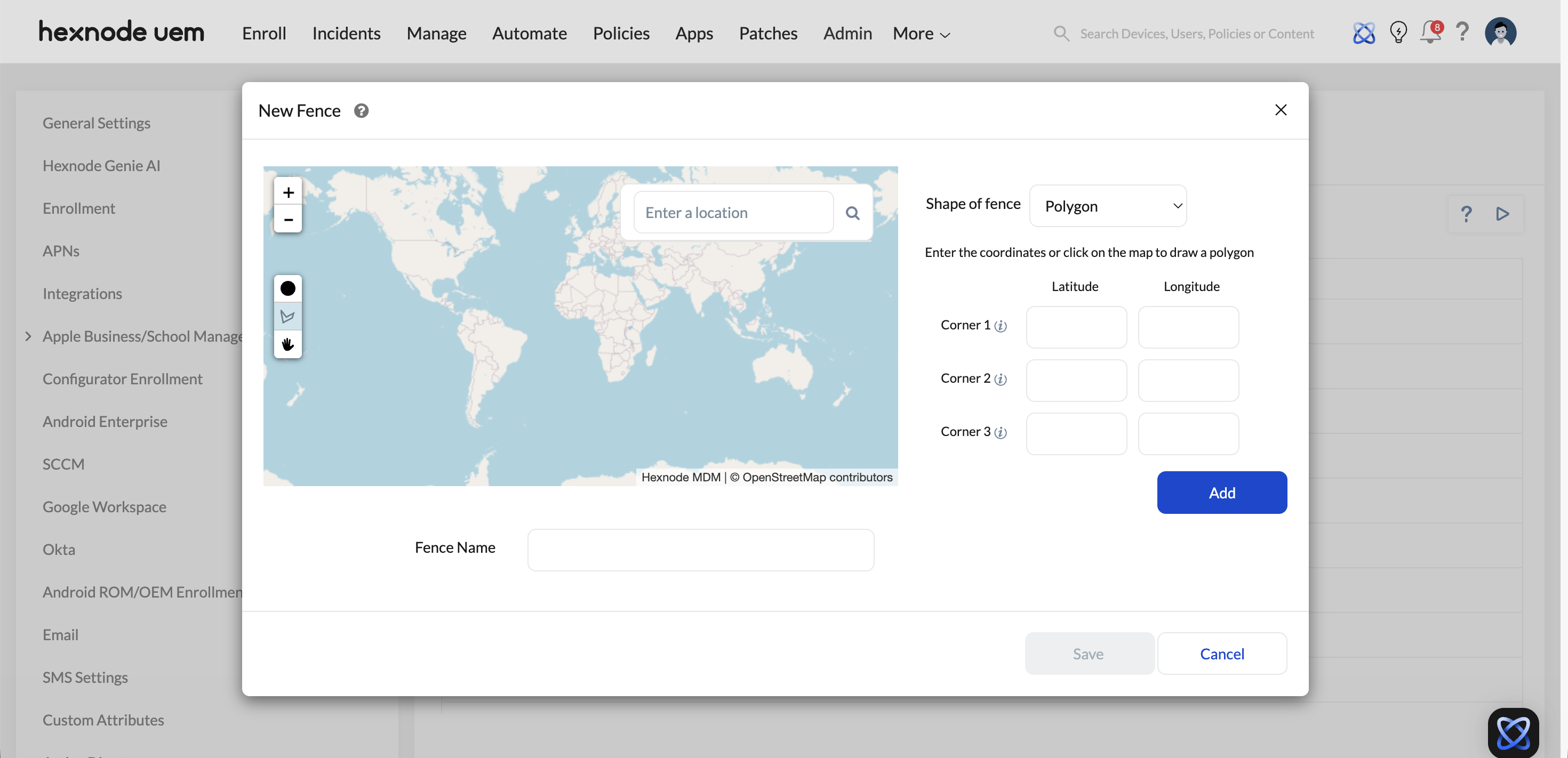
- For handheld mPOS units, Geofencing policies track device location in real-time. If a device leaves the store perimeter, it can automatically lock down or alert the central console.
- Self-Healing Maintenance:
- OS patches and application updates are scheduled for maintenance windows (e.g., 3:00 AM), ensuring the fleet remains secure without disrupting peak trading hours.
Performance Benchmarks: Legacy vs. Automated Management
| Metric | Legacy/Manual Management | Hexnode POS Orchestration |
|---|---|---|
| System Lockdown | 45-60 Mins (Manual Registry edits & GPO config) | Instant (Zero-touch Kiosk Profile enforcement) |
| Driver Updates | Hours/Days (Requires site visit or user interruption) | Silent & Remote (Background distribution via Required Apps) |
| Compliance Audit | Manual Spreadsheet (High error risk, static data) | Real-time Dashboard (Live proof of compliance & security status) |
| Crash Recovery | Hours (Requires IT ticket & potential re-imaging) | < 2 Mins (Auto-relaunch logic + Remote View diagnosis) |
| Asset Tracking | N/A (Unable to locate lost mPOS hardware) | Real-time Geotracking (Instant location + Geofence triggers) |
Implementation Checklist (SOP)
- Golden Image Definition: Establish the standard policy for Windows (Single/Multi-App) or Android Enterprise.
- Peripheral Logic: Upload required drivers (MSI/EXE) to the App Inventory and assign them to the Required Apps deployment list.
- Audit Configuration: Enable “Activity Feed” logging to satisfy PCI-DSS audit requirements.
- Support Access: Configure Remote View privacy settings (e.g., User Prompt vs. Silent Access) for the L1 Retail Support team.
Frequently Asked Questions (FAQs)
- How does Hexnode handle Retail POS System Management for peripheral drivers?
Hexnode manages the POS hardware ecosystem by allowing IT teams to remotely distribute drivers (MSI/EXE) and execute PowerShell scripts. This ensures scanners and printers function correctly without requiring physical access to the terminal.
- Can Hexnode prevent employees from exiting the POS application?
Yes. Through Single App Kiosk Mode, Hexnode locks the device to a specific application. It also disables hardware keys (power/volume) and suppresses system bars to prevent users from bypassing the interface.
- How does Hexnode support PCI-DSS compliance in retail?
Hexnode supports PCI-DSS by maintaining immutable audit logs of all device activities, enforcing complex password policies, and providing instant remote data wiping capabilities to prevent data breaches on lost or stolen devices.


