


Category filter
Custom Payload Orchestration: Hardening the Enterprise Edge
Achieving 100% OS Coverage via Direct-to-Kernel Injection
1. Architectural Overview: The Custom Payload Framework
In a global enterprise environment managing 500,000 devices, relying solely on a UEM vendor’s graphical user interface (UI) creates a “Lowest Common Denominator” bottleneck. There is often a critical lag—sometimes 30 to 90 days—between an OS vendor (Apple, Microsoft, Google) releasing a new security feature and that feature appearing as a toggle in the MDM console.
This document defines the Custom Payload Orchestration framework. By utilizing raw XML, SyncML, and JSON delivery via Hexnode’s architecture, enterprise architects can bypass UI limitations. This approach grants “Day Zero” support for new OS capabilities, ensuring that no part of the operating system remains unreachable by corporate policy.
2. Logical Architecture: The Raw Data Pipeline
Custom Payload Orchestration operates as a “Direct-to-Kernel” injection layer. It bypasses the standard policy UI to deliver raw configuration instructions directly to the device’s OS configuration engine.
- The Payload Repository: A version-controlled library containing validated raw configuration snippets.
- The Signaling Plane: Payloads are dispatched via the Hexnode MQTT Engine, ensuring they reach the endpoint in sub-seconds.
- The Agentic Validator: The Hexnode Agent (HWA/HMA) verifies the payload syntax and cryptographic integrity before handing it off to the local OS.
3. Platform-Specific Payload Handlers
Hexnode provides specialized injection channels for the unique data formats of each operating system.
A. Apple Ecosystem (macOS, iOS, tvOS)
- Format: .mobileconfig (XML Property Lists)
- Hexnode Mechanism: Policies > iOS/macOS/Apple TV > Configurations > Deploy Custom Configuration
- Strategic Use Case:
- Zero-Day Support: When Apple releases a new restriction (e.g., for a newly released AI feature in macOS), you can construct a raw XML Payload using the Apple Configuration Profile Reference and deploy it immediately, weeks before a UI toggle exists.
- Advanced TCC: Granular control over “Transparency, Consent, and Control” permissions that are too complex for standard UI checkboxes.
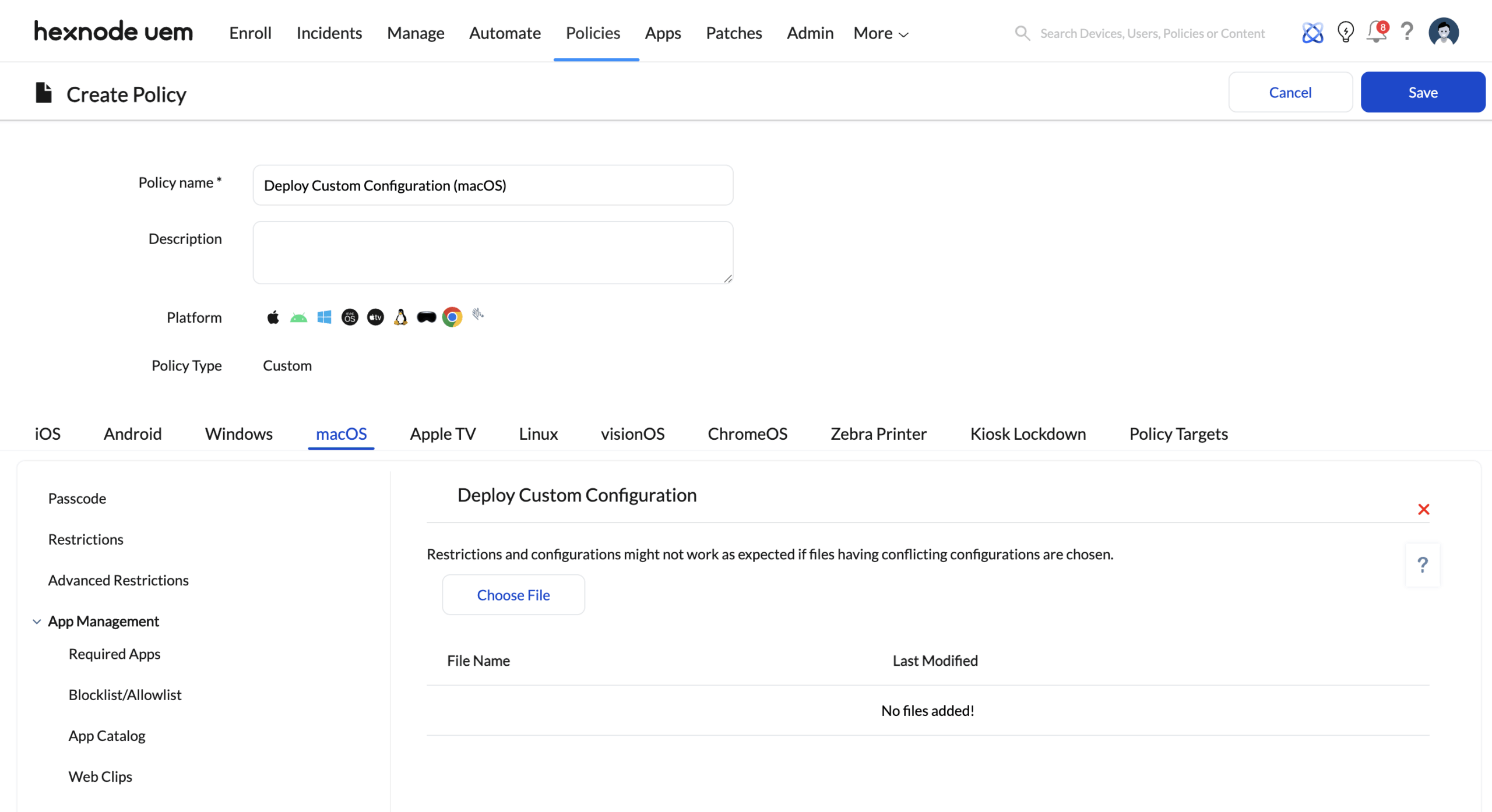
B. Windows Ecosystem (Windows 10/11)
- Format: OMA-URI (Open Mobile Alliance – Uniform Resource Identifiers) via SyncML.
- Hexnode Mechanism: Policies > Windows > Configurations > Deploy Custom Configuration
- Strategic Use Case:
- Deep Hardening: Configure specific Configuration Service Providers (CSPs) that control granular Windows Defender Application Control (WDAC) or BitLocker behaviors not exposed in the standard “Security” menu.
- Registry Injection: Map specific registry keys to OMA-URI paths to enforce settings for legacy Win32 applications.
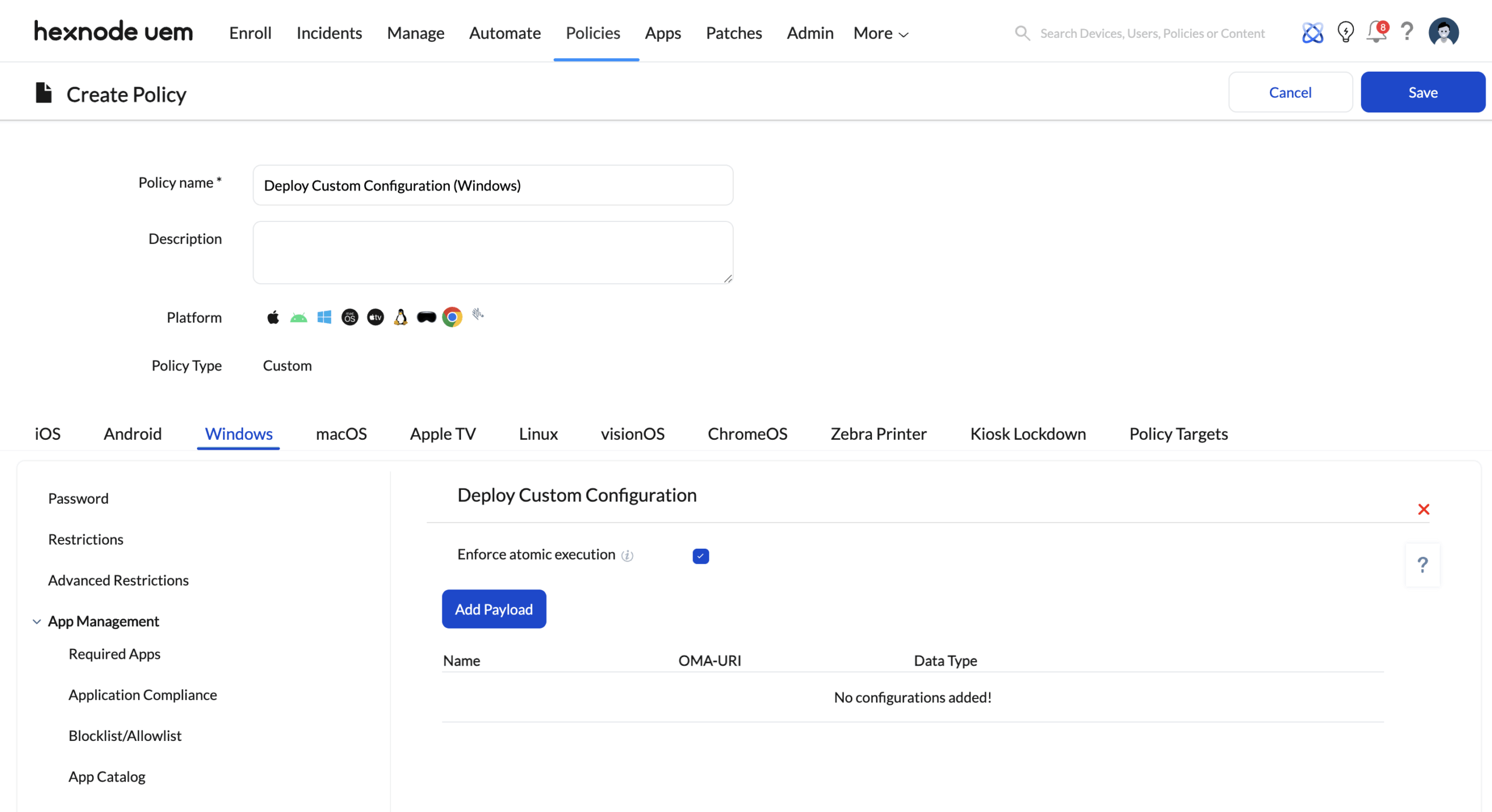
C. Android Enterprise (Rugged & OEM)
- Format: JSON (Managed Configurations).
- Hexnode Mechanism: Policies > Android > App Management > App Configurations (OEMConfig).
- Strategic Use Case:
- Hardware Control: Utilizing OEMConfig apps (from Zebra, Honeywell, Samsung), you can deploy JSON payloads to control non-standard hardware features like barcode laser intensity, physical button remapping, or battery charging thresholds.
- Samsung Knox: Use the Knox Service Plugin (KSP) to configure advanced platform behaviors (e.g., DeX mode settings) via schema-compliant data entry.
4. Execution Logic: The 4-Phase Deployment
To protect the fleet from “Configuration Bricking” (deploying a malformed payload that corrupts the OS), every custom payload follows a deterministic validation path.
Phase 1: Payload Serialization (SENSE)
The Architect inputs the raw XML or OMA-URI string.
- Validation: Hexnode’s backend checks the file structure (e.g., ensuring a .mobileconfig is signed or valid XML) to prevent syntax errors from reaching the fleet.
Phase 2: Cryptographic Signing (THINK)
For Apple devices, the Hexnode Cluster signs the .mobileconfig payload using the enterprise’s unique APNs Certificate. This ensures the endpoint OS trusts the payload as originating from its established management authority.
Phase 3: Canary Injection (ACT)
The payload is never deployed globally at first.
- Target: A “Canary Smart Group” (e.g., 50 IT test devices).
- Feedback Loop: The Hexnode Action History monitors the status. If the OS rejects the CSP (returning a “Remediation Failed” error), the rollout is automatically halted.
Phase 4: Global Mirroring (VERIFY)
Once the Canary success rate hits 100%, the policy is promoted to the production fleet.
- Cross-Portal Propagation: For the 50 sub-companies, the “Clone Policy” feature is used to replicate this custom configuration across all sub-instances, ensuring a locked, non-negotiable state.
5. Scale Impact & ROI
| Metric | UI-Based Management | Custom Payload Orchestration |
|---|---|---|
| Configuration Coverage | ~80% (Limited to UI toggles) | 100% (Direct OS API Access) |
| New Feature Speed | 30 – 90 Days (Vendor Dev Lag) | Day 0 (Raw Support) |
| Deployment Latency | Minutes (Polling) | Sub-Second (MQTT) |
| Policy Flexibility | Low (Static) | High (Programmatic) |
6. Governance & Safety Rails
- The Rollback Trigger: Every custom payload deployment should have a documented “Null Payload” (a script or profile that reverses the setting). If system instability is detected, the “Null Payload” can be deployed by removing the policy action or a counter-script.
- Version Control: Store all raw .mobileconfig and OMA-URI strings in an internal Git repository. This allows for “Audit Reversions” if a specific configuration change is later found to be non-compliant.
- JIT Escalation: Creating or modifying a Custom CSP policy should require JIT Administrative Escalation (e.g., a Technician level user cannot touch raw payloads; only a Senior Architect can).
7. Implementation Checklist
- Gap Analysis: Identify security baselines (e.g., CIS Benchmarks) that are currently missing from the standard Hexnode UI.
- Repository Setup: Establish a Git-integrated repository for version-controlled XML/JSON payloads.
- Canary Group: Define a “Canary Device Group” containing 10-50 non-critical devices for initial payload testing.
- Windows CSP Research: Identify the specific OMA-URI paths required for your Windows 11 hardening strategy (refer to Microsoft CSP documentation).
- Apple Tooling: Install Apple Configurator or a Profile Editor to author valid .mobileconfig files for upload.


