Category filter
LAPS for Windows & macOS unified: Secure Cross-Platform Admin Orchestration
In an enterprise fleet exceeding 200,000 devices, unmanaged local administrator accounts represent a primary attack vector. Legacy LAPS solutions are typically platform-siloed or lack automated lifecycle management.
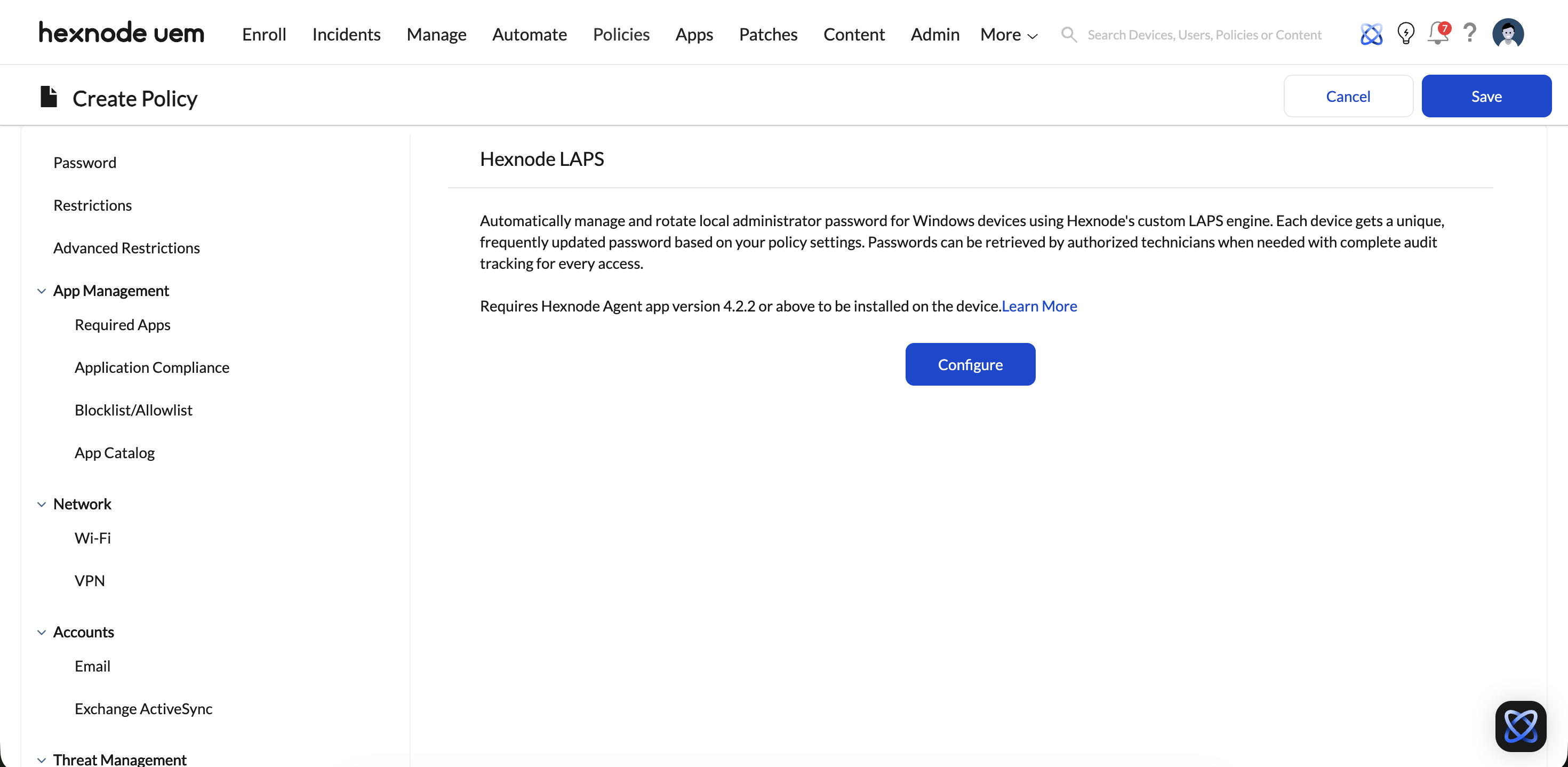
Hexnode Rich LAPS provides a unified, cross-platform framework for Windows and macOS. It automates password generation, secure escrow, and high-velocity rotation triggered by specific administrative actions, ensuring that local admin credentials are never static or exposed longer than necessary.
Technical Architecture
Rich LAPS operates via the Triple-Channel Engine, ensuring that password changes are synchronized with the central orchestrator in sub-seconds.
1. Secure Escrow Mechanism
- Encryption: Passwords are encrypted on the endpoint using a public key before transmission. Once received, they are stored in the Dedicated Database Cluster using Field-Level Encryption (FLE).
- Escrow Persistence: Unlike native Windows LAPS which often relies on Active Directory attributes, Hexnode maintains an encrypted history of passwords. This allows for recovery even if a device is offline or disjoined from the domain.
2. Cross-Platform Parity
Hexnode eliminates the need for fragmented tools (e.g., separate instances for “Jamf LAPS” and “Microsoft LAPS”).
- Windows: Manages the built-in Administrator or a custom local admin account. Fully supports legacy BIOS and modern UEFI systems.
- macOS: Manages the local administrator account, including support for Secure Token and Bootstrap Token workflows on Apple Silicon (M1/M2/M3).
Action-Triggered Rotation (The “Self-Destruct” Logic)
The primary differentiator of Hexnode Rich LAPS is its event-driven rotation logic, moving beyond simple time-based expiration.
- Rotation on View (RoV): When a technician views a password in the Hexnode portal, a “Rotation Pending” flag is set. Once the technician closes the view panel, the MQTT channel triggers an immediate password reset on the device.
- Periodic Rotation: Automated rotation every X days (e.g., 30, 60, 90) to prevent long-term credential exposure.
- On-Demand Rotation: Technicians can trigger a mass rotation across 500,000 devices simultaneously using a single command via the dedicated MQTT brokers.
Feature Comparison: Enterprise LAPS
The following table contrasts Hexnode Rich LAPS with platform-specific alternatives.
| Feature | Hexnode Rich LAPS | Microsoft LAPS | Jamf LAPS |
|---|---|---|---|
| OS Support | Windows & macOS (Unified) | Windows Only | macOS Only |
| Rotation Trigger | Action-Based (On View) | Time-Based Only | Time/Command Based |
| Communication | Sub-second (MQTT) | Polling/GPO | APNS-based |
| Cloud Escrow | Included (Encrypted DB) | Azure AD / Intune | Jamf Pro Cloud |
| History Logs | Full encrypted audit trail | Limited | Basic |
Governance & Audit Compliance
To meet the security requirements of large technician teams (e.g., 500+ staff), Rich LAPS includes strict governance controls:
- View Restrictions: Only admins with a specific Atomic RBAC role (e.g., “Security Lead”) with granted access to the Manage tab, can view plain-text passwords.
Implementation Workflow
Use the following workflow to deploy Rich LAPS:
- Define Admin Account: Specify the “Admin Account” name to be managed across the Windows/Mac fleet.
- Set Rotation Policy: Configure the trigger rules (e.g., “Rotate every 30 days” + “Rotate on View”).
- Assign Policy: Target the LAPS Policy to the Global Organizational Units (OUs).
- Verify Escrow: Confirm successful password retrieval in the Security & Compliance tab.