


Category filter
From Box to Signage: Zero-Touch Apple TV Deployment at Scale
Transforming Consumer Hardware into Enterprise-Grade Signage
1. Introduction: From Streaming Box to Business Node
In a consumer home, an Apple TV is an entertainment device. In the enterprise, it acts as critical infrastructure. Whether powering digital menu boards across 500 retail locations or facilitating wireless presentations in corporate boardrooms, these devices are essential communication tools.
However, they present a unique challenge: they are often “unattended” or “zero-input” devices. They sit in ceilings, behind screens, or in server racks, with no keyboard, mouse, or dedicated user to manage them. If they disconnect or crash, manual intervention is costly.
Hexnode tvOS Orchestration bridges this gap, transforming Apple TVs from consumer gadgets into secure, managed endpoints that deploy, heal, and update themselves without human interaction.
2. Zero-Touch Deployment (ADE)
The Challenge: Setting up 100 Apple TVs manually requires unboxing each unit, finding a remote, typing Wi-Fi passwords, and clicking through “Siri” setup screens. It is unscalable.
The Solution: Automated Device Enrollment (ADE) via Apple Business Manager.
The “Zero-Remote” Workflow
- Procurement: Devices are purchased and linked to your Apple Business Manager (ABM) account.
- Connection: On-site staff simply plug in power and Ethernet.
- Auto-Configuration: The device wakes up, checks with Apple, and instantly downloads the Hexnode profile.
- The Bypass: Hexnode automatically skips all setup assistants (Location Services, Siri, Apple Account, Analytics). The device boots directly into the managed state, ready for use, without anyone touching a remote.
3. The Foundation: Enterprise Connectivity & Security
A digital sign is only as good as its connection. Hexnode allows you to configure complex enterprise networking that would be impossible to type in with a remote control.
3.1 Advanced Network Onboarding
- Enterprise Wi-Fi (802.1x): Instead of sharing a simple pre-shared key (PSK), Hexnode deploys configuration profiles that allow Apple TVs to authenticate against secure corporate networks (WPA2 Enterprise, EAP-TLS) automatically.
- Hidden Networks: Connect devices to non-broadcasting SSIDs to keep your infrastructure invisible to the public.
3.2 The Chain of Trust (Certificates)
For high-security environments, Hexnode manages the Certificate Lifecycle:
- Identity & Trust: Deploy Root and Intermediate CA certificates to the device. This ensures the Apple TV trusts your internal servers and network, enabling secure, encrypted communication for content delivery.
3.3 Traffic Governance (Global HTTP Proxy)
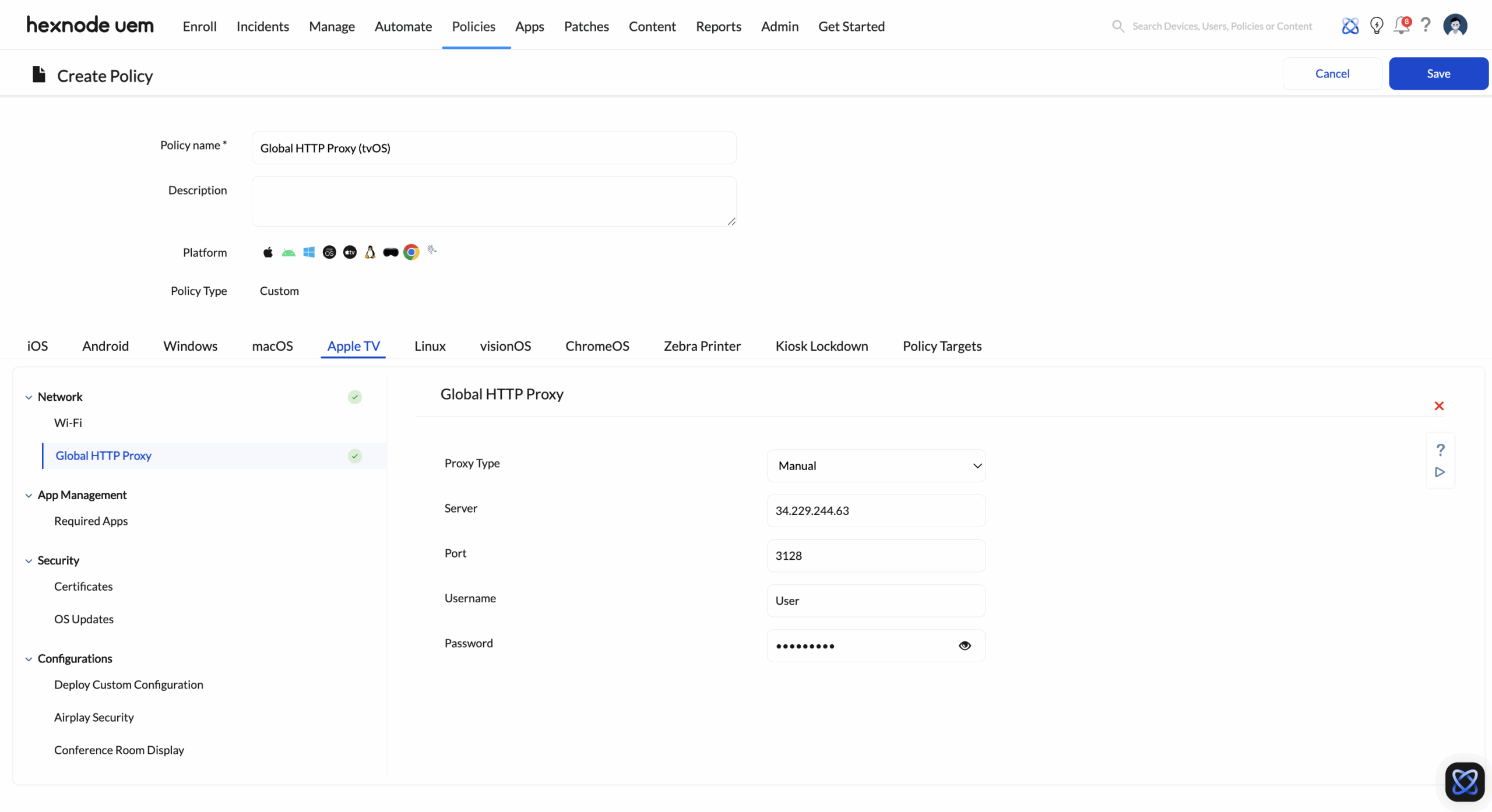
- Content Filtering: For devices in public or sensitive areas, Hexnode enforces a Global HTTP Proxy. This routes all tvOS internet traffic through your organization’s content filter, ensuring that even if a user accesses a third-party app, the network traffic is scrubbed and monitored.
4. Use Case: High-Reliability Digital Signage
The Objective: A “set it and forget it” experience where screens never go black.
4.1 Single App Kiosk Mode
Hexnode locks the Apple TV into a Single App Mode.
- The Function: The device is forced to launch only your specific digital signage application. The “Home” button is disabled.
- Self-Healing: If the signage app crashes or the device reboots, the Hexnode agent automatically relaunches the app immediately.
4.2 Controlled OS Lifecycle (Delay Updates)
- The Risk: A new tvOS update releases overnight and breaks your proprietary signage app.
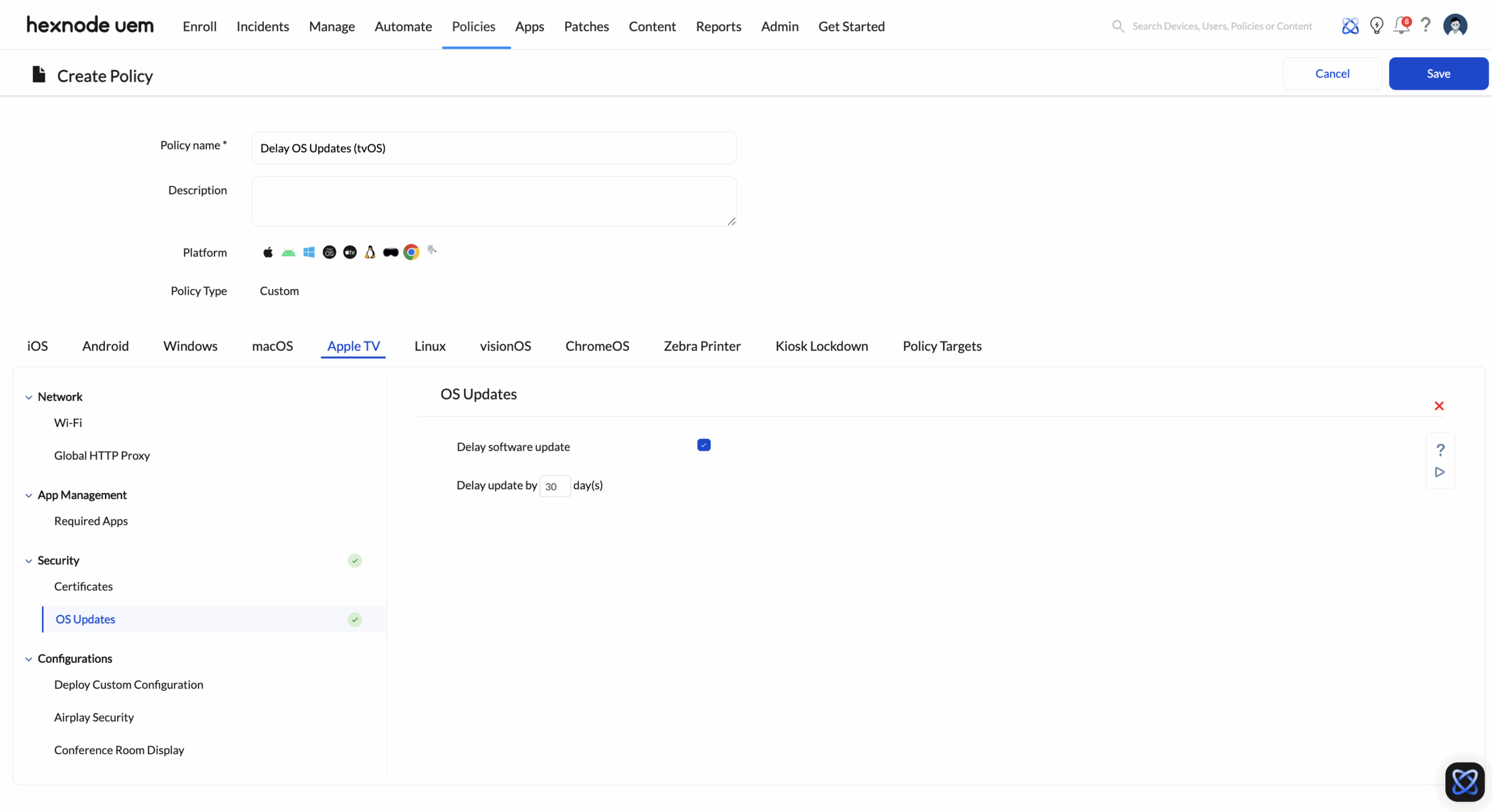
- The Strategy: Use Hexnode’s OS Update Restriction to force a delay of software updates (e.g., 30 to 90 days). This buys your IT team critical time to test new OS versions in a sandbox before they roll out to the production fleet.
5. Use Case: The Secure Conference Room
The Objective: Seamless “Walk-up-and-Present” capability without security risks.
5.1 “Conference Room Display” Mode
Instead of the standard app grid, Hexnode activates a native professional mode.
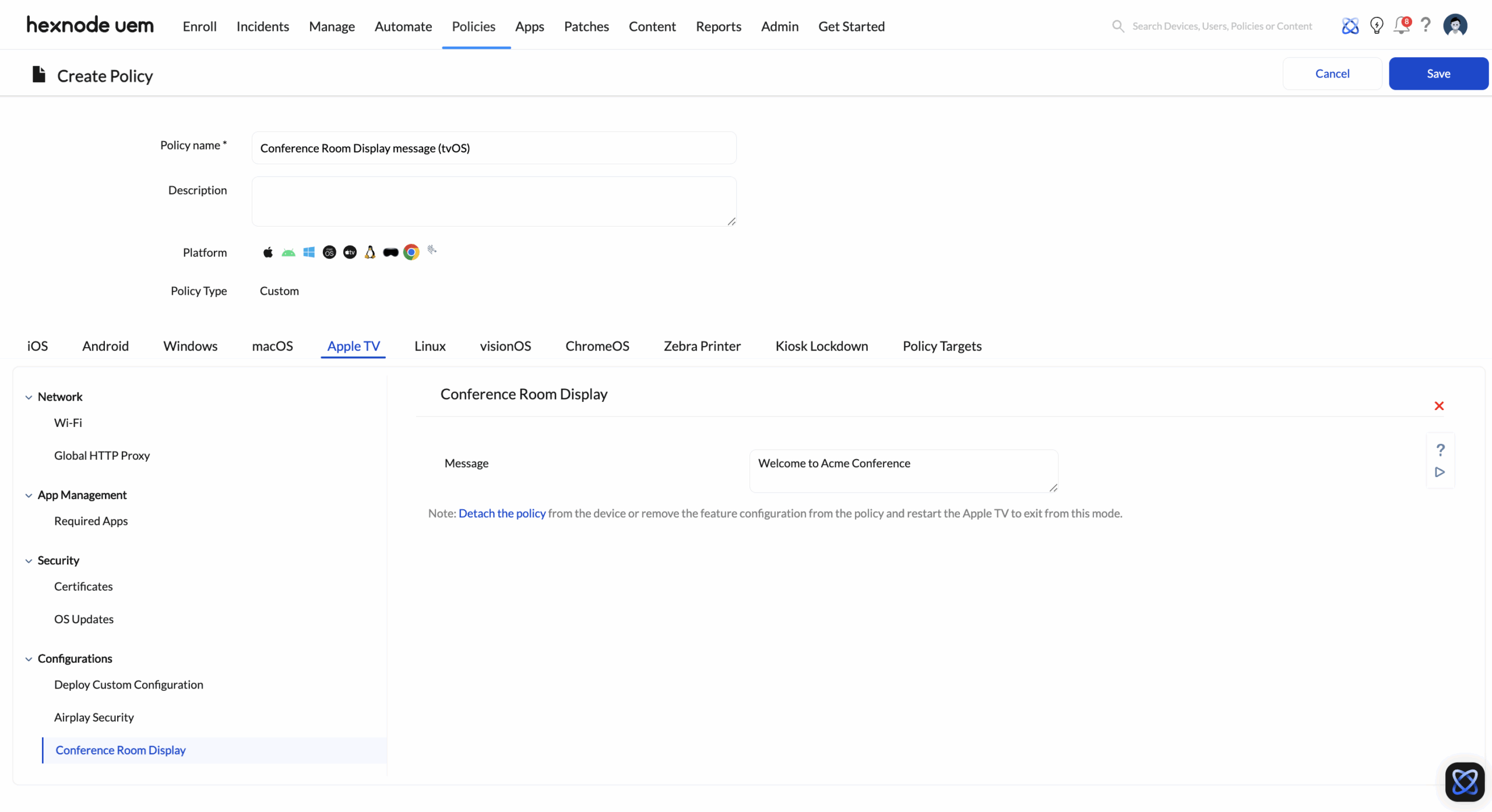
- Branding: Display a custom message (e.g., “Welcome to HQ. Connect to ‘Guest-Wi-Fi’ to present“).
- Instructions: Automatically show AirPlay connection steps on-screen.
- Lockdown: Prevents users from exiting to the main menu or accessing the App Store.
5.2 AirPlay Governance
Prevent “AirPlay Hijacking” (unauthorized casting) in shared spaces.
- Access Control: Configure policies to restrict AirPlay to specific devices or users.
- Security Challenge: Enforce a rotating on-screen PIN or a static password. This ensures that only the person physically in the room can cast to the screen.
6. Enterprise Operations (Maintenance)
Managing a fleet of 5,000 devices requires tools that don’t require a ladder.
- Remote Restart: If a display looks sluggish, IT can trigger a restart command remotely to clear the cache.
- Custom Profiles: For niche requirements, admins can upload Custom Configuration Profiles (.mobileconfig) to Hexnode. This acts as a “Swiss Army Knife,” allowing you to apply advanced tvOS settings that may not be available in the standard UI.
7. Technical Comparison: Standard vs. Orchestrated
| Feature | Standard Consumer Setup | Hexnode Managed Enterprise |
|---|---|---|
| Enrollment | Manual (Requires Siri Remote & typing) | Zero-Touch (Power + Ethernet = Done) |
| Network | Basic Wi-Fi | WPA2 Enterprise + Certificates |
| App Strategy | Individual Apple Accounts | VPP (Silent Install, License Reclaimable) |
| Stability | Updates happen automatically | Updates Delayed (Managed Window) |
| Security | Open / User Controlled | Kiosk Mode & Global Proxy |
| Recovery | Manual power cycle | Remote Restart Command |


