Hey, Thanks for reaching out to us.
Are you trying to disenroll the device or delete the device entry from the device list in the portal?
To disenroll a device, follow the steps:
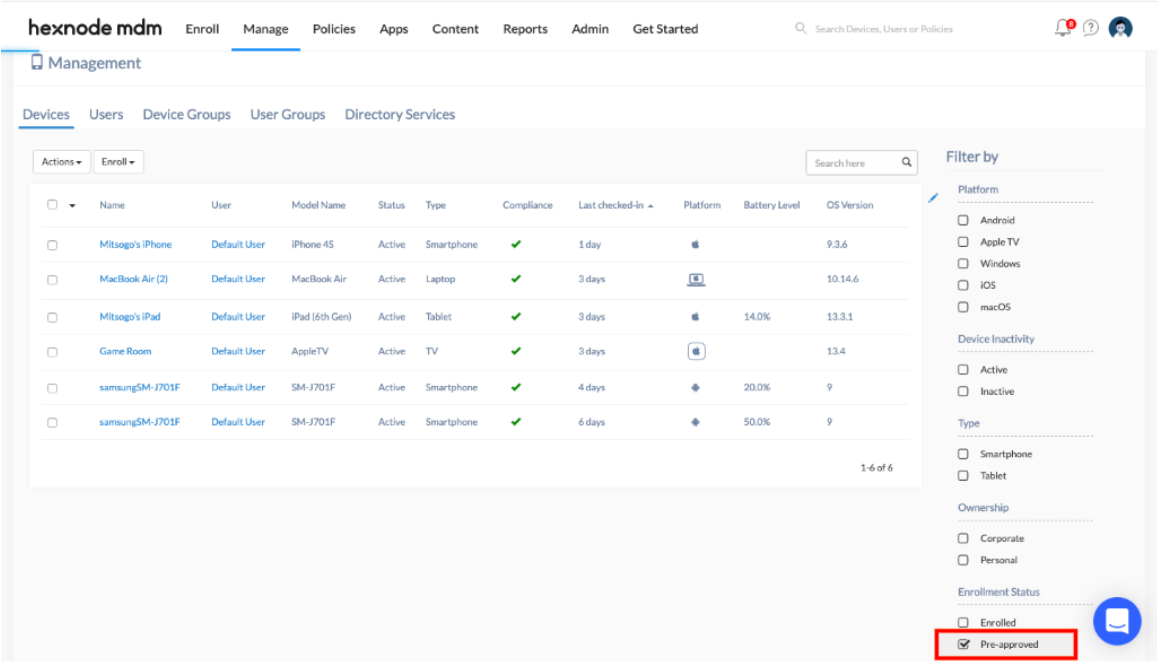
- Navigate to Manage tab, select the desired device.
- Click on the Actions button and choose the option ‘Disenroll device’. The disenroll action will now be initiated.But the device has to be online for this action to be successful.
- Since your device is not online, click on the device name listed in the Manage tab and you will be directed to the Device Summary page.
- Click on the Actions button and choose the action ‘Mark as Disenrolled’. The device entry will now be removed from the portal.
Please make sure that the device is not in kiosk mode before initiating the disenrollment as the MDM will have no control over the device after disenrollment.
If you enroll a pre-approved device and the user has not enrolled the device, the device can be deleted using the ‘Delete device’ option in the Actions drop-down
Check out our help doc on device disenrollment and deletion for more info.
Cheers!
Grace Baker
Hexnode MDM
 What's new






 3824 Views