I want to duplicate a policy so i can test changes to it without affecting live devices

Create duplicate of an existing policySolved
Replies (3)
Marked SolutionPending Review
Hexnode Expert
6 years ago
Mar 30, 2020
Marked SolutionPending Review
Hey, Thanks for reaching out to us.
Please follow the below steps to create the copy of an existing policy:
- Log in to the Hexnode portal and navigate to the Policies tab.
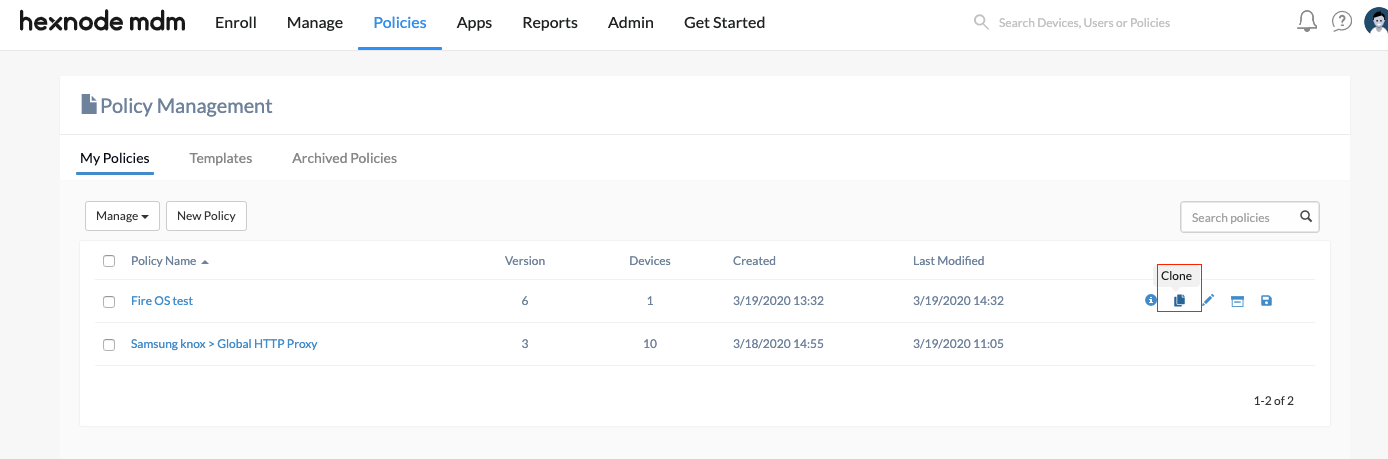
- Click on the clone icon at the right side of the policy to be duplicated.
- A copy of the policy will be created. You may make any changes if required and then associate it to target devices.
Please use the below screenshot for a reference:

Check out the help on creating clone of a policy for more info.
Cheers!
Grace Baker
Hexnode MDM
Marked SolutionPending Review
Participant
6 years ago
May 13, 2020
Marked SolutionPending Review
Is there a way to find the status of the policy that is pushed to a device?
Marked SolutionPending Review
Hexnode Expert
6 years ago
May 13, 2020
Marked SolutionPending Review
Hey, Thanks for reaching out to us.
Yes, there is. To find the status of a policy pushed to a device:
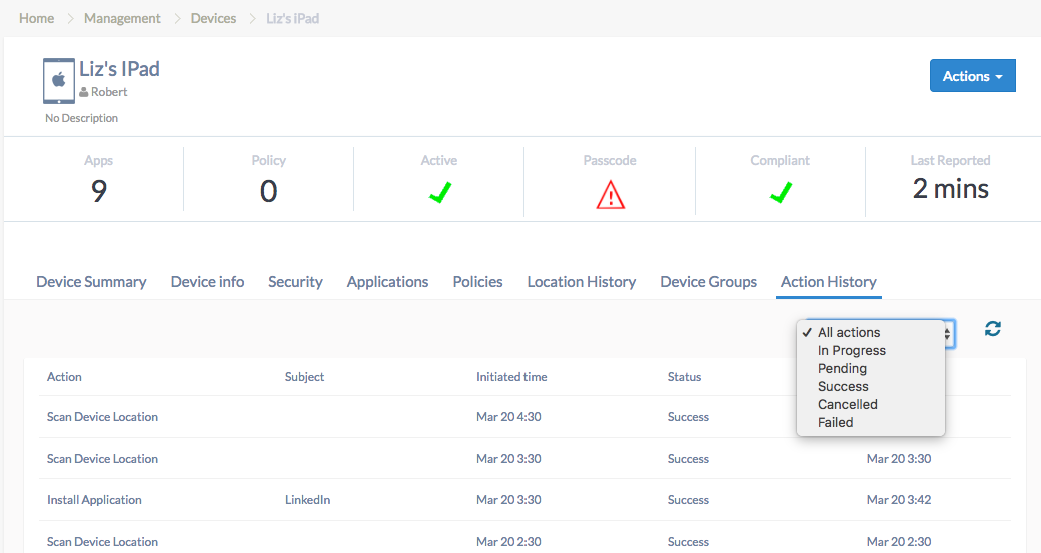
- Navigate to Manage -> Devices and click on the desired device. You will be directed to the device summary page.
- Go to Action History sub-tab.
- The policies and actions pushed to the device, along with their status will be shown.

Hope this helps!
Cheers!
Grace Baker
Hexnode MDM
Save