Designing the Perfect Android Kiosk UI: Branding Tips and Hexnode Best Practices
Discover how to transform standard Android kiosks into branded, user-friendly interfaces using Hexnode.

Get fresh insights, pro tips, and thought starters–only the best of posts for you.
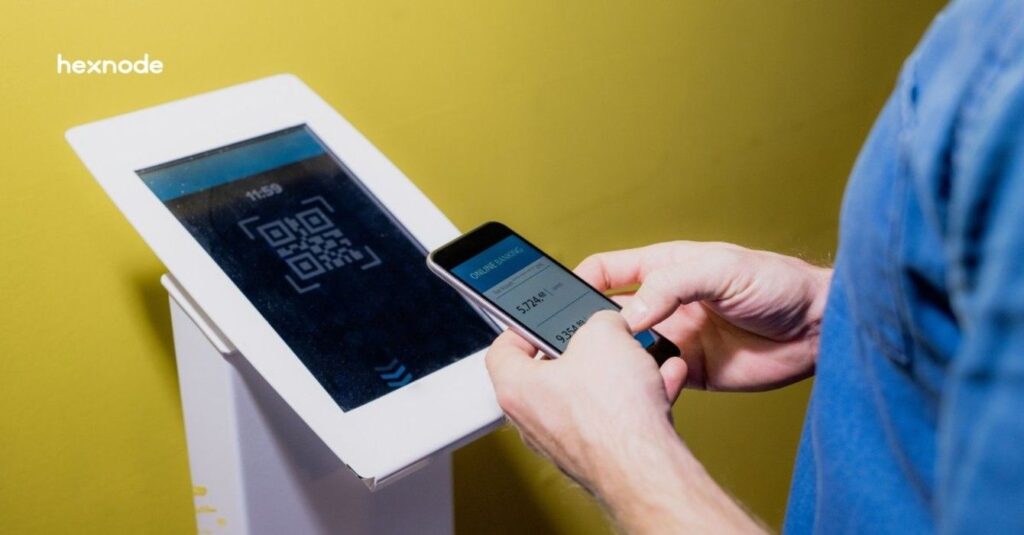
Selecting the best Android kiosk devices in 2026 requires a fundamental shift from hardware-centric procurement to a management-first strategy. In today’s enterprise landscape, a kiosk is no longer just a standalone tablet; rather, it is a mission-critical edge node that must be secured, updated, and monitored remotely.
Consequently, the hardware you choose must not only be durable but also fully compatible with a unified management plane like Hexnode. Specifically, this synergy ensures a “Dedicated Device” posture that effectively eliminates downtime.
Furthermore, successful kiosk scaling is often derailed by three critical operational hurdles. First, configuration drift occurs when local settings silently deviate from the corporate baseline. Second, unauthorized user egress allows users to bypass the locked interface to access the underlying OS. Finally, the unsustainable overhead of manual on-site patching drains IT resources.
Therefore, technical leaders solve these challenges by standardizing on Android Enterprise Recommended (AER) hardware paired with automated orchestration. As a result, this guide provides an enterprise-ready hardware shortlist and a technical blueprint for optimizing your fleet’s lifecycle with Hexnode.
Nowadays, an enterprise kiosk is defined as an Android Enterprise Dedicated Device. Here, success is measured by three technical pillars:
Consequently, Hexnode UEM serves as the brain of this operation, enforcing a strict Dedicated Device posture that prevents tampering and ensures higher uptime.
Before procurement, validate that your chosen android kiosk hardware meets these enterprise gates:
A kiosk is only as secure as its enrollment framework. Since its introduction in 2014, Android Enterprise Device Owner (DO) mode has been the industry-standard procedure for dedicated device management.
In 2026, utilizing DO mode remains the non-negotiable baseline for technical leaders, as it provides mature, low-level API access required for silent app installations, immutable kiosk lockdowns, and system-level peripheral control.
Manual staging is a relic. Your hardware must support:
Kiosks running 24/7 face battery swelling risks. Prioritize devices with No Battery Mode, allowing the device to run directly via a DC power source, or PoE+ (Power-over-Ethernet) for simplified cabling.
To build a resilient fleet, you must categorize your hardware based on the specific environment and user interaction model. In fact, choosing the wrong form factor for your use case is one of the leading causes of project failure.
Therefore, we have categorized the best Android kiosk devices in 2026 into three distinct enterprise tiers.
For environments where visual impact and long-term durability are the primary KPIs.
Mobile kiosks are essential for in-store logistics, line-busting, and field service environments.

Learn how to secure, manage, and scale your kiosk fleet effortlessly with our definitive guide.
Download the whitepaperOnce you have selected your hardware, you must implement a standardized rollout strategy. Indeed, even the most robust device will fail in the field without a structured management plan.
Therefore, we have developed this four-step blueprint to ensure your deployment is secure, scalable, and optimized for 2026 standards.
Initially, you must automate the enrollment process to avoid the “manual staging” bottleneck. Specifically, map your Android Zero-Touch or Samsung KME accounts to Hexnode.
As a result, devices will automatically pull the designated Kiosk Profile the moment they connect to Wi-Fi. Furthermore, this out-of-the-box provisioning makes sure that the management agent is non-removable.
Consequently, even if a user attempts a factory reset, the device will immediately re-enroll into the Hexnode environment.
Subsequently, after the device is enrolled, you must define the operational constraints. For instance, you must choose between a Single-App or Multi-App environment.
In fact, many modern kiosks are entirely web-based or serve a secondary purpose as digital billboards. Therefore, your deployment strategy should account for these dynamic use cases.
Lastly, the blueprint concludes with ongoing operational health. Indeed, a kiosk fleet requires continuous monitoring to prevent downtime.
In summary, the distinction between a failed kiosk deployment and a successful one lies in the synergy between hardware and the management plane. While selecting from the best Android kiosk devices in 2026, such as the rugged Samsung Galaxy Tab Active5, the versatile Elo I-Series, or high-performance handhelds like the Zebra TC56, is a critical first step, it is only half of the equation.
The true enterprise value is unlocked when these devices are anchored by Hexnode UEM. By leveraging long-standing procedures like Android Enterprise Device Owner mode and Zero-Touch Enrollment, you can establish an immutable security foundation.
Furthermore, a comprehensive kiosk lockdown strategy ensures that your devices remain single-purpose tools rather than liabilities. Consequently, IT departments can move away from reactive, manual troubleshooting and toward a proactive, self-healing fleet.
As a result, your kiosks will continue to evolve into complex self-service and digital signage nodes without increasing your operational overhead. Ultimately, having a centralized management brain ensures your investment remains secure, brand-compliant, and always online.
Therefore, do not simply deploy hardware; instead, deploy a managed outcome that scales effortlessly with your business.
The best Android kiosk devices in 2026 include the Samsung Galaxy Tab Active5 for rugged environments, the Elo I-Series 5 for fixed retail points, and the SUNMI K3 for integrated self-service. For enterprise-grade reliability, prioritize devices that are Android Enterprise Recommended (AER) to prevent hardware failure.
Yes. Indeed, in 2026, Device Owner (DO) mode remains the industry-standard procedure for all kiosk deployments. Specifically, it grants Hexnode the necessary high-level permissions to enforce silent app updates and disable hardware buttons. As a result, Hexnode prevents users from escaping the kiosk interface via system gestures or hidden settings. Consequently, skipping DO mode creates a fragile kiosk that hackers or unauthorized users can easily compromise.
Yes. Hexnode allows you to transform any Android kiosk into a digital signage display. You can configure the device to loop high-definition video or image carousels during idle time or set the device as a dedicated signage terminal using Hexnode’s Digital Signage Display settings.
Single-app kiosk mode locks the device to one specific application that auto-launches and cannot be closed, ideal for dedicated terminals. Multi-app kiosk mode creates a secure, branded home screen where users can access a curated selection of approved apps while all other system features remain restricted.