Not able to turn OFF USB debuggingSolved

Participant
Discussion
3 weeks ago Sep 23, 2026

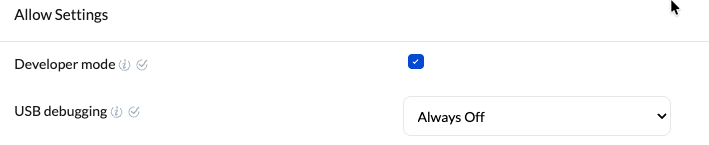
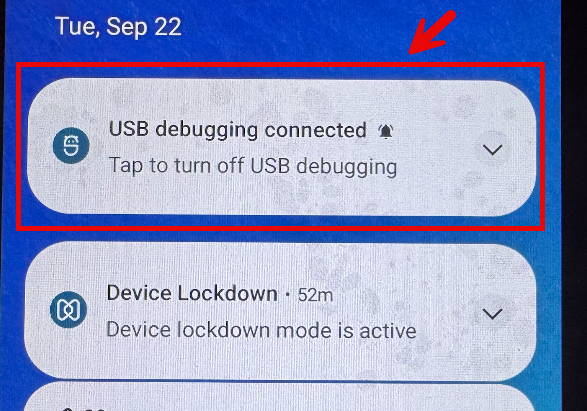
I am trying to avoid a USB debugging popup from Android OS when I connect the Android device to my Raspberry PI. PI is host, Android is device. There is lockdown policy. I also set the USB debugging to ALWAYS OFF.

I would like to be able to disable this popup? What am I missing?
usb debug.png

udb debug off.png

Replies (3)

Marked SolutionPending Review
Hexnode Expert
3 weeks ago Sep 23, 2026
Marked SolutionPending Review

Hi @sboye62, just to clarify, is this a Samsung Knox device or a device enrolled via Android Enterprise in Device Owner mode? 

Additionally, could you confirm if your goal is to completely disable USB debugging, or if you are just looking to hide the notification popup for it? 

Marked SolutionPending Review
Participant
1 week ago Oct 08, 2026
Marked SolutionPending Review

Hi @kylian_parker,

Correct I am just wanting to prevent the popup as it confuses the users, and then they call support.

Marked SolutionPending Review
Hexnode Expert
4 days ago Oct 12, 2026
Marked SolutionPending Review

Hi @sboye62 ,

To prevent notifications from appearing on the device, go to your Kiosk Lockdown policy and check whether the Notification option is enabled under Peripheral Settings > Advanced Lock. If enabled, please disable it.

Note that this will also hide other notifications while the device is in kiosk mode.

Regards,
Isabel Lora
Hexnode UEM

Save