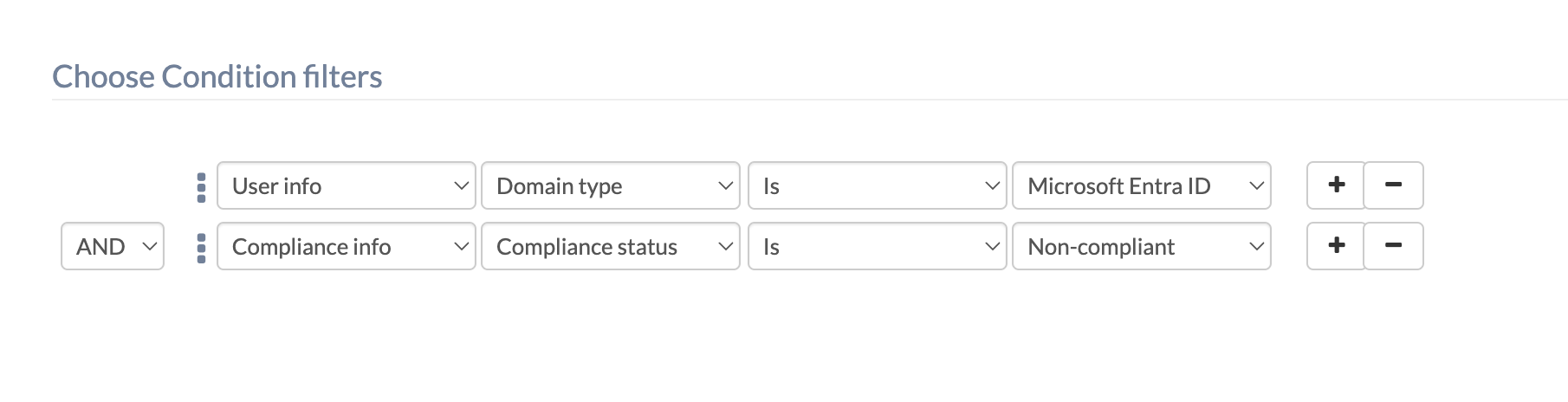
Hi everyone! Quick question here, how to create a dynamic device group for non-compliant devices enrolled via Azure AD?


Hey @nevaeh. Welcome to Hexnode Connect!
To create a dynamic device group for non-compliant devices enrolled via Micrsoft Entra ID (Azure AD), you can follow these steps:
Whenever a device matches these criteria, it will be added to the created group, which can be found under Manage > Device Groups.
Best Regards,
Sienna Carter
Hexnode UEM
Thanks a lot! Is there any way I can disenroll the entire dynamic group?
Hi @nevaeh! Yes, you can disenroll all the devices in a dynamic group by deploying actions directly to the group. Follow these steps:
Let me know if you have any further questions!
Best Regards,
Sienna Carter
Hexnode UEM
Don't have an account? Sign up