




Category filter
Alert Incidents: Managing and Tracking Security Events
What are XDR Alert Incidents
In the context of the Hexnode XDR ecosystem, an Alert is a system-generated notification triggered when a managed endpoint exhibits behavior that matches a custom, administrator-defined rule.
While the Hexnode XDR engine autonomously detects and flags explicitly malicious software (such as ransomware or rootkits), proactive endpoint monitoring requires visibility into activities that are not inherently malicious but still violate corporate policy. Custom alerts are necessary to track these anomalous administrative behaviors, system configuration changes, or compliance violations before they can be exploited or escalate into a full-blown security threat.
Enterprise Use Cases for XDR Alerts
- Security Control Tampering: Detecting when a local user attempts to disable the native OS firewall or shut down critical antivirus services.
- Shadow IT and Unauthorized Installs: Flagging the installation of unapproved software applications on restricted corporate workstations.
- System Configuration Drifts: Identifying unauthorized modifications to critical system registry keys or the unexpected creation of new local administrator accounts.
Prerequisites: Alert Profile Configuration
The Alerts sub-tab operates strictly as a centralized monitoring repository. It does not generate data autonomously; it only populates telemetry if an event occurring on a target endpoint successfully matches the explicit conditions defined in an administrator’s Alert Profile.
To establish these conditional triggers, administrators must first create and deploy them within the portal. Log in to the Hexnode XDR console, navigate to Settings > Alert Profiles, and click New to begin configuring a new profile.
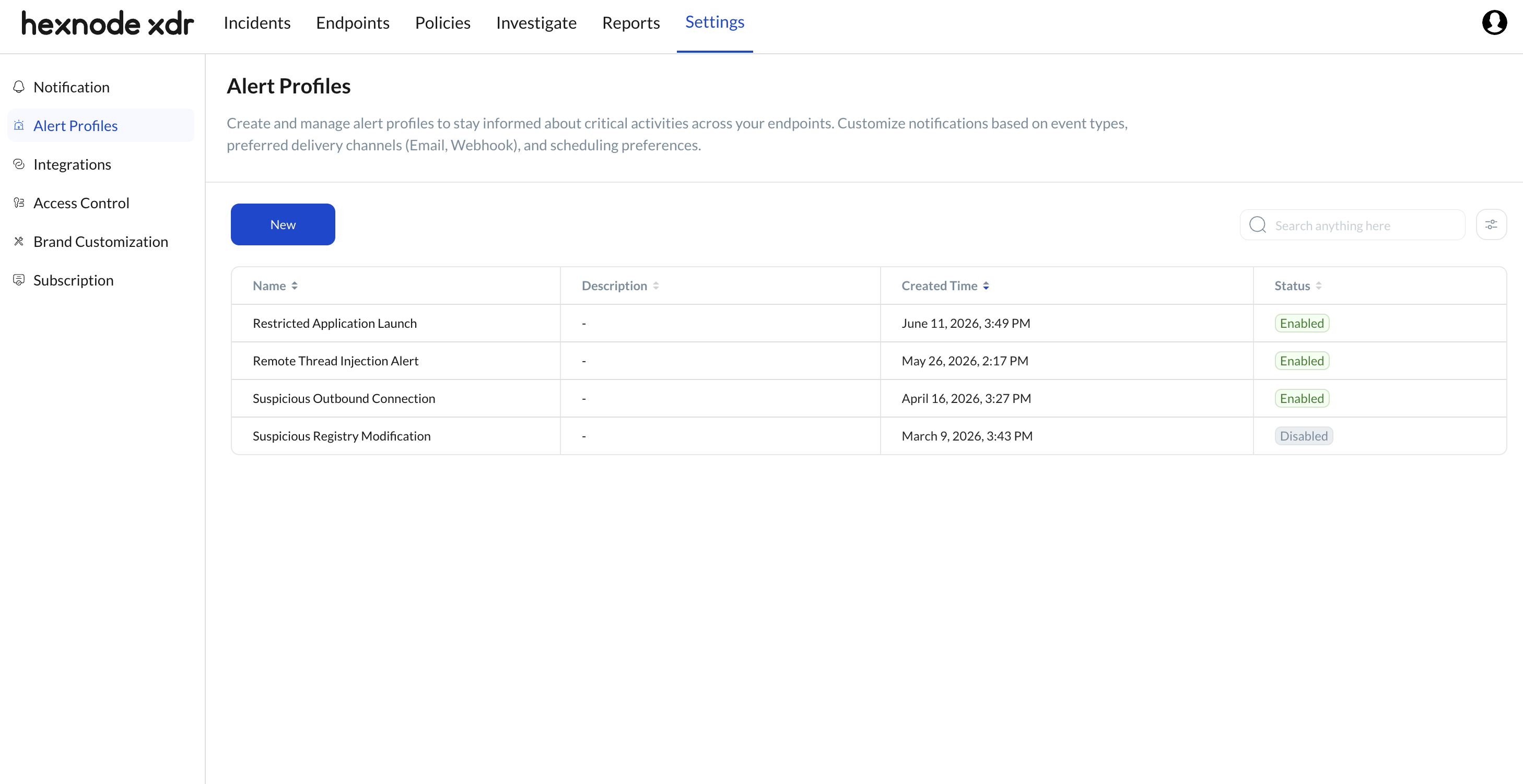
For comprehensive instructions on building rule logic and deploying these monitoring profiles, refer to our dedicated guide: XDR Alert Profiles: Prioritizing Critical Threats in Hexnode XDR.
Frequently Asked Questions
What is the technical difference between an Alert and a Threat in Hexnode XDR?
The distinction lies in the detection source and intent. Threats are explicitly malicious binaries or behaviors (e.g., trojans, ransomware execution) detected autonomously by the Hexnode XDR heuristic and behavioral engine. Alerts, conversely, are custom conditional triggers defined by the administrator for operational monitoring. An alert flags specific user actions or system changes that violate internal corporate policies, even if the action itself involves legitimate OS tools.
Why is my newly created Alert Profile not generating alerts in the dashboard?
If an active profile is not yielding alerts, it is typically due to one of three reasons:
- Endpoint Sync Delays: The endpoint has not yet synchronized with the Hexnode XDR console to receive the newly deployed Alert Profile.
- Condition Mismatches: The logical conditions defined in the profile are too narrow or improperly formatted, causing the XDR agent to ignore the event.
- No Occurrences: The specific event or behavior defined in the profile has simply not occurred on the target endpoint since the profile was deployed.
Can I directly isolate an endpoint or delete a file from the Alerts tab?
No. The Alerts tab is strictly a view-only repository designed for monitoring custom operational event triggers. Remediation actions, such as isolating a host from the network, quarantining a file, or killing a malicious process are handled exclusively within the Threats tab, which acts as the active incident response dashboard.


