




Category filter
Hexnode XDR Draft Policies: Guide to Policy Staging
The Drafts section is a sub-tab within the My Policies dashboard that serves as the secure staging ground for your endpoint configurations. Policies enter this tab when you select Save as Draft during the creation process. Policies in this phase are actively being created or modified but have not yet been deployed to your network. They remain safely stored in this inactive phase; until an administrator reviews the configurations and explicitly Publish, which instantly moves the policy out of Drafts and into the Published tab for live enforcement. Using drafts effectively prevents misconfigurations from impacting live endpoints and supports structured IT workflows.
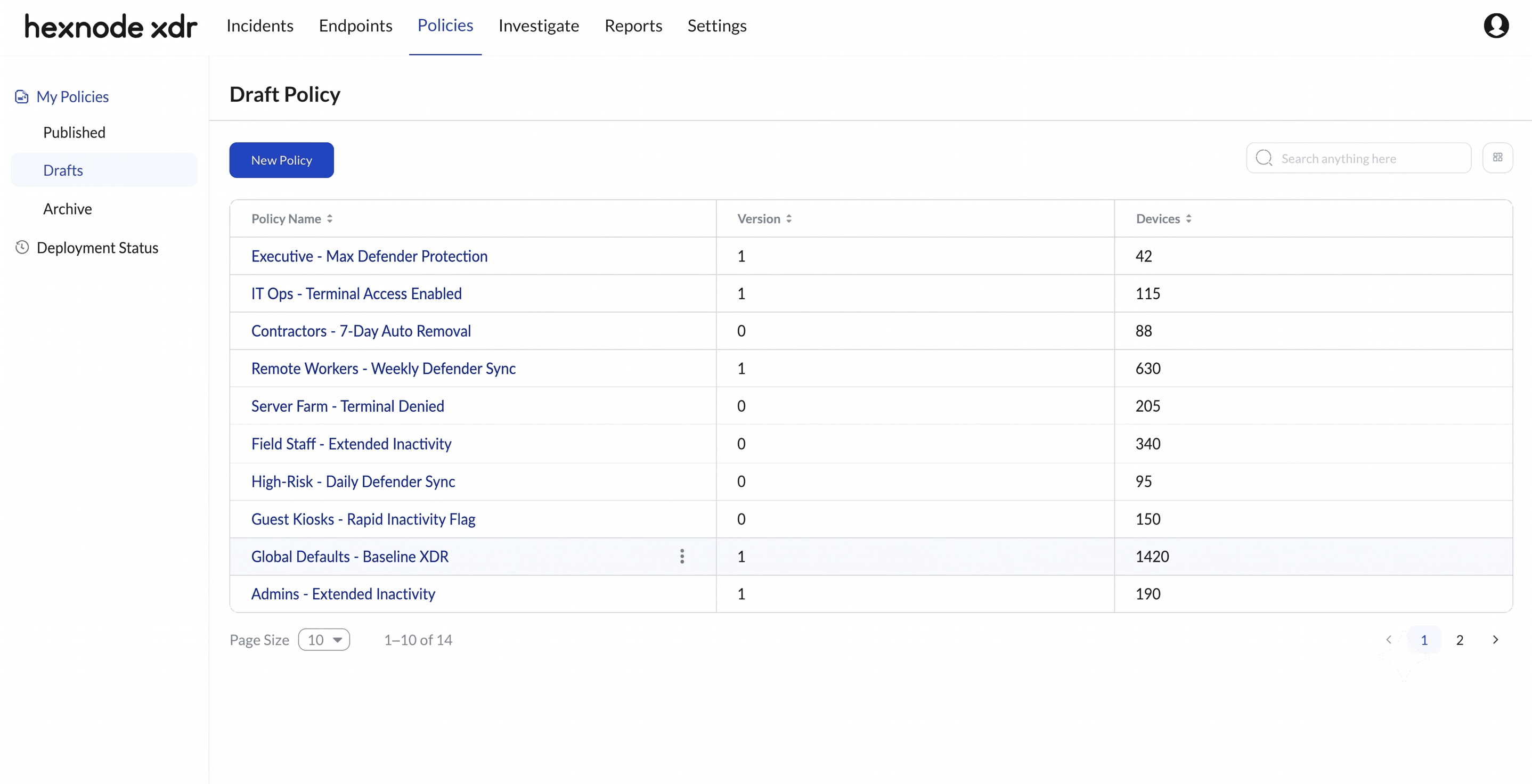
Core Concepts & Workflows
What is a Draft policy, and how does it differ from a Published policy?
A Draft is a policy in the creation or editing phase that has no impact on your live environment. When you select Save as Draft during policy creation, the system securely stores your configurations (such as target endpoints and Defender settings) without sending any data to the endpoints. In contrast, a Published policy is actively enforced on endpoints in the network. A draft must go through the Publish phase before it takes effect.
Why should administrators save a policy as a draft instead of publishing immediately?
Saving a policy as a draft is crucial for safe staging. Hexnode XDR policies control sensitive actions, including the Inactivity Timeout to Remove Agent and Allow Remote Terminal access. Drafting allows administrators to configure these high-stakes functional parameters, assign the target endpoints, and thoroughly review the setup on the final summary screen before pushing the configuration live.
How do Drafts support IT team approvals and change management?
In enterprise environments, drafts act as a natural “Pending Approval” queue. A junior technician can build out a policy by configuring the Microsoft Defender enforcement intervals and defining endpoint targets, and then save it as a draft. A senior administrator can later log in, review the technical selections in the Drafts tab, and finalize the deployment by clicking Publish. This two-state saving mechanism prevents unauthorized or accidental deployments.
What is the difference between a Draft and an Archived policy?
While both Drafts and Archived policies are inactive (neither is enforced on endpoints), they serve opposite points in the policy lifecycle:
- Drafts represent the future. They are works-in-progress waiting to be deployed for the first time.
- Archived policies represent the past. They are previously published configurations that have been deactivated and stored for audit trails or future restoration.
Can I use the Drafts tab to create baseline templates?
Yes. Administrators frequently use the Drafts tab to build “master” configurations—such as a standard baseline for turning on Microsoft Defender management and setting specific inactivity triggers. By keeping this baseline as a perpetual draft, you can easily reference or manually duplicate its parameters when creating new policies for different endpoint groups, rather than building complex configurations from scratch every time.


