




Category filter
Hexnode XDR Policy Management: Configuration and Deployment Guide
Hexnode XDR Policies are structured configuration sets that define security controls, agent behaviors, and administrative permissions across managed endpoints. These policies ensure consistent security postures by automating agent updates, defining inactivity triggers, and governing remote troubleshooting capabilities.
1. Policy Lifecycle and Categories
Hexnode XDR organizes policies into categories based on their lifecycle stage. This structure allows technicians to distinguish between active, pending, and historical configurations.
| Category | Description | Primary Actions |
|---|---|---|
| Published | Policies actively enforced on targeted endpoints. | Create New, Edit, Move to Archive. |
| Drafts | Policies in the creation or modification phase; not yet deployed. | Edit, Delete, Publish. |
| Archive | Deactivated policies stored for audit or future restoration. | Restore, View History. |
| Deployment History | A chronological log of all policy deployment attempts and their results. | Reinitiate Failed Deployments. |
2. Policy Creation Workflow: Steps and Logic
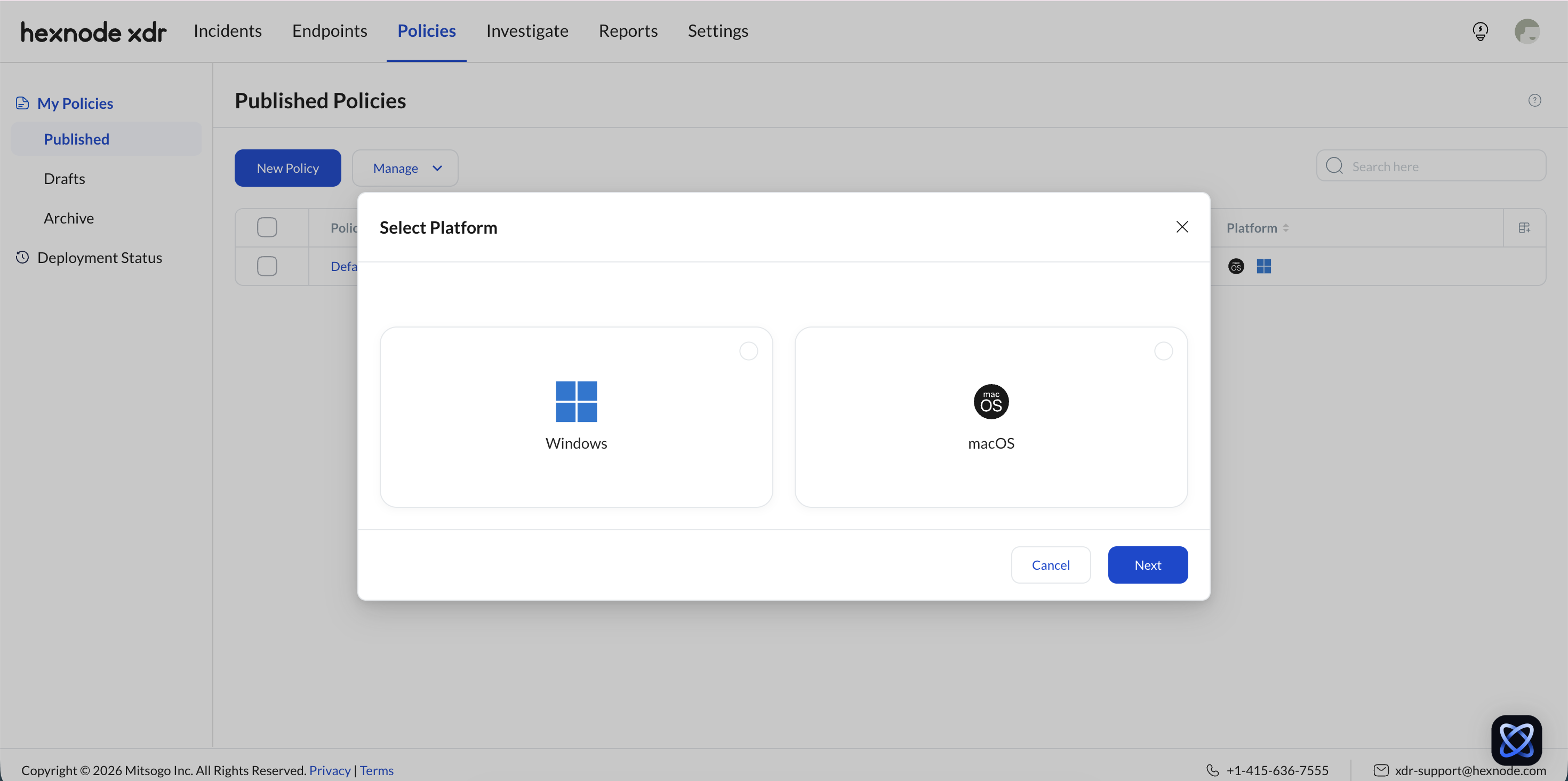
Creating a policy follows a linear three-step process: Configurations > Target > Review. This ensures all technical parameters are defined before endpoints are assigned.
Platform Selection: Before configuring the policy, choose between Windows and macOS operating systems to define platform-specific settings.
Step 1: Configurations (Functional Parameters)
The configurations page defines the “rules of engagement” for the Hexnode XDR agent.
A. Prevention Settings (Microsoft Defender Integration)
- Manage Defender: When enabled, Hexnode XDR takes control of the native Microsoft Defender protection on the endpoint.
- Enforcement Interval: Technicians define how often Defender settings are re-applied (e.g., Daily, Weekly, or at a specific time in IST).
B. General Settings (Inactivity and Agent Removal)
- Mark Device as Inactive: Defines the duration (Days/Hours) of silence after which a Target Endpoint is flagged as “Inactive” in the portal.
- Inactivity Timeout to Remove Agent: A “self-destruct” threshold. If reached, the Hexnode XDR agent is automatically uninstalled from the endpoint and the device record is deleted.
- Allow Remote Terminal: A binary toggle. If ON, technicians can initiate a secure terminal session from the Endpoints Tab. If OFF, the option is disabled (greyed out) for all associated devices.
C. Exclusions
Exclusions let you specify trusted items for the Hexnode XDR agent to ignore, disabling real-time monitoring to prevent performance overhead and false positive alerts.
- File/Folder: Specifies trusted file or folder paths to ignore during real-time monitoring.
- Publisher: Suppresses incident alerts for all software signed by a trusted vendor identity.
- Hash: Excludes a specific binary from incident monitoring using its SHA 1 or SHA 256 value.
- File Extension: Excludes all files of a particular type (e.g., .xml) from being flagged as threats (Windows only).
Step 2: Target Selection
Technicians must define the scope of the policy.
- Individual Endpoints: Specific devices selected by Host Name or ID.
- Endpoint Groups: Predefined logical clusters of devices.
Logic: Multiple targets can be added to a single policy to ensure bulk deployment.
Step 3: Review and Identification
The final step is a summary of all technical selections. Technicians must provide a Policy Name to act as a unique identifier within the database.
3. Save and Approval Logic
Hexnode XDR uses a two-state saving mechanism to prevent accidental or unauthorized deployments.
| Save Option | System Impact |
|---|---|
| Save as Draft | Saves the configuration to the Drafts tab. No changes are sent to the endpoints. |
| Publish | Validates the policy and immediately pushes the configuration to all Target Endpoints. |
4. Deployment Monitoring and Remediation
The Deployment History tab serves as the audit trail for policy distribution.
- Status Indicators: Results are classified as Success, Partial Success, or Failure.
- Reinitiate Action: If a deployment fails (e.g., device was offline), technicians can click Reinitiate to retry the push for only the failed endpoints.
- Filtering Entities: Search history by Version, Created By, Last Modified By, or Deployment Endpoint Count.
5. Frequently Asked Questions (FAQ)
Q: Can a single endpoint have multiple policies applied to it?
A: Yes. An endpoint can be a member of multiple policy groups. If settings conflict, the most recently published policy (highest version number) takes precedence and overrides previous configurations.
Q: What happens to an Archived policy?
A: The policy is immediately deactivated. It remains in the database for audit purposes but is no longer enforced on any endpoints.
Q: Can a policy be edited after it is live?
A: Yes. Navigate to Published, select Edit, and make changes. However, the update is not pushed until you select Republish.
Q: Does disabling “Tamper Protection” pose a security risk?
A: Yes. If Tamper Protection is disabled (OFF), users with local administrator privileges on the Target Endpoint can manually uninstall or modify the Hexnode XDR agent.
Q: Whose time zone is used for the Defender enforcement schedule?
A: The schedule is currently configured using IST (India Standard Time), regardless of the target endpoint’s local time zone.
Q: How to set which data columns are visible in the policy list?
A: Use the Customize Columns option (located next to the search bar) to select specific entities like Last Modified Time or Created By.


