Apple TV kiosk security: An overview
Apple's AirPlay security is enhanced by UEM policies that lock down the device to prevent unauthorized content streaming.

Get fresh insights, pro tips, and thought starters–only the best of posts for you.

Apple TV kiosk software helps lock devices to specific content or apps, ensuring secure and consistent enterprise displays. It eliminates unauthorized use, cuts down on manual upkeep, and keeps your digital content exactly where it should be, front and center.
The Apple TV isn’t just a living room gadget anymore. In 2025, around 68% of enterprises will have invested in smart office solutions, many of which rely on smart displays and media hubs like Apple TVs for collaboration, communication, and signage. From retail stores showcasing promotions to classrooms and hotel suites displaying scheduled media, Apple TV has steadily evolved into a cornerstone of enterprise display strategies. The global digital signage market worth $28.5 billion in 2024, already leans heavily on compact, high-performance players like it.
But without proper kiosk software, things fall apart fast. Anyone can exit your signage app, stream unrelated content, or change system settings, leaving your screens off-brand and unmanaged. That’s not just inconvenient, it’s a security and consistency risk across the organization.
Kiosk software fixes that. It locks Apple TVs into a defined purpose – whether that’s running a single app, an internal broadcast, or a custom dashboard. IT teams can push new content, trigger updates, or reboot devices remotely, without sending someone onsite each time something breaks.
A non-kiosked Apple TV is an unmanaged billboard; a kiosked one is a purpose-built, secure communication tool.
Unified Endpoint Management (UEM) platforms like Hexnode take this further. You get centralized Apple TV management with full control over device health, content, and configuration -all from one console. Even complex actions like deploying a .mobileconfig file to lock Apple TVs into signage mode can be done in seconds through Hexnode’s policy framework.
Secure, manage, and display smarter – make every Apple TV count with Hexnode UEM.
The best Apple TV kiosk software does more than lock an app – it transforms the device into a managed, enterprise-ready display system. Basic configuration profiles fall short at scale. That’s why organizations turn to Unified Endpoint Management (UEM) platforms, like Hexnode, which extend Apple’s native tvOS controls with centralized management, automation, and compliance visibility.
Here are the key pillars to look for when selecting your solution:
Security is non-negotiable. Go beyond Single App Mode – your kiosk software must stand up to real-world, public-facing environments.
Scalability and simplicity define a good kiosk solution, you shouldn’t need a technician for every setup.
Your signage needs will grow. The chosen solution must support that growth without adding management complexity.
The true purpose of Apple TV kiosk software goes beyond screen lockdown—it ensures every display stays secure, auditable, and always aligned with business intent.

The best Apple TV kiosk software transforms consumer hardware into a secure, remotely managed, enterprise-grade display system for digital signage in 2026. Whether you’re deploying two Apple TVs or two hundred, these tools ensure seamless device lockdown, automated updates, and compliance across every site.
With the global smart workplace market expected to reach $47.27 billion by 2025, choosing the right kiosk software is no longer optional it’s foundational to operational efficiency. The right solution transforms Apple TV from a consumer device into a fully managed endpoint for communication, collaboration, and branding.
Now, let’s look at the top Apple TV kiosk software solutions for 2026, based on their feature depth, scalability, and real-world performance.
Hexnode UEM is built for organizations managing diverse, mixed-OS device fleets but it truly shines when it comes to Apple TV management. We turn Apple TV from a simple streaming box into a dependable, self-healing component of your digital signage or meeting room setup.
Our approach is simple, make complex tvOS management feel effortless. With Hexnode, admins can automate policies, enforce kiosk modes, and monitor every display from the same unified console they already use for iPhones, Macs, and Android devices. The result? A fully compliant, high-availability digital signage network that runs smoothly without the usual IT overhead.
Enterprise-grade kiosk management with simple policy automation. Our console uniquely simplifies the rollout of complex Apple TV configurations, allowing you to deploy a Kiosk Profile with a single click.
Jamf Pro is one of the most established names in Apple device management, primarily serving organizations deeply rooted in the Apple ecosystem. It offers reliable integration with Apple’s native frameworks and supports a wide range of configuration profiles for tvOS, iOS, and macOS. While it’s a capable solution for Apple-only environments, its setup and maintenance often demand larger IT resources—making it better suited for enterprises with dedicated Apple administrators than for teams seeking simplicity or cross-platform scalability.
Unmatched depth of feature control for Apple devices, making it a powerful tool for complex, pure-Apple deployments.
Slightly complex setup and administrative console; higher learning curve for small-to-midsize businesses (SMBs) or IT generalists managing mixed-OS fleets.
Mosyle Business is a lightweight, Apple-only MDM designed for teams that need quick, straightforward device management. It offers a clean interface, simple policy setup, and cost-effective licensing that often includes tvOS management alongside iOS and macOS. While it’s a practical option for small to mid-sized businesses focused solely on Apple hardware, its feature depth and analytics are limited compared to enterprise-grade platforms built for scale.
Best balance of modern Apple-first features, ease of use, and competitive pricing.
Fewer analytics and customization options compared to enterprise-tier UEMs; its primary strength is in managing configuration profiles, not deep cross-platform security insights.
Iru (formerly Kandji) takes an automation-first approach to Apple device management, offering ready-to-use templates and streamlined policy deployment. Its workflow-based setup simplifies routine administrative tasks, making it easy to roll out standardized configurations across Apple TVs and other Apple devices. While it’s efficient for Apple-only environments focused on quick automation, it lacks broader cross-platform flexibility and deep policy customization.
Kandji’s use of Blueprints provides superior, fast, and highly standardized deployment of tvOS kiosk environments at scale.
Costlier compared to SMB-friendly tools; its advanced feature set is best leveraged by larger organizations with dedicated IT resources.
ManageEngine MDM, part of the broader Endpoint Central UEM suite, offers reliable cross-platform device management for enterprises with diverse IT environments. It supports tvOS alongside Android, Windows, and macOS, providing centralized policy control for mixed device fleets. Its Apple TV management capabilities include single- and multi-app kiosk modes, app distribution, and security enforcement, making it a solid fit for organizations already invested in ManageEngine’s IT management ecosystem.
Unrivaled integration with broader enterprise IT infrastructure, especially for cross-platform deployments and identity management.
Interface and workflow are often considered less intuitive and polished than Apple-first competitors, reflecting its broad, multi-OS focus.
SimpleMDM stays true to its name -a lightweight, easy-to-deploy MDM solution built exclusively for Apple devices. It’s best suited for organizations using Apple TVs for straightforward digital signage or single-purpose applications. The platform emphasizes simplicity over complexity, allowing smaller IT teams to get devices configured and running quickly without navigating advanced policy layers or extensive setup steps.
Exceptional speed and ease of initial setup and deployment for basic Apple TV digital signage use cases.
Lacks the granular, advanced kiosk-specific controls and compliance automation offered by full-featured UEM solutions.
Scalefusion is a cross-platform UEM solution that delivers reliable kiosk lockdown capabilities across Android, Windows, and tvOS. It’s designed for organizations managing a mix of dedicated-purpose devices, offering essential Apple TV features like Single App Mode, remote app deployment, and basic automation.
An ideal, cost-effective choice for businesses needing to consolidate management of a simple, multi-OS kiosk fleet under one roof.
Limited Apple-specific depth and less advanced tvOS features compared to dedicated Apple-first platforms like Hexnode or Jamf.
For enterprises managing Apple TV fleets, the right MDM should balance deep Apple integration with broad cross-platform control. In 2026, that choice directly affects digital signage performance, overall security posture, and total cost of ownership. Apple-only solutions offer strong native controls but can create management silos, increasing complexity and cost. The following comparison outlines how leading MDM platforms stack up in delivering secure, scalable, and unified Apple TV management.
| Criteria | Hexnode UEM | Jamf Pro | Mosyle Business | Iru ManageEngine MDM |
|---|---|---|---|---|
| Single App Mode | ✅ Full control with reboot persistence | ✅ Supported | ✅ Supported | ✅ Supported |
| Multi-App Mode | ✅ Granular control with per-app whitelisting | ⚙️ Limited configuration depth | ❌ Not supported | ✅ Supported |
| Remote Content Push | ✅ Native media and app deployment | ⚙️ Requires Apple Script workflows | ⚙️ Basic file distribution | ✅ Built-in automation |
| Reporting & Analytics | ✅ Advanced compliance & device-level analytics | ✅ Good, Apple-focused | ⚙️ Limited | ✅ Detailed compliance view |
| Cross-Platform Coverage | ✅ iOS, iPadOS, tvOS, macOS, Android, Windows | ❌ Apple-only | ❌ Apple-only | ❌ Apple-only |
| AirPlay Blocking / Restrictions | ✅ Configurable policy-based control | ⚙️ Limited to config profile | ❌ Not available | ✅ Policy-based |
| Remote Diagnostics & Reboot | ✅ Real-time dashboard actions | ⚙️ Partial | ⚙️ Basic restart | ✅ Supported |
| Compliance Tools (GDPR, HIPAA) | ✅ Built-in compliance reporting & policy templates | ✅ Apple framework alignment | ⚙️ Minimal | ✅ Enterprise compliance automation |
| Ease of Setup / Zero-Touch | ✅ ABM integration, auto-enrollment, no staging | ⚙️ Requires scripting | ✅ Simple Apple only | ✅ Automated via templates |
| Scalability | ✅ Proven for 10 → 10,000+ devices | ⚙️ Scales but needs admin scripting | ⚙️ SMB-scale | ✅ Enterprise-grade |
| Pricing Flexibility | ? Competitive, pay-per-device | ? Higher TCO | ? Budget-friendly | ? Premium tier |
| Support and Update Cycle | ✅ Rapid tvOS support cycle; 24×5 assistance | ✅ Reliable Apple updates | ⚙️ Moderate | ✅ Strong SLA |
In 2026, the real challenge isn’t managing Apple TVs, it’s managing everything around them with consistency and control. Most enterprises today operate in mixed-OS environments, where relying on separate tools for Apple, Android, and Windows devices leads to rising costs, fragmented reporting, and widening security gaps.
Unified management is the only sustainable path forward. A solution like Hexnode UEM delivers complete Apple TV kiosk control – Single App, Multi-App, content push, and compliance while seamlessly managing every other endpoint in the same console. The result is simpler operations, tighter security, and a measurable reduction in total cost of ownership.
Hexnode UEM uniquely simplifies Apple TV management by integrating granular tvOS kiosk controls into a single Unified Endpoint Management console alongside all other corporate devices. This centralized approach guarantees consistent security policies, reduces administrative overhead, and accelerates large-scale digital signage deployments.
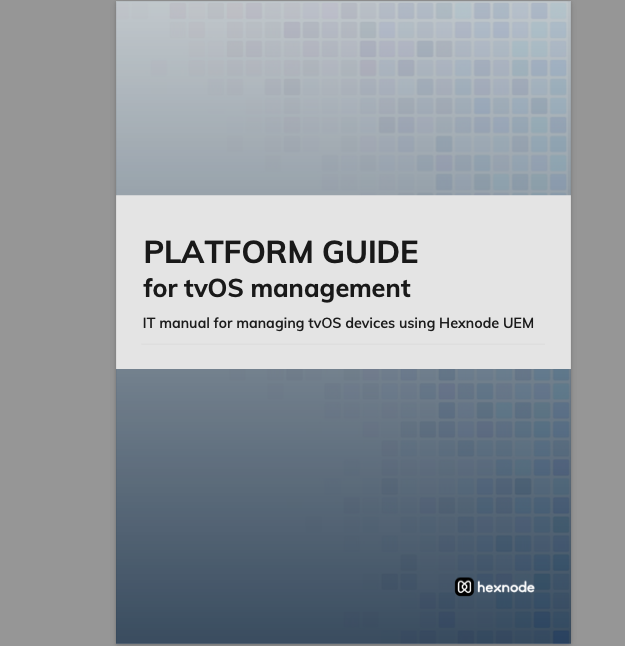
Hexnode UEM let organizations implement robust policies and restrictions for effectively managing Apple TV devices. This platform guide offers an intuitive user interface, making it easy for IT administrators to manage and monitor devices remotely.
Download the guideThe core advantage of Hexnode UEM is its commitment to true Unified Endpoint Management (UEM). While many solutions focus solely on Apple devices, Hexnode delivers a holistic approach. Your IT team can manage Apple TVs alongside iPhones, iPads, Macs, and even Windows or Android devices—all from one intuitive dashboard.
For tvOS, this unity translates into streamlined policy deployment. Admins can instantly apply kiosk profiles via the Hexnode console, ensuring each new Apple TV is secured and configured for its purpose—whether as a lobby display or a retail screen—the moment it connects to the network. This eliminates the swivel-chair management common in mixed environments.
Because Hexnode provides a single console for all platforms, organizations report significantly streamlined operations and drastically reduced administrative overhead when executing multi-platform policy updates—an efficiency gain crucial for retail, hospitality, and enterprise-scale rollouts.
Hexnode UEM gives IT full, non-touch control over Apple TV fleets. Console-driven automation replaces manual setup with consistent, scalable management. You can configure Single App Mode for dedicated signage, ensuring users can’t exit the display app, and disable remote pairing to prevent unauthorized AirPlay access.
Scheduled content updates keep screens current without onsite intervention, while real-time visibility into network status, uptime, and app health enables proactive troubleshooting.
To quickly lock a display to a specific app and restrict input:
tvOS Kiosk > Single App Mode > Restrict Siri Remote Navigation
For digital signage, the device is the business. Hexnode ensures every display stays up, compliant, and secure—turning an Apple TV into a reliable, enterprise-grade appliance.
The right Apple TV kiosk software isn’t just a content player, it’s a Unified Endpoint Management (UEM) platform that delivers secure lockdown, seamless deployment, and centralized control across your entire corporate device fleet. This integrated approach ensures every display remains compliant, consistent, and always on-brand.
In 2026, relying on standalone digital signage apps is inefficient. It fragments visibility, increases IT overhead, and exposes unnecessary security gaps. The decision needs to be strategic, treat your Apple TVs as critical managed endpoints, not consumer hardware.
Streamline, secure, and scale your digital signage the smart way with Hexnode UEM powering every Apple TV.
? What does Apple TV kiosk software do?
It locks Apple TVs into a single or limited set of apps, preventing unauthorized use. It enables remote monitoring, content updates, and policy enforcement — essential for digital signage and enterprise display management.
? Which is the best Apple TV kiosk software for enterprise use?
Hexnode UEM stands out for its comprehensive Apple ecosystem management, remote policy enforcement, and easy deployment. It’s ideal for large-scale, multi-site Apple TV deployments requiring strong security and centralized control.
Hexnode automates Apple TV deployment and compliance, enabling your team to manage hundreds of screens with minimal effort.
Start a free trial now!