Designing the Perfect Android Kiosk UI: Branding Tips and Hexnode Best Practices
Discover how branding, custom labels, and layouts turn kiosk devices into intuitive enterprise tools.

Get fresh insights, pro tips, and thought starters–only the best of posts for you.
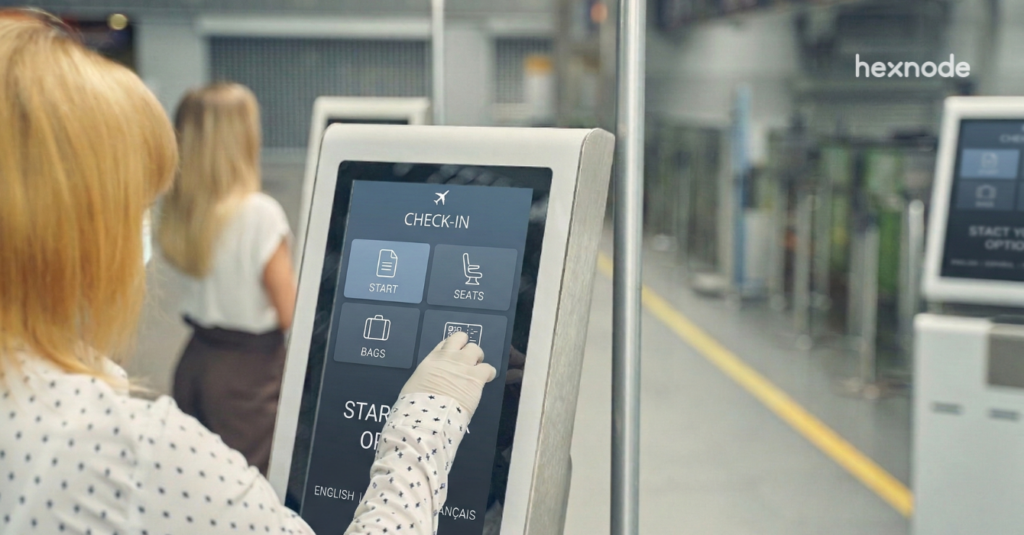
Step into a retail counter, warehouse floor, clinic reception, or logistics hub, and you will see Android devices quietly powering operations. These are not casual use tablets. They process payments, scan inventory, manage patient check-ins, and guide workflows.
In many organizations, these devices are no longer peripheral tools. They are operational infrastructure.
Yet there is a persistent challenge. Devices must be locked down tightly enough to prevent misuse and configuration drift, while remaining intuitive enough that employees do not struggle with them. When a frontline device behaves like a personal smartphone, distractions and errors follow. When it is locked too aggressively without thoughtful design, usability suffers.
The balance between control and experience is where many deployments struggle.
The Hexnode Kiosk Launcher addresses this directly. It transforms Android devices into purpose-built operational tools that are controlled, consistent, and aligned with business workflows. Instead of simply restricting access, it reshapes how the device behaves from the moment it turns on.
It becomes the software-defined interface of a dedicated enterprise device.
A kiosk launcher is an enterprise-controlled Android home screen that restricts device usage to approved apps, settings, and workflows. It replaces the default home screen view to enforce security policies while presenting a simplified, purpose-driven interface.
Within Android Enterprise dedicated device deployments, the launcher becomes the visible layer of governance. Users do not see the standard Android interface. They see only what IT has intentionally defined.
This is not about hiding icons. It is about defining operational boundaries.
Understand how kiosk mode locks devices into a single app or approved app set to prevent distractions and improve productivity.

Featured Resource
What is kiosk mode?
It is easy to assume that kiosk mode is only about restriction. In reality, long-term success depends on thoughtful interface design.
Hexnode’s Kiosk Launcher allows organizations to shape device behavior around operational roles rather than imposing a single layout across all devices.
Devices can be grouped and configured based on function. A retail POS tablet can display only checkout applications, while a warehouse scanner presents inventory tools. These configurations are applied centrally, ensuring that interface logic scales with the organization.
Branding also plays an important role. Instead of exposing technical app names or generic layouts, administrators can:
This level of customization does more than improve aesthetics. It reduces confusion and shortens training time. When employees interact with a device that reflects their workflow language, adoption becomes more intuitive.
Persistent enforcement reinforces this purpose-built design. In single-app mode, the device launches directly into the designated application. In multi-app mode, navigation remains restricted to approved tools. If a device reboots, kiosk mode remains enforced.
The device behaves less like a tablet and more like an appliance that is predictable and aligned with operational intent.
A well-configured kiosk environment should not feel restrictive. It should feel deliberate.
Android offers native features such as screen pinning and dedicated device provisioning. However, these capabilities alone do not provide scalable governance.
Screen pinning restricts a single session. It does not provide centralized monitoring, remote troubleshooting, policy automation, or lifecycle management across large fleets.
Basic Android Enterprise dedicated device configuration enables device lockdown at provisioning time. It does not support dynamic regrouping, compliance reporting, cross-location updates, or policy layering beyond initial setup.
Hexnode integrates kiosk configuration into a full Unified Endpoint Management platform. This allows organizations to:
The difference is not just how devices are locked. It is how they are governed over time.
While users experience simplicity, IT teams gain centralized authority.
Hexnode enables administrators to define kiosk policies once and apply them across entire fleets. Devices can be organized into static or dynamic groups, allowing policy automation based on attributes such as location, department, or usage type.
This centralized approach reduces configuration drift, which is a common source of support issues in distributed environments.
System-level controls extend beyond app restriction. Administrators can configure policies to:
hese controls create layered protection without requiring device-by-device setup.
A multi-app kiosk mode configuration in Hexnode follows a structured policy logic. Administrators define application access, apply system restrictions, enable persistent kiosk behavior, and deploy the configuration to selected device groups through centralized management.
https://cdn.hexnode.com/blogs/wp-content/uploads/2026/03/Multi-App-Kiosk-Policy-Flow.png?format=webp?utm_source=hexnode_blog_android_kiosk_launcher&utm_medium=referral&utm_campaign=internal_link
This configuration limits access to approved applications, ensures kiosk activation after reboot, hides system interface elements, and blocks access to device settings.
The real value is not just restriction. It is repeatability. Governance becomes systematic rather than reactive.
Deployment is only the beginning. Real operational maturity appears in ongoing management.
When a device in a remote branch malfunctions, resolution speed directly impacts operations. Instead of relying on ad hoc troubleshooting, administrators can use centralized management and kiosk analytics and monitoring to track device health, enforce compliance, and deploy updates across fleets.
Hexnode supports operational continuity through:
If a device falls out of policy alignment or goes offline, administrators can identify it quickly. If a new version of an operational app needs deployment, it can be rolled out without manually touching each device.
Even in kiosk mode, updates can be scheduled and applied in a controlled manner. This ensures devices evolve alongside business requirements while maintaining lockdown integrity.
For maintenance scenarios, secure exit mechanisms allow authorized personnel to temporarily exit kiosk mode without exposing unrestricted access.
This is where kiosk strategy shifts from simple lockdown to intelligent lifecycle management.
Many organizations deploy Android kiosk lockdown software to convert general-purpose devices into task-specific terminals. In retail environments, checkout devices must remain focused on transaction workflows.
Employees interact only with tools necessary for their role. The device interface reinforces process discipline.
In warehouses, speed and accuracy drive results. Devices typically support scanning, inventory tracking, and task management. With kiosk mode, navigation away from operational apps can be restricted and system-level access controlled.
This reduces accidental configuration changes and keeps devices dedicated to throughput tasks during peak operations.
Healthcare deployments often require dedicated check-in or room management devices. Kiosk configuration ensures devices remain locked to approved applications while broader device management policies support security requirements.
By limiting interface exposure and enforcing controlled usage, organizations reduce variability in patient-facing interactions.
Across industries, the common principle remains the same. Devices support the workflow. They do not define it.
The business value of kiosk automation becomes clear when measured through operational outcomes.
Manual device configuration introduces variability. Variability increases support complexity. Centralized policy enforcement removes both.
A strong kiosk management strategy helps organizations centralize policy enforcement and manage devices consistently across distributed locations.
When a new application needs deployment or an interface change is required, administrators update policy centrally rather than modifying devices individually.
| Manual Setup | Centralized Kiosk Policy |
| Device-by-device configuration | Single policy deployment |
| Higher risk of inconsistency | Uniform enforcement |
| Greater on-site intervention | Remote administration |
Over time, this leads to:
Infrastructure requires consistency. Consistency requires automation.
To maximize long-term effectiveness:
A kiosk strategy should be part of a larger device governance framework, not implemented in isolation.
When frontline devices function as infrastructure, inconsistency is not a minor inconvenience. It is operational risk.
The Hexnode Kiosk Launcher enables organizations to move beyond basic restriction and toward structured, scalable governance. By combining interface control with centralized policy automation and full UEM integration, it ensures devices remain aligned with business intent over time.
As deployments expand across locations and roles, manual oversight becomes unsustainable. Infrastructure demands predictability.
If your frontline devices power critical workflows, they require more than basic lockdown. They require managed, repeatable control.
Make every device predictable, secure, and easy to use with Hexnode’s Android kiosk launcher.
Start your 14-day free trial today!What is the difference between kiosk mode and a kiosk launcher?
Kiosk mode refers to the policy framework that restricts device usage to specific applications and configurations. A kiosk launcher is the customized interface that presents and enforces those restrictions visually to the user.
Can kiosk mode be bypassed?
When configured using Android Enterprise controls and administrative safeguards, standard users cannot exit kiosk mode. Administrative credentials or authorized exit mechanisms are required to modify restrictions.
Does Hexnode support single and multi-app mode?
Yes. Hexnode supports both single-app kiosk configurations and multi-app environments, along with secure browser-based kiosk deployments.
Can kiosk devices be managed remotely?
Yes. Administrators can monitor device status, enforce compliance, and apply policy updates remotely through the Hexnode console.