Nora
Blake

Android metadata encryption: Enterprise guide to metadata security

Nora Blake

Apr 13, 2026

9 min read

Android metadata encryption Everything you need to know
TL;DR

Mobile security requires more than just locking files. The most effective way to secure a device is through Android metadata encryption, which hides the very structure of your storage. While modern devices enable this by default, enterprises must use tools like Hexnode to enforce device encryption during enrollment, monitor encryption compliance, and block/remediate non-compliant devices.

Why Android metadata encryption matters

Your fleet of Android devices are no longer just communication tools; they are mobile data centers. While File-Based Encryption (FBE) protects the contents of documents, it often leaves the table of contents exposed. This is where Android metadata encryption comes in.

In a hybrid work world, a lost device with visible metadata is a roadmap for hackers to identify high-value files, app usage patterns, and organizational structures. Ensuring your encryption for android strategy includes metadata is the final step in achieving true data-at-rest silence.

This guide serves as a blueprint for moving beyond passive security to a proactive enforcement model. Relying on native device settings is a gamble in a diversified fleet. By mastering the integration between Android’s architecture and Hexnode, admins can transform encryption from a hidden background process into a visible, auditable, and automated compliance standard that satisfies even the most rigorous security audits.

Secure Your Android Fleet with Hexnode

What is Android metadata encryption?

Android metadata encryption is the security layer that bridges the gap between locking your files and hiding the very existence of your data. To understand why it is necessary, we must look at how Android’s encryption standards have evolved.

Android encryption in the real world: FDE vs FBE

In the past, Full-disk encryption (FDE) was the standard. It encrypted the entire user data partition with a single key protected by the user’s lock credential. While it was strong, it was restrictive; the device was virtually dead and couldn’t even fire an alarm or receive a call until the user unlocked it after a reboot. Android explicitly notes that FDE is not allowed on new devices running Android 10 and higher; new devices must use FBE.

File-based encryption (FBE), introduced in Android 7.0, is the current foundation for encryption for android. FBE encrypts different files with different keys, allowing for Direct Boot functionality. This ensures your phone stays partially functional (receiving notifications or calls) while the most sensitive data remains locked.

How Android metadata encryption works

While FBE is powerful, it has a specific limitation. It primarily protects file contents and names. Even with FBE active, filesystem metadata can remain visible in the storage layer. According to Android Open-Source Project documentation (AOSP), this android meta data includes:

  1. Directory layouts: The organizational structure of your folders.
  2. File sizes: The exact footprint of specific data blocks.
  3. Permissions: Who (or what app) has the right to access specific files.
  4. Creation/modification times: Precise logs when you are active.

This is the core of metadata security. In a device-loss scenario, an attacker isn’t just looking for photo EXIF data; they are looking for these filesystem-level signals to map out your device’s contents. Metadata encryption uses a dedicated metadata key to scramble these signals, ensuring that the library catalog is just as unreadable as the books themselves.

Signs your Android encryption may be compromised

While metadata encryption is designed to be invisible, its failure or the presence of a breach often manifests through erratic device behavior. If a device’s metadata or encryption layer is bypassed, often through rooting, malicious bootloaders, or advanced spyware, the following indicators should be treated as high-priority security alerts.

  1. Performance Issues: Freezing, crashing, or slow speeds caused by malicious background processes.
  2. Battery and Heat: Frequent overheating and rapid battery drain, even when idle.
  3. Data Usage Spikes: Sharp increases in data consumption indicating spyware transmitting android meta data.
  4. Strange Behavior: Persistent pop-up ads or apps launching on their own.
  5. Unrecognized Items: Unknown apps appearing or unauthorized texts/calls.
  6. Account Lockouts: Unexpected 2FA codes or locked out Google accounts.
  7. Suspicious Audio: Clicking or background noise during calls.
  8. Unknown Configuration Profiles: Unexpected VPN entries or Device Manager profiles.
  9. Integrity Failures: Devices failing Play Integrity checks.
  10. Compliance Mismatch: A device suddenly reported as “non-compliant” in the dashboard.

How to enforce Android metadata encryption (enterprise checklist)

The Basic Approach (Manual)

  1. Verify Status: Go to Settings > Security > Encryption. It should state “Phone encrypted.”
  2. Strong Lock Screen: Go to Settings > Security > Screen Lock. Select PIN or Password (min. 8 characters, alphanumeric).
  3. Secure Startup: On Pre-Android 10 devices, enable “Require PIN to start device” to protect the metadata key in memory.
  4. Work Profiles: Check Settings > Passwords & Accounts > Work Profile to ensure enterprise data isolation.

The Advanced Approach (Admin/Developer)

According to the AOSP, metadata encryption must be set up during initial disk partitioning.

  1. Kernel Configuration: Ensure the kernel includes the dm-default-key module.
  2. fstab Configuration: Update the filesystem table to trigger encryption using the keydirectory= flag (e.g., keydirectory=/metadata/vold/metadata_encryption).
  3. Cipher Selection: Use AES-256-XTS or Adiantum (optional) to ensure the metadata 2 layer is cryptographically sound.

Verifying and Enforcing via Hexnode UEM

For a deployed fleet, you can verify and enforce device encryption settings android provides directly through the Hexnode portal.

  1. Verification: Navigate to Manage > Devices, select a device, and check the Security Info tab. Encryption Status must show “Encrypted.”
    Note:

    Ensure OS is 10+ for metadata protection.

  2. No-Bypass Policy: Go to Policies > Android > Restrictions > Advanced. Navigate to Allow Account Settings. And uncheck Modify Accounts/Users. This prevents users from tampering with hardware-backed encryption keys.
  3. Enforce Secure Startup: On older devices, push a policy to Enforce Password at Startup to protect the metadata key in RAM.

Automate your Android Encryption with Hexnode

Precautions to prevent future metadata leaks

Preventing leaks requires a multi-layered, proactive approach combining tech, policy, and training.

  1. Data Classification: Locate PII and label data (Public, Internal, Confidential). Decommission outdated data using remote wipe.
  2. Technical Controls: Deploy DLP tools, enforce MFA, and use Hexnode to force metadata key security patches through OS updates.
  3. Network Segmentation: Configure Per-App VPNs in Hexnode to isolate corporate traffic.
  4. Employee Training: Conduct simulated phishing campaigns and reinforce safe-sharing habits.
  5. Metadata Scrubbing: Use tools to sanitize documents (removing author names/paths) before external sharing.

The Hexnode Advantage: Beyond the Toggle

While a standard user sees a single ‘Encrypted’ status, a Hexnode admin sees the complete security posture. Through the UEM portal, you can automate critical security patches and disable side-channel risks like unauthorized SD card access, ensuring your metadata remains secure as your files.

For organizations managing a diverse array of hardware, native encryption for android is only half the battle. The real challenge lies in centralized enforcement and visibility. Hexnode acts as the definitive command center for metadata security, allowing IT admins to move from hoping devices are secure to knowing they are compliant.

By leveraging the Android Enterprise (AE) framework, Hexnode provides granular control over the metadata lifecycle, and the underlying device encryption settings which android users might otherwise ignore.
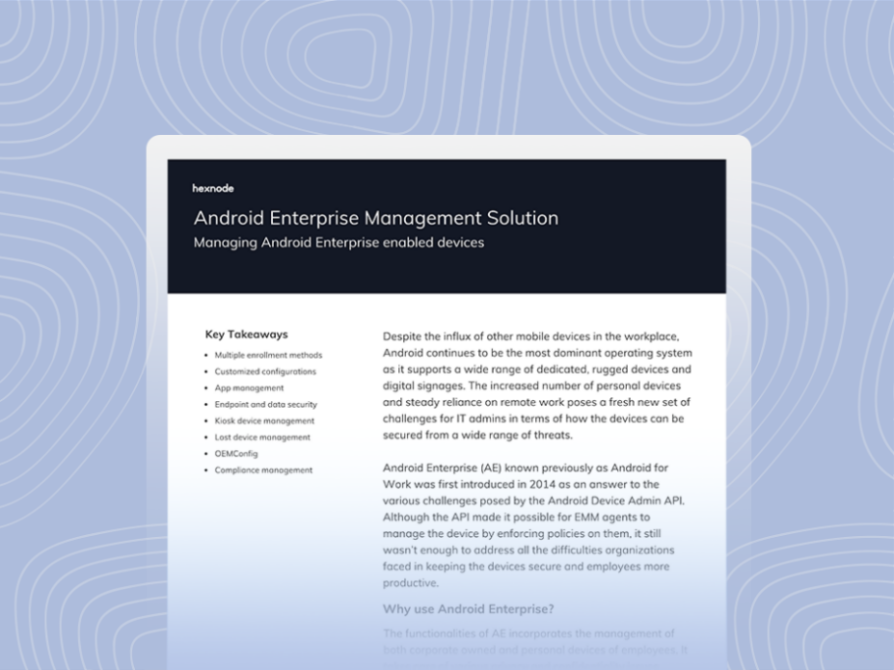
Android Enterprise Management Solution
Featured resource

Android Enterprise Management Solution

Explore how Hexnode helps manage Android enterprise devices with standardized onboarding, compliance reporting, and device posture visibility.

Download the Datasheet

How Hexnode Orchestrates Advanced Encryption:

  1. Enforce Compliance at the Kernel Level: Because metadata encryption requires activation during initial partitioning, you can configure Hexnode to block any device that skips this step. If a device lacks the dm-default-key configuration or appropriate fstab flags, Hexnode marks it as “non-compliant” and instantly revokes access to corporate resources.
  2. Mandate Hardware-Backed Passcodes: Metadata encryption only provides security as strong as the user’s PIN. Hexnode empowers admins to push complex password policies, ensuring the system never stores encryption keys in a vulnerable state.
  3. Zero-Touch Metadata Protection: Hexnode’s Android Zero-touch enrollment activates android metadata encryption before the user even unboxes the device. This process eliminates the “setup gap” where the device might otherwise store data in an unencrypted state.
  4. Dynamic Containerization (Work Profile): In BYOD environments, Hexnode creates a secure Work Profile. This profile applies a secondary layer of encryption, ensuring that corporate android meta data—such as work-related file sizes and directory names—remains invisible to the personal side of the device.
  5. Automated Remediation: If a user compromises or “roots” a device to bypass encryption, Hexnode detects the integrity breach immediately. ou can program the system to automatically execute a Remote Wipe, rendering the physical storage a block of unrecoverable data.
  6. Centralized Audit Trails: Instead of checking devices individually, admins use Hexnode to generate custom reports for Encryption Compliance. These reports provide instant visibility into the encryption status of the entire fleet.

Conclusion

The evolution from Full-Disk Encryption (FDE) to File-Based Encryption (FBE) has revolutionized how we secure mobile data, but android metadata encryption is the final, essential layer for true enterprise-grade defense. Without it, the footprints of your filesystem remain visible to forensic analysis; with it, your device becomes a black box of unreadable data.

For the modern IT admin, securing android meta data is no longer a manual task. By utilizing Hexnode, you move beyond the basic device encryption settings android users can toggle on or off. You gain the ability to:

  1. Enforce kernel-level metadata protection at scale.
  2. Monitor real-time compliance and metadata key integrity.
  3. Automate the response to signs of compromise from data spikes to unauthorized profiles.

Ensuring your fleet is encrypted is the baseline; ensuring it is forensically silent is the goal.

FAQs

Does metadata encryption slow down my phone?

No. Modern Android devices utilize an Inline Crypto Engine (ICE) to handle hardware-level encryption as the system writes data to the disk, ensuring zero noticeable latency.

Is “File-Based Encryption” the same as “Metadata Encryption”?

No. FBE encrypts the files themselves. Metadata encryption is an additional layer that encrypts the file system structure (names, sizes, folders).

Can Hexnode encrypt a device that doesn’t support it?

No. Encryption remains a native hardware and OS capability. However, Hexnode detects non-compliant devices and blocks their access to company email or apps until you replace them with secure hardware.

Share

Nora Blake

I write at the intersection of technology, process, and people, focusing on explaining complex products with clarity. I break down tools, systems, and workflows without any noise, jargon, or the hype.