Effective application inventory compares approved software policy with last-reported endpoint data, helping IT identify and remediate application risks across a managed fleet.
Incomplete or stale visibility can hide prohibited, missing, unmanaged, outdated, or duplicate apps, weakening security, compliance, troubleshooting, and license control.
Collect, normalize, classify, and prioritize app data by risk, criticality, device exposure, user impact, and scale, while respecting platform, enrollment, ownership, and BYOD limits.
Hexnode connects its managed App Inventory catalog with fleet reports, device-level filters, exports, and scheduled reporting to support investigation and remediation.
Why is fleet-wide application visibility so difficult?
Application inventories drift as users install software, devices miss scheduled check-ins, and operating systems expose different metadata and management controls. Remote work extends the time devices spend away from predictable corporate networks, while BYOD privacy boundaries appropriately limit what administrators can inspect on employee-owned endpoints.
These gaps leave endpoint admins unable to answer three basic questions from one dependable view: what is installed, where it is installed, and whether it belongs there. Without centralized collection, each answer can require time-consuming checks of many individual enrolled devices.
What happens when unknown or outdated apps go unmanaged?
Poor application visibility increases security exposure, enables policy violations, delays troubleshooting, drives unnecessary software spending, and produces unreliable audit evidence. When IT cannot trust its application data, unmanaged software becomes both an endpoint risk and an operational liability.
Missing required apps can leave devices without essential security or business capabilities, while prohibited software may introduce vulnerabilities or breach internal standards. Duplicate tools waste licenses and complicate support; inconsistent versions create uneven protections, compatibility problems, and user experiences across the fleet.
For IT teams, these gaps translate into manual discovery across individual endpoints, slower incident scoping, and reports that omit affected devices or software. Administrators spend time reconciling records instead of remediating issues, yet still struggle to determine which application, version, user, or endpoint requires attention first. As the fleet grows, it becomes harder to establish a defensible, clear remediation order.
What is application inventory, and what should it reveal?
Application inventory is an organized, regularly refreshed record of software associated with managed endpoints. It shows which applications the management system can identify, where they are reported, and how their presence compares with the organization’s expected software state.
That comparison requires two related but distinct data sets:
Approved application catalog: The software IT has authorized, packaged, assigned, or designated as required for particular users and devices.
Discovered installed-app data: The applications endpoints report as present, including software installed outside standard deployment workflows.
IT teams need both views to measure policy intent against actual device state instead of assuming that an assigned application was installed or that an unlisted application is approved.
A useful inventory also links each application to the relevant endpoints, reported versions, and management status. Device ownership and policy expectations add essential context, helping administrators accurately distinguish a compliant installation from an unmanaged, prohibited, missing, or outdated one.
Which application data should IT teams collect?
IT teams should collect enough application data to identify the software, locate it across the fleet, and evaluate its state against policy.
At minimum, each record should include:
Application name and unique identifier
Publisher, version, platform, and app type
Installation status and affected devices
These fields make records searchable and comparable, but classification makes them actionable. Labels such as required, managed, unmanaged, blocklisted, and missing help administrators detect deployment gaps, policy conflicts, and software that needs investigation or remediation.
Records should retain the last successful application-inventory collection time, where available, alongside the device’s last check-in time. Check the inventory’s collection schedule and reporting delay before assessing freshness; a recent device check-in alone does not confirm that application data is current.
Does application inventory provide real-time, complete visibility?
No. Application inventory is generally a last-reported view, not a continuous, real-time feed. Its completeness depends on the enrollment method, device connectivity, operating-system controls, granted permissions, and whether the endpoint is corporate- or employee-owned.
Accordingly, “every app” should never imply unrestricted surveillance. It means every application that the configured endpoint management model is permitted and technically able to report reliably, based on the device’s platform, ownership, enrollment state, permissions, and most recent successful check-in.
Feature Resource
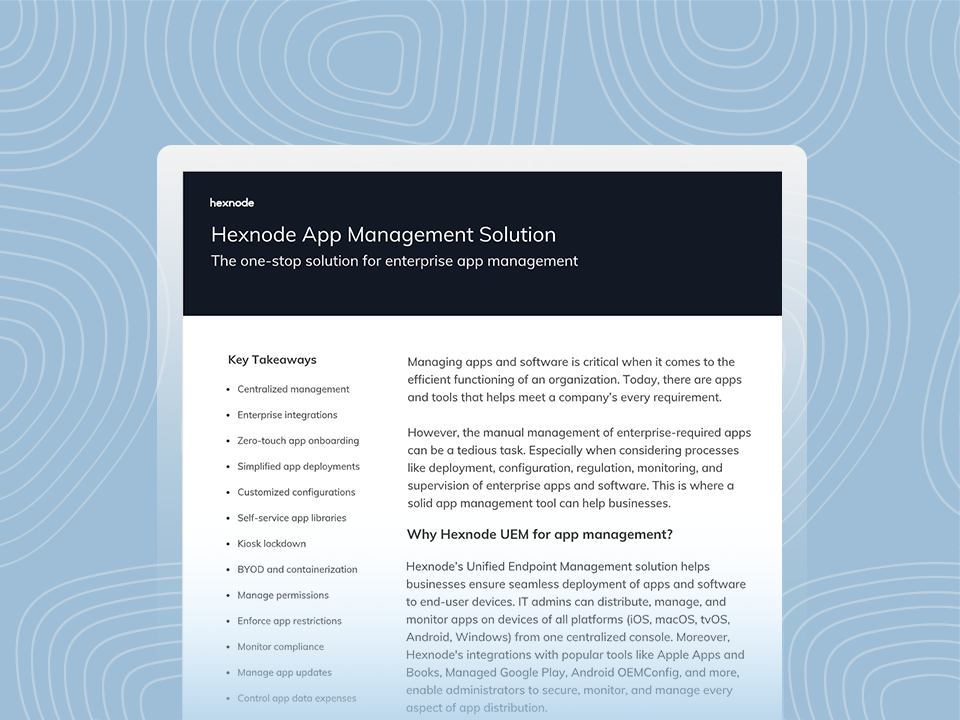
Hexnode App Management Solution
Download the datasheet to get to know about Hexnode’s App management features.
How do you build an application inventory process that drives action?
Build the process around a repeatable comparison between approved software policy and reported endpoint state. Collection alone creates a database; ownership, prioritization, and remediation turn that data into operational control.
Define the approved baseline. Document permitted, required, prohibited, and supported applications by platform, device role, and user group.
Enroll in-scope endpoints. Confirm ownership, enrollment method, and reporting permissions so expected visibility is explicit.
Collect application data. Refresh records frequently enough for the fleet’s risk and operational requirements.
Normalize names and identifiers. Reconcile naming variants, publishers, package identifiers, and versions to prevent one product from appearing as unrelated records.
Classify findings. Mark applications as required, approved, prohibited, managed, unmanaged, missing, outdated, or potentially redundant.
Assign remediation owners. Route security risks, licensing issues, deployment gaps, and business-app decisions to accountable teams.
Compare each endpoint’s actual state with the approved baseline. This exposes missing required apps, prohibited software, unmanaged installations, obsolete versions, and duplicate tools instead of leaving admins to interpret raw records manually.
Prioritize remediation using five factors
Application risk: Known vulnerabilities, excessive privileges, or policy violations.
Business criticality: The operational importance of the application or service.
Device exposure: Endpoint sensitivity, internet exposure, and access to corporate data.
User impact: Disruption caused by removal, upgrade, or replacement.
Scale: The number of affected endpoints and users.
Before enforcement, document exceptions, their owners, scope, justification, compensating controls, and expiration dates. This prevents deviations from being repeatedly flagged while ensuring temporary exceptions receive review.
What is Geo tracking and what are its applications?
Explore geo tracking, its business applications, and key features for managing device location and privacy.
How often should IT teams review application inventory?
IT teams should collect application data continuously or frequently where platforms support it, review high-risk exceptions regularly, and perform broader inventory audits on a defined operational cadence. The appropriate schedule should reflect fleet size, application risk, reporting latency, and regulatory or internal control requirements.
Do not rely on calendar-based reviews alone. Trigger additional reviews after:
Route each report to the accountable security, endpoint, application, procurement, or compliance owner. Track actions, deadlines, exceptions, and closure through remediation instead of producing passive records.
How Hexnode App Inventory connects software records with fleet visibility
Hexnode UEM separates the applications administrators choose to manage from the applications enrolled devices report. Understanding that distinction prevents the Hexnode App Inventory repository from being mistaken for a live discovery feed.
Under the Apps tab, App Inventory is a repository for adding and organizing supported store apps, web apps, enterprise apps, apps added by bundle ID, and Managed Google apps. Its application table can be searched, sorted, and filtered, giving administrators a structured catalog for subsequent management and deployment tasks. The official App Inventory documentation describes the supported app-addition options and table controls.
Installed-app visibility comes from reporting. Navigate to Reports > Built-in Reports > Application Reports > All applications to view a fleet-level list of software reported by enrolled devices. Selecting an application’s device count opens the corresponding endpoint list, helping admins locate where that software was reported.
The report supports:
Complete-list exports in CSV or PDF
Selected-application exports with associated device information in CSV or PDF
Schedule Report for recurring generation and email delivery to designated recipients
For endpoint-level investigation, open a device and use its Applications tab. Filters separate All Apps, Required Apps, Allowlisted Apps, Blocklisted Apps, Managed Apps, Unmanaged Apps, Missing Apps, and Kiosk Apps, allowing administrators to interpret an app against the device’s assigned management state. This view connects fleet findings with device-specific application status and version details.
Visibility follows ownership and enrollment boundaries. On personal devices, Hexnode documents that the Applications view shows only apps installed through Hexnode; it does not expose every user-installed app. Consult the Device Details documentation when setting BYOD visibility expectations.
What is the difference between Hexnode App Inventory and the All applications report?
App Inventory is a repository for adding and organizing applications that administrators intend to manage or deploy. The All applications report lists software reported by enrolled devices, providing a fleet-level view of actual installations. Comparing these views helps IT distinguish approved software from missing, unmanaged, or unexpected applications.
How can IT identify missing, unmanaged, or blocklisted apps on a specific device?
Open the managed device and review its Applications tab. Hexnode provides filters for Required, Allowlisted, Blocklisted, Managed, Unmanaged, Missing, and Kiosk Apps, along with application status and version details. These filters help administrators compare the device’s reported state with its assigned application policies.
Can Hexnode application reports be exported or scheduled?
Hexnode supports CSV and PDF exports from the All applications report. Administrators can export the complete application list or selected applications with their associated device information. Reports can also be scheduled for recurring generation and emailed to designated recipients.
How should administrators interpret stale application inventory data?
Application inventory reflects the endpoint’s last successful report rather than a continuous real-time state. Administrators should check scan or device check-in recency, connectivity, enrollment status, and platform restrictions before acting on a finding. Older records may not reflect recent installations, removals, or version changes.
How should IT prioritize application inventory findings for remediation?
Prioritize findings according to application risk, business criticality, device exposure, user impact, and the number of affected endpoints. Known vulnerabilities, prohibited software, missing security tools, and issues affecting sensitive devices may warrant earlier action. Document approved exceptions with an owner, justification, scope, compensating controls, and expiration date.
Turn application data into a manageable fleet baseline
Evaluate Hexnode UEM with a representative mix of corporate-owned and BYOD endpoints during initial evaluation. This approach shows how ownership, enrollment, and platform controls affect the application data available to administrators.
Test App Inventory, the All applications report, device-level application filters, CSV and PDF exports, and scheduled reporting against existing audit and remediation workflows. Confirm that teams can find affected devices, recognize visibility gaps, route findings, and document closure.
Get clearer visibility into your fleet’s apps
Start your Hexnode trial to explore app inventory and review application reports across managed devices.
I’m a technical content writer at Hexnode who loves simplifying tech. I break down complex ideas, remove the fluff, and help readers clearly understand our product for what it actually is: simple, reliable, and built to solve real problems.