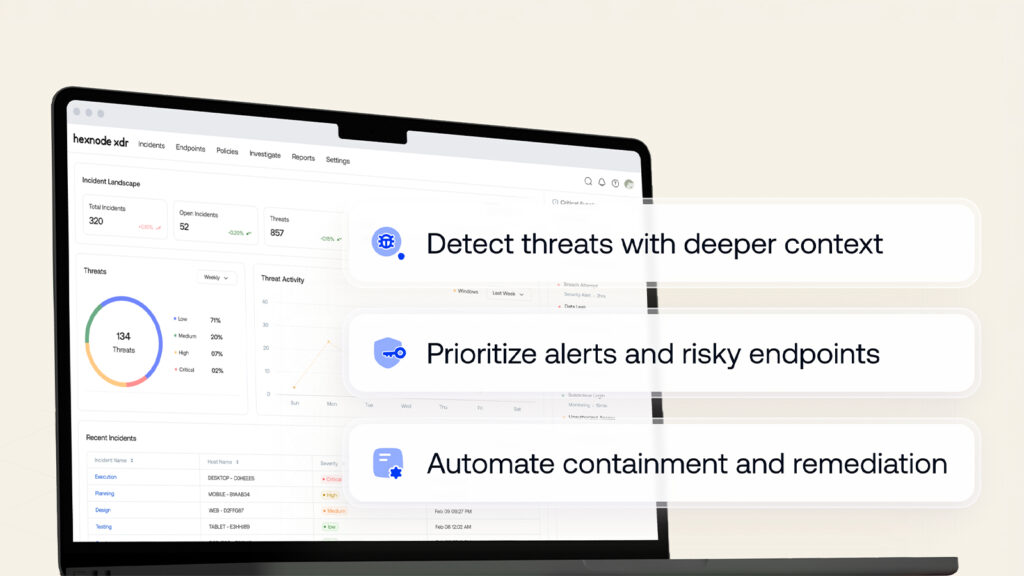
XDR alerts need endpoint context so analysts can prioritize accurately, identify evidence gaps, and set the right investigative scope without prejudging maliciousness.
Verify device identity, business criticality, health, connectivity, isolation status, telemetry freshness, policies, and prior detections before relying on alert severity.
Use context to adjust priority and guide the next investigative question while keeping asset context separate from threat evidence and verdict formation.
Hexnode XDR centralizes endpoint inventory, summaries, agent updates, policies, groups, and threat history to support faster, more consistent triage and reduce disruptive response decisions.
Why is an XDR alert incomplete without endpoint context?
An XDR alert can describe a suspicious process, file change, or network connection while leaving the analyst with basic questions: Is the endpoint correctly identified, currently reachable, adequately protected, and important to business operations? Without those answers, the detection lacks the asset context needed to judge its immediate significance.
XDR endpoint context for alert investigation connects alert telemetry to the device’s identity, current condition, system and security configuration, and operational role. This allows analysts to distinguish a high-impact exposure from an event on a lower-risk or unavailable asset before committing investigative resources.
This review is a pre-investigation triage step. It helps set priority, identify evidence gaps, and choose the appropriate investigative scope; it does not validate the threat or replace forensic investigation.
What goes wrong when analysts skip endpoint context?
Skipping endpoint context can push analysts to assign urgency from detection severity alone. This can cause incorrect prioritization, unnecessary escalation, delayed containment, or disruptive isolation and remediation actions against critical systems whose operational role was never established.
Incomplete visibility also compounds alert fatigue. Instead of assessing maliciousness and impact, analysts must reconstruct basic asset information from inventories, consoles, and stale records. Each alert then consumes more time, leaves more room for assumptions, and reduces capacity to address genuine risk.
For security leaders, this means slower response, inconsistent triage, avoidable downtime, and less confidence in exposure reporting. Without reliable device context, they cannot determine which assets remain at risk or where response resources should be concentrated.
What is endpoint context in XDR alert investigation?
Endpoint context is the device identity, health, connectivity, system, security-agent, policy, and exposure information used to interpret an XDR alert. It establishes what the affected asset is, how it is protected, whether it can communicate, and what operational impact an incident could create.
It differs from alert evidence. Context describes the asset associated with the detection, while evidence explains the suspicious process, file, behavior, or connection and supports verdict formation. Context does not prove malicious activity; it frames how analysts prioritize and validate it.
The same detection may be lower priority on an isolated test device, require telemetry validation on an offline laptop, or demand immediate attention on an active, business-critical endpoint. XDR endpoint context for alert investigation therefore aligns urgency and scope with asset risk without prejudging the evidence.
Feature Resource
Introduction to Hexnode XDR
Learn how to close the security loop by combining proactive device management with advanced threat detection and response.
What endpoint context should analysts check first?
Analysts should first review endpoint context in four areas: device identity, health and connectivity, system and protection details, and local threat exposure. Together, these checks establish which asset generated the alert, whether its data is current, what controls should apply, and whether related activity already exists. The following sequence provides a fast orientation before analysts open deeper incident or investigation views.
Confirm the endpoint’s identity and inventory record
Begin by verifying the device name, endpoint ID, serial number, model, IP address, MAC address, operating system, and OS version against the organization’s inventory record. Do not rely on the device name alone; naming conventions may be reused or inconsistently maintained.
Cross-checking stable identifiers, particularly the endpoint ID and serial number, reduces the risk of acting on a similarly named device or a record retained after reimaging or reassignment. Treat IP and MAC addresses as supporting identifiers because network interfaces and addressing can change.
Finally, compare the model and OS with ownership and business-role data. This helps identify whether the asset is a workstation, shared device, server-like endpoint, or high-impact system requiring tighter change control.
Check device health, connectivity, and isolation state
Next, interpret the endpoint’s health state alongside the alert. Secured may indicate no active known threats, while unsecured may signal an active protection concern. Unknown means the security state cannot be verified, and isolated indicates restricted network access. None of these labels independently determines whether the alert is malicious.
Connectivity provides a separate view of reachability. An online endpoint can typically provide fresher telemetry and support immediate response options. Inactive may indicate interrupted communication, while offline means the endpoint is currently unreachable, limiting data collection and response execution.
An unknown or offline state creates an evidence gap. It does not prove that the endpoint is safe or compromised.
Review system, agent, and policy context
Review the endpoint’s model, processor-core count, memory, OS version, and serial number where these details affect investigation planning. System capacity and platform version can shape evidence-collection options, compatibility expectations, and the operational risk of resource-intensive actions.
Before relying on endpoint telemetry, check the security-agent version and last-update timestamp. Review agent software-update status separately from reporting health; use recent check-ins and received security-event timestamps to assess communication and telemetry freshness. Version age alone, however, does not prove compromise.
Finally, compare associated and effective security policies with the endpoint’s group membership. This reveals which controls and exceptions should apply, whether overlapping policies alter the baseline, and whether the device’s configuration differs from comparable assets in its peer group.
Establish the endpoint’s local threat exposure
Review the endpoint’s total detected threats and recent endpoint-level security events to determine whether the current alert appears isolated or follows a pattern of repeated activity. A concentrated cluster of detections can justify faster attention, particularly when higher-severity events recur over a short period.
Compare three signals at this stage: severity, timing, and recurrence. Keep the review at the orientation level; detailed event correlation and verdict formation belong in the subsequent investigation.
Prior detections should influence investigative urgency and scope, but they do not establish causality. Multiple alerts on one endpoint may reflect separate behaviors, control failures, or unrelated root causes.
How should analysts review endpoint context before investigating an alert?
To review XDR endpoint context for alert investigation, analysts should follow a consistent sequence that establishes asset confidence, operational impact, telemetry reliability, and known exposure before assessing incident evidence.
Confirm the endpoint identifier: Cross-check the endpoint ID, serial number, and device name against inventory records.
Determine its business role: Record the owner, function, criticality, and operational dependencies.
Check health and connectivity: Note the protection state, reachability, and isolation status.
Validate telemetry freshness: Review the relevant events’ occurrence and ingestion timestamps alongside the agent’s latest check-in, and check for collection gaps around the alert.
Review OS and hardware details: Capture the version, model, and resources relevant to investigation planning.
Inspect agent and policy context: Verify the agent version, effective policy baseline, exceptions, and group membership.
Note threat history: Record recent detections, severity, and recurrence without assigning a common cause.
Use a compact worksheet to preserve findings
Identity confidence: High, medium, or low
Current reachability: Online, inactive, or offline
Isolation state: Isolated or not isolated
Last telemetry update: Date and time
Policy baseline: Expected controls and exceptions
Known exposure: Prior or recurring detections
Business criticality: High, medium, or low
Unresolved data gaps: Missing or conflicting information
When information conflicts, verify whether inventory records are stale and distinguish an offline endpoint from one deliberately isolated from the network. Compare the device with peers that share its role, OS, policy, or group. Document unresolved assumptions before moving into incident evidence so later decisions remain traceable.
XDR Monitoring Explained: How It Works and Why It Matters
Explore what XDR monitoring is, how it works, and why it has become essential for modern cybersecurity operations.
How should endpoint context change investigation priority and scope?
Endpoint context should adjust investigation priority and scope, not determine the verdict. Raise priority when credible suspicious activity affects a reachable, high-value, unsecured, or repeatedly targeted endpoint. When device information is stale or incomplete, qualify the priority with lower contextual confidence rather than automatically downgrading the alert.
Endpoint context
Priority treatment
Next investigative question
Critical endpoint with fresh telemetry
Raise priority
Should analysts preserve evidence, inspect related activity, or escalate for response?
Offline device with outdated context
Qualify priority
Is the endpoint still offline, and can its identity and telemetry state be validated?
Isolated device with recurring detections
Maintain or raise based on evidence
Did activity continue around isolation, and does evidence require preservation or further containment?
Context therefore determines the next question, not whether the activity is malicious. A critical, reachable asset supports immediate evidence collection. An offline device requires validation of stale data. An isolated endpoint may present lower propagation risk, but recurring detections can still justify broader investigation.
How Hexnode XDR surfaces endpoint inventory and summary context
In Hexnode XDR, the Endpoints subtab provides a centralized inventory for establishing which device is associated with an alert. Available fields include Name, Device Health, Status, Deployed Via, IP Address, MAC Address, Endpoint ID, OS Name, OS Version, and Serial Number. Cross-checking these values helps analysts distinguish the intended endpoint from similarly named, reimaged, or reassigned assets and identify its platform and enrollment source.
Opening a device displays the Endpoint Summary view, which brings together Device Health, Connectivity Status, Associated Policies, and Total Detected Threats. These indicators provide a quick read of protection state, reachability, policy association, and prior exposure.
Within the Endpoint Details tab, analysts can review Endpoint Summary, Agent Summary, Policy Summary, Effective Policy, and Groups information. Endpoint Summary supports identity and system verification, while Agent Summary displays the agent version and last-update timestamp for reviewing agent update status. Policy Summary, Effective Policy, and Groups show the expected controls, configuration outcome, and organizational context. Together, these views establish device identity, protection state, telemetry confidence, and policy posture before deeper investigation begins.
FAQs
What is the difference between an offline endpoint and an isolated endpoint in XDR?
An offline endpoint is unreachable, which may limit telemetry collection and response actions. An isolated endpoint has restricted network access as a containment measure, but analysts may still need to preserve evidence and investigate recurring detections.
How does stale endpoint telemetry affect XDR alert triage?
Stale telemetry reduces confidence that the endpoint’s recorded health, connectivity, and protection state reflect its current condition. Analysts should check sensor reporting health and the availability and timestamps of relevant endpoint events, document any confirmed telemetry gaps, and avoid automatically lowering the alert’s priority.
What should analysts do when endpoint identity data conflicts with inventory records?
Analysts should cross-check stable identifiers such as the endpoint ID and serial number instead of relying on the device name, IP address, or MAC address alone. They should also check for stale records, reimaging, or device reassignment and document any unresolved identity assumptions before investigating the alert.
Do repeated detections on an endpoint confirm a common root cause?
Repeated detections can justify greater urgency or a broader investigative scope, but they do not establish causality. Analysts should compare severity, timing, and recurrence before correlating events during the deeper investigation.
What endpoint information does Hexnode XDR show to help analysts judge whether an endpoint’s data is current?
In Hexnode XDR, the Endpoint Summary view shows Connectivity Status (Online, Inactive, or Offline) and Device Health. Device Health reads Unknown when the telemetry link is interrupted and the security state cannot be verified. The Endpoint Details tab’s Agent Summary shows the agent version and last-update timestamp, which indicates agent update status and not telemetry freshness. Analysts can also review the Recent Events feed on the Summary view for recent endpoint activity.
Why should analysts compare effective policies with endpoint group membership?
Comparing effective policies, associated policies, and group membership helps reveal which controls and exceptions actually apply to the endpoint. It can also show whether the device’s configuration differs from comparable assets that share its role, operating system, policy, or group.
Put endpoint context ahead of alert assumptions
SOC analysts and security leaders can evaluate Hexnode XDR’s Endpoints inventory and Endpoint Summary capabilities through a guided product demonstration. See how XDR endpoint context for alert investigation supports more informed triage decisions by bringing device identity, health, connectivity, telemetry, and policy details together.
Put endpoint context behind every triage decision
Evaluate how Hexnode XDR brings device identity, health, connectivity, agent, and policy context together before deeper investigation begins.
I’m a technical content writer at Hexnode who loves simplifying tech. I break down complex ideas, remove the fluff, and help readers clearly understand our product for what it actually is: simple, reliable, and built to solve real problems.