How Zebra technologies power work devices for specially tailored rugged applications
Hexnode manages your entire Zebra rugged ecosystem. Deploy, secure, and configure all devices from one console.

Get fresh insights, pro tips, and thought starters–only the best of posts for you.
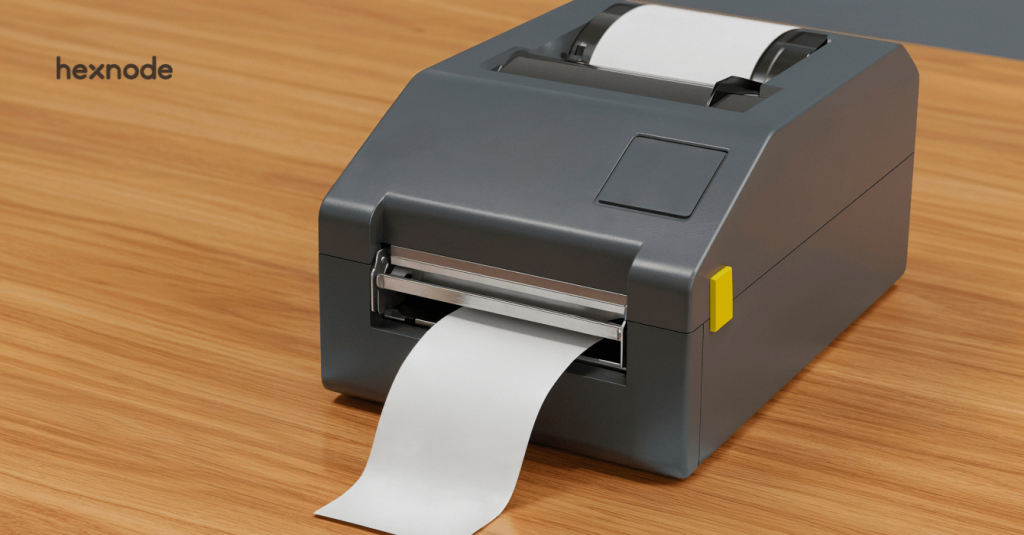
Centralized Link-OS management with Hexnode UEM removes the costly, complex, and time-wasting pitfalls of decentralized Zebra printer setup. With a unified control plane, Hexnode delivers consistent policies, secure over-the-air firmware updates, and advanced scripting, standardizing your entire Link-OS fleet from day one.
Modern deployments are typically fast and largely hands-off, with technicians provisioning Wi-Fi via Bluetooth using mobile devices, Setup Utilities, or automated onboarding workflows. Printers can quickly join the network and begin operating with minimal friction.
The real challenge begins after that first successful connection.
As fleets expand across warehouses, retail floors, healthcare facilities, and distribution centers, inconsistencies gradually emerge. Site-level configuration tweaks, uneven firmware update cycles, and localized troubleshooting habits introduce configuration drift. Over time, even well-provisioned devices begin operating slightly differently from one another.
Hexnode UEM takes Link-OS from “manageable” to “mass-manageable.” Instead of repetitive tweaks, you orchestrate behavior at the fleet level. Want to enforce a sleep timeout? The actionable step is simple—create a single Hexnode power-management policy and apply it to your printer group.
The true value of Link-OS is unlocked when its power is governed by a unified policy engine.
The result: security, standardization, and control across your entire printer ecosystem.
Zebra Link-OS is the intelligent operating system powering Zebra printers, while Print DNA is the software suite behind essential capabilities like secure connectivity, remote management, and productivity tooling. Together, they form a tightly integrated platform built for high-volume, high-reliability environments.
At the technical core of this ecosystem lies the Set-Get-Do (SGD) command language, controlling everything from print darkness to device identity.
For example:
! U1 getvar "device.name"
retrieves the printer’s current name. Managing these commands through decentralized processes often leads to subtle inconsistencies in print quality and network behavior across different sites. Link-OS delivers the levers of control; understanding SGD is what lets you use them with precision via Hexnode.
This foundational layer sets the stage for consistent, predictable printer behavior across the entire fleet.
Manual Link-OS management may work for a small fleet, but at scale it quickly becomes operationally fragile. Device-by-device setup creates inconsistencies, delays critical updates, and forces IT into reactive firefighting instead of predictable control.
Core challenges with manual management include:
As fleets grow, these gaps compound quickly, making it clear that organizations need a centralized, scalable management layer, not another round of manual fixes.
As Zebra fleets grow, so does the complexity of keeping configurations, firmware, and security posture aligned across every site. This is where a UEM becomes essential. Instead of juggling disconnected Setup Utilities, site-level scripts, and localized printer-by-printer adjustments, Hexnode provides a single centralized control plane. It unifies visibility and governance under one console while eliminating the inconsistencies that come with decentralized administration.
Here’s the set foundation for everything that follows: Hexnode as the operational hub that brings order, standardization, and predictability to modern Link-OS environments.
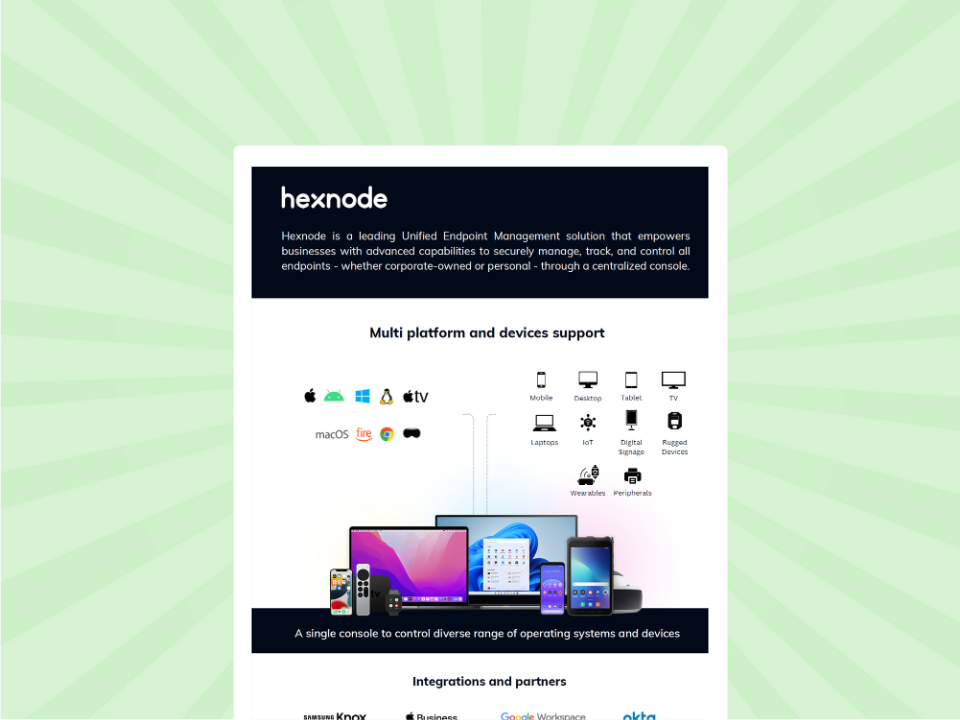
Before configuring your Zebra fleet, get a fast overview of the UEM platform. This sheet shows Hexnode's core capabilities in streamlining device control and simplifying IT workflows.
Featured Resource
Introduction to Hexnode
Before any management policy, script, or FOTA update can take effect, Link-OS printers must be enrolled quickly and securely. Hexnode streamlines this with two enrollment pathways, Open Enrollment for speed at scale, and Authenticated Enrollment for controlled, security-first deployments. Both are purpose-built for Zebra environments where onboarding delays directly impact warehouse, retail, and logistics operations.
This method is ideal when onboarding dozens or hundreds of printers in a single wave. The workflow is simple:
Android/iOS device → Zebra Printer Setup Utility App → Hexnode WebLink URL
Technicians use the Zebra Setup Utility app to point the printer toward the Hexnode WebLink, and the device is automatically enrolled into the console. This pathway supports high-volume onboarding, making it well-suited for multi-site rollouts or rapid seasonal expansions where the priority is standardizing a large fleet in a single window.
For environments prioritizing tighter access control such as healthcare, finance, or restricted manufacturing, Hexnode supports a secure enrollment model based on authentication passwords.
Administrators configure a unique enrollment password within Hexnode. Only users with this credential can onboard a Link-OS printer, ensuring that every device joining the console is traceable, authenticated, and approved.
This method prevents accidental or unauthorized enrollments and provides a verifiable chain of control from day one.
Together, these two enrollments give enterprises the flexibility to choose their onboarding strategy, speed at scale or strict authorization while maintaining consistent, predictable Link-OS management across the fleet.
Hexnode’s Policies tab is the command center for transforming complex, raw Link-OS SGD commands into easily deployable, scalable profiles, ensuring 100% configuration consistency across your fleet. By consolidating every critical setting from media properties to network governance into a single policy, Hexnode eliminates configuration drift and enforces IT standards automatically.
After enrollment, configuration standardization is paramount. Manual Link-OS configuration leaves settings like print darkness or media type vulnerable to human error. Our console brings unparalleled simplicity to this complexity.
Within the Policies tab, Hexnode provides dedicated sections to lock down fundamental operating parameters. You can enforce ideal settings for Printer Darkness, select the appropriate Print Method (e.g., direct thermal vs. thermal transfer), and dictate the Print Media Type being used.
Additional Link-OS base settings for consistency include:
Enforcing these base settings significantly reduces consumables waste, as standardized policies help optimize darkness, speed, and media alignment across the fleet.
Hexnode extends far beyond base settings, offering granular control over communications and security. Under the Network configurations, you can lock down Wi-Fi and Ethernet parameters. Crucially, the Communications Protocol section lets you centrally manage services like SNMP, LPD, TCP Socket Protocol, and HTTP, enforcing security by disabling unused ports.
Additional protocols and advanced settings include:
“A policy isn’t just a setting; it’s a permanent enforcement of a business rule.”
Hexnode also allows you to configure Mirror (FTP-based mirroring) settings – specifying the IP address, username, password, and update frequency to automate the reliable transfer of fonts, forms, ZPL templates, and graphic files to all printers. This eliminates manual transfers and ensures every device always has the latest formats.
Standardizing Link-OS printers through policies ensures a clean baseline, but maintaining that state during peak operational windows requires a centralized remediation engine. Hexnode’s Automation tab allows IT to bypass localized troubleshooting and push immediate, fleet-wide fixes.
This allows you to bypass the graphical interface and issue advanced, immediate configurations, a lifesaver during urgent device incidents or when executing batch operations.Hexnode lets you remotely push raw SGD commands, ZPL code, .nrd packages, and .txt-based configuration bundles, giving you access to the deepest layers of Link-OS control. This is ideal for one-off fixes, high-priority adjustments, or any workflow that requires going beyond GUI-based policies.
Additional advanced configurations you can push via scripts include:
Typical use cases include:
Hexnode’s Remote Actions turn previously manual, error-prone steps into predictable workflows:
If you can script it, Hexnode can push it, eliminating the physical gap between IT and the device.
This level of remote granular control is how Hexnode ensures your Link-OS investment drives maximum productivity.
Once your Link-OS fleet is enrolled, configured, and governed through policies, the final step is ensuring long-term sustainability—catching issues before they impact operations. Hexnode’s reporting engine transforms IT from reactive crisis response to proactive, data-driven maintenance by surfacing granular insights into device health, status, and uptime. By tracking metrics like Printer Uptime and Battery Level, administrators can quantify the ROI of centralized management and prevent failures well ahead of end-user disruption.
Hexnode surfaces critical telemetry through the Device Summary, offering real-time visibility into:
Paired with an Alert Policy, this data becomes an early-warning system that automatically notifies IT of conditions that require intervention.
Triggerable states include:
These real-time triggers eliminate operational blind spots and give IT a predictable, repeatable process for preventing disruptions.
The new Printers Report consolidates uptime, usage, and diagnostic data across the entire Link-OS fleet, enabling organizations to measure and continually improve their operational efficiency.
Key metrics include:
Analyzing these fields provides a clear reliability profile and highlights recurring issues before they scale. Eliminating unexpected reboots, for example, reduces system faults and sharply cuts recurring support tickets.
| Report data field | Business impact |
| Printer uptime | Quantifies efficiency; reduces unplanned downtime |
| Printer last reboot reason | Pinpoints recurring errors needing policy fixes |
| Non-compliant devices | Audits security posture and protocol adherence |
| Firmware version | Ensures standardized, secure environments |
| Total print count | Balances workload and predicts maintenance |
Hexnode UEM enforces a zero-trust security model for Link-OS devices by centrally mandating strong authentication, restricting vulnerable communication channels, and automating the entire device lifecycle. This policy-driven approach minimizes the printer fleet’s attack surface, keeps configurations consistent, and ensures sensitive print data remains protected.
This structured, policy-driven model ensures every Link-OS printer remains secure, compliant, and operationally predictable throughout its entire lifecycle.
Managing a Link-OS fleet doesn’t have to be complex. With Hexnode, organizations gain a unified control plane that centralizes enrollment, automates configuration through scalable policies, strengthens security, and delivers measurable ROI through proactive monitoring and uptime reporting. From custom scripting to FOTA patching, every operational lever is brought under one streamlined platform—eliminating drift, reducing support load, and maximizing printer reliability.
If you’re ready to standardize, secure, and scale your Zebra environment with confidence,
start a free Hexnode trial now!