Designing the Perfect Android Kiosk UI: Branding Tips and Hexnode Best Practices
Discover how to transform standard Android kiosks into branded, user-friendly interfaces using Hexnode.

Get fresh insights, pro tips, and thought starters–only the best of posts for you.
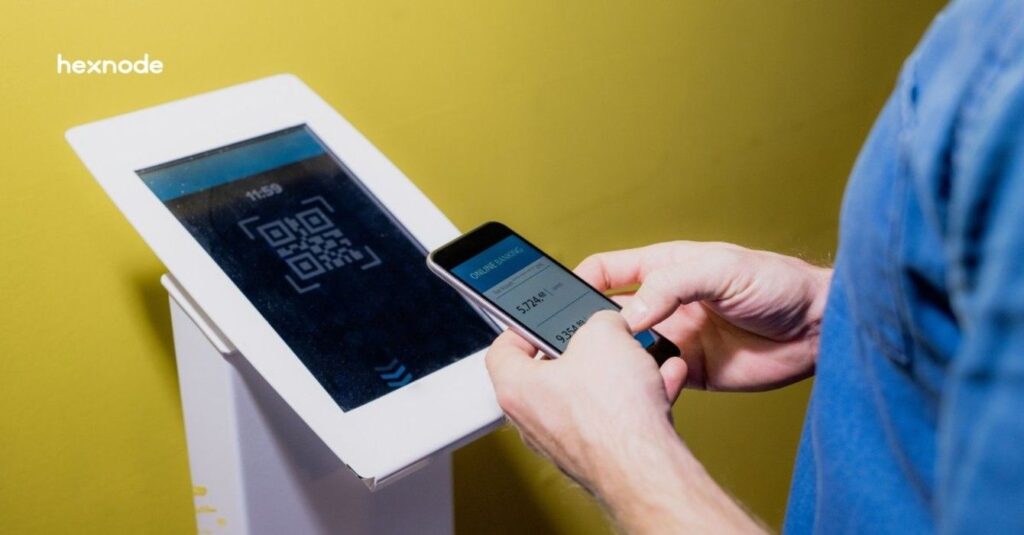
Selecting the best Android kiosk devices in 2026 requires a fundamental shift from hardware-centric procurement to a management-first strategy. In today’s enterprise landscape, a kiosk is no longer just a standalone tablet; rather, it is a mission-critical edge node that must be secured, updated, and monitored remotely.
Consequently, the hardware you choose should be compatible with a unified management platform like Hexnode, which can configure supported Android devices for dedicated kiosk use and enable centralized management.
Furthermore, successful kiosk scaling is often derailed by three critical operational hurdles. First, configuration drift occurs when local settings silently deviate from the corporate baseline. Second, unauthorized user egress allows users to bypass the locked interface to access the underlying OS. Finally, the unsustainable overhead of manual on-site patching drains IT resources.
Therefore, technical leaders solve these challenges by standardizing on Android Enterprise Recommended (AER) hardware paired with automated orchestration. As a result, this guide provides an enterprise-ready hardware shortlist and a technical blueprint for optimizing your fleet’s lifecycle with Hexnode.
In Android Enterprise deployments, kiosks are commonly configured as dedicated devices, a subset of fully managed, company-owned devices restricted to a specific purpose or set of applications. Here, success is measured by three technical pillars:
Consequently, Hexnode UEM can centrally enforce kiosk restrictions that limit users to approved applications, websites, and device settings.
Before procurement, validate that your chosen android kiosk hardware meets these enterprise gates:
A kiosk is only as secure as its enrollment framework. Device Owner management, available for fully managed devices since Android 5.0 (API level 21), provides the administrative foundation used by Android Enterprise dedicated-device deployments.
For Android Enterprise dedicated devices, Device Owner management gives the DPC broad device-level policy privileges for capabilities such as application management and kiosk restrictions; OEM-specific APIs or OEMConfig may be required for additional hardware and peripheral controls.
Manual staging is a relic. Your hardware must support:
Kiosks running 24/7 face battery swelling risks. Prioritize devices with No Battery Mode, allowing the device to run directly via a DC power source, or PoE+ (Power-over-Ethernet) for simplified cabling.
To build a resilient fleet, you must categorize your hardware based on the specific environment and user interaction model. In fact, choosing the wrong form factor for your use case is one of the leading causes of project failure.
Therefore, we have categorized the best Android kiosk devices in 2026 into three distinct enterprise tiers.
For environments where visual impact and long-term durability are the primary KPIs.
Mobile kiosks are essential for in-store logistics, line-busting, and field service environments.

Learn how to secure, manage, and scale your kiosk fleet effortlessly with our definitive guide.
Download the whitepaperOnce you have selected your hardware, you must implement a standardized rollout strategy. Indeed, even the most robust device will fail in the field without a structured management plan.
Therefore, we have developed this four-step blueprint to ensure your deployment is secure, scalable, and optimized for 2026 standards.
Configure Hexnode enrollment information in the Android Zero-Touch portal or create and assign the appropriate Hexnode MDM profile in Samsung Knox Mobile Enrollment.
After the device connects to a network, Zero-Touch provisioning can automatically install Hexnode for Work, enroll the device, and apply the assigned Hexnode policies and applications. Restrictions can also be configured to prevent users from manually removing Hexnode management.
Consequently, even if a user attempts a factory reset, the device will immediately re-enroll into the Hexnode environment.
Subsequently, after the device is enrolled, you must define the operational constraints. For instance, you must choose between a Single-App or Multi-App environment.
In fact, many modern kiosks are entirely web-based or serve a secondary purpose as digital billboards. Therefore, your deployment strategy should account for these dynamic use cases.
Lastly, the blueprint concludes with ongoing operational health. Indeed, a kiosk fleet requires continuous monitoring to prevent downtime.
In summary, the distinction between a failed kiosk deployment and a successful one lies in the synergy between hardware and the management plane. While selecting from the best Android kiosk devices in 2026, such as the rugged Samsung Galaxy Tab Active5, the versatile Elo I-Series, or high-performance handhelds like the Zebra TC56, is a critical first step, it is only half of the equation.
The true enterprise value is unlocked when these devices are anchored by Hexnode UEM. By leveraging Android Enterprise Device Owner management and Zero-Touch Enrollment, organizations can establish a centrally managed foundation for dedicated Android devices.
Furthermore, a comprehensive kiosk lockdown strategy ensures that your devices remain single-purpose tools rather than liabilities. Consequently, IT departments can reduce reliance on manual, on-site troubleshooting by using Hexnode’s remote management and kiosk-management capabilities.
As a result, your kiosks will continue to evolve into complex self-service and digital signage nodes without increasing your operational overhead. Ultimately, centralized management helps administrators maintain device configurations, kiosk restrictions, and operational consistency across the fleet.
Therefore, do not simply deploy hardware; instead, deploy a managed outcome that scales effortlessly with your business.
The best Android kiosk devices in 2026 include the Samsung Galaxy Tab Active5 for rugged environments, the Elo I-Series 5 for fixed retail points, and the SUNMI K3 for integrated self-service. For enterprise deployments, Android Enterprise Recommended (AER) status can help identify devices that meet Google-defined requirements for enterprise management, security, update support, and in the rugged category specified durability criteria.
For Android Enterprise dedicated-device deployments, devices are fully managed, giving the management component device-owner privileges needed to enforce device-wide kiosk policies. Specifically, it grants Hexnode the necessary high-level permissions to enforce silent app updates and disable hardware buttons.
Hexnode provides supported kiosk restrictions that can limit access to system UI elements, device settings, and hardware or software controls, with available capabilities varying by device, Android version, and enrollment type. For Android Enterprise deployments, Hexnode requires Device Owner enrollment to activate kiosk mode and provide the device-level management controls used by the kiosk configuration.
Yes. Hexnode allows you to transform any Android kiosk into a digital signage display. You can configure the device to loop high-definition video or image carousels during idle time or set the device as a dedicated signage terminal using Hexnode’s Digital Signage Display settings.
Single-app kiosk mode locks the device to one specific application that auto-launches and cannot be closed, ideal for dedicated terminals. Multi-app kiosk mode creates a secure, branded home screen where users can access a curated selection of approved apps while all other system features remain restricted.