AI governance for UEM defines what AI can access, recommend, and execute while keeping administrators accountable.
Unchecked AI-assisted changes can disrupt services, expose sensitive data, and complicate recovery.
Apply least privilege, risk-based approvals, script testing, staged deployments, and outcome monitoring.
Hexnode supports configurable Genie data access, technician restrictions, script review, and action reporting. Teams remain responsible for formal approvals and recovery procedures.
AI can generate endpoint recommendations and scripts faster than administrators can verify their assumptions, permissions, and intended effects. This creates a control gap: producing a plausible fix takes seconds, while confirming its safety requires knowledge of device configurations, operating systems, and deployment scope.
Consider a hypothetical troubleshooting request. An administrator asks AI to fix a failed application installation. The suggested PowerShell script assumes a different Windows version and modifies settings beyond the affected application. Without review, deploying it could introduce another problem across the targeted devices.
These checks compete with patch backlogs, repetitive troubleshooting, and limited scripting expertise. Under pressure, teams may accept generated code without understanding every command. Inconsistent review practices further increase the chance that an unsuitable recommendation reaches production.
AI governance for UEM starts with assigning decision authority. Who determines which device information AI may access, which changes it may suggest, and which actions it may execute? Those permissions need explicit owners before recommendations become operational changes.
What happens when AI-assisted endpoint changes go unchecked?
Unchecked AI-assisted changes can interrupt services, expose sensitive information, and leave administrators unable to reconstruct what happened. An incorrect script can stop a service; excessive permissions can extend its impact; incomplete records can delay investigation and recovery.
For example, a remediation script that changes network settings could disconnect employee laptops or interrupt kiosk transactions. Deploying it across a large device group multiplies the disruption. IT teams must then restore configurations while employees and frontline staff wait for access.
Data exposure creates another risk. Prompts and diagnostic logs may contain usernames, tokens, or internal infrastructure details. Sharing these without reviewing their contents and the receiving service’s data controls can expose information beyond its intended audience.
The NIST Generative AI Profile identifies data privacy, confidently inaccurate outputs, and human overreliance as relevant risks. A convincing recommendation can therefore receive less scrutiny than it warrants.
Meanwhile, missing approval and execution records make it harder to identify affected devices, assign recovery work, or demonstrate that changes followed established controls during an internal audit.
What is AI governance for UEM?
AI governance for UEM is the set of policies, responsibilities, and technical controls governing AI’s access to endpoint information and influence on management actions. It defines how endpoint teams use AI for analysis, recommendations, and execution, while retaining accountability for device changes.
The required controls depend on how much decision authority the organization delegates:
Operating mode
Decision authority
Endpoint example
Required controls
Advisory assistance
An administrator evaluates suggestions and decides what happens next.
AI explains an application installation error.
Approved data access, output verification, and no execution permissions.
Administrator-approved execution
An administrator approves a specific change before execution.
AI drafts a remediation script for a defined device group.
Script review, testing, scoped permissions, and recorded approval.
Bounded autonomous execution
A system acts within limits established by accountable owners.
An AI-enabled workflow triggers an approved recovery action when defined conditions hold.
Restricted actions and targets, monitoring, stop conditions, and recovery procedures.
Generating a script does not grant permission to execute it. Access to an execution mechanism requires separate authorization. Approval must cover the actual change and target devices, rather than simply accepting the AI’s explanation.
The voluntary NIST AI Risk Management Framework provides a reference for managing risk throughout AI use and evaluation. For endpoint teams, practical governance includes:
Accountable owners: Assign responsibility for approving use cases, reviewing exceptions, and responding to failures.
Approved data use and least privilege: Define permitted inputs and restrict access to necessary information, devices, and actions.
Risk-based approval and testing: Increase scrutiny with operational impact; validate behavior before expanding deployment.
Traceability and recovery: Record decisions, changes, and outcomes. Establish who can stop execution and restore affected services.
These responsibilities belong in existing change-management and incident-response processes, with named owners for each AI-assisted workflow.
Hexnode launches Genie: AI powered Chat Assistant and Script Generator
Hexnode Genie helps IT admins generate custom scripts and troubleshoot with AI-powered chat assistance.
How do you implement AI governance in UEM?
Implement AI governance for UEM by classifying tasks, restricting access, establishing approval rules, validating changes, and monitoring outcomes. Each stage should define an owner and enforceable limits.
Consider a failed application deployment affecting Windows and macOS devices. AI can help interpret diagnostic information and propose remediation. Administrators determine which information it receives, review the proposed changes, and control the rollout.
Step 1 — Which endpoint tasks should AI handle first?
Start with narrowly scoped diagnostics and recommendations where administrators can verify the output before any device changes occur. For the failed deployment, initially allow AI to interpret sanitized installation errors and suggest checks.
Create a use-case register documenting the task, business owner, required data, permitted actions, affected devices, and recovery options. Assign the IT director accountability and endpoint administrators responsibility for execution.
Assess each task against data sensitivity, privilege level, operational impact, deployment scale, and reversibility:
Task
Key risk considerations
Inventory summaries
Sensitive device or user information, even with read-only access
Remediation script drafts
Unsafe commands or incorrect platform assumptions
Configuration changes
Required privileges, affected devices, and service dependencies
Destructive actions
Data loss and limited recovery options
Expand access only after testing demonstrates reliable results, permissions match the task, and recovery procedures work. Require exceptional scrutiny for device wipes and changes to security controls, regardless of deployment size.
Step 2 — How do you restrict AI access to data and devices?
Apply least privilege to administrators and any execution identities connected to AI workflows. Restrict access by device group, environment, data category, and permitted action. Diagnostic access must not automatically grant authority to modify endpoints.
For the deployment investigation, provide relevant installation errors and OS details from affected devices. Exclude unrelated users, applications, and production groups.
Define approved prompt inputs and redact credentials, recovery keys, tokens, and unnecessary personal information. Before approving an AI service, establish:
Where will it process the information?
How long will it retain inputs and outputs?
Will it use submitted data for model training?
Which subprocessors can access that data?
Retrieved logs and device metadata may contain untrusted instructions, including text originating from external packages or users. Treat this material as evidence to analyze. Enforce authorization through access controls outside the model so embedded instructions cannot independently authorize commands, expand device scope, or obtain additional privileges during troubleshooting.
Step 3 — When should human approval be mandatory?
Require human approval before executing newly generated privileged scripts, changing security policies, performing disruptive service restarts, deploying broadly, or initiating destructive operations. Apply independent review wherever the organization’s change policy requires it.
For the application failure, review the proposed Windows and macOS fixes separately. The approver should inspect:
The actual command or script, including required privileges.
Target devices and the expected configuration changes.
Prerequisites, dependencies, and supporting test results.
The recovery procedure and conditions for stopping deployment.
Bind approval to the reviewed script version and target scope. Changes to either require renewed approval. A technician should not approve one script and subsequently deploy an edited version under the same authorization.
Enforce these decisions through permissions and the change workflow. A prompt asking “Do you approve?” provides no reliable boundary if execution remains unrestricted. Any autonomous execution must stay within explicitly approved actions, conditions, and device limits, with escalation when those boundaries no longer apply.
Step 4 — How do you test and deploy AI-generated changes safely?
Review and test AI-generated code before allowing it to affect production devices. Check OS compatibility, execution context, dependencies, destructive commands, and behavior when the script runs more than once. Valid syntax does not prove a safe or effective remediation.
Test Windows and macOS variants separately on representative devices. For the failed deployment, verify that the application installs, launches, and retains its required configuration. Check that the remediation leaves unrelated services and security settings intact.
Progress from a test device to a small pilot group, then expand in stages. Establish stop conditions before deployment:
Installation failures exceed the agreed threshold.
Devices lose connectivity or required services.
Configuration changes differ from the approved outcome.
Capture starting configurations and test recovery. Name the administrator authorized to halt further execution and coordinate restoration.
Disabling AI does not undo completed changes. Some actions, including data deletion, may require restoration from backups or offer no recovery path.
Step 5 — What should you audit and measure after deployment?
Maintain an evidence record linking the AI-assisted request to the approved change and verified endpoint outcome. Capture:
The sanitized request and references to relevant inputs.
Generated output and the final script version.
Reviewer, executing identity, and targeted devices.
Approval and execution timestamps, results, and exceptions.
Use change records to capture information that native platform logs omit. Restrict access to these records because troubleshooting evidence may itself contain sensitive information.
For the deployment example, confirm application installation and usability on both operating systems. A successful command status alone does not establish that the original issue is resolved.
Compare administrative effort and resolution time against the previous workflow. Track failed changes, recovery events, policy exceptions, and unauthorized attempts alongside efficiency measures.
Assign the endpoint operations owner a regular review cadence. Reassess permissions, test cases, and approval thresholds after incidents or material model and feature changes. Document who can suspend the workflow and how.
Featured Resource
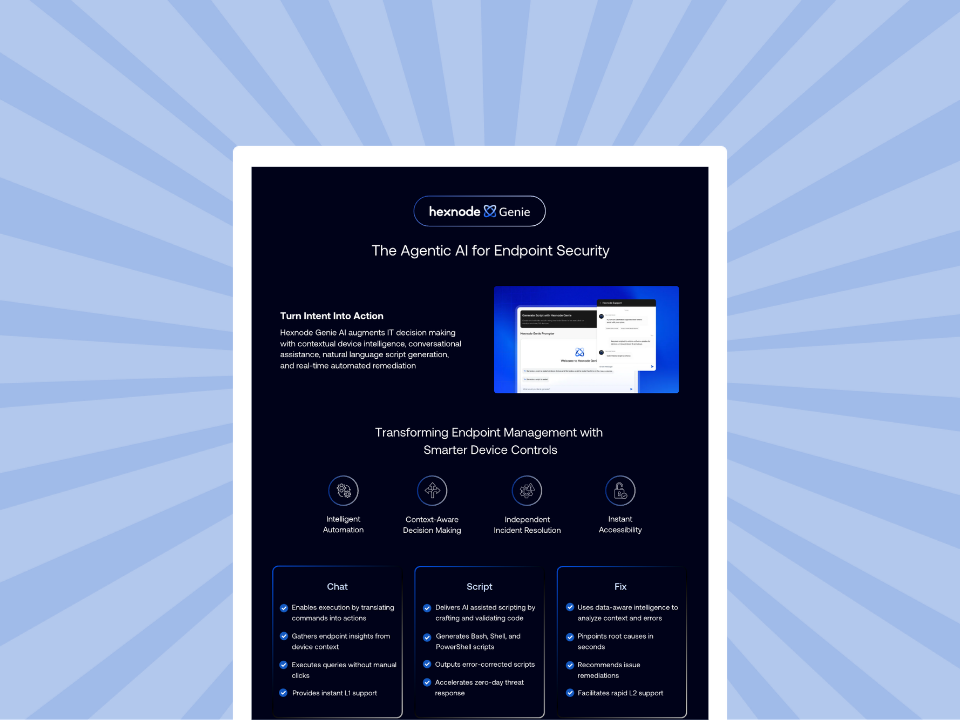
Hexnode Genie Info sheet
Turn everyday IT tasks into instant actions with Hexnode Genie.
How does Hexnode support controlled AI use in UEM?
Hexnode UEM supports controlled AI use through configurable Genie data access, technician permissions, device scopes, and script-editing and reporting workflows. These capabilities help administrators apply governance decisions within endpoint operations while retaining responsibility for approvals, testing, and recovery.
Control Genie’s information access
Under Admin > Hexnode Genie AI, administrators can configure:
Allow Genie AI access to device details
Allow Genie AI access to scripts to help in troubleshooting
A separate setting controls access to error messages for diagnostics. Enable only the information categories the approved troubleshooting task requires. For the failed application deployment, assess whether error details are sufficient before granting script access. Fix it with Genie, available beside failed actions in Action History, provides troubleshooting assistance.
Limit technician authority and deployment scope
Custom Technician Roles define permitted functions and remote actions, while technician scope limits the endpoints administrators can manage. Genie-related permissions cover support assistance, diagnostic errors, and troubleshooting scripts.
The Allow/Disallow execution on multiple devices while permitting remote actions control can restrict technicians to one device at a time. This reduces the reach of an accidental bulk action. Permission granularity depends on the subscription plan.
Review scripts and trace execution
Under Content > Scripts, select Create with Hexnode Genie to generate code. Use Copy to script editor to inspect and modify it before saving. Manually test the Windows and macOS variants before bulk deployment. Script workflow documentation
Cross-reference Action History reports for command outcomes with Audit Logs for administrator attribution. Verify the application’s actual state alongside reported execution results.
Keep formal approvals and any missing AI interaction records in the organization’s change workflow. Maintain tested recovery procedures separately: these controls should not be treated as universal rollback or a complete audit of every AI decision.
Do we need a separate AI governance policy if we already have UEM change management?
You can extend your existing change-management policy to cover AI-assisted workflows. Add requirements for approved AI services, permitted data inputs, output review, and responsibility for generated changes. Link these requirements to existing approval, testing, and incident-response procedures.
Can we use AI for endpoint troubleshooting without allowing it to make changes?
Yes, AI can analyze approved diagnostic information and suggest troubleshooting steps without receiving execution permissions. Administrators can review those suggestions and perform authorized actions separately. Read-only access still requires controls over sensitive information in logs and device records.
Does an approved AI prompt make every script it generates safe to deploy?
No, approving a prompt does not validate the code generated from it. Each new script needs review and testing against the intended devices and operating systems. Deployment approval should identify the specific script version and target scope.
Can we reuse an approved AI-generated script across Windows and macOS?
Approval for one operating system does not establish compatibility with another. Commands, dependencies, paths, and execution permissions can differ between Windows and macOS. Validate each platform-specific version and approve its intended deployment scope.
What should we do if AI recommends disabling an endpoint security control?
Treat the recommendation as a high-risk change that requires explicit justification and security review. Check whether troubleshooting can proceed without weakening protection. If an exception is necessary, document its scope, duration, approver, and restoration procedure before execution.
Should we pause an AI-assisted UEM workflow after a model update?
A model update should trigger a risk review, particularly when AI output can influence privileged or automated actions. Recheck representative tasks, permission boundaries, and approval behavior before continuing affected workflows. Pause execution if the update introduces unvalidated behavior that could affect devices.
How can you evaluate Hexnode for a controlled AI pilot?
Start with one troubleshooting workflow, a small device group, and an accountable reviewer. Define measurable success criteria, including resolution time, verified outcomes, and deployment failures.
Evaluate Genie’s data-access settings, technician permissions, script-review workflow, and action evidence against your governance checklist. Use the application deployment example to test whether administrators can review proposed fixes, limit execution, and verify results before expanding the pilot to additional devices.
Try Hexnode Free for 14 Days
Sign up for Hexnode to explore AI-assisted endpoint management with control over data access and actions.
I’m a technical content writer at Hexnode who loves simplifying tech. I break down complex ideas, remove the fluff, and help readers clearly understand our product for what it actually is: simple, reliable, and built to solve real problems.