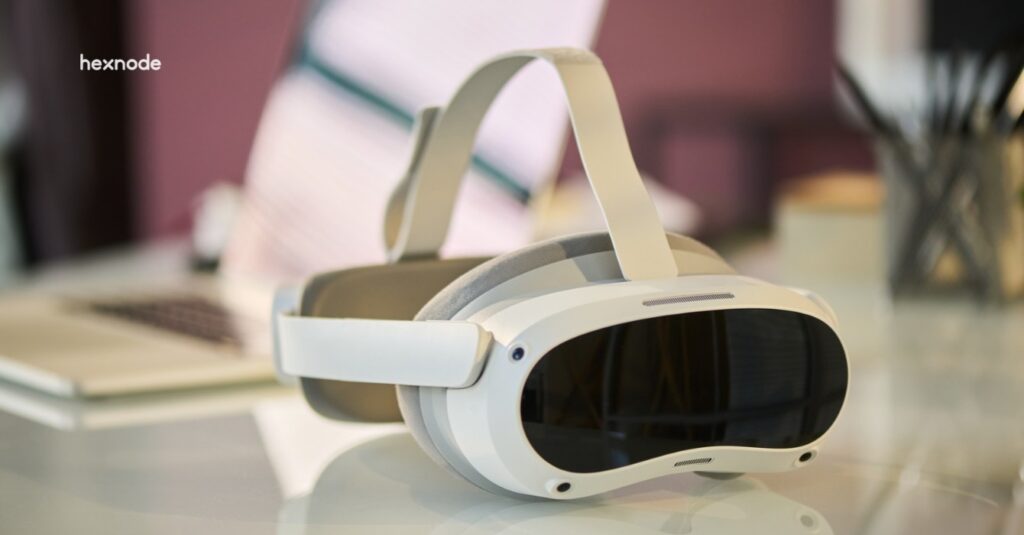
visionOS device management helps IT prepare Apple Vision Pro for consistent setup, secure use, and device reassignment.
Unplanned deployments can increase support work, interrupt workflows, and expose previous users’ information.
Pilot enrollment, applications, security controls, and handoffs. Available controls depend on OS version, enrollment method, and management-provider support.
Hexnode supports enrollment, Required Apps, restrictions, network configurations, and Return to Service on eligible devices.
Apple Vision Pro brings new questions to enterprise device management
Introducing Apple Vision Pro into the workplace adds another endpoint for IT to configure, secure, and support. visionOS device management helps teams provide access to work applications and data while maintaining consistent settings and clear device ownership.
Before deployment, administrators need to establish how devices will enroll, whether required applications support visionOS, and which security policies they can enforce. They also need a process for removing user data and preparing headsets for reassignment.
Existing Apple management experience provides a starting point, but supported controls vary by visionOS version, enrollment method, and management-service support. Familiar workflows therefore require platform-specific validation.
What happens when Vision Pro deployments lack a management plan?
Inconsistent setup and unclear management responsibilities can increase support work, delay access to business apps, and complicate device handoffs.
Repeated IT work: Manual configuration makes administrators repeat setup tasks and troubleshoot differences between headsets.
Interrupted workflows: Untested apps may lack required functionality or fail to connect to business systems.
Data exposure during handoffs: Incomplete sign-out or reset procedures can leave a previous user’s sessions or information accessible.
Buying devices before confirming application compatibility and management requirements can leave a pilot unable to demonstrate its intended business use. Teams may spend the pilot resolving setup gaps instead of evaluating how employees use the devices.
What is visionOS device management?
visionOS device management uses an MDM or UEM service to enroll Apple Vision Pro devices and administer supported settings, applications, and security controls.
Apple Vision Pro is the hardware, while visionOS is its operating system. The management service provides administrative controls. Apple introduced device management support with visionOS 1.1.
Configuration profiles contain settings and restrictions that administrators deploy to devices, such as Wi-Fi configurations.
Declarative device management lets devices independently apply and maintain configurations based on conditions IT defines.
Apple defines the controls visionOS supports. The management provider determines which of those controls administrators can configure through its service.
The Spatial Workplace: Securing Apple Vision Pro and Meta Quest in the Enterprise
Secure Apple Vision Pro and Meta Quest with unified management.
How do enterprise Apple Vision Pro devices enroll in management?
Apple Vision Pro supports Account-driven User Enrollment, Account-driven Device Enrollment, and Automated Device Enrollment (ADE). Device ownership and the management scope IT requires guide the choice.
Compare enrollment methods
Enrollment method
Intended ownership/use
Management implications
Prerequisites to verify
Account-driven User Enrollment
Personally owned devices, or BYOD
Limits management to supported work-related apps, accounts, and settings
Managed Apple Account, supported visionOS version, enrollment-service configuration
Account-driven Device Enrollment
Organization-owned devices already in use
Provides device-level management with fewer controls than ADE
Managed Apple Account, supported visionOS version, enrollment-service configuration
Automated Device Enrollment
Organization-owned devices enrolling during initial setup or after erasure
Automatically enrolls and supervises devices, enabling additional controls
visionOS 2+, device assignment through Apple Business or Apple School Manager, linked management service
Apple documents these ownership distinctions and supports automatic enrollment and supervision through its organizational deployment services.
Understand account and setup requirements
Account-driven enrollment uses a Managed Apple Account to connect the user with the organization’s management service. IT must configure enrollment discovery and authentication.
Apple introduced ADE support with visionOS 2. Enrollment automation handles management setup; users still need to fit the headset and complete any required eye-and-hand setup or import supported setup data.
What can IT teams manage on Apple Vision Pro?
IT teams can use visionOS device management to administer supported applications, network configurations, security restrictions, and software updates. For each control, verify the OS version, enrollment requirements, and management-provider support.
Business applications and network access
Employees need applications that support their tasks and connections that provide access to business resources. IT must validate both application compatibility and network access.
Application compatibility and distribution
An enterprise app plan can include:
Native visionOS apps: Applications that developers build specifically for the platform.
Compatible iPhone and iPad apps: Existing applications that support running on Apple Vision Pro.
Proprietary enterprise apps: Applications that organizations develop and distribute for internal business use.
Check each app’s availability, distribution options, licensing, and usability for the intended task.
Network access and workflow validation
Supported Wi-Fi, VPN, and certificate configurations help devices connect to corporate networks, authenticate to services, and access internal resources. VPN scope depends on enrollment; User Enrollment supports app-layer VPN configurations.
After installation, verify that users can sign in, reach required services, and complete the business workflow.
Security restrictions and spatial privacy
IT can restrict how users capture and share work information. Applications follow separate requirements when accessing cameras and other sensors.
Controls for capturing and sharing data
On supported enrollments, visionOS 2 or later provides these restrictions without requiring supervision:
Screenshots and screen recordings: Prevent users from saving screenshots or recordings of the screen.
Managed-document sharing: Prevent documents from managed apps and accounts from opening in unmanaged destinations.
Managed-app data in iCloud: Prevent managed applications from storing their data in iCloud.
Sensor access and workplace policies
Enterprise apps need Apple’s Main camera access entitlement and a valid license file to use that capability. They must also request camera-data access. MDM enrollment alone does not grant applications unrestricted sensor access.
Define where employees may use headsets, which apps may process sensitive information, and when employees may record. Review application data handling alongside device restrictions.
Software updates and evolving management capabilities
Apple expands management capabilities across visionOS releases. IT must confirm which additions its management provider implements before using them.
Controls introduced in visionOS 26 and 27
visionOS 26: Introduced software-update settings and enforcement through declarative device management.
visionOS 27: Adds declarative network configurations for VPN, DNS, and relay. It also lets management services enforce software updates on supervised devices when they receive a Return to Service erase command.
Validation before wider deployment
Confirm that your management service supports the required controls and that devices meet their prerequisites. Test business applications, authentication, and network access on a limited device group before expanding an OS rollout.
What changes when employees share or return a Vision Pro?
Shared deployments need a defined process to end access, remove the previous user’s data, and prepare the headset for its next assignment.
End the session: The employee finishes their work and signs out of business applications before returning the headset.
Reset for reuse: IT initiates the approved reset process. On visionOS 26 or later, a supported Return to Service workflow erases the device, automatically re-enrolls it in management, and applies configurations. Confirm management-service support and the required enrollment and network settings first.
Verify management readiness: IT confirms that enrollment completes and the required settings and applications are available.
Prepare the next assignment: Staff check the headset’s physical condition and charge it. The next employee adjusts the fit and completes any required interaction setup.
Featured resource
Hexnode UEM Capability Statement
Explore Hexnode’s UEM capabilities for device provisioning, monitoring, and scalable management across your enterprise infrastructure.
How should IT teams plan a managed Vision Pro pilot?
Start with a limited visionOS device management pilot and clear acceptance criteria for setup, application access, and task completion.
Step 1 – Define the task and ownership model
Identify the business application, intended users, and device ownership. Decide whether employees will share headsets or use individually assigned devices. Specify the tasks users must complete successfully.
Step 2 – Prepare and test the management baseline
Choose the enrollment method and verify identity, Apple enrollment service, Apple Push Notification service (APNs), and network prerequisites. Test app delivery, sign-in, connectivity, and the restrictions your use case requires.
Step 3 – Validate the lifecycle before expanding
Test daily work, connectivity interruptions, support procedures, updates, and reassignment. Track setup effort, task completion, support requests, and handoff readiness. Assign owners for configuration changes and employee support.
How does Hexnode support visionOS device management?
Hexnode supports visionOS device management through enrollment, app deployment, security restrictions, network configurations, and device-reset workflows that address setup, daily use, and reassignment.
Standardize onboarding: Use Account-Driven Enrollment on visionOS 1.1+ or Automated Device Enrollment (ADE) on visionOS 2.0+. Configure the required APNs certificate and enrollment prerequisites before adding devices.
Provide work applications: The Required Apps policy enforces installation of supported VPP and enterprise applications on visionOS 1.1+, helping teams provide the apps employees need.
Control data handling: Under Basic/Advanced Restrictions, disable Screen capture to restrict screenshots and screen recordings, or disable Sync managed app data with iCloud to prevent managed-app data from syncing with iCloud. Both settings support visionOS 2.0+.
Configure corporate connectivity: Deploy Wi-Fi settings and configure VPN On Demand to initiate VPN connections according to defined rules.
Prepare devices for reassignment: For ADE-enrolled devices running visionOS 26.0+, use Return to Service through Wipe Device → Re-enroll device to MDM automatically. Before initiating the wipe, enable Return to Service in the ADE enrollment profile, preconfigure the network settings the device will use after erasure, and disable Activation Lock to support automatic re-enrollment.
Why does a work app install on Vision Pro but fail to connect?
Successful installation does not confirm that authentication or access to business services works. Check the app’s sign-in requirements, network connectivity, and any required VPN or certificate configurations, then test the complete workflow.
Does MDM enrollment automatically give Vision Pro apps camera access?
No, enrolling a Vision Pro does not automatically authorize applications to access its main cameras. Enterprise apps need Apple’s Main Camera access entitlement, a valid license file, and permission to access camera data.
Does Apple Vision Pro need supervision for every security restriction?
No, supported enrollments on visionOS 2 or later allow restrictions on screen capture, managed-document sharing, and managed-app iCloud storage without supervision. Other controls have different requirements, so verify supervision and enrollment support for each setting.
Put management readiness at the center of your Vision Pro pilot
A successful Vision Pro pilot validates enrollment, business applications, security requirements, and device handoffs together. Test how these elements support the intended workflow before expanding deployment.
Test Hexnode’s documented visionOS device management capabilities using your intended headsets, applications, and enrollment method. Confirm that the supported controls meet your pilot’s operational requirements. Start your free trial.
Put visionOS device management to the test
Evaluate enrollment, app delivery, security controls, and device handoffs with Hexnode.
A storyteller for practical people. Breaks down complicated topics into steps, trade-offs, and clear next actions—without the buzzword fog. Known to replace fluff with facts, sharpen the message, and keep things readable—politely.