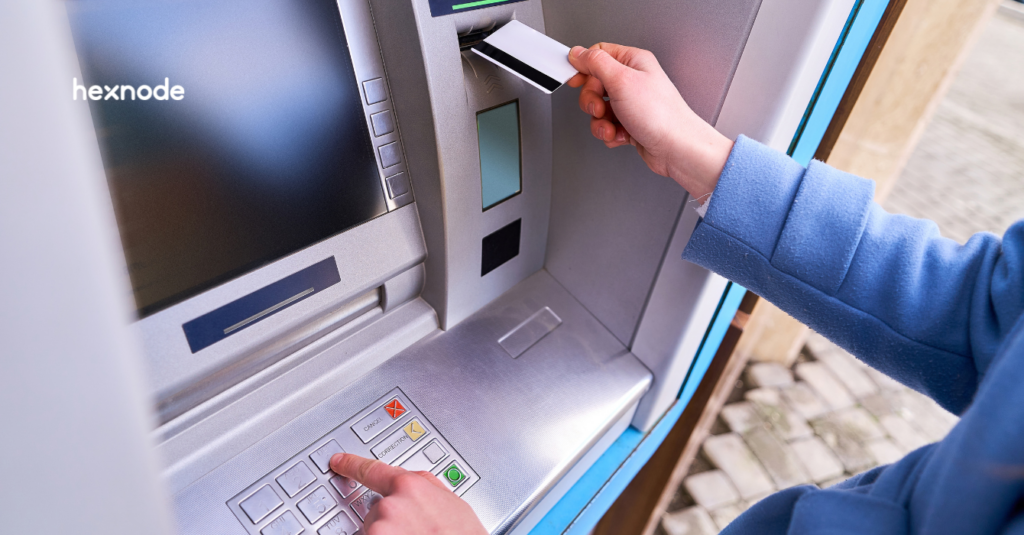
Modern banking kiosk solutions bridge the gap between digital convenience and physical presence, requiring robust UEM to mitigate expanded security risks.
Banking kiosk solutions are specialized self-service terminals that allow customers to perform complex financial transactions independently while maintaining branch-level security. By integrating these kiosks with Hexnode UEM, banks can lock down devices into a purpose-built environment, ensuring every customer interaction remains private and compliant.
We’ve moved far beyond the simple “cash in, cash out” era of ATMs; today’s banking kiosk solutions serve as interactive, full-service financial hubs capable of handling everything from instant card issuance to remote video consultations. However, this shift toward physical accessibility introduces a massive security surface area that legacy systems simply weren’t built to handle.
To attain ultimate security, banks must transition from “unmanaged” screens to hardened, intelligent endpoints. That is where Hexnode UEM comes in. Hexnode streamlines the management of banking kiosk solutions with its core remote capabilities. By enrolling supported devices and applying the appropriate kiosk policy, IT admins can configure tablets and PCs as single-purpose terminals.
Banking Made Easier with Banking Kiosk Solutions
Banking kiosks serve as cost-effective “mini-branches” that drive operational efficiency and financial inclusion through secure, 24/7 self-service.
These kioks offer a scalable way to provide routine services, including KYC updates and card issuance. They help banks serve customers without the overhead of a full branch. Hexnode helps secure and manage these terminals. Meanwhile, intuitive kiosk applications with multilingual support can improve the customer experience.
By handling passbook printing, check deposits, and loan applications, these terminals can reduce teller congestion. As a result, staff can focus on advisory services and more complex customer needs.
The goal isn’t just to replace a teller; it’s to provide an always-available, secure portal that mirrors the sophistication of a mobile app on a hardened physical frame.
Security Risks Faced by Unattended Banking Terminals
Banking kiosk solutions face serious security threats due to their public accessibility. These threats range from physical port tampering to advanced network-based attacks like island hopping. Proper device lockdown and strong security policies are essential.
To secure banking kiosk endpoints, we must address three primary attack vectors:
Physical Tampering: Exposed USB ports and other device interfaces can be abused to connect unauthorized peripherals, inject malicious payloads, or exfiltrate data. Hexnode helps reduce this risk by enforcing device restrictions through supported OS management frameworks, allowing admins to remotely block or limit capabilities such as USB connectivity, peripheral access, and other device functions, depending on platform support.
Software Escapes: If a kiosk isn’t perfectly “locked down,” clever users can use gesture shortcuts, hardware buttons, or error pop-ups to minimize the banking app and access the underlying OS. Once in the OS, they can scrape memory for PII or install keyloggers.
Network Interception: The rise of “Evil Twin” attacks where malicious actors set up rogue Wi-Fi hotspots near kiosks to intercept unencrypted data. Enforce mandatory VPNs and “Forget Unused Networks” policies to ensure the kiosk only talks to your secure servers.
How Secure is Hexnode’s Kiosk Management Solutions for Banking?
Hexnode transforms standard hardware into specialized banking terminals through granular Single-App and Multi-App kiosk modes.
Hexnode’s kiosk management helps IT admins create a secure banking environment. Administrators can lock devices to specific applications or web-based portals. With Hexnode Browser Lite, they can configure selected browser data to clear when pages reload. This includes cache, cookies, web storage, and browsing history.
What is an Android Kiosk Browser?
Learn how Android kiosk browsers lock devices to approved sites for secure, distraction-free business use.
Hexnode provides a suite of advantages designed to eliminate the risks of the “unattended” environment:
Single-App Kiosk Mode: Ensures the banking application is the only interface available to the user. Hexnode kiosk policies can configure applications to launch automatically and help maintain the intended kiosk experience. 100% uptime without manual intervention.
Multi-App Kiosk Mode: Ideal for “mini-branches” requiring multiple services like KYC portals, loan calculators, and digital signature apps. Hexnode helps create a branded, highly restricted desktop environment where only approved apps are visible, preventing users from accessing system settings.
Hexnode Secure Browser: A purpose-built browsing environment that goes far beyond standard “Incognito” modes. Hexnode allows administrators to allowlist approved websites and configure cache clearing on page reload where supported. This ensures that the next customer cannot access the previous user’s session data via the “back” button.
Peripheral & Interface Control: Protects the physical device against manual bypass attempts. On supported platforms, administrators can restrict selected hardware and software controls, such as navigation keys, hardware buttons, and text-selection gestures, to reduce kiosk escape routes.
Beyond standard lockdown, Hexnode provides a specialized Advanced Website Kiosk Settings suite, allowing banks to fine-tune the user journey within Hexnode Browser Lite. This level of granularity ensures your kiosks are not just secure, but also high-performing:
Session Privacy: Configure the kiosk to reload the page after a specified period of inactivity. Enable clearing of cache, cookies, and browsing history on reload to help protect customer privacy between sessions.
Interface Hardening: Eliminate “user escape” routes by disabling text selection, pinch-to-zoom, or the Home button within the browser. On iOS kiosks, admins can also enforce private browsing to prevent the browser from recording search history.
Session Continuity: Set a Scheduled Refresh to automatically return the kiosk to the homepage after a set period of inactivity, ensuring the next customer always starts with a fresh, secure screen.
Custom Brand Styling: Customize the browser’s toolbar theme and titles to match your bank’s corporate branding, providing a seamless transition between your physical branch and digital interface.
⚙️ Enable Clear Session for Customer Privacy
In your iOS policy, navigate to Advanced Website Kiosk Settings and enable “Clear Session” on the toolbar. This empowers security-conscious customers to manually wipe their data the moment they finish their transaction.
Achieving Compliance with Hexnode Controls
Hexnode supports your organization’s PCI DSS and GDPR compliance efforts with kiosk management features, including real-time monitoring and geofencing.
Compliance in banking is uniquely simplified by Hexnode’s dynamic policy engine, which continuously audits kiosk health against pre-defined security baselines. If a device drifts out of compliance, whether through a localized OS vulnerability or a physical breach, Hexnode triggers immediate, automated counter-measures to protect sensitive financial data.
Let us look at how Hexnode provides “compliance guarantee” for banking kiosk solutions:
Automated Regulatory Alignment
The Goal: Meeting PCI DSS requirements for protecting cardholder data.
The Hexnode Advantage: Enforce mandatory disk encryption (FileVault/BitLocker), complex passcode policies for maintenance staff, and strict app-whitelisting to ensure no unauthorized software can intercept transaction data.
Geofencing & Location-Based Security
The Risk: A kiosk is physically stolen or moved from its authorized branch location.
The Hexnode Advantage: Create a digital perimeter around your branch. When a supported device moves outside a configured geofence, Hexnode can mark it non-compliant and, through configured automation or compliance actions, apply responses such as device locking or Lost Mode.
Dynamic Remediation Engine
The Risk: A kiosk becomes “non-compliant” due to an outdated OS patch or a user attempting to root/jailbreak the device.
The Hexnode Advantage: Instead of waiting for a manual audit, after a device reports a compliance violation, Hexnode can apply configured remediation workflows and restrict selected network or application access until compliance is restored.
Remote Management & Troubleshooting of Banking Kiosks
Hexnode’s Zero-Touch deployment and Remote Support capabilities help reduce on-site IT visits and shorten troubleshooting time.
IT teams can manage supported banking kiosks from a centralized console, investigate software issues, and apply updates remotely. Available actions depend on the device platform, enrollment method, and connectivity.
Hexnode streamlines the kiosk lifecycle with these core remote capabilities:
Zero-Touch Deployment: Supported enrollment programs, such as Android Zero-touch Enrollment, can automate device enrollment and initial configuration.
Remote View and Control: On supported platforms, administrators can use Remote View or Remote Control from the Hexnode console to troubleshoot kiosk devices remotely.
Centralized Patch Management: Hexnode supports centralized OS and application patch deployment with scheduling options, including maintenance windows for supported workflows.
Device Health Monitoring: Review reported device information, including available storage and connectivity details, to investigate operational issues.
Remote management can help troubleshoot these common banking kiosk problems:
Frozen applications or unresponsive screens: Use Remote View to inspect the screen and Remote Control on supported, properly configured devices. Depending on the platform and session type, user permission or an unattended-access policy may be required. If the device still responds to management commands, a supported remote restart may restore operation.
Banking portals that fail to load: Inspect visible browser errors and review the kiosk’s assigned website restrictions. This helps identify whether the problem needs a policy correction or escalation to the network or application team.
Missing applications or failed updates: Run a device scan to retrieve the installed-application data, then review the relevant deployment or action status to identify incomplete installations. Then address the cause and redeploy the approved application or update where supported.
Low storage affecting operation: Run the Scan Device action to refresh reported storage information when downloads or installations fail. Use the results to plan approved cleanup before retrying the deployment. Use the findings to plan approved cleanup before retrying the deployment.
Kiosks that stop checking in: Review the last reported device information to help narrow down the issue. A disconnected kiosk must regain connectivity before administrators can run a live remote-support session.
Physical problems, such as paper jams, damaged card readers, or power failures, may still require on-site assistance.
Note 🗒️
Schedule supported updates and restarts during planned service windows. For 24/7 kiosks, choose low-traffic periods and review deadline settings that could override the maintenance window.
Feature Resource
Introduction to Hexnode XDR
Learn how to close the security loop by combining proactive device management with advanced threat detection and response.
As financial institutions expand their banking kiosk solutions, they must address security alongside customer convenience. Throughout this guide, we’ve seen how Hexnode UEM removes the complexity of managing unattended endpoints. Where supported by the enrollment method and platform, Hexnode can streamline deployment and extend endpoint visibility with XDR threat-detection and threat-hunting capabilities.
Ultimately, the goal is simple: to provide a seamless customer experience that never compromises on security. When your hardware is locked down and your software is intelligently managed, your kiosks become more than just machines, they become a trusted extension of your brand.
FAQs
What is the difference between single-app and multi-app kiosk mode for banking terminals?
Single-app kiosk mode limits the terminal to one banking application, while multi-app kiosk mode allows access to a controlled set of approved apps. Banks can use multi-app mode when a kiosk must support services such as KYC updates, loan calculations, and digital signatures.
How can banks prevent one kiosk user from accessing the previous customer’s session?
Banks can configure supported kiosk browsers to clear cookies, cache, web storage, and browsing history when a page reloads. Inactivity-based refreshes and the Clear Session option on supported iOS kiosks can also help return the terminal to a clean starting state.
Can Hexnode help secure a banking kiosk if it is moved or stolen?
Yes, Hexnode can use geofencing to identify when a supported kiosk leaves its configured location. Depending on the platform and configured compliance actions, administrators can mark the device non-compliant and apply measures such as device locking or Lost Mode.
Can IT teams remotely troubleshoot a banking kiosk that has gone offline?
No, live remote support requires the kiosk to regain network connectivity. Administrators can review its last reported device information to investigate the likely cause, but Remote View, Remote Control, and new management commands depend on an active connection.
Does kiosk management automatically make banking terminals PCI DSS or GDPR compliant?
No, kiosk management supports compliance efforts but does not guarantee compliance by itself. Controls such as encryption, application restrictions, passcode policies, monitoring, and remediation can help banks enforce relevant security requirements as part of a broader compliance program.
How should banks schedule kiosk updates without disrupting 24/7 services?
Banks should schedule supported updates and restarts during planned, low-traffic maintenance windows. Administrators should also review deployment deadlines because some deadline settings may override the selected maintenance window.
Simplify Banking Kiosk Management
Explore how Hexnode helps you configure, secure, and remotely manage your banking kiosks.
I’m a technical content writer at Hexnode who loves simplifying tech. I break down complex ideas, remove the fluff, and help readers clearly understand our product for what it actually is: simple, reliable, and built to solve real problems.