The Definitive Guide to Kiosk Management and Strategy (2025 Edition)
The definitive guide to mastering kiosk lockdown, featuring multi-app configurations, peripheral controls, and more.

Get fresh insights, pro tips, and thought starters–only the best of posts for you.
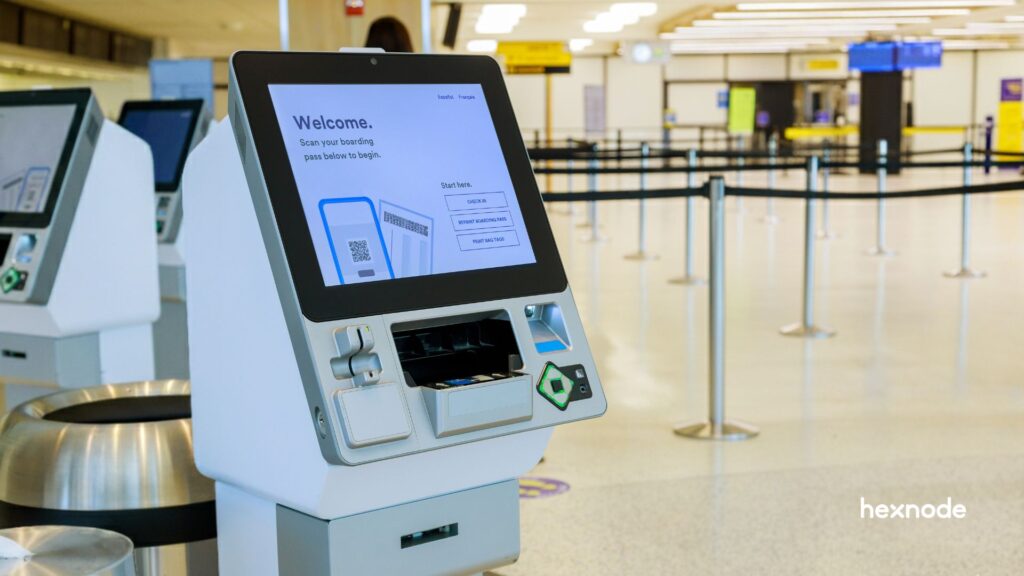
Organizations often treat kiosks as static hardware. However, kiosks behave like any other endpoint. They age, change, connect to networks, and accumulate security risk over time. Because of this, Kiosk Lifecycle Management requires continuous oversight, not a one-time setup.
Without structured Kiosk Lifecycle Management, kiosks quickly become “zombie devices.” These kiosks remain unpatched, drift out of kiosk security compliance, and expose organizations to unnecessary risk.
Moreover, unmanaged kiosks are more likely to suffer a security exploit within their first year.
Consequently, organizations that rely on fragmented tools (manual setup, ad-hoc updates, local troubleshooting) face higher downtime, data exposure, and compliance failures, especially at scale.
Kiosk Lifecycle Management replaces chaos with continuity. This guide walks you through the five critical stages involved in managing kiosk lifecycle and shows how Hexnode automates each one, reducing Total Cost of Ownership (TCO) while maintaining a continuous chain of trust.
The costliest kiosk issue is the one you didn’t know existed.
Effective Kiosk Lifecycle Management begins with intentional planning. At this stage, IT teams align hardware, operating systems, and connectivity with the real-world deployment environment. As a result, organizations reduce future maintenance costs and downtime.
However, many teams underestimate this phase. Ignoring lifecycle management creates a dangerous security vacuum: recent industry benchmarks reveal that 46% of all compromised corporate credentials originate from unmanaged devices, confirming that kiosks operating outside a centralized management framework are the primary ‘blind spot’ for modern exploits. Therefore, planning directly impacts long-term success.
Hexnode Kiosk Lockdown allows IT teams to pre-map kiosk deployment strategies based on OS, hardware models, and environment. Consequently, organizations align hardware procurement with future remote kiosk maintenance needs, reducing failure rates caused by poor planning decisions.
The physical setting dictates your hardware specifications.
For example, an iPad may work well in retail. However, it will fail quickly in dusty warehouses or outdoor kiosks.
In contrast, rugged device Android or Windows kiosks with industrial ratings survive harsh conditions. By aligning hardware with the environment early, organizations strengthen Kiosk Lifecycle Management outcomes.
Hexnode supports Android, iOS, and Windows kiosks under one policy framework. Therefore, organizations maintain consistent Kiosk Lifecycle Management standards even when hardware diversity increases across locations.
The cheapest kiosk is the one you don’t have to replace.
Android: Offers unmatched flexibility and deep OEM integration (like Samsung Knox), making it the gold standard for kiosk deployment strategies.
iOS: Provides a uniform, highly secure experience with Apple Business Manager (ABM) integration, ideal for retail and hospitality.
Windows: Still the powerhouse for legacy enterprise applications and complex multi-peripheral setups (scanners, printers, card readers)
Hexnode applies deep OS-level controls such as Android OEM restrictions, Apple supervised mode enforcement, and Windows kiosk lockdown. As a result, kiosk security compliance remains intact regardless of operating system choice.
Will your kiosk rely on Wi-Fi or Cellular?
Public-facing kiosks in retail or transportation hubs often suffer from congested Wi-Fi. In contrast, cellular connectivity provides a dedicated, stable channel that improves uptime and kiosk security compliance.
With Hexnode UEM, IT teams preconfigure Wi-Fi, VPN, and cellular policies centrally. As a result, devices connect securely the moment they power on, supporting zero-touch kiosk deployment strategies while reducing on-site troubleshooting.
Next, teams must define how content runs on the kiosk.
A native app kiosk delivers the best performance and offline reliability. However, a web-based kiosk offers faster updates and cross-platform flexibility.
Meanwhile, digital signage kiosks prioritize scheduled media playback and remote content rotation.
Hexnode simplifies this decision by supporting Single-App, Multi-App, Browser Kiosk, and Digital Signage mode from the same console. Consequently, organizations align content strategy with long-term Kiosk Lifecycle Management, while enabling seamless remote kiosk maintenance and rapid content changes without downtime.
The hardware is the body, but the OS is the nervous system; if they aren’t compatible with the environment, the kiosk is dead on arrival.
Provisioning defines how fast kiosks become secure and operational. Modern Kiosk Lifecycle Management eliminates manual staging through zero-touch automation.
More importantly, it introduces configuration errors that weaken kiosk security compliance. Therefore, organizations now adopt automated provisioning as a core kiosk deployment strategy.
The goal is to move from “unboxing” to “operational” in minutes.
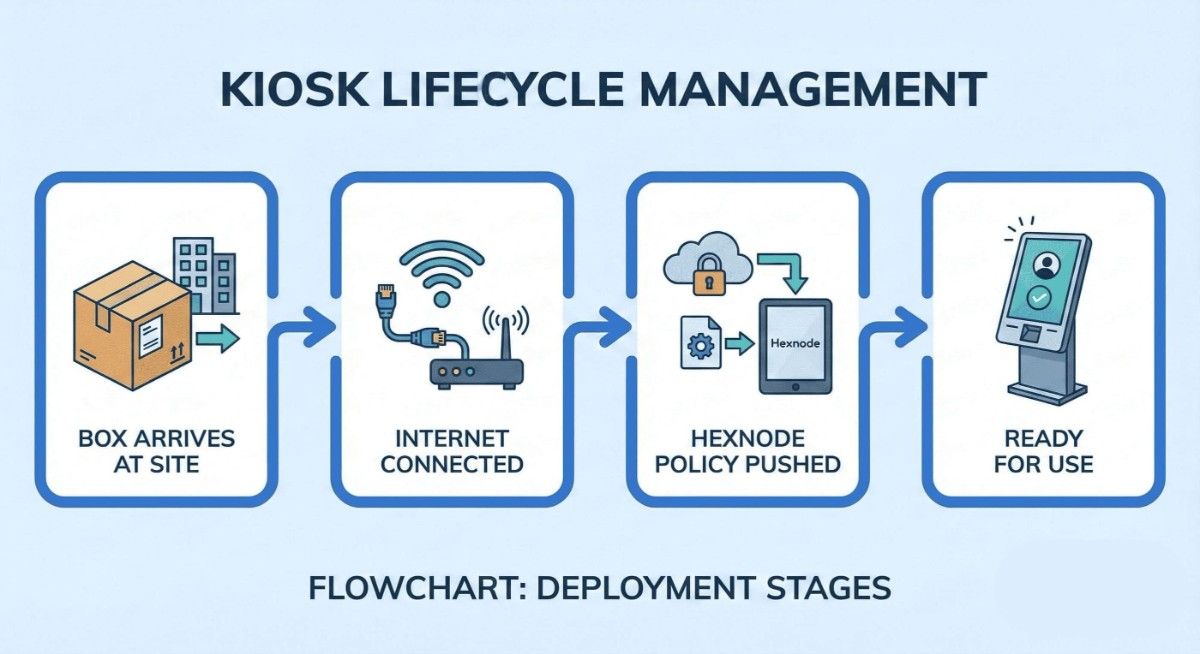
Hexnode UEM seamlessly integrates with Apple Automated Device Enrollment (ADE), Android Zero-Touch, and Windows Autopilot. This creates a seamless chain of custody where the hardware is tethered to your enterprise from the moment it leaves the factory.
With Hexnode, your IT team never has to touch the hardware.
Devices ship directly from the vendor to the end location. The second the device connects to the internet, the Hexnode management profile is pulled down, and the device is instantly “claimed” by your organization.
Once enrolled, Hexnode’s policy engine takes over.
You can instantly push a Single-App Kiosk mode for dedicated tasks, a Multi-App Kiosk for controlled utility, or a secure Kiosk Browser for web-based services.
This happens in the background, transforming a generic tablet into a dedicated business tool.
Security is about what you remove. Hexnode allows you to harden the device by disabling:
Physical Buttons: Prevent users from using the Power or Volume buttons. Prevent users from using the Power or Volume buttons.
System UI: Hide the status bar and notification tray to prevent “settings escape.”
Peripherals: Disable USB ports and Bluetooth to prevent unauthorized data exfiltration or peripheral hijacking.
The most secure kiosk is one where the user doesn’t even realize there is an underlying operating system to exploit.
Kiosk maintenance involves continuous remote monitoring and automated patching to ensure long-term operational uptime and security compliance. By leveraging real-time telemetry and remote troubleshooting tools, organizations can manage geographically dispersed fleets without the need for expensive on-site technician visits.
Once a kiosk is deployed, the real work begins.
The “long haul” is where the Total Cost of Ownership (TCO) is truly determined. Research indicates that remote troubleshooting and automated management can reduce kiosk operational costs compared to manual and on-site maintenance.
A kiosk shouldn’t just be “on”; it needs to be healthy. Hexnode provides a constant stream of telemetry, allowing you to monitor:
Security is not a one-time event.
Hexnode’s UEM agent acts as a silent sentry, constantly auditing the device’s state. If a sophisticated user manages “break out” of the kiosk interface or if a system crash exposes the home screen, Hexnode triggers an immediate alert or an automatic re-lock command to restore the secure environment.
When a user reports an issue, “truck rolls” (sending a technician) are the last resort.
Hexnode allows IT admins to initiate Remote View or Remote-Control sessions directly from the console. sessions directly from the console.
This enables you to see exactly what the user sees and fix configuration glitches in real-time, regardless of whether the device is across the street or across the globe.
Business needs change.
Whether you are updating a retail catalog or switching to a digital signage loop, Hexnode allows you to push new app versions or update target web URLs remotely.
These updates happen in the background, ensuring the customer experience is never interrupted by a “Downloading Updates” screen.
Maintaining security standards like FISMA or HIPAA requires timely OS patching.
Hexnode uniquely simplifies this by allowing you to schedule OS updates during off-hours. This “Maintenance Window” strategy ensures your kiosks are shielded against the latest vulnerabilities without sacrificing daytime availability.
Uptime is a vanity metric; secure uptime is the only metric that matters in the kiosk world.
Secure decommissioning is the final stage of the kiosk lifecycle, focused on the complete eradication of sensitive data and the reclamation of software licenses.
This process ensures that retired hardware does not become a security liability while optimizing the organization’s total asset investment.
The lifecycle doesn’t end when a device is unplugged; it ends when the data is unrecoverable.
Kiosks often handle more sensitive information than we realize, cached browser credentials, session tokens, or even customer PII from interactive forms.
If a device is simply tossed into storage or sold without a cryptographic wipe, that data remains accessible to anyone with basic recovery tools.
Within the Hexnode console, you must choose the appropriate “exit” path based on the device’s future:
One of the most overlooked benefits of a managed exit strategy is fiscal hygiene.
Once a device is successfully wiped and disenrolled, Hexnode automatically frees that management seat.
This allows your organization to scale without purchasing unnecessary new licenses, directly impacting your bottom line.
After the Hexnode console confirms a successful wipe, the physical asset should be handled by a certified e-waste partner.
We recommend attaching the “Action History” log from Hexnode to your disposal records as a “Certificate of Volatility” to prove the data was destroyed before the hardware left your premises.
A device is only truly retired when its data is as non-existent as its power supply.
Learn how to secure and dedicate your business devices using kiosk mode for single-app or multi-app lockdown.
Download the infographicHexnode UEM serves as the centralized orchestration engine that unifies the fragmented stages of kiosk management into a single, automated workflow.
By providing a “single pane of glass,” Hexnode eliminates the complexity of managing diverse hardware, ensuring consistent security and operational standards across the entire global fleet.
Fragmented management is the enemy of scale.
Without a unified platform, IT teams are forced to juggle separate tools for enrollment, patching, and remote support—a process that is not only inefficient but prone to catastrophic security gaps.
Organizations using a centralized UEM platform experience higher administrative efficiency than those relying on point solutions or manual processes.
For Managed Service Providers (MSPs) and large-scale enterprises with distinct business units, Hexnode’s multi-tenant architecture is a gamechanger.
It allows you to partition and manage the lifecycles of multiple different clients or departments from one dashboard.
You can push global security updates or custom kiosk branding to specific groups without the risk of cross-tenant data exposure.
The modern kiosk fleet is rarely homogenous.
Hexnode uniquely allows you to apply the same lifecycle rigor to a fleet of Android tablets, iOS devices, and Windows kiosks simultaneously.
Whether you are enforcing a Single-App lockdown on a Samsung tablet or pushing an OS patch to a Windows terminal, the user experience and security posture remain identical.
True UEM isn’t just about managing devices; it’s about scaling your operational confidence without scaling your headcount.
Kiosk Lifecycle Management is the critical process of maintaining a “chain of trust” from the moment a device is purchased until its final destruction.
By treating every kiosk as a dynamic, high-value asset, organizations ensure that their public-facing technology remains a bridge to customer satisfaction rather than a gateway for security breaches.
Successfully navigating the five stages of the kiosk lifecycle, planning, provisioning, deployment, maintenance, and decommissioning, requires more than just hardware; it requires a strategic engine.
Unified Endpoint Management (UEM) is that engine. It transforms a scattered collection of tablets and screens into a secure, synchronized, and highly profitable business asset.
With Hexnode UEM, the complexities of multi-OS management and remote troubleshooting vanish, replaced by a single, automated workflow that scales with your ambition.
A well-managed kiosk fleet is the silent driver of modern digital transformation; don’t let it be silenced by poor management.
The “set it and forget it” era is over. It’s time to take full control of your endpoints.
Get quality experience on deployment, remote management, and secure decommissioning for your kiosks.
Try Hexnode todayDecommissioning is critical because kiosks often store cached login credentials, personal user data, or sensitive corporate information. If a device is physically retired without a verified Remote Wipe, that data remains vulnerable to theft or accidental exposure. Statistics show that improperly retired devices are a leading cause of physical data leaks. A secure wipe ensures that the “chain of trust” is maintained until the hardware is recycled.
Yes. Through a UEM like Hexnode, you can perform a Selective Wipe to remove the old Kiosk policy and instantly push a new configuration. This allows you to turn a self-service kiosk into a back-office inventory tablet without physical access to the device. This flexibility maximizes your ROI by extending the functional utility of your hardware.
Zero-touch provisioning automates your deployment by pre-registering devices in the UEM console through programs like Apple ADE or Android Zero-Touch. Once the end-user connects the unboxed device to the internet, the hardware automatically downloads security policies and locks into Kiosk mode, eliminating the need for manual IT setup.
UEM provides real-time telemetry on hardware health. It can alert IT about degrading battery life, overheating components, or insufficient storage, allowing for proactive hardware replacement before the kiosk experiences unplanned downtime.