TL;DR:
Managing thousands of public-facing kiosks by hand is unsustainable; centralized enterprise kiosk management is what keeps a fleet secure, uniform, and compliant at scale.
- Unmanaged kiosks drift, get tampered with, and can’t be patched by hand—raising breach risk, compliance liability, and IT workload.
- The fix is unified lockdown, zero-touch provisioning, remote monitoring, and grouped bulk management across every OS.
- Hexnode delivers kiosk mode, web filtering, peripheral restrictions, and audit reporting from a centralized console, helping organizations meet their compliance and auditing requirements.
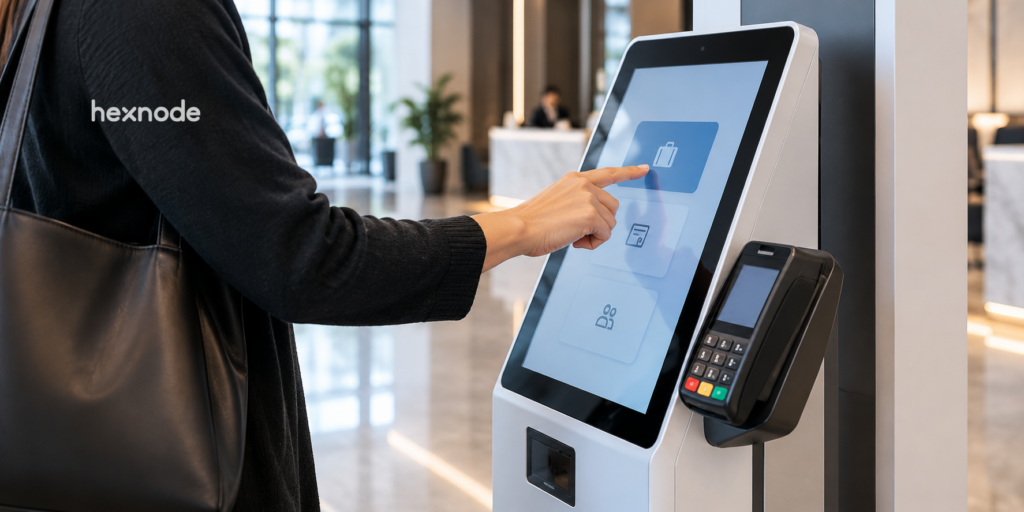
Enterprise kiosk management is the centralized deployment, lockdown, monitoring, and remediation of large fleets of purpose-locked devices—such as an enterprise self service kiosk or an enterprise kiosk check in terminal—from a single console. Large organizations use Hexnode, a Unified Endpoint Management (UEM) platform, to convert tablets, PCs, and TVs into governed single-purpose endpoints and manage thousands of them remotely across regions.
Turning one device into a kiosk is trivial. Doing it consistently across thousands of devices, multiple operating systems, and dozens of sites—without on-site technicians and without opening security gaps—is the actual engineering problem. That is what dedicated enterprise kiosk management solves.
Why Do Enterprise Kiosks Fail Without Centralized Management?
Enterprise kiosks fail without centralized management because a public-facing endpoint that anyone can touch drifts, gets tampered with, and cannot be patched by hand at scale. A kiosk deployment behaves like infrastructure, not like a set of standalone devices—and infrastructure without central control degrades.
Three failure modes dominate:
- Configuration drift. Manual setup means no two kiosks stay identical. Settings change, apps get sideloaded, and a uniform fleet fragments into hundreds of one-off builds.
- Unauthorized access and tampering. Without a lockdown layer, users exit the intended app, reach the home screen, plug in USB drives, or open system settings—turning a purpose-built terminal into an entry point.
- Unscalable updates. Patching five devices by hand is fine. Patching thousands across multiple time zones manually is not sustainable.
What Is the Business Impact of Unmanaged Kiosks?
The business impact of unmanaged kiosks is measured in breach probability, compliance liability, and wasted IT hours. These costs stay invisible until they surface as an incident, a failed audit, or an overloaded support queue.
- Security exposure. Public endpoints with open ports, unrestricted browsing, or exposed settings are an easy network pivot point. One tampered kiosk can undermine an otherwise hardened environment.
- Compliance frameworks. Such as SOC 2, HIPAA, and PCI DSS require organizations to maintain appropriate audit records, accountability, and change management processes. Maintaining traceable administrative activity helps demonstrate compliance during audits.
- Downtime and labor cost. Dispatching a technician to reboot a frozen screen is slow and expensive. Across a global fleet, that becomes a recurring drain on engineering capacity.
10 essential tips for successful kiosk management
What Does Enterprise Kiosk Management Involve?
Enterprise kiosk management combines four disciplines: lockdown, provisioning, monitoring, and remediation—unified under a single UEM platform. Lockdown restricts each device to approved apps and functions. Provisioning configures devices without physical handling. Monitoring provides health and compliance visibility. Remediation fixes issues remotely.
Enterprise environments are rarely uniform, so cross-platform coverage is non-negotiable. Hexnode enforces kiosk lockdown natively across the major ecosystems:
- iOS & iPadOS: Supervised devices run in Single App Mode, blocking users from exiting the designated app—suited to a fixed-function enterprise kiosk check in stand.
- Windows: Devices run in single- or multi-app kiosk mode, depending on whether the use case is one dedicated app or a controlled workflow set.
- Android & Fire OS: Administrators enforce Android kiosk mode to lock tablets to approved apps for high-volume mobile deployments.
- tvOS: Apple TVs are managed as secure display endpoints for large-format screens and wayfinding.
Consolidating every OS under one hardened platform is the difference between managing a fleet and merely owning one.
Top 10 kiosk management software
See how Hexnode secures and manages enterprise kiosks across platforms from one console.
How Do Large Organizations Deploy Kiosks at Scale?
Large organizations deploy kiosks at scale using zero-touch provisioning, policy-based lockdown, remote monitoring, and grouped bulk management. The workflow below runs from first boot to ongoing maintenance.
Zero-Touch Deployment Across Sites
Manual setup does not scale. Using zero-touch enrollment—Apple Business Manager, Android Zero-Touch, and Windows Autopilot—devices ship directly to the site, connect to the network, and pull their kiosk configuration automatically.
Zero-touch enrollment enables devices to be provisioned remotely, significantly reducing the need for on-site configuration and allowing organizations to deploy large fleets more efficiently.
Locking Devices to Their Purpose
Once enrolled, each device is confined to its job. An enterprise self service kiosk is locked to a single ordering or check-in app; a workflow tablet runs a curated multi-app set. Web content filtering restricts the on-device browser to approved domains, so a public terminal cannot reach arbitrary sites and become an attack surface.
Hardware and Peripheral Lockdown
Public devices invite physical tampering. Administrators disable USB ports, block system settings access, and restrict power and volume behavior.
Restricting USB ports and hardware controls helps reduce opportunities for unauthorized physical access and device tampering.
Remote Monitoring and Troubleshooting
Instead of dispatching technicians, IT teams use remote view and remote control to see the exact screen a frozen kiosk is showing, run diagnostics, restart apps, and push fixes from the dashboard. Uptime rises while travel and labor costs fall.
Managing Thousands of Devices with Grouping and Bulk Actions
Scale is handled through device grouping—organizing kiosks by region, site, department, or compliance status—and bulk policy assignment, which pushes a change to thousands of endpoints at once. Scheduling maintenance windows allows organizations to plan updates during periods of lower usage, helping minimize disruption to customer-facing terminals.
Common Deployment Patterns by Industry
- Retail: Devices locked to checkout or self-service apps ease staffing pressure and protect transaction data.
- Healthcare: An enterprise kiosk check in terminal streamlines patient admissions while web restrictions contain sensitive data.
- Hospitality: Secure guest-registration kiosks improve arrival experience without exposing backend systems.
- Logistics and manufacturing: Warehouse tablets stay locked to inventory and tracking apps, cutting floor-level data-entry errors.
The rise of the unattended retail – powered by kiosks
How Does Hexnode Solve Enterprise Kiosk Management?
Hexnode consolidates the entire deployment-to-maintenance workflow under one console, with capabilities purpose-built for locked-down fleets. Each feature below maps directly to a failure mode identified earlier.
- Hexnode supports single-app and multi-app kiosk configurations across iOS, Android, Windows, Fire OS, and tvOS. Administrators can manage these mixed-platform kiosk deployments from a centralized console.
- Administrators restrict kiosks to whitelisted domains and disable USB access, settings, and hardware buttons. These controls reduce tampering and browsing risks on public endpoints.
- Audit Reports and Action Reports record administrative activity, policy events, and supported remote actions, providing administrators with traceable records for auditing and compliance purposes.
- Hexnode integrates with supported directory services, ITSM platforms, and SIEM solutions to extend identity management, service management, and security monitoring workflows.
Enterprise Kiosk Deployment Checklist
A repeatable enterprise kiosk rollout follows a fixed sequence: enroll, lock down, secure, group, and monitor. Standardizing this sequence is what keeps a fleet uniform as it scales from dozens to thousands of devices.
Work through each stage before moving to the next:
- Enroll without touch. Register hardware through Apple Business Manager, Android Zero-Touch, or Windows Autopilot so devices self-configure on first boot. Never provision production kiosks manually—it reintroduces configuration drift.
- Define the kiosk profile first. Decide single- vs. multi-app mode per use case before deployment. An enterprise self service kiosk typically needs single-app lockdown; a workflow terminal needs a curated multi-app set.
- Restrict the browser and peripherals. Apply web content filtering to whitelist approved domains, and disable USB, system settings, and hardware buttons on every public-facing device.
- Group before you scale. Organize devices by region, site, or compliance status up front, so bulk policy assignment targets the right cohorts instead of the entire fleet.
- Configure and review the available audit and reporting capabilities before production deployment to monitor administrative activity throughout the device lifecycle.
- Schedule operating system updates and patch deployments during planned maintenance periods where supported to minimize disruption to customer-facing kiosks.
- Validate Remote View and Remote Control on supported devices before production deployment to ensure the required remote management capabilities are available for your environment.
Running a small pilot against this checklist before a global rollout surfaces policy conflicts early, when they affect ten devices rather than ten thousand.
Frequently Asked Questions
What is the difference between kiosk mode and full device management?
Kiosk mode locks a device to a single app or a limited set of apps for a specific public-facing purpose, while full device management controls the entire device configuration, security posture, and lifecycle. Kiosk mode is a subset of capabilities typically delivered through a broader Unified Endpoint Management platform. Enterprises use full management to enforce the underlying policies that make a kiosk lockdown reliable at scale.
How long does it take to deploy enterprise kiosks across multiple locations?
Deployment time depends primarily on whether zero-touch enrollment is used rather than the number of sites. With Apple Business Manager, Android Zero-Touch, or Windows Autopilot, devices self-configure on first boot, so a small team can provision hundreds of terminals in parallel without traveling to each location. Manual provisioning becomes increasingly time-consuming and resource-intensive as device fleets grow.
Can enterprise kiosks work offline or with intermittent connectivity?
Yes, kiosks continue running their locked-down app and enforced policies locally even without a constant network connection. Management actions such as remote troubleshooting, policy updates, and log syncing require connectivity and resume once the device reconnects. For sites with unreliable networks, teams should schedule updates and audits around known connectivity windows.
Who is responsible for maintaining enterprise kiosk security over time?
The IT or endpoint administration team owns ongoing kiosk security, including patching, policy updates, audit-log review, and compliance monitoring. A centralized UEM console enables administrators to apply policies and perform supported actions across multiple managed devices from a single management interface. Clear ownership of maintenance windows and access controls prevents the configuration drift that undermines unmanaged fleets.
What compliance frameworks apply to public-facing kiosk deployments?
Frameworks such as SOC 2, HIPAA, and PCI DSS commonly apply, depending on the data the kiosk handles and the industry. Healthcare check-in terminals fall under HIPAA, while retail payment kiosks are governed by PCI DSS. Maintaining audit logs from the beginning of a deployment is a security best practice because it provides historical records that support compliance monitoring and investigations.
Does managing kiosks require a separate tool from managing employee devices?
No, a Unified Endpoint Management platform manages both kiosks and standard employee devices from the same console. IT teams apply stricter lockdown policies to kiosks and assign productivity and access policies to employee devices based on user needs. Consolidating both under one platform reduces tooling overhead and gives IT a single source of truth for the entire endpoint estate.
Bring Your Kiosk Fleet Under One Console
If your kiosk fleet is outgrowing your ability to control it, centralized enterprise kiosk management closes the gap. Hexnode lets you deploy, lock down, monitor, and audit every enterprise self service kiosk and check-in terminal from a single dashboard, across every OS, at any scale. Start your 14-day free trial or book a demo to see it applied to your environment.
Manage Enterprise Kiosks at Scale with Hexnode
Deploy, secure and manage enterprise kiosks across multiple operating systems from one centralized console.
Sign Up Now