Apple Configurator handles hands-on Apple device preparation, while Hexnode UEM extends management beyond setup with centralized enrollment, policy, application, and remote device-management workflows.
Use Apple Configurator when technicians have physical access and need repeatable local preparation, Blueprints, or supported recovery operations.
Use Hexnode UEM for recurring management, or combine both when Configurator-assisted preparation must lead into centralized management.
Hexnode supports ongoing policy targeting, Required Apps, and Lost Mode workflows after supported Apple devices enroll.
Why does Apple device management become harder after setup?
Preparing devices addresses initial configuration, but IT must maintain apps, settings, and management access throughout their use. The Apple Configurator vs Hexnode decision therefore extends beyond getting devices ready for employees.
Consider an administrator preparing office iPads while supporting colleagues across other locations. Local access makes initial handling straightforward. After distribution, changing configurations or troubleshooting application issues can require additional coordination. Without ongoing management visibility, IT may struggle to confirm whether devices still meet operational requirements.
The decision depends on four practical questions:
Physical access: Can technicians reach devices when changes become necessary?
Procurement source: Where did the organization purchase its devices?
Deployment frequency: Does IT prepare occasional batches or onboard devices regularly?
Ongoing management: Which applications, settings, and support tasks must administrators maintain after employees receive their devices?
What happens when deployment methods no longer match operational needs?
Repeated manual intervention delays onboarding, increases support work, and makes consistent configurations harder to maintain. Each change can generate another support ticket or require employees to return devices for attention.
Devices without ongoing management complicate application maintenance and lost-device response. Administrators may struggle to verify app readiness or act remotely when equipment goes missing. Configurator preparation does not inherently make devices insecure; the operational gap appears when subsequent management arrangements cannot meet business requirements.
Assess the workload across each deployment cycle:
Technician time: How much handling does each device require?
Shipping: Must remote employees return equipment?
Employee downtime: How long do users wait for usable devices?
Configuration rework: How often must IT revisit settings after deployment or resolve inconsistent configurations?
Apple Configurator vs Hexnode: What is the difference?
Apple Configurator supports device preparation and enrollment workflows, while Hexnode UEM provides ongoing management after enrollment. Organizations can use them together, with Configurator preparing devices and Hexnode maintaining their configurations after distribution.
The practical distinction lies in how each tool supports the device lifecycle:
Comparison
Apple Configurator
Hexnode UEM
Primary purpose
Prepare devices, apply configurations, and support enrollment
Manage enrolled devices through policies and applications
Physical access during preparation
Mac preparation workflows require connected devices
ADE supports remote onboarding for eligible, assigned devices
Repeatable configuration
Blueprints combine profiles, apps, and preparation actions
Dynamic Device Groups target associated policies using device criteria
Enrollment
Prepares devices for MDM or adds supported devices to organizational inventory
Supports Automated Device Enrollment and Apple Configurator Enrollment
Management after deployment
Performs supported preparation and device operations on locally connected devices.
Required Apps supports ongoing application installation and maintenance
These capabilities allow preparation and ongoing management to form a connected workflow.
Configurator is an application; Apple’s organizational device-assignment service links inventory to a management service. ADE then handles enrollment during device activation.
Configurator for Mac supports connected-device preparation through profiles and Blueprints. Configurator for iPhone serves a different workflow: adding supported iPhone, iPad, and Mac devices to Apple Business or Apple School Manager so administrators can assign them to a device management service. Neither workflow makes inventory assignment alone equivalent to completed Hexnode enrollment.
When is Apple Configurator the right choice?
Use Apple Configurator when technicians need hands-on device preparation, repeatable local configuration, or supported recovery operations. It fits tasks where IT can physically access equipment and complete the required work before returning devices to users.
Blueprints let administrators combine configuration profiles, applications, and preparation actions into a reusable template. Applying a Blueprint to selected devices repeats those actions, helping technicians prepare batches consistently without recreating each configuration manually.
For example, an administrator can prepare a locally accessible batch of office iPads with the required profiles and apps. A technician can also use Configurator to restore a device during troubleshooting, accounting for the operation’s effect on existing data.
These tasks may require only local preparation. If employees later need application changes, policy adjustments, or remote assistance, IT must evaluate those ongoing requirements separately when choosing how to manage the deployed fleet.
What is Apple Configurator – Why businesses should opt for MDM instead of Apple Configurator?
Learn how Apple Configurator works and why businesses choose MDM for scalable device management.
When should you use Hexnode UEM or combine both tools?
Choose Hexnode UEM for recurring management needs. Combine it with Configurator when devices need physical preparation or manual addition to Apple’s organizational inventory before centralized management.
Automated Device Enrollment connects eligible, assigned devices to Hexnode during activation. After administrators configure the integration and enrollment profile, users connect devices to a network and complete the applicable setup prompts. This route does not require Configurator for every deployment.
Apple Configurator Enrollment offers a tethered iOS/iPadOS route: technicians connect devices to a Mac, prepare them with Hexnode enrollment details, and complete enrollment. The preparation workflow includes a device wipe and supervision.
Apply that distinction to three scenarios:
Locally prepared devices: Use Configurator for preparation, adding Hexnode enrollment when ongoing management is necessary.
Devices shipped directly to employees: Use ADE with Hexnode when devices meet eligibility and assignment requirements.
Existing eligible devices outside Apple Business or Apple School Manager: Use the applicable Apple Configurator workflow to add the device, assign it to Hexnode, and proceed through Automated Device Enrollment.
How do you choose the right approach for your Apple fleet?
Choose based on preparation needs, ongoing management requirements, device locations, and administrative effort. Evaluate what technicians must accomplish before distribution and what they must maintain afterward.
Use the following criteria to select Apple Configurator, Hexnode UEM, or a combined approach. Start with operational requirements, map them to deployment scenarios, compare the effort involved, and validate your preferred workflow with representative devices before expanding it across the rest of your fleet.
Do you need initial preparation or ongoing management?
Use Configurator for repeatable local preparation; evaluate Hexnode UEM when administrators must maintain applications and policies after devices leave their desks. Document these requirements separately so that successful setup does not obscure ongoing responsibilities.
Initial preparation can include configuring network settings through profiles, adding applications, and preparing devices for enrollment. Apple Configurator’s Blueprints combine profiles, apps, and preparation actions that technicians can apply to connected devices. This approach supports repeatable work when equipment remains physically accessible.
Ongoing management includes changing policy assignments and maintaining required applications. Hexnode UEM’s Dynamic Device Groups update membership according to configured criteria, such as platform or OS version, and support associated policy targeting. Required Apps supports application maintenance; the documented iOS workflow checks for available app updates during subsequent device scans.
Fleet size alone cannot settle this decision. A small group of remote employees may require frequent changes without technician access. A larger batch of locally available iPads may need predictable preparation before each assignment. Record how often configurations change, who performs the work, and whether devices must return to IT.
Which approach fits your deployment scenario?
Match the approach to device eligibility, physical access, and management requirements after deployment. Use the following scenarios to identify the appropriate starting point.
Deployment scenario
Recommended approach
Reason
Locally accessible devices requiring a defined preparation task
Apple Configurator
Technicians can apply Blueprints and complete preparation before distribution.
Eligible devices shipped to remote employees
Hexnode UEM through Automated Device Enrollment
Assigned devices can enroll during activation without local Configurator preparation.
Existing eligible devices requiring manual addition to Apple Business or Apple School Manager
Apple Configurator followed by ADE into Hexnode
Manual addition enables assignment to Hexnode before automated enrollment and ongoing management.
These routes address different starting conditions, so confirm device eligibility and assignment before scheduling deployment.
Apple Configurator Enrollment directly into Hexnode uses a Mac to prepare connected iOS and iPadOS devices with Hexnode enrollment details, wiping and supervising the devices as part of the enrollment process. Configurator-assisted inventory addition instead places supported devices into Apple’s organizational inventory before assignment and ADE enrollment.
Select the route that matches your hardware, ownership, and prerequisites. Confirm whether devices need a reset, how they will obtain network access, and who will complete setup before distributing them to employees.
What costs and operational constraints should you compare?
Compare total operating effort across the device lifecycle, including technician handling, shipping, downtime, repeated configuration work, and UEM subscriptions. Software expenditure alone does not capture the cost of maintaining a usable fleet.
Build your comparison around actual work:
Technician handling: Record preparation time and subsequent interventions per device.
Shipping: Identify tasks that require employees to return equipment.
Downtime: Measure how long employees wait for setup or reconfiguration.
Recurring administration: Include application changes, onboarding, and device reassignment.
Subscriptions: Match the required capabilities to the applicable UEM plan.
Frequent onboarding and dispersed employees can increase coordination work. Reassignment may introduce another preparation cycle, while changing application requirements can generate additional support requests.
Check technical constraints alongside costs: physical access, backups, reset requirements, network connectivity, and supervision. For devices manually added to Apple Business or Apple School Manager using Apple Configurator, account for the 30-day provisional release period. Apple starts this period after successful assignment and enrollment; users can release devices from organizational management during that window.
What should you validate before committing?
Run a proof of concept using representative devices and locations. Validate enrollment, application readiness, and a configuration change after deployment under conditions that reflect everyday operations.
Test Hexnode UEM’s Dynamic Device Groups against your targeting requirements. Confirm that qualifying devices join the intended group and receive its associated policy. For Required Apps, verify application delivery and the documented update behavior, allowing for device scans and connectivity.
Where recovery matters, test Enable Lost Mode and Disable Lost Mode on a supervised, connected test iPhone or iPad. Confirm the recovery message and restoration of access.
Set acceptance criteria before testing:
Technician time: Record hands-on effort for each route.
Application delivery: Verify required apps become usable.
Configuration success: Check that intended settings reach devices.
Support interventions: Count additional administrator or employee actions.
Use these findings to assign Configurator a defined preparation role and determine which recurring tasks Hexnode should handle, including any exceptions that still require local access.
Featured Resource
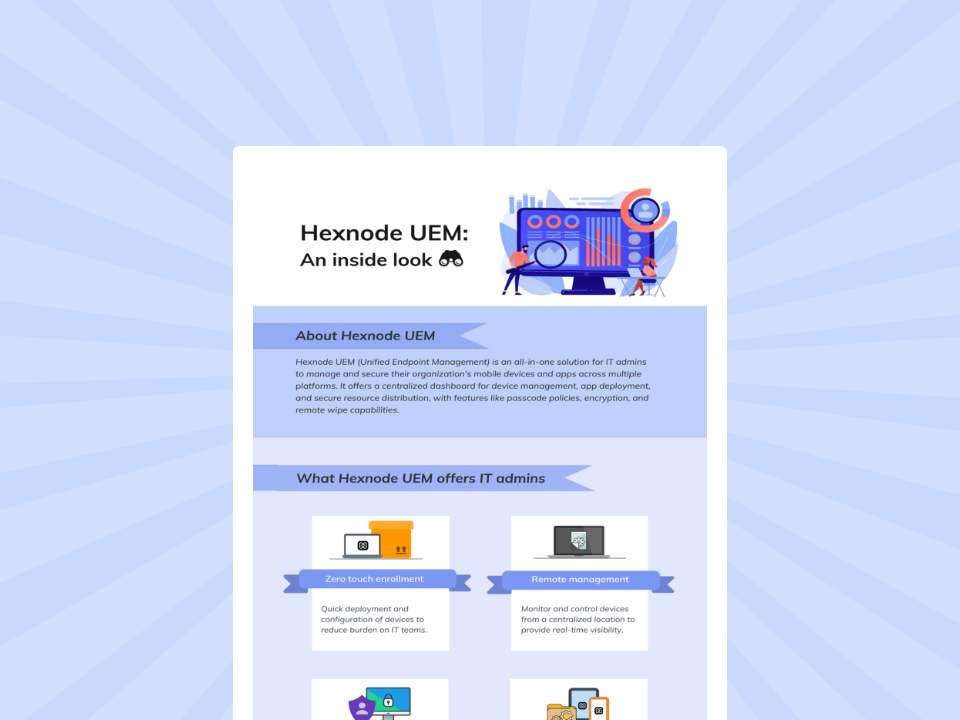
Hexnode UEM: An inside look
Explore Hexnode’s key capabilities for simplifying endpoint management, security, and enterprise device administration.
How does Hexnode UEM support Apple devices after Configurator setup?
Hexnode UEM connects enrollment to ongoing policy and application management, allowing administrators to maintain devices after distribution. After enrollment, Hexnode also provides remote actions for managed iOS devices such as device lock, wipe, passcode clearing, application installation and removal, and, on supported supervised devices, remote OS updates. Apple Configurator Enrollment addresses hands-on iPhone and iPad preparation through a tethered Mac workflow. Automated Device Enrollment addresses activation-based onboarding for eligible devices assigned to Hexnode through Apple’s organizational service. Devices manually added through Configurator can subsequently follow the ADE route.
After enrollment, Dynamic Device Groups organize devices using criteria such as platform, model, or OS version. Hexnode reevaluates membership during synchronization, allowing associated policies to target devices that meet the configured conditions. Administrators can maintain these rules instead of repeatedly assigning individual devices as their attributes change.
Required Apps helps maintain designated applications on managed devices. On supported supervised iOS and iPadOS devices, Hexnode can remotely initiate operating-system updates with options to download the update or download and install it. For iOS apps deployed through app groups assigned to a Required Apps policy, Hexnode checks for available App Store updates during device scans and initiates installation. Updates therefore depend on availability and subsequent scans, rather than appearing immediately after release. Together, policy targeting and application maintenance reduce the need to recall distributed devices for routine changes. Hexnode can also remotely lock or wipe managed iOS devices and clear their passcodes, reducing the number of post-deployment situations that require a device to be returned to IT for direct handling.
For a missing supervised iPhone or iPad, administrators can use Enable Lost Mode to lock the device and display recovery information, including a message and contact number. The device must already have Hexnode enrollment, supervision, and active internet connectivity to receive the command. Administrators use Disable Lost Mode to restore access after recovery. These requirements apply specifically to this iPhone and iPad workflow, not every Apple platform.
FAQs
What is the main difference between Apple Configurator and Hexnode UEM?
Apple Configurator primarily supports hands-on device preparation and enrollment workflows, while Hexnode UEM provides ongoing management after enrollment. Organizations can also combine them by using Configurator for initial preparation and Hexnode for subsequent policy and application management.
Do you need Apple Configurator to enroll every Apple device into Hexnode UEM?
No. Eligible devices assigned through Apple’s organizational service can use Automated Device Enrollment to enroll with Hexnode during activation without Configurator preparation for every deployment. Configurator remains useful when devices require local preparation or manual addition to organizational inventory.
When should IT use Apple Configurator instead of a UEM solution?
Apple Configurator is useful when technicians have physical access and need repeatable local preparation, configuration or supported recovery operations. Blueprints can combine profiles, applications and preparation actions so technicians can apply the same setup to multiple connected devices.
Ready to validate your Apple deployment workflow?
Run a representative pilot covering enrollment, application readiness, policy delivery, and a recovery action. Include the device types and locations your team actually supports, then measure technician effort and support interventions.
Retain Apple Configurator where local preparation serves a clear purpose. Evaluate Hexnode UEM against the recurring management tasks that follow distribution. Use the pilot results to confirm your enrollment route, identify exceptions, and define responsibilities before expanding deployment across your fleet.
Simplify Apple Device Management
Choose the right Apple deployment approach and scale device management confidently with Hexnode UEM.
Content writer at Hexnode. Fueled by good coffee and the occasional cat cuddle, I enjoy crafting content that informs, connects, and resonates. Nothing excites me more than knowing my words have been read, appreciated, and maybe even bookmarked.