10 essential tips for successful kiosk management
Master kiosk management with 10 essential tips on security, lockdown, and remote maintenance.

Get fresh insights, pro tips, and thought starters–only the best of posts for you.

A retail kiosk is a self-service station that automates ordering, checkout, and information look-up. These devices improve the customer experience and store efficiency. Modern stores rely on retail kiosks to blend digital speed with physical shopping, which reduces wait times and staffing costs.
Retail is no longer just shelves and registers; it is a tech-driven ecosystem. At the center of this change is the kiosk for retail. These are not just tablets; they are purpose-built devices that help customers and staff. By offering self-service, kiosks turn waiting in line into instant service.
Economic factors drive this change. Labor costs are rising, and customers demand speed. Retail kiosks fill this gap perfectly.
A kiosk for retail combines three core elements:
To keep the device secure and focused on its task, IT teams manage it using a Unified Endpoint Management (UEM) solution.
The Definitive Guide to Kiosk Management and Strategy (2025 Edition)
Self-service technology is essential for modern stores. When customers can order or check stock without waiting for staff, the whole store runs better.
A smart kiosk for retail strategy lets your staff focus on complex service or sales instead of routine tasks. This improves profit margins. Retail kiosks bridge the physical and digital worlds, giving customers tools while optimizing your workforce.
The term “retail kiosk” covers a broad range of hardware applications, from self-checkout stations to interactive digital signage. Each type solves a unique business problem within the store environment. When selecting a kiosk for retail, consider these primary categories:
Unified Endpoint Management (UEM) secures retail kiosks, prevents unauthorized access, and ensures uptime. Without UEM, any kiosk for retail is vulnerable to hacking, theft, and downtime.
A retail kiosk is a public computer. This makes it a target for tampering and misuse. A UEM solution like Hexnode is non-negotiable. It turns a standard tablet into a secure, hardened kiosk for retail.
Learn more about unified endpoint management and its features.
UEM enforces the principle of least privilege on the device, ensuring it can only perform its intended business function.
A complete UEM must manage the heterogeneity of retail hardware, which often involves a mix of operating systems:
Establishing a kiosk for retail with Hexnode involves four primary steps: device enrollment, enabling Kiosk Lockdown, configuring peripherals, and real-time remote monitoring, ensuring a secure, dedicated-purpose customer interface. Our proven process minimizes setup time and maximizes device security from day one.
Deploying a single kiosk is easy; deploying hundreds of retail kiosks across state lines is challenging. Hexnode simplifies the latter by automating the most time-consuming steps.
The process begins with enrollment. For large-scale deployments, we bypass manual setup using zero-touch methods:
A kiosk for retail needs to take payments. Hexnode allows you to connect barcode scanners and printers while keeping the rest of the device locked down.
Downtime on a retail kiosk directly impacts revenue and customer satisfaction. Our experience focuses on proactive monitoring and rapid remote remediation.
Hexnode stands out as the leading retail kiosk UEM due to its granular security policies, cross-platform support, and specialized features like the Secure Browser. Competitors often lack the depth of customization and robust remote troubleshooting tools that Hexnode provides for large-scale, distributed deployments.
While many UEM tools can perform a basic “kiosk lockdown,” Hexnode is designed to address the unique complexities of modern retail operations.
We fill critical content gaps left by competitors by focusing on features that boost ROI and security beyond simple lockdown:
People ask questions about retail kiosks which typically revolve around security, cost-effectiveness, and the complexity of large-scale deployment, all of which are directly addressed by an UEM solution like Hexnode.
Answer: Costs vary from $500 for a tablet setup to $10,000+ for a large unit. This includes hardware, a low-cost UEM license, and setup fees.
Answer: The main risk is “jailbreaking”—when a user exits the business app to access the OS. Kiosk Lockdown is the best defense against this.
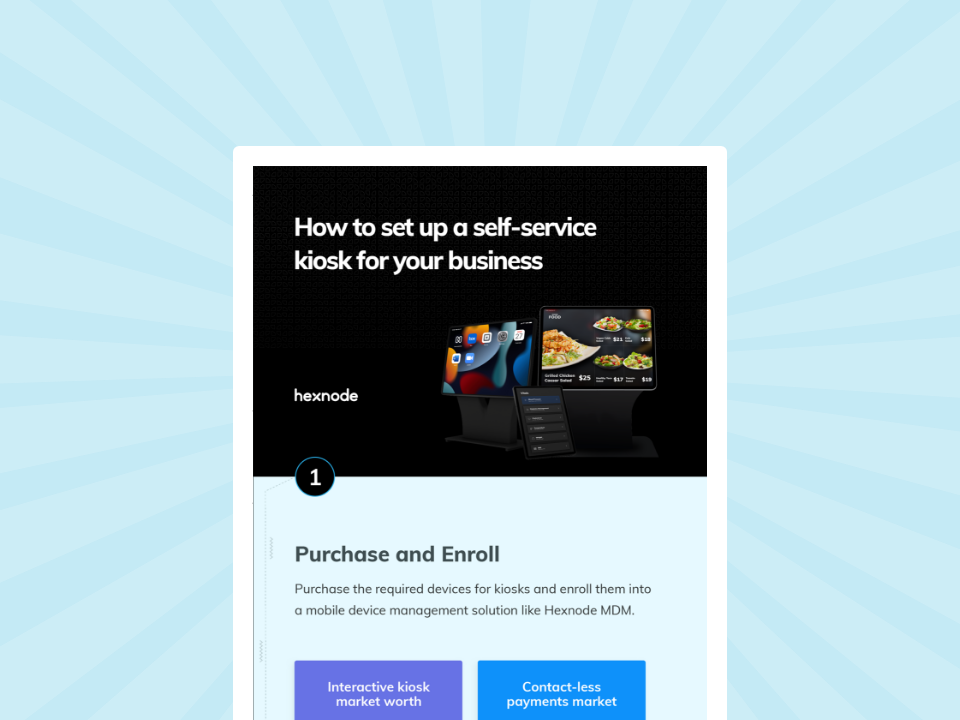
Download this infographic to discover a simple, budget-friendly 4-step process for setting up a self-service kiosk for your business today.
Download InfographicAnswer: ROI comes from lower labor costs and higher sales. Many restaurants see a full return in 12 to 18 months.
Answer: Yes. Hexnode allows IT admins to monitor and fix thousands of retail kiosks remotely from a single dashboard.
Answer: A retail kiosk is interactive (ordering, payments). Digital signage is passive (ads, info). Hexnode can manage both modes on one device.
Answer: Modern kiosks accept cards, mobile payments (Apple/Google Pay), and gift cards. Cash requires special hardware.
Answer: Admins upload new files or apps to the Hexnode console. The system pushes updates to all retail kiosks instantly and silently.
To succeed, modern retail stores must secure their kiosk for retail strategy with a strong UEM solution.
Self-service is here to stay. Kiosks save money and boost sales. But a poorly secured kiosk is a liability. Hexnode provides the security and control you need to turn your retail kiosk deployment into a competitive advantage.
Automate your kiosk lockdown, secure payments, and manage thousands of devices from a single Hexnode console.
Sign Up Now