

Category filter
Navigating the Hexnode Identity Provider Dashboard
Hexnode IdP is a unified Identity Provider (IdP) designed to manage and secure user identities across enterprise applications from a centralized platform. It enables organizations to streamline authentication workflows, enforce identity-based access controls, and integrate enterprise directories.
The Hexnode IdP Dashboard
The Dashboard is the default landing page and consolidated control center of the Hexnode IdP portal. It aggregates real-time insights from directory integrations, authentication events, and security policies to help administrators monitor directory health, evaluate policy adoption, and detect anomalies (e.g., failed sign-ins, unusual login locations).
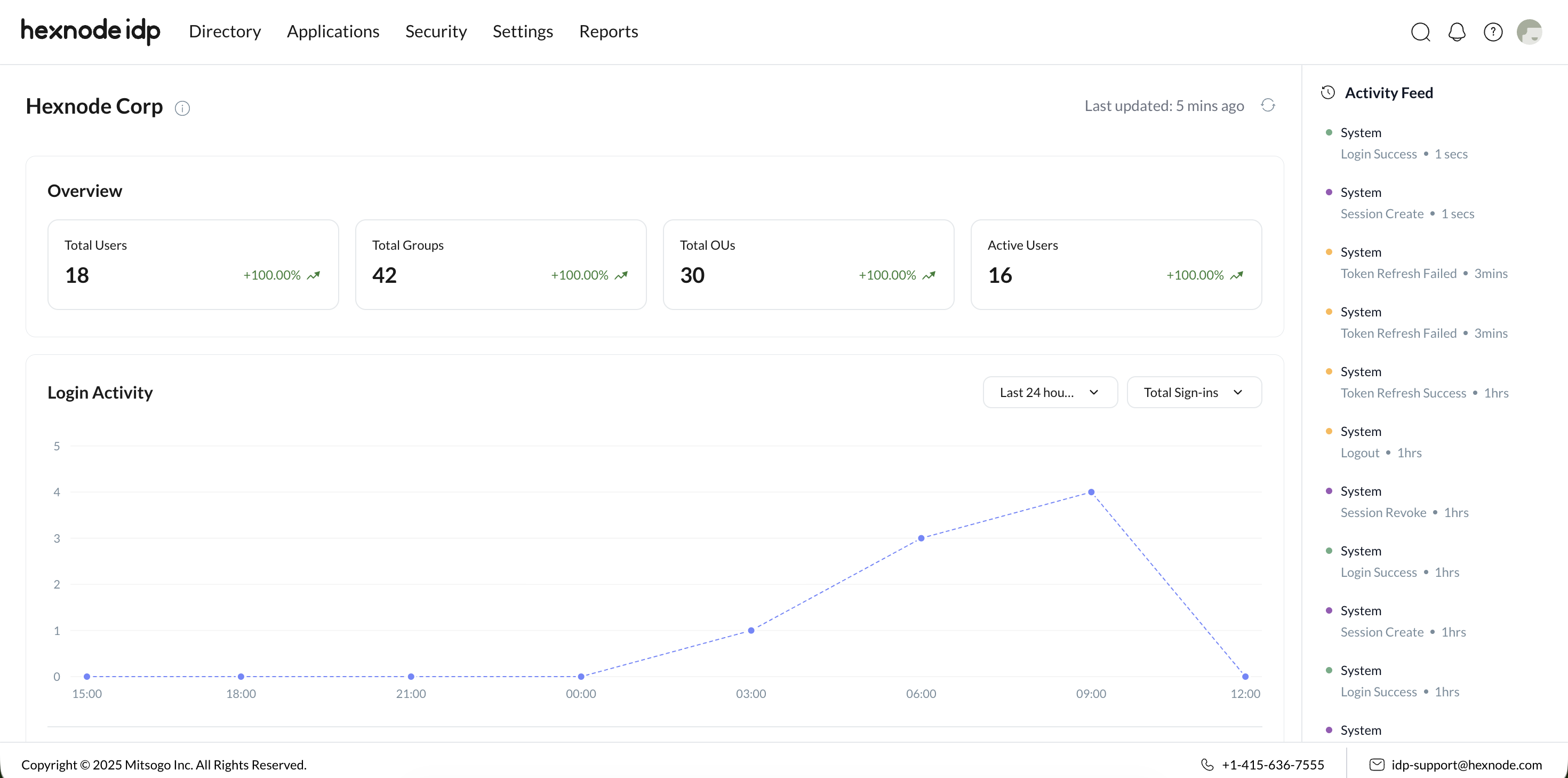
Tenant Information: The top section displays the organization name. Hovering over the information icon reveals the Tenant ID (a unique portal identifier) and the Primary Domain.
Navigation Panel
The primary administrative sections accessible from the navigation panel include:
| Tab Name | Description |
| Directory | Manage users, groups, and organizational units (OUs). |
| Applications | Configure enterprise applications and authentication protocols (e.g., SSO for authentication, SCIM for automated provisioning). |
| Security | Configure identity protection policies (e.g., Multi-Factor Authentication [MFA], password standards). |
| Settings | Manage tenant configurations and third-party integrations. |
| Reports | View detailed reports related to identity and authentication activity. |
Dashboard Components & Widgets
The dashboard features multiple widgets providing real-time identity and authentication insights.
Overview Banner
A quick snapshot of directory scale and user activity, featuring real-time counts and trend indicators (percentage changes). Clicking any card redirects to the Directory tab.
Time Ranges: The percentage changes displayed on the cards are dynamically calculated based on selectable time intervals: Last week, Last 15 days, or Last Month.
| Metric | Description |
| Total Users | Total number of users in the organization. |
| Total Groups | Total number of configured user groups. |
| Total OUs | Total organizational units within the directory structure. |
| Active Users | Total number of currently active users. |
Activity Feed
A chronological audit log of administrative and system activities within the IdP portal.
- Primary label: Administrator name or system-generated activity.
- Sub-label: Brief description of the event.
- Timestamp: Relative time of the activity.
Login Activity
A graphical timeline representing authentication events to help administrators identify login spikes and patterns. Administrators can monitor login patterns and detect authentication surges via a dot-mapped timeline. Hovering over the timeline provides an instant count of total IdP logins for a specific time.
- Activity Types: Total Sign-ins (Default), Total Failed Sign-ins, Failed MFA Verification.
- Time Ranges: Last 12 hours, Last 24 hours (Default), Last 2 days, Last week, Last month.
User Sign-in Locations
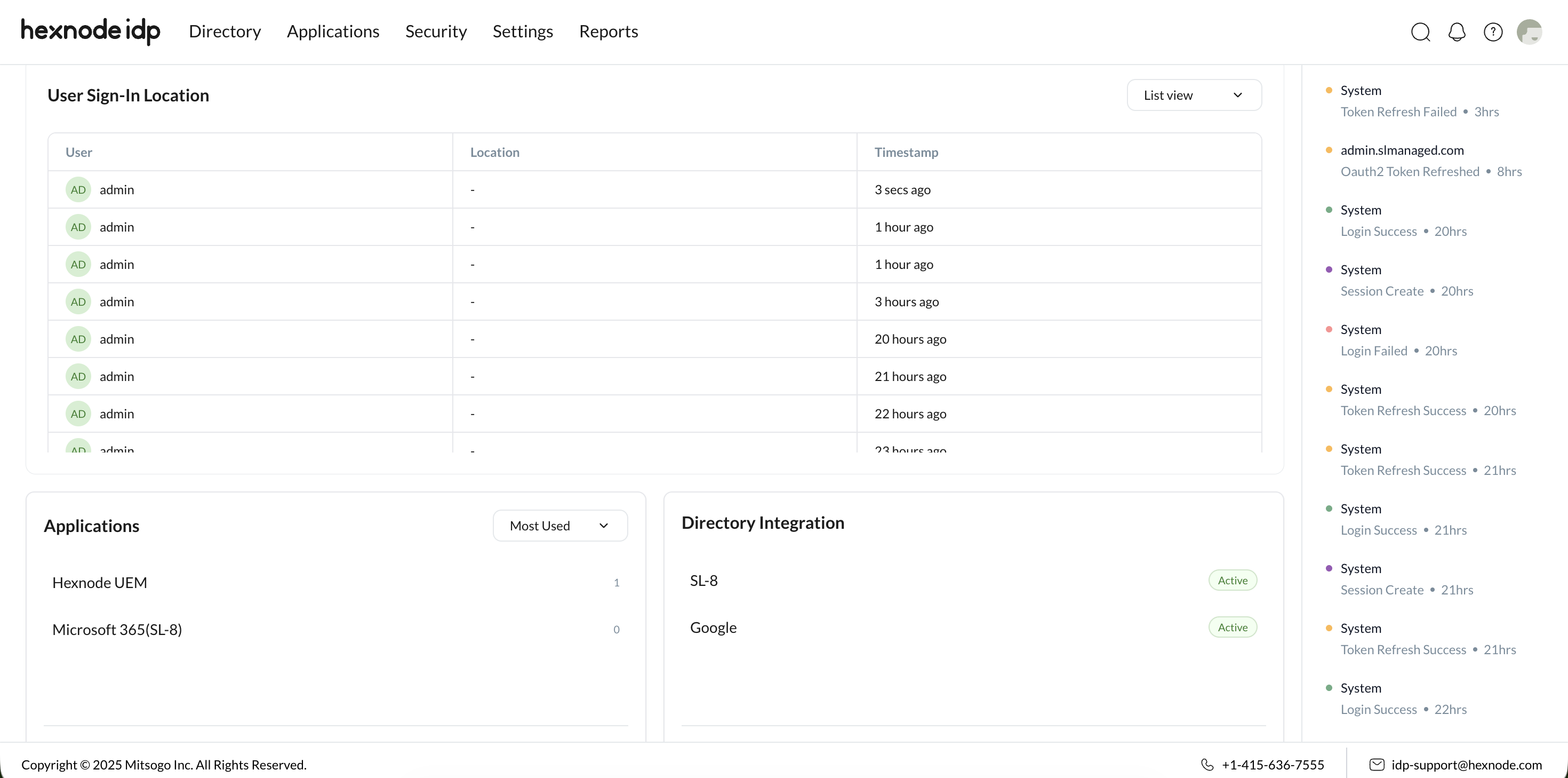
Monitors the geographic origin of authentication requests to detect unusual login patterns and enforce location-based policies.
- Map View: Displays global login events geographically.
- List View: A tabular breakdown detailing:
| Field | Description |
| User | The user attempting the login. |
| Location | Geographic origin of the request. |
| Timestamp | Exact time of the authentication attempt. |
Applications
Monitors user adoption and evaluates enterprise application demand. Clicking the navigation arrow redirects to the Applications tab.
- Filters: Most Used (Default), Least Used.
- Metrics: Total Applications count.
Directory Integration
Monitors the health, connectivity, and synchronization status of connected identity directories. Clicking the navigation arrow redirects to the Directory Integrations tab.
- Status Indicators: Connected (Green), Syncing (Blue), Error (Red).
- Summary Footer: Displays global health (e.g., “3/4 Integrations Healthy”).
| Component | Description |
| Status Indicators | Connected (Green), Syncing (Blue), Error (Red). |
| Summary Footer | Displays global health (e.g., “3/4 Integrations Healthy”). |
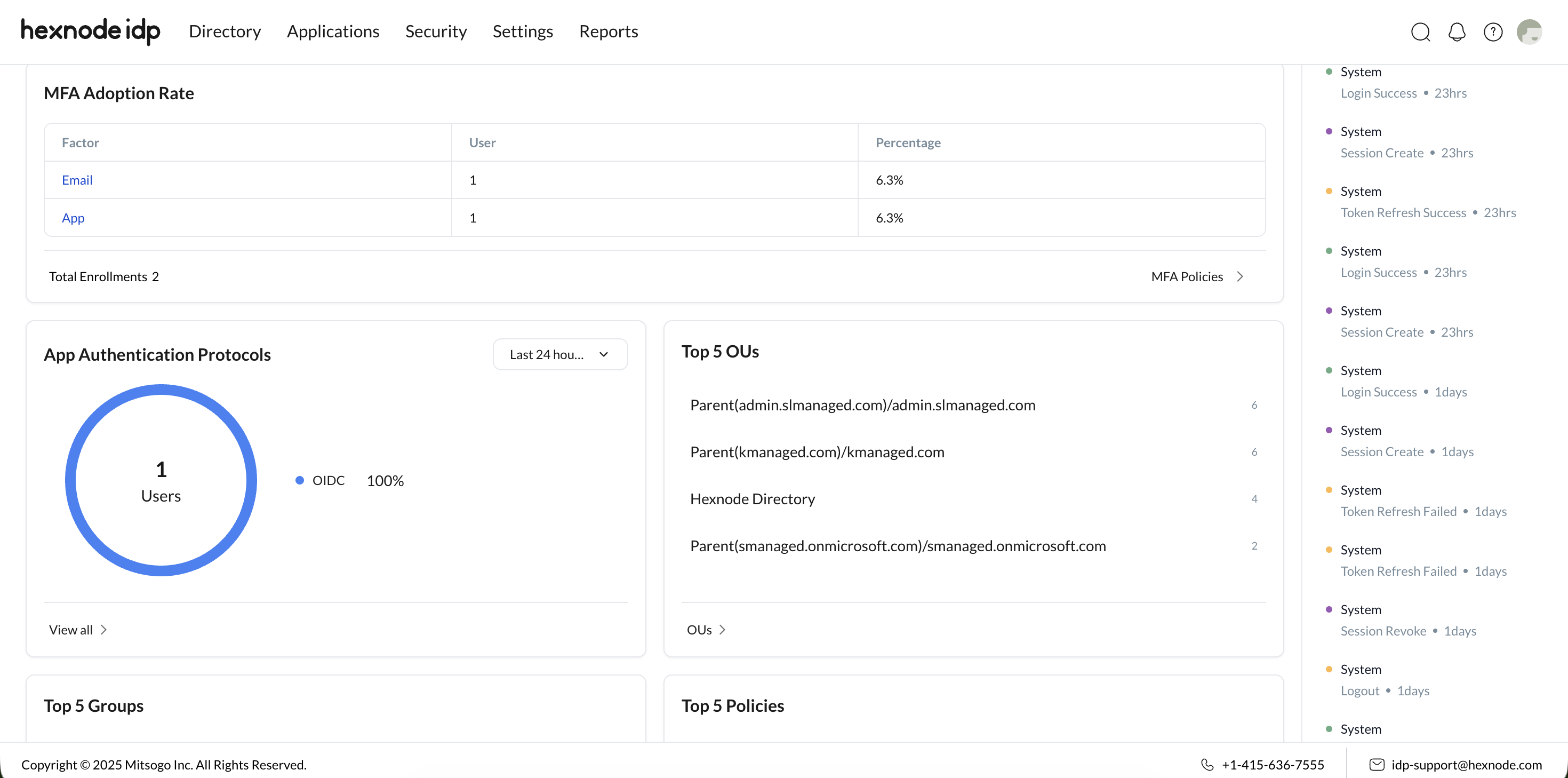
MFA Adoption Rate
Evaluates the effectiveness of MFA policies across the organization. The footer displays Total MFA Enrollments. Clicking the arrow redirects to MFA Policies.
| Field | Description |
| Factor | Authentication method used (e.g., Authenticator apps, OTP). |
| Users | Total number of users enrolled with the specific factor. |
| Percentage | Proportion of total MFA enrollments using this factor. |
App Authentication Protocols
A pie chart visualization tracking the usage distribution of modern authentication standards.
- Data Displayed: Protocol Type (SAML or OIDC), Percentage of usage, Total user count.
- Time Ranges: Last 12 hours, Last 24 hours (Default), Last 2 days, Last week, Last month.
Top 5 Organizational Units (OUs)
Highlights the most populated OUs to illustrate user distribution within the directory. Redirects to the OUs tab.
| Field | Description |
| OU Name | Name of the organizational unit. |
| Total Users | Total assigned users within the OU. |
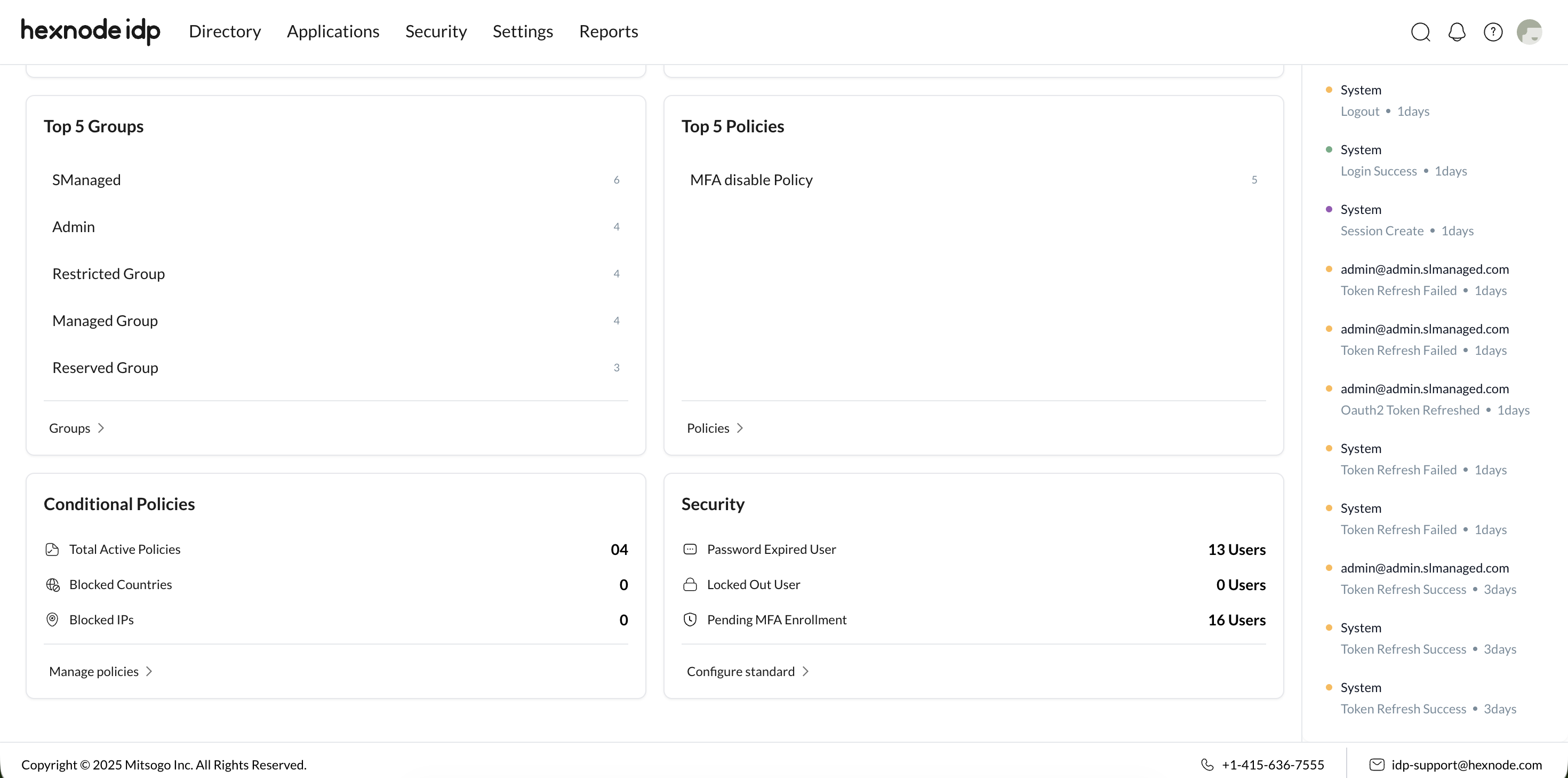
Top 5 Policies
Highlights the most enforced security policies (e.g., MFA, Password, or Session management policies). Redirects to the Security tab.
| Field | Description |
| Policy Name | Name of the active policy. |
| Total Users | Number of users affected by this policy. |
Top 5 Groups
Displays the largest user groups to clarify access permission and application assignment distributions. Redirects to the Groups tab.
| Field | Description |
| Group Name | Name of the user group. |
| Total Users | Number of users within the group. |
Conditional Policies
Summarizes the enforcement scope of Conditional Access rules restricting access based on location and network. Clicking “Manage Policies” redirects to the Security tab.
| Component | Description |
| Summary | Summarizes the enforcement scope of Conditional Access rules restricting access based on location and network. |
| Navigation Action | Clicking “Manage Policies” redirects to the Security tab. |
Security Status
Highlights critical identity-related risks and compliance gaps. Selecting “Configure Standard” redirects to the Security tab.
| Metric | Description |
| Password Expired Users | Users operating with expired passwords. |
| Locked Out Users | Users locked out due to excessive failed login attempts. |
| Pending MFA Enrollment | Users lacking an active enrolled MFA factor. |