Why Manual Enrollment Undermines Device as a Service Deployments
Device as a Service (DaaS) is designed to make device procurement, deployment and refresh cycles repeatable at scale. That model breaks down when IT teams must still receive every endpoint, unpack it, install applications, apply security policies and redistribute it to the user.
Manual staging creates deployment queues that grow with every new hire, replacement or scheduled refresh. Differences in technician procedures can also produce inconsistent configurations, leaving devices with missing applications, outdated settings or incomplete security controls. For remote and distributed workforces, the process adds further shipping delays and creates dependence on local IT staff who may not be available.
Zero-touch enrollment for DaaS closes this operational gap by linking device delivery to automated enterprise configuration. Eligible devices can be shipped directly to users and enrolled in the organization’s management environment during initial setup. Applications, policies and security requirements can then be applied through a predefined workflow, allowing DaaS deployments to scale without equivalent growth in manual IT effort.
What Does Inefficient Device Provisioning Cost the Business?
Inefficient device provisioning increases IT labor, logistics expenses and employee downtime. When technicians must manually prepare and forward each endpoint, every deployment adds handling time and, for remote users, an extra shipping stage. Employees may remain unable to work while waiting for a correctly configured device, extending their time to productivity.
Manual processes also make configurations harder to standardize. Devices can leave staging with inconsistent application versions, missed security settings or incorrect access profiles. If enrollment is incomplete, an endpoint may operate outside centralized inventory, policy enforcement and compliance monitoring, limiting IT’s ability to identify risks or protect corporate data.
These failures weaken the wider DaaS model. Users receive devices late or encounter setup problems that require immediate support, undermining the expected out-of-box experience. IT teams must repeat the same work during replacements and scheduled refreshes, while exceptions accumulate across the fleet. As device volumes and locations increase, the organization cannot scale deployments efficiently without adding technicians, staging capacity and logistical overhead.
What Is Zero-Touch Enrollment in a DaaS Model?
Zero-touch enrollment allows a device to enroll in an organization’s management platform and receive approved configurations during initial setup without IT manually preparing it. In a DaaS model, this connects supplier-led device delivery with enterprise-managed provisioning.
The process typically begins when an OEM or authorized reseller registers the device and associates it with the organization’s account or tenant, although some platforms also support organization-led registration. IT then assigns the registered device to the appropriate management service or deployment configuration. After the device reaches the employee, the user powers it on and connects it to the internet. The enrollment service verifies the device identity and directs it to the organization’s UEM, where assigned policies, applications and security settings can be deployed.
“Zero-touch” primarily means eliminating hands-on IT staging. Depending on the operating system and enrollment configuration, users may still need to select basic setup options, authenticate with their corporate identity or accept required terms before accessing the device.
How Does Zero-Touch Enrollment Support the DaaS Lifecycle?
Zero-touch enrollment connects procurement, direct delivery, activation and management through a predefined provisioning workflow. During procurement, an eligible device’s hardware identity is registered and associated with the organization. It can then be shipped directly to the assigned user instead of passing through an IT staging facility.
When activated, the device is recognized by the relevant enrollment service and directed to its designated UEM configuration. This allows it to enter the intended management state with the appropriate policies, applications and security controls.
The same model supports refresh and reassignment by applying the correct configuration when a replacement or repurposed device is activated. At retirement, IT can remove management assignments and reconcile enrollment records with asset disposal processes. Enrollment automation therefore makes repeatable configuration part of the DaaS lifecycle rather than a separate deployment project for every device.
How Is Zero-Touch Enrollment Different From Manual and Bulk Enrollment?
Manual enrollment and technician-led bulk staging require hands-on preparation before deployment, whereas automated bulk enrollment can provision eligible devices without physical IT handling. Zero-touch enrollment instead uses supplier registration and automated management assignment to prepare devices when users activate them.
Criterion
Manual enrollment
Technician-led bulk staging
Vendor-assisted zero-touch enrollment
IT handling
Each device is configured individually
Technicians configure devices in batches
Minimal pre-delivery IT handling
Deployment location
IT desk or local office
Central staging facility
User’s location
Configuration consistency
Depends on technician execution
More consistent through repeatable staging
Driven by predefined UEM configurations
Scalability
Low
Moderate
High for eligible devices
Direct-to-user delivery
Poorly suited
Limited
Designed to support it
Bulk enrollment can reduce repetitive configuration by applying settings to multiple devices simultaneously. However, the hardware may still need to pass through an IT department or staging partner before distribution, adding handling, shipping and deployment time.
Which Platforms Provide Zero-Touch Enrollment Services?
Apple, Google, Samsung and Microsoft provide ecosystem-specific services for automating corporate device provisioning and management enrollment.
Apple Automated Device Enrollment (ADE): Uses Apple Business or Apple School Manager to assign eligible organization-owned Apple devices to a device management service.
Android zero-touch enrollment: Allows supported corporate-owned Android devices purchased through participating resellers to apply an assigned enterprise configuration during setup.
Samsung Knox Mobile Enrollment (KME): Automates enrollment for eligible Samsung Galaxy devices by associating them with an organization’s management profile.
Windows Autopilot: Uses device registration and deployment profiles to guide eligible Windows devices through organization-managed setup and UEM enrollment.
These services do not provide one universal zero-touch workflow. Device eligibility, reseller participation, registration methods and supported ownership models vary by ecosystem. Availability can also depend on the device model, purchase route, deployment region and platform licensing requirements. A DaaS provider must therefore align sourcing channels and enrollment prerequisites with each platform before promising direct-to-user provisioning.
Zero-Touch Windows & Mac: A Unified Onboarding Strategy
Learn how Apple ADE and Windows Autopilot support a unified direct-to-user provisioning workflow.
How Should Organizations Implement Zero-Touch Enrollment for DaaS?
Organizations should implement zero-touch enrollment as a coordinated operational process involving IT, security, procurement, identity teams and the DaaS provider. Treating enrollment as a UEM-only configuration can leave gaps in device registration, user verification, policy delivery and lifecycle accountability.
Successful implementation requires every team to agree on how devices are purchased, registered, assigned and managed from activation through retirement. The process should follow five steps:
Define device ownership and enrollment requirements.
Connect procurement with device registration.
Build role-based enrollment configurations.
Pilot the complete direct-to-user experience.
Plan for refresh, reassignment and retirement.
This staging workflow orchestrates hardware identity binding, UEM profile mapping, identity provider (IdP) authentication, and policy payload distribution prior to scaling provisioning across the Device-as-a-Service (DaaS) fleet.
Featured Resource
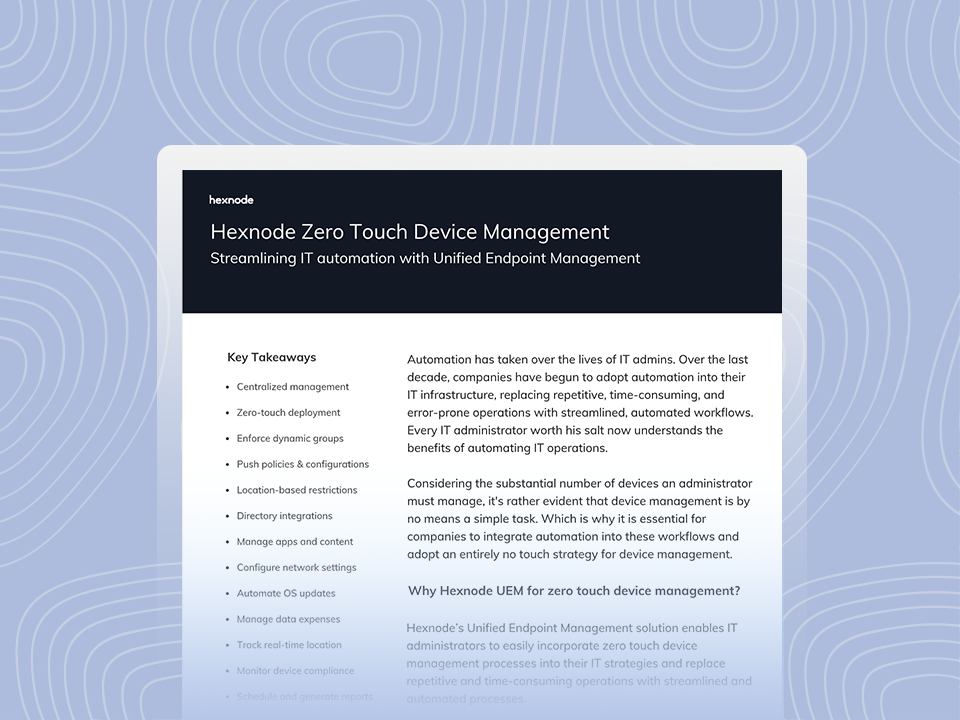
Hexnode Zero Touch Device Management
See how Hexnode replaces repetitive device management tasks with automated zero-touch workflows.
Step 1: Define Device Ownership and Enrollment Requirements
Start by documenting the operating systems, corporate ownership models, user groups, deployment regions and replacement schedules covered by the DaaS program. These factors determine which enrollment services are available and whether the same provisioning workflow can support every device.
Identify endpoints that qualify for native programs such as Automated Device Enrollment, Android zero-touch enrollment, Knox Mobile Enrollment or Windows Autopilot. Record exceptions—including unsupported models, devices obtained through non-participating resellers and deployments in unavailable regions—and define an alternative enrollment method for each.
Assign clear ownership across the lifecycle. Specify who registers hardware identifiers, configures UEM assignments, maps devices to users, resolves activation issues and removes enrollment records during reassignment or retirement. This prevents tasks from being overlooked between the organization and its DaaS provider.
Step 2: Connect Procurement With Device Registration
Make device registration a required procurement milestone rather than a post-purchase IT task. Authorized suppliers or the DaaS provider should register eligible device identifiers with the appropriate platform enrollment service before shipping hardware to users.
Define which records each party must exchange and how they will be reconciled. Depending on the platform, this may include purchase order details, serial numbers, hardware hashes, reseller identifiers, device models and intended UEM assignments. Establish a shared status workflow so procurement and IT can confirm that each ordered device appears in the correct enrollment account.
Before release for shipment, check for missing registrations, duplicate identifiers and assignments to the wrong organization, UEM server or deployment profile. Devices that fail validation should be held for correction instead of reaching users without a functioning automated enrollment path.
Create a baseline configuration that establishes the minimum requirements for every managed device. It should define management enrollment, user authentication, security controls, required applications, network access and compliance settings. Platform-specific variations may be necessary where operating systems expose different enrollment and management capabilities.
Add configuration layers based on business context rather than creating a separate profile for every individual device. Role, department, ownership type and operating system can determine which applications, restrictions, certificates and access settings an endpoint receives. For example, a field device may require a different application set and network configuration from a finance workstation.
Apply least-privilege access throughout the workflow. Grant only the permissions required for the user and device function, and review configurations before deployment. Do not embed shared passwords, reusable tokens or other sensitive secrets in enrollment profiles; use identity-based authentication and certificate-backed access where supported.
Step 4: Pilot the Complete Direct-to-User Experience
Test the workflow with production-equivalent devices purchased through the intended supplier and delivered through the planned logistics route. Internal tests using manually registered lab hardware may not expose procurement, registration or shipping failures that affect real deployments.
Have pilot users complete activation without IT handling the devices first. Validate UEM enrollment, identity authentication, policy application, application delivery and compliance reporting. Confirm that required controls remain applied after restarts and setup completion.
Document recovery procedures for failed internet connections, incorrect device assignments, enrollment-service outages and endpoints that bypass management. Define when users can retry independently, when the supplier must correct registration and when IT should quarantine or manually enroll the device.
Step 5: Plan for Refresh, Reassignment and Retirement
Extend the enrollment workflow beyond initial deployment. During hardware refresh cycles or break/fix remediation events, replacement endpoints must undergo registration, target UEM profile binding, and pre-deployment validation prior to logistics dispatch. This allows users to activate replacements without waiting for IT-led staging.
For returned or retired endpoints, define procedures for secure wipe, inventory reconciliation and enrollment-record removal. Validate data sanitization completion, update the endpoint’s IT Asset Management (ITAM) lifecycle state, and disassociate the hardware record from enterprise zero-touch enrollment programs upon permanent organizational offboarding. Coordinate these actions with the DaaS provider to prevent retired hardware from remaining associated with active management configurations.
Before reassignment, remove the previous user association and verify the device’s new role. The endpoint should receive configurations based on its new user, department or function instead of retaining applications, permissions or settings from the previous deployment context.
How Does Hexnode Support Zero-Touch DaaS Deployments?
Hexnode UEM supports platform-specific enrollment services that direct eligible corporate devices into management during initial setup. This allows DaaS providers to ship registered devices directly to users while IT controls their enrollment configuration.
For Android, Hexnode generates a JSON string containing the required DPC extras for the selected Android Enterprise enrollment profile. Administrators paste this data into a configuration in the Android zero-touch portal and assign it to devices uploaded by an authorized reseller. When a user connects an assigned device to the internet, it enrolls with Hexnode in Android Enterprise device owner mode and receives applicable policies. See the Android zero-touch enrollment documentation.
Hexnode also supports Apple Automated Device Enrollment, through which administrators assign eligible Apple devices to the Hexnode server using Apple Business Manager or Apple School Manager; Samsung Knox Mobile Enrollment, where administrators configure a KME MDM profile with Hexnode as the EMM; and Windows Autopilot, which redirects registered Windows devices to Hexnode during organization-managed setup. See the Apple ADE documentation.
These options support standardized onboarding and repeatable provisioning for DaaS refreshes and replacements, while preserving each platform’s distinct prerequisites and activation workflow.
FAQs
Can existing devices be added to a zero-touch enrollment program?
Some platforms support organization-led registration for existing devices, but the available method depends on the operating system, hardware and enrollment service. Devices that are ineligible require an alternative enrollment or staging process.
Does zero-touch enrollment work after a factory reset?
Zero-touch enrollment can reprovision a device after a factory reset if it remains registered and assigned to the organization’s management configuration. The exact behavior and user steps vary across Apple, Android, Samsung and Windows enrollment services.
What happens if a device cannot reach the enrollment service during setup?
Enrollment may fail, pause or require another setup attempt when the device cannot reach the platform’s enrollment service or UEM. IT should test firewall, proxy and network requirements and document a recovery path before deployment.
Who is responsible for registering devices in a DaaS deployment?
The OEM, authorized reseller or DaaS provider typically registers eligible device identifiers and associates them with the organization. IT remains responsible for verifying those records and assigning the correct management service or deployment configuration.
How should IT handle devices that do not support zero-touch enrollment?
IT should document unsupported devices as exceptions and assign an approved alternative, such as user-assisted enrollment or technician-led staging. These devices should still receive the organization’s required applications, security controls and compliance settings.
Can Hexnode support zero-touch enrollment across a mixed-device DaaS fleet?
Yes, Hexnode supports Apple Automated Device Enrollment, Android zero-touch enrollment, Samsung Knox Mobile Enrollment and Windows Autopilot. Each service retains its own device eligibility, registration prerequisites and activation workflow.
Make Automated Enrollment Part of Your DaaS Strategy
DaaS can scale effectively only when device delivery, enrollment and ongoing management operate as one coordinated lifecycle. Before the next rollout, assess device and platform eligibility, confirm how suppliers will register hardware, and validate each enrollment configuration against real deployment scenarios.
Standardize zero-touch DaaS enrollment
Standardize enrollment, policies and provisioning across eligible devices with Hexnode UEM.
Associate Product Marketer at Hexnode focused on SaaS content marketing. I craft blogs that translate complex device management concepts into content rooted in real IT workflows and product realities.