Why is multi-OS device management difficult for DaaS providers?
Multi-OS device management is difficult because Device-as-a-Service (DaaS) providers must standardize operations across customer-owned and provider-managed Windows, macOS, Android, iOS, and other supported device types. DaaS device fleet management requires consistent configuration, security, and support without creating separate workflows for every client environment.
Each platform uses different enrollment methods, management permissions, application formats, and configuration controls. Device ownership adds another layer of complexity: a provider-managed Windows laptop, supervised iPhone, and personally owned Android device may each require a different setup and policy approach.
Customer-specific requirements for applications, network access, restrictions, and compliance can further increase administrative overhead. Without a structured management model, teams create one-off policies and support processes that cause configuration drift, slow onboarding, and make troubleshooting harder as client fleets grow.
What does fragmented device management cost a DaaS business?
Fragmented device management increases service-delivery effort and makes standardization harder to maintain as client fleets grow. When teams manage separate tools, policies, and processes across operating systems and customers, routine work takes longer, and outcomes become less predictable.
Common operational costs include:
Delayed onboarding when technicians must manually configure device types and customer requirements.
Inconsistent configurations that create support issues and complicate change management.
Limited compliance visibility across distributed client devices and operating systems.
Higher support workloads caused by repeated troubleshooting, policy exceptions, and manual status checks.
Unmanaged variation also puts pressure on SLAs. Administrators spend more time identifying device state and resolving configuration differences, slowing issue resolution and potentially affecting the client experience.
As this overhead grows, DaaS device fleet management becomes harder to scale profitably, reducing the operational margin gained from adding new customers or devices.
What does effective DaaS device fleet management require?
Effective DaaS device fleet management brings device provisioning, configuration, monitoring, security, support, and lifecycle actions into one operational model. This lets providers manage multi-OS client fleets consistently while adapting service delivery to each customer’s requirements.
A scalable approach needs standardized deployments, targeted policy workflows, real-time device visibility, and a defined refresh process for returned or replacement hardware.
Hexnode UEM supports these requirements through multi-OS management, workflow automation, reports and analytics, and lifecycle actions such as device wipe and reassignment.
Standardized provisioning across device platforms
Zero-touch enrollment helps providers add devices to the client environment and configure them for users from day one, reducing manual setup effort.
Providers should standardize deployment workflows around:
The operating system and device type
Client-specific configurations and required applications
Security settings and device restrictions
The assigned user’s role and access needs
Centralized policies without one-size-fits-all controls
DaaS providers need to apply common configurations without treating every device identically. Hexnode’s workflow automation enables administrators to bundle actions, schedule execution, and target devices so configurations, applications, and security settings reach the appropriate fleet segment.
Policies should be tailored according to:
Customer environment and service requirements
Device platform and ownership model
User group, location, and workload
Required update, compliance, and support workflows
How Device as a Service (DaaS) helps mitigate the risks of BYOD
Manage multi-OS DaaS fleets through centralized, scalable device lifecycle workflows.
How can DaaS providers build a scalable multi-OS management model?
DaaS providers should define repeatable onboarding, policy, support, and reporting workflows before adding devices or clients at scale. This reduces configuration variation and gives technicians a consistent operating model across customer environments.
The following steps provide a practical framework. Hexnode UEM supports the underlying workflows through device groups, platform-specific enrollment, policy deployment, and device reporting.
Step 1: Segment clients, devices, and service tiers
Classify devices before assigning policies or support workflows. This makes it easier to separate client environments and apply the right controls.
Segment by customer, operating system, ownership, service tier, and security requirements.
Use custom device groups and Dynamic Device Groups with AND/OR and nested conditions to organize devices for targeted administration.
Step 2: Define repeatable enrollment and configuration workflows
Document the approved enrollment path for each supported platform and ownership model. This ensures each device begins with the appropriate management settings.
Assign baseline policies and required applications based on the device platform and client requirements, then apply additional configuration or support workflows as needed.
Review enrollment workflows when device models, operating systems, or client requirements change.
Step 3: Apply baseline security and client-specific policies
Create reusable baseline policies for common device settings, then layer customer-specific requirements where needed. This maintains operational consistency without applying identical controls across every fleet.
Use policy targets to apply policies to defined users, devices, or groups.
Keep client-specific application, restriction, and access requirements separate from baseline policies.
Test policy changes with limited device groups before wider deployment.
Step 4: Operationalize support, visibility, and reporting
Scalable DaaS operations require current visibility into device inventory, ownership, operating-system versions, and management status. This information helps teams prioritize support work and identify devices that need attention.
Use device reports to review device data and operational status.
Use Remote Cast for supported remote-assistance workflows on applicable devices.
Define escalation paths for issues that require support capabilities outside the available remote-management workflow.
Featured resource
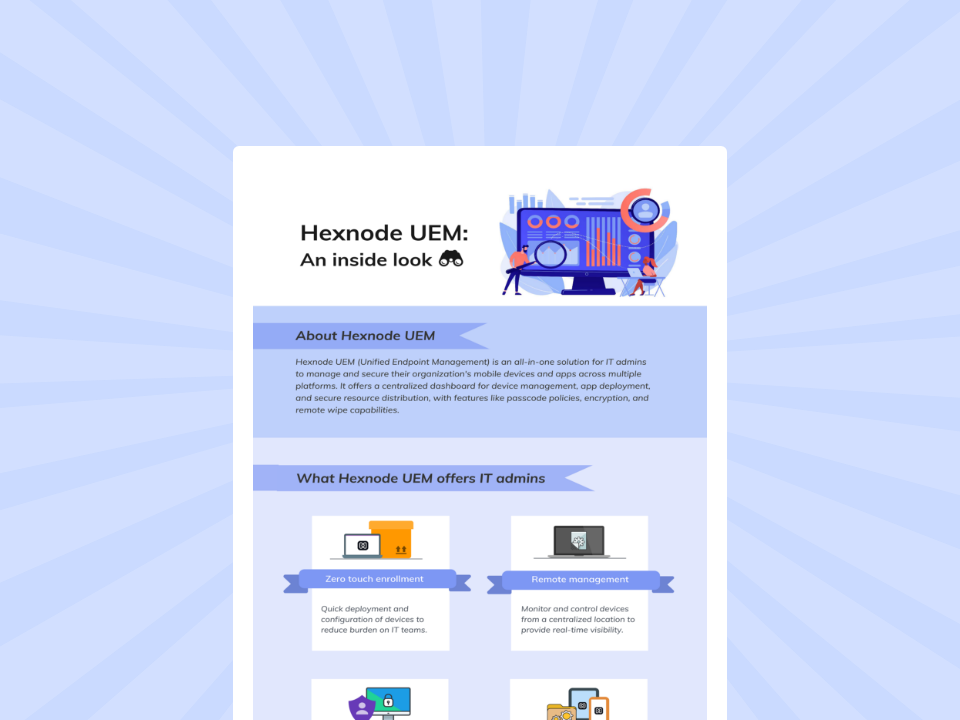
Hexnode UEM: An inside look
Learn how Hexnode UEM centralizes cross-platform device management, app deployment, security, and remote administration efficiently.
How does Hexnode support multi-OS DaaS operations?
Hexnode UEM supports DaaS operations by bringing supported device platforms into a single management console. Providers can manage Windows, macOS, Android, iOS, Linux, ChromeOS, Fire OS, and other supported devices while maintaining visibility across the client fleet.
Key DaaS capabilities include:
AI-powered assistance through Hexnode Genie, which helps administrators generate actionable scripts and reduce workflow complexity.
Multi-OS support for managing supported device platforms from one console.
Workflow automation for bundling actions, scheduling execution, and targeting relevant device populations.
Smart reports and analytics for reviewing fleet information, management status, and operational conditions.
Scheduled custom reports to support routine operational reviews and client reporting.
Device lifecycle actions such as wiping managed devices before reassignment or retirement and assigning enrolled devices to new users.
Together, these capabilities help DaaS providers centrally manage supported client devices across enrollment, configuration, monitoring, support, and supported reassignment or retirement workflows.
FAQs
What should DaaS providers standardize before scaling their client device fleet?
DaaS providers should standardize enrollment paths, baseline policies, required applications, naming conventions, support settings, and reporting workflows. Customer-specific controls can then be layered onto this shared operational baseline. This reduces configuration variation as new devices and clients are added.
How should DaaS providers manage returned or replacement devices?
Returned or replacement devices should follow a defined refresh process before reassignment or retirement. This process should include retrieving the device, removing corporate data through a device wipe where appropriate, and preparing the device for reconditioning or redeployment. Documenting these steps helps maintain consistency throughout the device lifecycle.
Can one UEM platform manage different device operating systems for DaaS?
Yes, a UEM platform can centralize management for supported device operating systems while using platform-specific enrollment and policy workflows. The controls available for a device depend on its operating system, ownership model, and management method. Providers should validate support requirements for each device type before standardizing deployment.
Standardize client device operations with Hexnode UEM
Successful DaaS device fleet management depends on repeatable enrollment, targeted policy assignment, client separation, and current operational visibility. When these workflows are standardized, providers can scale client fleets without multiplying manual configuration and support processes.
Hexnode UEM gives DaaS providers a centralized way to evaluate the management of supported multi-OS device fleets throughout their lifecycle. Start your free trial or schedule a tailored product evaluation to assess how it fits your DaaS operating model.
Simplify multi-OS DaaS device operations.
Start your free trial and centralize device management across key lifecycle stages.
A storyteller for practical people. Breaks down complicated topics into steps, trade-offs, and clear next actions—without the buzzword fog. Known to replace fluff with facts, sharpen the message, and keep things readable—politely.